Home Blog Page 9

How to Choose Hosting for a Membership Site

0

In today’s digital world, membership sites have become a powerful way to build online communities, deliver exclusive content, and create recurring income. Unlike traditional websites that focus mainly on providing information, a membership site requires a different level of planning, structure, and hosting support. Choosing the right hosting plays a critical role because it affects everything from speed and security to user experience and scalability. Before diving into hosting requirements, it’s essential to understand how membership sites differ from regular websites and why their hosting needs are more complex.

How do Membership Sites Differ From Regular Websites?

At first glance, a membership site may look similar to a standard website. However, the way they function and serve content is quite different. A regular website might only showcase blog posts, company information, or product details. A membership site, on the other hand, restricts content and features to registered members, making the technical and performance needs much higher.

How-do-Membership-Sites-Differ-From-Regular-Websites

Key differences include:

  • Content Access:

    • Regular websites offer content freely to all visitors.

    • Membership sites lock specific content, courses, or downloads behind a login system.

  • User Management:

    • A standard website has minimal user interaction.

    • Membership sites handle member registration, profiles, logins, and sometimes even tiered subscription plans.

  • Revenue Model:

    • Regular websites may rely on ads or one-time product sales.

    • Membership sites usually depend on recurring subscriptions, which require a secure and reliable payment system.

  • Engagement:

    • Visitors to a normal site often consume content passively.

    • Members actively engage through forums, online classes, or exclusive communities.

Because of these differences, the overall structure of a membership site is more dynamic and resource-intensive.

How is Hosting a Membership Site Different From Hosting a Regular Website?

Hosting a membership site goes beyond just keeping the website online. Since members log in, interact, and access exclusive resources, the server must be prepared for more complex operations. Choosing the wrong hosting environment can lead to slow performance, downtime, and even security risks.

Here are some ways hosting differs:

  • Performance & Speed

    • Regular sites often deal with predictable traffic.

    • Membership sites may face sudden spikes when new content or courses are released. This means you need hosting with higher bandwidth, optimized caching, and stronger servers.

  • Database Usage

    • A normal website may only use a database for storing posts and settings.

    • A membership site continuously queries databases for member logins, subscription details, and content restrictions, requiring robust database management.

  • Security Requirements

    • Regular sites still need security, but risks are lower.

    • Membership sites deal with sensitive user data, including payment information. Strong SSL certificates, firewalls, and malware protection are essential.

  • Scalability

    • A personal blog or company website can run for years on the same hosting plan.

    • Membership sites must be scalable, as new signups and growing communities quickly demand more server resources.

  • Support & Uptime

    • Downtime on a regular site might cause inconvenience.

    • Downtime on a membership site frustrates paying members and risks losing revenue. That’s why 24/7 hosting support and a strong uptime guarantee are crucial.

In short, hosting a membership site requires a provider that can handle speed, scalability, and security at a higher level than standard web hosting.

What Should I Know About Choosing a Web Host for a Membership Site?

Launching a membership site is exciting, but one of the biggest decisions you’ll make is choosing the right hosting. Your web host plays a direct role in how fast, secure, and reliable your site will be. Since membership sites deal with user data, recurring payments, and often high traffic, the wrong hosting plan can create serious problems. Before making a choice, it’s important to understand your options and match them with your goals.

Shared Hosting

Shared hosting is the most affordable option, but it comes with limitations. In this setup, your site shares server resources with many other websites. While this is fine for beginners or very small communities, it often struggles to handle traffic spikes and membership features that require more power.

Pros:

  • Budget-friendly

  • Easy to set up for beginners

Cons:

  • Slower performance under load

  • Limited resources and scalability

  • Not ideal for growing membership sites

If you are just testing your idea or running a small group of users, shared hosting could work. But for serious long-term growth, you may quickly outgrow it.

VPS Hosting

Virtual Private Server (VPS) hosting is the next step up. With VPS, you still share a physical server, but your website gets its own dedicated resources. This means better performance, stronger security, and more control.

Why VPS works well for membership sites:

  • Handles moderate traffic smoothly

  • Offers more customization and flexibility

  • Greater stability compared to shared hosting

For small to medium membership sites expecting steady growth, VPS hosting provides a balanced solution without the high cost of dedicated servers.

Dedicated Hosting

Dedicated hosting gives you full control over a physical server. No sharing, no resource limitations—everything is tailored to your website. This is the premium option and is usually necessary for very large communities or membership sites with thousands of active users.

Advantages:

  • Maximum performance and speed

  • Strongest security environment

  • Complete customization of server settings

Drawbacks:

  • Expensive compared to other options

  • Requires technical expertise to manage

If your membership site is already established and you expect heavy traffic or host a lot of content (like videos or courses), dedicated hosting ensures reliability.

Managed Hosting for WordPress

If your membership site is built on WordPress, managed hosting is often the best choice. These plans are designed specifically for WordPress websites, meaning the hosting company takes care of updates, security, backups, and optimization.

Managed Hosting for WordPress

Key benefits of managed WordPress hosting:

  • Optimized speed and performance for WordPress

  • Automatic updates and strong security features

  • Expert support familiar with membership plugins (like MemberPress, Paid Memberships Pro, or WooCommerce Memberships)

This option is perfect for non-technical users who want peace of mind and a hosting plan that “just works.” While it can be more expensive than basic shared or VPS hosting, the convenience and reliability often justify the cost.

What Should I Know About Choosing a Web Host for a Membership Site?

Launching a membership site is exciting, but one of the biggest decisions you’ll make is choosing the right hosting. Your web host plays a direct role in how fast, secure, and reliable your site will be. Since membership sites deal with user data, recurring payments, and often high traffic, the wrong hosting plan can create serious problems. Before making a choice, it’s important to understand your options and match them with your goals.

Shared Hosting

Shared hosting is the most affordable option, but it comes with limitations. In this setup, your site shares server resources with many other websites. While this is fine for beginners or very small communities, it often struggles to handle traffic spikes and membership features that require more power.

Pros:

  • Budget-friendly

  • Easy to set up for beginners

Cons:

  • Slower performance under load

  • Limited resources and scalability

  • Not ideal for growing membership sites

If you are just testing your idea or running a small group of users, shared hosting could work. But for serious long-term growth, you may quickly outgrow it.

VPS Hosting

Virtual Private Server (VPS) hosting is the next step up. With VPS, you still share a physical server, but your website gets its own dedicated resources. This means better performance, stronger security, and more control.

Why VPS works well for membership sites:

  • Handles moderate traffic smoothly

  • Offers more customization and flexibility

  • Greater stability compared to shared hosting

For small to medium membership sites expecting steady growth, VPS hosting provides a balanced solution without the high cost of dedicated servers.

Dedicated Hosting

Dedicated hosting gives you full control over a physical server. No sharing, no resource limitations—everything is tailored to your website. This is the premium option and is usually necessary for very large communities or membership sites with thousands of active users.

Advantages:

  • Maximum performance and speed

  • Strongest security environment

  • Complete customization of server settings

Drawbacks:

  • Expensive compared to other options

  • Requires technical expertise to manage

If your membership site is already established and you expect heavy traffic or host a lot of content (like videos or courses), dedicated hosting ensures reliability.

Managed Hosting for WordPress

If your membership site is built on WordPress, managed hosting is often the best choice. These plans are designed specifically for WordPress websites, meaning the hosting company takes care of updates, security, backups, and optimization.

Key benefits of managed WordPress hosting:

  • Optimized speed and performance for WordPress

  • Automatic updates and strong security features

  • Expert support familiar with membership plugins (like MemberPress, Paid Memberships Pro, or WooCommerce Memberships)

This option is perfect for non-technical users who want peace of mind and a hosting plan that “just works.” While it can be more expensive than basic shared or VPS hosting, the convenience and reliability often justify the cost.

Cost vs. Value

It’s easy to choose the cheapest hosting, but that usually comes with hidden costs—such as slow performance, limited bandwidth, or extra fees for SSL certificates and backups. Instead of only comparing prices, weigh the overall value: speed, support, scalability, and security. For a membership business, investing in quality hosting saves money in the long run by preventing cancellations and downtime.

Conclusion

Choosing the right hosting for a membership site is one of the most important decisions you’ll make. The perfect plan should balance performance, security, scalability, and support while fitting your budget. A membership site is built on trust, and reliable hosting is the foundation of that trust. Take your time, compare providers carefully, and always plan for long-term growth.

FAQs

1. Can I run a membership site on shared hosting?
Yes, but only if you are starting small. For serious growth, VPS, managed WordPress, or cloud hosting is better.

2. Which hosting is best for WordPress membership sites?
Managed WordPress hosting is usually the best option because it is optimized for plugins like MemberPress or Paid Memberships Pro.

3. Do I need a dedicated server for a membership site?
Not necessarily. Dedicated hosting is only required for very large sites with thousands of members.

4. How important is security for membership hosting?
Extremely important. Since members share personal details and payment information, SSL and strong security measures are a must.

5. How much does good hosting for a membership site cost?
It depends on your needs, but expect to spend between $20 to $100 per month for reliable hosting that supports scalability and security.

Fast WordPress Hosting for eCommerce Store with 100K Monthly Visits

0

Reaching 100,000 monthly visitors is an incredible milestone for any eCommerce business — but it’s also when cracks start showing in your infrastructure. Pages load slower, the checkout process lags, and database queries take longer to complete. What once worked on a $10 shared plan can now cost you sales.

At this scale, performance isn’t optional — it’s a direct revenue factor. Google research shows that a 1-second delay in load time can reduce conversions by up to 7%. That means even a small hosting bottleneck could cost thousands of dollars in lost orders each month.

This article walks you through how to choose the fastest WordPress hosting for an eCommerce store serving around 100K monthly visitors — focusing on real-world speed, scalability, and reliability, not marketing hype.

Understanding the Demands of a 100K-Visitor eCommerce Store

At 100,000 visits per month, your WordPress store processes more than just page views. Every click triggers dynamic queries, cart updates, AJAX calls, and payment gateway communications. Unlike blogs or brochure sites, eCommerce platforms use CPU-heavy plugins such as WooCommerce, Elementor, and caching engines that demand high-performance servers.

Your hosting needs to handle:

  • Dynamic PHP requests for checkout, user sessions, and product filtering.
  • Database transactions for orders, stock management, and customer data.
  • Image delivery and caching for high-volume product pages.
  • Security layers like firewalls, SSL encryption, and bot protection.

For 100K visitors, expect anywhere between 200GB to 400GB of monthly bandwidth, depending on how image-heavy your catalog is. Your host must comfortably handle that without throttling.

Why Speed Matters Beyond SEO

Fast hosting doesn’t just boost rankings — it directly affects revenue. A 1-second improvement in load speed can increase conversions by 10–15%. Customers today expect eCommerce sites to load within two seconds, even during peak sales periods like Black Friday.

Moreover, platforms like Google Ads and Facebook Ads factor in landing page speed as part of their quality score. Faster pages lower your cost per click, meaning the right hosting saves you money on both infrastructure and marketing.

Hosting Essentials for a 100K-Visitor eCommerce Site

When evaluating hosting providers, focus on these key technical capabilities:

1. Dedicated Resources (No Shared CPU)

At this traffic level, shared hosting is out of the question. You need dedicated resources — at least 4–8 CPU cores and 8–16GB RAM — to process multiple simultaneous users.

2. NVMe SSD Storage

Modern eCommerce sites rely heavily on read/write operations. NVMe drives are up to 6x faster than standard SSDs, drastically improving database response times and checkout speeds.

3. Built-in Caching Layers

Your host should offer advanced caching — page caching, object caching, and opcode caching (OPcache). This minimizes server load and boosts speed for returning visitors.

4. Global CDN Integration

With 100K visitors, chances are your audience spans multiple countries. A CDN (Content Delivery Network) ensures static files — like images, scripts, and styles — load from the nearest server to each user.

5. PHP 8.2+ and HTTP/3 Support

Modern PHP versions handle requests more efficiently, while HTTP/3 enhances speed and security for concurrent connections (like during checkout).

6. Automatic Scaling

Even with consistent traffic, spikes happen — during sales or product launches. Your host must allow vertical scaling (adding CPU/RAM) and auto-scaling for traffic bursts.

Choosing Between Managed and Unmanaged Hosting

For most eCommerce stores, managed WordPress hosting is the smartest option. It handles updates, server optimization, caching, and security automatically — saving you hours of DevOps work.

Unmanaged VPS or cloud servers (like DigitalOcean or AWS) offer more control but require technical expertise to configure performance tuning, firewalls, and backups. Unless you have an in-house admin, the management overhead outweighs the savings.

Best Fast WordPress Hosting Providers for 100K Monthly Visits

1. Kinsta – Enterprise Performance for Growing Stores

Kinsta

Kinsta runs on Google Cloud’s Premium Tier network — the same infrastructure used by major SaaS platforms. Their containerized architecture ensures your store runs in isolated resources, meaning traffic surges from other sites never affect you.

Features include:

  • Auto-scaling and dedicated PHP workers for WooCommerce.
  • Redis object caching for lightning-fast product pages.
  • Cloudflare Enterprise CDN built-in (275+ PoPs).
  • 24/7 expert support with eCommerce-specific optimization help.

Kinsta is ideal if you prioritize zero maintenance and maximum uptime. Pricing starts around $35/month but scales based on usage.

Best for: Mid-to-large stores needing stability during high-traffic campaigns.

2. WP Engine – Reliable Speed and WooCommerce Optimization

Wpengine

WP Engine is built specifically for WordPress and WooCommerce. It combines caching, CDN, and security into one platform. Their EverCache technology keeps dynamic content fast while minimizing resource consumption.

What makes WP Engine stand out is its multi-environment setup — development, staging, and production. You can test updates without risking your live site.

Performance Highlights:

  • Integrated Cloudflare CDN + caching.
  • Automated daily backups.
  • Optimized database and PHP environment.
  • 99.99% uptime SLA.

Best for: Stores running marketing campaigns where speed and uptime directly affect sales.

3. Cloudways – Developer-Friendly Power and Flexibility

Cloudways

Cloudways bridges managed hosting with full control. It lets you deploy your WordPress store on top-tier cloud platforms like DigitalOcean, Vultr, AWS, or Google Cloud — all with managed optimization.

For eCommerce stores with 100K monthly visits, Cloudways is one of the most cost-efficient choices. Their built-in caching stack (Varnish + Memcached + Redis) keeps load times below one second even under heavy traffic.

Best for: Startups or technical teams wanting control without managing servers manually.

A $36/month plan with 4 vCPUs and 8GB RAM easily handles 100K+ visits when optimized properly.

4. SiteGround Cloud – Affordable Managed Cloud for WooCommerce

SiteGround

SiteGround’s cloud platform is tailored for mid-sized WordPress stores. Powered by Google Cloud infrastructure, it offers fully managed performance, free staging, and daily backups.

Their in-house Ultrafast PHP setup significantly improves dynamic request handling, which is vital for eCommerce stores processing multiple carts simultaneously.

Why it’s great: It delivers near-Kinsta performance at a lower cost, making it ideal for stores transitioning from shared to cloud hosting.

5. Hostinger Cloud Business – Budget Speed with NVMe Power

Hostinger’s Cloud Business plan is the most affordable way to achieve cloud-level speed. With NVMe storage, LiteSpeed caching, and a built-in CDN, it can easily handle traffic spikes from 100K visitors.

While not as advanced as Kinsta or Cloudways, it offers an excellent balance of price and power for smaller stores or regional audiences.

Best for: Budget-conscious stores that still need fast, reliable hosting for large traffic volumes.

Performance Optimization for 100K+ Traffic

Even the best host can’t compensate for poor site optimization. To sustain 100K visitors per month, your WordPress and WooCommerce configuration must be fine-tuned.

1. Optimize Database Queries

WooCommerce stores can accumulate thousands of orders and post meta entries. Use plugins like WP-Optimize to clean old data, transient cache, and overhead.

2. Limit Plugins and Use Lightweight Themes

Every plugin adds load. Stick to essential ones — caching, security, and SEO — and use performance-friendly themes like Astra, GeneratePress, or Blocksy.

3. Implement Full-Page and Object Caching

Dynamic caching via Redis or Memcached can reduce database calls by 70%. Combine that with page caching for guests and shoppers who aren’t logged in.

4. Use a Global CDN

For 100K visitors, serving images and assets from a CDN is non-negotiable. It reduces latency and offloads bandwidth from your main server.

5. Optimize Images and Videos

Use WebP format and lazy-load non-critical assets. Tools like Imagify or ShortPixel automate compression without quality loss.

Monitoring and Maintenance

Once you’re handling high traffic, continuous monitoring becomes part of daily operations.

  • Use uptime monitors (e.g., UptimeRobot or BetterStack) to catch downtime immediately.
  • Set server alerts for CPU and RAM usage thresholds.
  • Schedule weekly backups and verify restore functionality.
  • Run staging tests before updating WooCommerce, PHP, or plugins.

Your hosting provider should handle most of this automatically, but proactive monitoring keeps you ahead of potential issues.

Security Considerations

A 100K-visitor store is a bigger target for attacks. Ensure your host includes:

  • Built-in malware scanning and real-time firewalls.
  • Daily automatic backups and one-click restore.
  • Free SSL certificates across all subdomains.
  • DDoS protection and rate-limiting.
  • Bot filtering to prevent fake traffic and checkout spam.

If your host doesn’t include these, add Cloudflare’s free plan for extra security and caching benefits.

Scaling for Future Growth

If your store already attracts 100,000 visitors, you’re on track for 200K soon. Prepare your infrastructure early. Choose a host that allows:

  • Vertical scaling: Add resources without migrating.
  • Horizontal scaling: Load balance across multiple servers.
  • Global server locations: Reduce latency for international shoppers.

Managed cloud providers like Kinsta and Cloudways make scaling seamless — no downtime, no DNS changes, just instant capacity increases when traffic surges.

Realistic Cost Expectations

Expect to pay between $30 and $120 per month for quality hosting capable of handling 100K visitors comfortably. Anything cheaper risks performance bottlenecks or hidden bandwidth caps.

Here’s a quick benchmark:

  • Budget Tier: Hostinger Cloud (~$9.99–$14.99)
  • Mid-Tier: Cloudways, SiteGround Cloud (~$30–$60)
  • Premium: Kinsta, WP Engine (~$70–$120)

Remember: hosting cost is a fraction of total revenue impact. A site that loads one second faster can pay for the upgrade in days through higher conversion rates.

Common Mistakes to Avoid

  1. Using shared hosting: It’s the biggest performance killer at this scale.
  2. Ignoring database optimization: Large WooCommerce stores degrade quickly without maintenance.
  3. Skipping backups: One corrupted update can cost thousands in lost sales.
  4. Not testing under load: Always simulate real-world traffic before major campaigns.
  5. Choosing based on marketing hype: Focus on verified benchmarks and uptime, not free domain offers.

FAQs

Q1: Can shared hosting handle 100K monthly visitors?
No. Shared environments throttle CPU and memory during spikes, causing slow checkouts and cart abandonment.

Q2: How many PHP workers do I need for 100K visits?
At least 6–10 dedicated PHP workers for WooCommerce stores. More workers mean faster handling of concurrent sessions.

Q3: What’s the average load time I should aim for?
Under 2 seconds for homepage and product pages, under 3 seconds for checkout.

Q4: Which caching setup works best for WooCommerce?
Redis object caching + server-level full-page caching, with cache exclusions for cart and checkout pages.

Q5: Should I choose a host with data centers in my target region?
Absolutely. Hosting near your audience reduces latency and improves Core Web Vitals.

Conclusion

At 100K monthly visits, your WordPress store is no longer small — it’s a high-performance eCommerce engine that needs enterprise-level stability. Choosing the right hosting isn’t about saving a few dollars; it’s about protecting your revenue, reputation, and user experience.

Invest in a fast, scalable cloud host like Kinsta, Cloudways, or SiteGround Cloud, pair it with solid optimization and caching, and you’ll be equipped to handle not just 100K — but 1 million monthly visits with confidence.

Because in eCommerce, speed isn’t a feature — it’s the foundation of trust, conversions, and growth.

High Traffic WordPress Hosting Without Downtime

0

Running a WordPress website that attracts heavy traffic is both exciting and challenging. While more visitors usually mean more sales, sign-ups, or ad revenue, it also creates serious pressure on the server. If the hosting environment is not built to handle thousands of users at once, websites often experience downtime, slow loading speeds, or even complete crashes. These issues not only frustrate visitors but also damage SEO rankings, brand reputation, and business revenue.

That is why choosing the right hosting type becomes critical. Every website owner must understand which hosting service is capable of handling high traffic without interruptions. In this article, we will explore the common hosting types and analyze whether they are suitable for high-traffic WordPress sites.

Types of Web Hosting

Web hosting comes in several forms, each designed for a different purpose. Small personal blogs and professional eCommerce stores cannot survive on the same hosting environment. Understanding the differences will help you select the best option for scaling your WordPress site smoothly and ensuring near-zero downtime.Types of Web Hosting Service in Bangladesh

Shared Hosting

Shared hosting is the most affordable and beginner-friendly option. In this setup, multiple websites share the same server resources, such as bandwidth, CPU power, and memory. For small websites with low daily visitors, this arrangement works fine. However, when your site starts receiving thousands of visitors per day, shared hosting often becomes a bottleneck.

Traffic spikes can slow down the website significantly because all hosted sites are pulling resources from the same server. In worst cases, the site can go completely offline. Hosting providers usually put strict limitations on shared hosting accounts, which makes it unsuitable for high-traffic WordPress sites. If your goal is to avoid downtime, shared hosting should only be seen as a temporary starting point.

Dedicated Hosting

Dedicated hosting, on the other hand, offers an entire physical server exclusively for your website. Unlike shared hosting, you don’t have to compete with other websites for resources. This results in superior performance, faster loading speeds, and much greater stability during high traffic surges.

Dedicated hosting is considered one of the most reliable solutions for high-traffic WordPress sites because it guarantees maximum uptime and eliminates resource restrictions. It also provides advanced customization options where you can configure the server exactly to your site’s needs. However, it is more expensive compared to shared hosting and requires some technical knowledge to manage efficiently. For businesses that value reliability and cannot afford downtime—such as eCommerce stores, news portals, or educational platforms—dedicated hosting is a wise investment.

Virtual Private Server (VPS) Hosting

VPS hosting bridges the gap between shared hosting and dedicated servers. Instead of sharing resources with hundreds of websites, your site gets its own allocated portion of a powerful server. This means more stability, stronger performance, and significantly reduced chances of downtime during traffic spikes.Virtual Private Server (VPS) Hosting

A VPS environment provides dedicated CPU, RAM, and storage resources that aren’t influenced by what other users are doing. This ensures that your website remains fast and responsive even when your traffic volume increases suddenly, such as during product launches or seasonal sales. VPS hosting also allows for better customization and control, giving you the ability to install advanced caching, security tools, or even custom server configurations that specifically optimize WordPress.

For businesses that are not ready to invest in a full dedicated server but require more reliability than shared hosting, VPS offers the perfect balance of affordability and performance.

Cloud Hosting

Cloud hosting has revolutionized the way websites handle large volumes of traffic. Instead of depending on a single physical server, cloud hosting distributes your website’s data and resources across multiple connected servers. This architecture ensures that if one server fails, another one immediately takes over, keeping your site online without interruptions.

For WordPress sites, cloud hosting offers unmatched scalability. During high-traffic events, such as viral content or flash sales, additional resources can be automatically added to support the surge in visitors. Once the demand slows down, those extra resources scale back, so you only pay for what you use. This flexibility makes cloud hosting extremely cost-effective compared to traditional solutions.

In addition to uptime benefits, cloud hosting providers often include built-in redundancy, global content delivery networks (CDNs), and robust security features. Together, these ensure your site not only stays live but also loads quickly from anywhere in the world, which is crucial for SEO and user satisfaction.

Managed WordPress Hosting

Managed WordPress hosting is designed specifically for WordPress users who want speed, reliability, and convenience. With this hosting type, the provider takes care of all the technical aspects of running WordPress, including updates, security monitoring, performance optimization, and daily backups. This hands-off approach allows website owners to focus entirely on content and business growth while leaving server management to experts.

The major advantage of managed WordPress hosting for high-traffic sites is performance. Providers use servers optimized exclusively for WordPress, often with built-in caching, staging environments, and advanced resource management. As a result, even during peak traffic periods, your site remains fast and stable. Many managed hosts also offer guaranteed uptime percentages above 99.9%, ensuring that downtime is virtually eliminated.

Although managed hosting tends to be more expensive than VPS or entry-level cloud solutions, the investment pays off for businesses that cannot afford the risks of poor performance or site crashes. For eCommerce stores, media websites, or growing startups, managed WordPress hosting delivers both peace of mind and superior user experience.

Key Factors to Consider When Choosing the Right Web Host for High-Traffic WordPress Sites

Running a high-traffic WordPress site is both exciting and challenging. The more visitors you attract, the more pressure it puts on your hosting environment. A slow or unstable server can easily ruin the user experience, push visitors away, and even damage your SEO rankings. This is why choosing the right hosting provider is critical if you want to maintain smooth performance and eliminate downtime. Below are the essential factors you should evaluate before selecting a web host for a high-traffic WordPress website.

Performance and Speed

The first and most important consideration is performance. A high-traffic site cannot afford to load slowly, as even a few extra seconds of delay can increase bounce rates dramatically. Hosting providers that specialize in WordPress optimization usually offer features such as SSD or NVMe storage, advanced caching mechanisms, and server-level optimizations tailored for WordPress. A good provider will also have data centers in multiple locations, ensuring that your content is delivered quickly to users worldwide.

Google also considers site speed as a ranking factor, meaning that faster sites perform better in search results. Therefore, you need to look beyond just “cheap hosting” and focus on whether the infrastructure is built for speed and heavy workloads.

Network Capacity and Bandwidth

Traffic spikes can happen at any moment—whether you publish viral content, launch a new product, or run a marketing campaign. Without sufficient network capacity and bandwidth, your site could easily crash under the pressure. A host that offers unmetered or high-bandwidth plans ensures that your site can handle sudden surges in visitors.

It is also important to check if the host uses premium networks and reliable peering arrangements. This ensures that data travels efficiently between your server and your visitors, reducing latency. For businesses targeting a global audience, content delivery networks (CDNs) can further improve network performance and reduce the strain on your origin server.

Scalability

A high-traffic WordPress site today may grow even bigger tomorrow. Your hosting plan should therefore allow seamless scalability without forcing you to migrate to a completely new environment. Cloud hosting and managed WordPress hosting providers often offer auto-scaling features that allocate more resources whenever demand rises.

For example, if your site experiences a sudden influx of visitors during a holiday sale, scalability ensures that the server adapts instantly, preventing downtime. The ability to scale up and down as needed also saves money, as you only pay for the resources you actually use.

Uptime Guarantee

Downtime is one of the biggest threats to any online business. A site that goes offline not only frustrates visitors but also damages brand reputation and revenue. Most reliable hosting providers advertise an uptime guarantee, usually 99.9% or higher. This guarantee means that your site will be available nearly all the time, with only a few minutes of downtime per month.

Before choosing a provider, it’s wise to check their historical uptime record, not just the advertised guarantee. Independent reviews and uptime monitoring tools can give you a clearer picture of whether the provider delivers on their promises. Remember: for high-traffic websites, even a few minutes of downtime during peak hours can mean thousands of lost visitors.

Security Features

As traffic grows, so does the risk of cyberattacks. High-traffic WordPress sites are prime targets for hackers, spammers, and bots. This is why strong security features should be at the core of your hosting decision. A secure host should provide firewalls, malware scanning, SSL certificates, DDoS protection, and regular automated backups.

Additionally, managed WordPress hosting providers often include features such as automatic updates for WordPress core, plugins, and themes. This minimizes vulnerabilities and reduces the chance of your site being compromised. In today’s digital landscape, security is not optional—it is a necessity for maintaining uptime and protecting your visitors’ trust.

Support for WordPress

Not every hosting provider is fully optimized for WordPress. High-traffic sites need a host that specializes in this CMS. Look for providers that offer features like automatic updates, PHP optimization, staging environments, built-in caching, and one-click installations. Managed WordPress hosting solutions often take care of server optimization, backups, and security, which means you can focus on your content and growth instead of troubleshooting server errors. A WordPress-focused host understands the unique requirements of plugins, themes, and databases, and ensures your website remains stable even during sudden spikes in visitors.

Cost and Value

When it comes to high traffic hosting, the cheapest option is rarely the best. Low-cost shared hosting may collapse under heavy loads, leading to downtime and frustrated users. Instead, evaluate cost in terms of value. Reliable hosting plans may seem expensive at first, but they protect your revenue by guaranteeing uptime, fast loading speeds, and expert support. Think of hosting as an investment — spending more upfront often saves money in the long run by preventing lost sales, damaged SEO rankings, and poor customer experiences. Compare providers not just on price, but on scalability, resources, and uptime guarantees.

Customer Reviews and Reputation

One of the best ways to assess hosting quality is to look at customer reviews and the company’s reputation in the industry. Search for independent feedback on performance, support, and uptime reliability. High traffic WordPress hosting is a competitive space, and providers with a strong track record usually have case studies, testimonials, or third-party ratings to prove their reliability. Avoid hosts with frequent complaints about downtime or unresponsive support. A good reputation is a strong indicator that the hosting company delivers on its promises.

Optimize Images

Even with powerful hosting, a poorly optimized site can slow down and increase server load. Images are one of the biggest culprits behind slow performance. High traffic websites should always compress and resize images without compromising quality. Tools like TinyPNG, ShortPixel, or built-in WordPress plugins can automate optimization. Using next-gen formats like WebP can reduce file sizes further. Optimized images improve loading times, reduce bandwidth usage, and allow your hosting environment to handle more visitors efficiently.

Use Lightweight Themes

A bloated theme filled with unnecessary features can drag down performance and increase the risk of downtime when traffic spikes. For high traffic websites, it’s important to select a lightweight, fast, and well-coded WordPress theme. Popular frameworks like GeneratePress, Astra, or Kadence are built for speed and scalability. A minimalistic, optimized theme ensures that your hosting resources are used efficiently, helping you maintain stability even when thousands of visitors are browsing your site simultaneously.

Minify and Combine CSS and JavaScript

Speed and performance are crucial for uptime. Excessive CSS and JavaScript files slow down a site and increase server requests, especially under heavy load. By minifying and combining these files, you reduce the total number of requests and file sizes, which improves loading times. Many caching plugins, such as WP Rocket or Autoptimize, can handle this process automatically. Faster sites are less likely to crash under pressure, meaning optimization directly contributes to preventing downtime.

Monitor and Analyze Performance

Reliable hosting alone is not enough; you need to constantly monitor performance. Using tools like Google PageSpeed Insights, GTmetrix, or server monitoring dashboards helps you identify bottlenecks before they cause downtime. Monitoring ensures you know how your site performs during peak hours, how fast pages load, and whether server resources are being stretched too thin. Analytics also help you plan future upgrades. A proactive approach to performance monitoring is the best way to ensure uninterrupted uptime for high traffic WordPress sites.

Performance Optimization Tips for High-Traffic WordPress Sites

Optimize Images

Images are often the heaviest elements on a website. If they are not properly compressed, they can slow down your pages significantly. High-traffic sites cannot afford delays because every second counts when hundreds or thousands of users are browsing at the same time. By using modern formats such as WebP and lossless compression tools, you can reduce file sizes without sacrificing quality. A well-optimized image library keeps server resources free and helps the site load faster.

Use Lightweight Themes

Themes determine how much code your website loads. Heavy themes with excessive scripts and animations may look attractive but they can slow down performance dramatically during traffic spikes. A lightweight theme designed with clean code ensures your site uses fewer resources, making it easier for your hosting server to handle high visitor volumes. Minimalist and speed-focused themes often deliver better stability and reduce the chances of downtime caused by overloaded servers.

Minify and Combine CSS and JavaScript

Every CSS and JavaScript file adds an extra request to the server. When thousands of users load your site simultaneously, these requests can pile up and cause bottlenecks. By minifying and combining these files, you remove unnecessary spaces, comments, and duplicates, which results in smaller file sizes. This not only reduces server strain but also accelerates the loading process for end users. Tools like Autoptimize or built-in hosting features can manage this automatically for high-traffic environments.

Monitor and Analyze Performance

Even with the best hosting, monitoring is critical to ensure uptime. Performance monitoring tools allow you to track response times, server load, and unusual traffic patterns. By analyzing this data, you can anticipate issues before they escalate into downtime. Monitoring also helps identify which pages or plugins are consuming the most resources, so you can take corrective measures. A proactive approach to performance analysis ensures your WordPress site remains stable under pressure.

Summary

High traffic WordPress hosting without downtime is more than just a marketing promise; it is the foundation of online success. By selecting a reliable provider with guaranteed uptime, scalable resources, CDN integration, and WordPress optimization, businesses can safeguard against losses and ensure a smooth user experience. Ultimately, the right hosting choice pays for itself by protecting revenue, reputation, and search engine rankings.

FAQs

Q1. What is the best hosting for high traffic WordPress sites?
Managed WordPress hosting and cloud hosting are usually the best choices for high traffic sites due to scalability and performance.

Q2. How much traffic can shared hosting handle?
Shared hosting struggles after a few thousand monthly visits and is not suitable for high traffic websites.

Q3. How can I prevent downtime on my WordPress site?
Choose a reliable host, enable caching and CDN, keep WordPress updated, and monitor uptime with performance tools.

Q4. Is cloud hosting better than VPS for WordPress?
Yes, for most high traffic scenarios, cloud hosting is better because of scalability, while VPS is fixed and may fail during heavy surges.

Affordable Cloud Hosting for Startups with Scalable Resources

0

Last Updated on November 2, 2025

For startups, every dollar counts. You’re juggling product development, marketing, and growth — all while trying to keep your tech stack reliable, fast, and affordable. Hosting may not seem glamorous, but it’s the backbone of your startup’s digital presence. Whether you’re building a SaaS product, an eCommerce site, or a simple landing page, your hosting infrastructure determines how fast, secure, and scalable your business can grow.

The problem? Traditional shared hosting often fails the moment your traffic spikes. On the other end of the spectrum, enterprise cloud plans can feel like paying for a private jet when you just need a reliable car. What startups truly need is affordable cloud hosting that can scale easily — growing as you grow, without breaking your budget.

In this guide, we’ll explore exactly how to find that balance: cloud hosting that’s budget-friendly yet powerful enough to handle future demand.

Why Cloud Hosting Is the Best Fit for Startups

A few years ago, startups had limited options: they either went for cheap shared hosting or invested heavily in dedicated servers. Both approaches had major flaws. Shared hosting couldn’t handle traffic spikes or background processes, while dedicated servers locked businesses into fixed resources they often didn’t fully use.

Cloud hosting changed everything. Instead of relying on a single physical machine, your site or app runs on a network of virtual servers, distributing load dynamically. That means if one server faces high demand, another automatically takes over — no downtime, no manual scaling, no panic at 2 a.m.

For startups, this flexibility is a game changer. You can start small and pay for what you use, then scale resources instantly when your app gains traction. It’s performance and stability without unnecessary overhead — exactly what an early-stage company needs.

The Core Advantage: Scalability

Scalability is the holy grail for startups. You may begin with just a few hundred users, but one viral post or successful product launch can multiply your traffic overnight. Without scalable hosting, this sudden growth can cause your site to crash — turning potential customers away when they’re most excited.

Cloud hosting solves this by letting you add more CPU, RAM, or storage instantly through your control panel. You don’t need to migrate to a new server or contact support; scaling is automatic or just one click away.

Even better, many modern cloud hosts now offer auto-scaling, where the system detects traffic surges and adjusts resources in real time. When demand drops, it scales down again — saving money automatically.

This elasticity ensures your site remains fast and stable under any load — crucial for keeping users, investors, and clients happy.

Balancing Affordability and Performance

Startups operate with limited budgets. Every expense must show a clear return on investment. The challenge lies in finding hosting that delivers strong uptime, reliable support, and modern technology — without enterprise-level pricing.

Here’s where affordable cloud providers stand out. Unlike traditional hosts that overcharge for shared environments, companies like Hostinger, Cloudways, Vultr, and Linode provide access to the same infrastructure used by giants — Google Cloud, AWS, and DigitalOcean — at a fraction of the cost.

What makes them affordable isn’t inferior performance, but efficient resource allocation. You pay only for what you actually use. For a startup in its early stages, that’s the smartest possible financial move.

Understanding What You’re Paying For

When evaluating hosting, avoid focusing only on the monthly price. A $5 plan that crashes under traffic costs more in lost opportunities than a $15 plan that performs flawlessly. The real value of affordable cloud hosting comes from resource efficiency and predictable scaling.

Pay attention to:

  • CPU and RAM allocation: These directly affect performance.
  • Storage type: NVMe SSDs are much faster than older HDDs.
  • Bandwidth: Ensure your host includes generous data transfer limits.
  • Backups: Daily automated backups are essential for safety.
  • Support quality: Fast, knowledgeable support saves time and stress.

For startups, it’s better to start slightly above the cheapest tier and choose a host that makes scaling simple later. That way, you won’t need to migrate again when traffic doubles.

Setting the Right Expectations

No hosting provider can guarantee unlimited resources at minimal cost. If one claims to, read the fine print. True scalability means you can upgrade when needed, not that your site magically runs on infinite power.

What startups should look for is transparency and flexibility. A good cloud host should make it easy to monitor your resource usage and adjust accordingly. It should also provide instant scaling tools rather than forcing you to contact sales or wait hours for provisioning.

In short, affordability isn’t just about price — it’s about control, visibility, and efficiency.

Best Affordable Cloud Hosting Providers for Startups in 2025

1. Hostinger Cloud – Best Entry-Level Choice

Hostinger

Hostinger has become a go-to choice for startups that want reliable cloud infrastructure at a startup-friendly price. Their Cloud Startup and Cloud Professional plans offer dedicated resources, NVMe storage, and built-in caching — all at a fraction of what other managed providers charge.

The interface is intuitive, and performance remains consistent even under high traffic. Plus, you get daily backups, free SSL, and automatic scaling without needing to understand server management. For non-technical founders, Hostinger’s balance of simplicity and affordability is unmatched.

Why it’s great for startups: It combines modern cloud infrastructure with beginner-friendly controls — perfect for small teams without a dedicated DevOps engineer.

2. Cloudways – Managed Cloud with Multi-Provider Options

Cloudways

Cloudways is another powerful option for startups that value flexibility. It acts as a bridge between you and major cloud providers like DigitalOcean, Vultr, AWS, and Google Cloud. You get the power of enterprise cloud servers with the simplicity of managed hosting.

Unlike raw cloud platforms that require complex setup, Cloudways handles everything — from server optimization to backups and security. You can choose your preferred cloud provider, scale vertically anytime, and pay as you go.

For startups building scalable applications or SaaS products, Cloudways strikes a perfect balance between control and ease of use.

Why it’s great for startups: You get enterprise-grade hosting without the complexity or DevOps overhead.

3. A2 Hosting Turbo Cloud – Speed on a Budget

If speed is a top priority, A2 Hosting’s Turbo Cloud plans offer a compelling value. Built on NVMe SSD storage and LiteSpeed technology, their servers deliver exceptional performance for dynamic sites and APIs.

While slightly more technical than Hostinger, A2 provides developer tools like SSH, Git integration, and staging environments, which are ideal for growing development teams.

Why it’s great for startups: It’s optimized for speed and developer flexibility while staying affordable.

4. Kamatera – Pay-As-You-Go Flexibility

Kamatera stands out for its true pay-per-minute pricing model. You can configure your own virtual machines, select operating systems, and scale CPU or RAM independently.

This level of customization is ideal for startups that want complete freedom to design their infrastructure but still stay within a budget. You can start with minimal resources and expand instantly as your product gains traction.

Why it’s great for startups: Total control over resources, ideal for developers and technical founders.

5. Vultr Cloud Compute – Developer-Friendly and Affordable

Vultr is one of the most affordable pure cloud providers available. It offers fast NVMe SSD storage, a global data center network, and hourly billing.

Startups can launch cloud instances in seconds using a simple dashboard. If you’re running applications that need scalability and predictable pricing, Vultr’s low-cost plans deliver enterprise performance for startup budgets.

Why it’s great for startups: It offers the raw power of cloud infrastructure at some of the lowest entry prices in the market.

How Scalable Cloud Resources Help Startups Grow

The ability to scale instantly isn’t just a convenience — it’s a competitive advantage. Startups often face unpredictable demand, and traditional hosting can’t keep up. With scalable cloud infrastructure, you can start small, test your market, and expand seamlessly when demand rises.

For example, if your app suddenly gains media coverage or viral traction, cloud hosting lets you allocate extra processing power within minutes. No downtime, no scrambling to upgrade servers, no missed revenue.

Scalability also means operational peace of mind. You no longer have to predict exact traffic numbers in advance — your hosting adapts automatically, ensuring consistent performance for every user.

Security and Reliability at a Startup Budget

It’s a common misconception that affordable hosting compromises security. Modern cloud providers have proven that’s no longer the case. Startups today can access infrastructure backed by data centers certified under ISO, PCI DSS, and SOC standards — the same used by billion-dollar companies.

Cloud hosts handle DDoS protection, automated backups, SSL management, and data redundancy across multiple servers. That means even if one server fails, your site stays online from another. This redundancy provides reliability that older shared hosting could never match.

Security, uptime, and backups are now built into even entry-level cloud plans, ensuring you don’t have to trade safety for savings.

Choosing the Right Plan for Your Startup Stage

Not every startup has the same hosting needs. Early-stage companies often just need a basic setup for a landing page or MVP, while growth-stage startups might require multiple environments for testing, staging, and production.

If you’re just launching, choose a managed cloud hosting plan like Hostinger Cloud or Cloudways. These options include everything — from server management to performance optimization — so you can focus entirely on building your product.

As your startup matures and you bring developers on board, you can transition to self-managed VPS or cloud instances like Vultr, Kamatera, or DigitalOcean for greater control and cost efficiency.

The beauty of the cloud is that this transition happens seamlessly — no need to start over or migrate elsewhere.

Performance Optimization for Startup Websites

Once your hosting is live, optimizing performance ensures your resources are used efficiently. Compress images, use caching plugins, and implement a CDN to reduce load times across regions.

Startup founders often underestimate how much website speed affects conversions and user satisfaction. A one-second delay can drop conversions by over 7%. Affordable cloud hosting, combined with smart optimization, can give you near-enterprise speed without the enterprise bill.

When to Scale Up (and When Not To)

The flexibility of cloud hosting makes scaling easy, but startups should scale strategically.
You don’t need to double your resources just because traffic increases slightly. Monitor server metrics like CPU usage, memory, and bandwidth over time. If they consistently hit 70–80%, it’s time to upgrade.

On the flip side, if your usage drops, scale back. Cloud hosting gives you this freedom — you pay only for what you need at the moment. Smart scaling helps you stay lean, efficient, and financially stable.

Common Mistakes Startups Make When Choosing Hosting

Many startups fall into one of two traps: choosing the cheapest plan available or overpaying for enterprise-level infrastructure. Both decisions hurt in the long run.

Cheap shared hosting might work for a few weeks but collapses under real-world usage. Meanwhile, over-engineering your setup wastes resources that could fund marketing or development.

The goal is to start small but stable. Pick a provider that allows quick scaling rather than trying to predict your exact traffic from day one. Cloud hosting’s pay-as-you-grow model is made for this purpose.

FAQs

Q1: What’s the difference between cloud hosting and shared hosting for startups?
Shared hosting places multiple websites on the same server, leading to limited performance and scalability. Cloud hosting distributes your site across multiple virtual servers, improving speed, uptime, and scalability — perfect for growth-focused startups.

Q2: Is cloud hosting expensive?
Not anymore. Many providers now offer plans starting as low as $10–$15 per month, giving you dedicated resources and scalability far beyond traditional hosting.

Q3: Can I scale cloud hosting automatically?
Yes. Most modern providers include auto-scaling features that adjust CPU and memory resources based on real-time demand.

Q4: How do I choose between managed and unmanaged cloud hosting?
If you’re not technical, choose managed hosting — your provider handles updates, security, and maintenance. If you have in-house developers, unmanaged hosting offers more control and customization.

Q5: What if my startup outgrows its current cloud host?
That’s the beauty of cloud infrastructure — migration between providers is simple. You can export your configurations and data anytime without downtime.

Conclusion

For startups, cloud hosting is more than just a technical decision — it’s a growth strategy. Choosing an affordable provider with scalable resources means you can focus on innovation, not infrastructure.

Today’s cloud platforms offer enterprise-grade technology at startup prices, making it possible to build fast, secure, and scalable products from day one. You don’t need a massive IT budget or a DevOps team — just the right provider and a smart scaling plan.

Start small, measure your growth, and expand only when necessary. That’s how the best startups do it — lean, agile, and cloud-powered.

Best Hosting for Affiliate Marketing Websites

0

Launching an affiliate marketing website is one of the fastest ways to start an online business, but success depends on more than just writing great content or choosing the right affiliate products. Behind every high-performing affiliate site is a reliable web hosting provider.

Why does hosting matter so much? Because it directly affects your:

  • Website speed – Slow-loading sites lose visitors quickly and perform poorly in Google rankings.

  • Uptime reliability – Even a few minutes of downtime can mean missed commissions if visitors can’t access your links.

  • Security – Affiliate sites often store user data and integrate with ad/affiliate networks, so strong protection against malware and hackers is essential.

  • Scalability – As your traffic grows, your hosting should be able to handle higher demands without crashing.

For beginners and smaller affiliate websites, choosing a cost-effective yet performance-driven hosting plan is the best way to start. Let’s look at one of the most trusted and affordable options in this category: Hostinger.

Best for Beginners and/or Smaller Affiliate Sites

Not everyone starts with a high-traffic affiliate blog. If you’re new to affiliate marketing, your main priorities will likely include:

  • Affordability: Keeping expenses low in the early stage.

  • Ease of use: A simple dashboard and beginner-friendly tools.

  • Good performance: Decent speed and uptime so your visitors don’t bounce.

  • Room for growth: Ability to upgrade once your site gains traction.

For these reasons, Hostinger stands out as an excellent choice for affiliate marketers who are just starting their journey or running small to mid-sized websites.

Hostinger: An Affordable & Reliable Option

Hostinger

Why Choose Hostinger for Affiliate Marketing Websites?

Hostinger is one of the most popular hosting providers worldwide, serving millions of users. Known for its low entry-level pricing, strong performance, and ease of use, it is perfect for bloggers, affiliate marketers, and entrepreneurs on a budget.

Affiliate websites rely heavily on SEO and conversion optimization. Hostinger helps on both fronts by providing fast load times (improving SEO rankings) and a stable environment where users can browse without interruptions. This translates into higher clicks on affiliate links and, ultimately, more revenue.

The Good

  1. Low-Cost Plans

    • Hostinger’s shared hosting plans are among the cheapest in the market. Beginners can start with a minimal budget while still getting professional-quality hosting.

  2. Fast Performance

    • Powered by LiteSpeed web servers, Hostinger offers excellent page loading speeds. Faster sites rank better on Google and keep users engaged longer.

  3. Beginner-Friendly Interface (hPanel)

    • Unlike traditional cPanel, Hostinger’s custom dashboard (hPanel) is intuitive and clean, making it easy for first-timers to manage domains, SSL, emails, and backups.

  4. One-Click WordPress Installation

    • Since most affiliate websites run on WordPress, Hostinger provides one-click WordPress installation with optimized settings.

  5. Free Domain Name & SSL Certificate

    • Many plans include a free domain for the first year, plus a free SSL certificate—helping beginners save money and boost trust.

  6. 24/7 Customer Support

    • Live chat support is available at all times. The support team is responsive and provides clear solutions.

  7. Global Data Centers

    • Hostinger has multiple data centers worldwide (USA, UK, Singapore, Netherlands, etc.), allowing you to host closer to your target audience for faster loading speeds.

The Bad

  1. Limited Resources on Entry Plans

    • The cheapest plans come with limited storage and bandwidth. Good enough for a new affiliate blog, but you’ll need to upgrade once traffic grows.

  2. No Phone Support

    • Customer support is limited to live chat and tickets—there’s no direct phone option for emergencies.

  3. Higher Renewal Prices

    • Like most hosting providers, Hostinger offers big discounts for the first term, but renewal prices are higher. It’s still affordable, but the jump can surprise beginners.

Who Should Use Hostinger?

  • Beginners starting their first affiliate site.

  • Bloggers who want a cost-effective, reliable hosting solution.

  • Small website owners aiming to test affiliate niches before scaling.

If your affiliate site grows into a high-traffic business, you can always upgrade to Hostinger’s VPS or cloud hosting plans for better scalability and performance.

Best for Experienced Affiliate Marketers (Fully Managed): Rocket.net

rocket.net

The Good

Rocket.net is one of the fastest-growing fully managed WordPress hosting providers designed specifically for performance-focused websites. For affiliate marketers, speed and reliability can directly impact conversions and SEO rankings. Rocket.net delivers lightning-fast load times thanks to its built-in Cloudflare Enterprise CDN, automatic caching, and edge optimization.

  • Enterprise-grade security with firewalls, malware protection, and SSL included.

  • Excellent support team available 24/7 with WordPress expertise.

  • Staging environment to test changes before going live.

  • Simple user interface that makes managing websites straightforward, even for larger affiliate projects.

The Bad

Despite its excellent features, Rocket.net may not be the perfect fit for everyone:

  • Premium pricing compared to entry-level hosting providers, which may be expensive for beginners.

  • No traditional cPanel, which might feel limiting for users who are used to that environment.

  • Only optimized for WordPress sites — not ideal if you plan to run non-WordPress affiliate projects.

When You Should Pick Rocket.net

Rocket.net is the best choice if you’re an experienced affiliate marketer who prioritizes performance, SEO rankings, and hands-off management. If your affiliate websites are already generating consistent income and you want to scale without worrying about server management, Rocket.net provides the perfect balance of speed, security, and support.

It’s especially suitable if:

  • Your affiliate site relies heavily on SEO and needs ultra-fast loading.

  • You run multiple WordPress-based affiliate projects.

  • You don’t want to deal with the technical headaches of server setup or maintenance.

Best for Experienced Affiliate Marketers (More DIY)

When you move past the beginner stage in affiliate marketing, you often need hosting solutions that offer greater control, flexibility, and performance tuning. This is where platforms like Cloudways and JohnnyVPS shine. Both are well-suited for affiliate marketers who don’t mind a little hands-on setup in exchange for powerful scalability and speed.

Cloudways

Cloudways is a managed cloud hosting platform that allows you to choose from top providers like DigitalOcean, Vultr, Linode, AWS, and Google Cloud. It’s not a traditional shared hosting company — instead, it acts as a layer that simplifies the management of these cloud servers.

Cloudways

Key Features:

  • Choice of 5 major cloud providers.

  • Pay-as-you-go pricing (only pay for what you use).

  • One-click app installs (WordPress, WooCommerce, etc.).

  • Built-in caching (Varnish, Redis, Memcached) for speed.

  • 24/7 support with live chat.

Pros:

  • Extremely scalable — perfect for growing affiliate sites.

  • High performance, with servers optimized for speed.

  • Flexible pricing plans.

  • Easy to manage multiple websites.

Cons:

  • Slightly steeper learning curve than shared hosting.

  • Email hosting not included (requires add-on).

Best For:
Affiliate marketers who want full control over performance and scaling, and are comfortable with a bit of technical setup.

JohnnyVPS

JohnnyVPS is less mainstream compared to Cloudways but has built a strong reputation, especially in affiliate SEO communities. It’s a managed VPS hosting service specifically tailored for affiliate marketers who value fast performance and hands-on support.

Key Features:

  • Fully managed VPS servers with expert configuration.

  • Optimized for SEO-driven affiliate sites.

  • Free site migrations and setup support.

  • Strong security protocols and regular backups.

  • Hosting environment built for speed and stability.

Pros:

  • Personal support directly from experienced professionals.

  • Servers optimized for affiliate/SEO needs.

  • Excellent uptime and reliability.

  • Transparent pricing.

Cons:

  • Higher starting cost compared to shared hosting.

  • Not as beginner-friendly — more suited for experienced users.

Best For:
Affiliate marketers running high-traffic, revenue-generating websites who want premium support and a server tailored to SEO performance.

Final Thoughts

If you’re an experienced affiliate marketer and ready to take more control over your hosting environment, Cloudways and JohnnyVPS are both excellent choices. Cloudways gives you flexibility and scalability across multiple cloud platforms, while JohnnyVPS provides a niche, SEO-focused hosting solution with personalized support. Both are ideal for those who prefer a DIY mindset and need hosting that grows with their affiliate business.

FAQs: Best Hosting for Affiliate Marketing Websites

1. What type of hosting is best for affiliate marketing websites?
The best hosting for affiliate marketing websites depends on your experience and traffic. Beginners can start with shared or managed WordPress hosting (like Bluehost or SiteGround), while advanced affiliate marketers often prefer cloud or VPS hosting (like Cloudways or JohnnyVPS) for more control and scalability.

2. Is shared hosting enough for affiliate marketing?
Shared hosting can be enough when you’re starting out, but it has limitations in speed, scalability, and security. Once your traffic grows, upgrading to VPS, cloud, or managed WordPress hosting is highly recommended.

3. Why does hosting matter for affiliate marketing websites?
Hosting directly impacts website speed, uptime, and security — all of which influence SEO rankings and conversions. A reliable host ensures your site loads fast, stays online, and provides a smooth user experience, which helps increase affiliate sales.

4. Do affiliate marketing websites need managed WordPress hosting?
Not necessarily. Managed WordPress hosting is great for convenience because it handles updates, security, and backups automatically. However, if you’re comfortable managing your own server and want more flexibility, cloud or VPS hosting may be a better fit.

5. Which hosting is best for SEO performance in affiliate marketing?
Hosts with fast servers, built-in caching, and high uptime — such as WPX Hosting, SiteGround, and Cloudways — are considered SEO-friendly because they improve page speed, Core Web Vitals, and overall user experience.

6. Can I switch hosting providers later if my affiliate site grows?
Yes. Most providers offer free or low-cost site migration. It’s common to start with a budget host and later move to a VPS or cloud provider as your traffic and revenue increase.

7. How much should I spend on hosting for an affiliate website?
For beginners, $3–$10/month on shared hosting may be enough. Serious affiliate marketers usually spend $20–$50/month on VPS or managed WordPress hosting, while high-traffic sites can require $100+ for dedicated or premium cloud solutions.

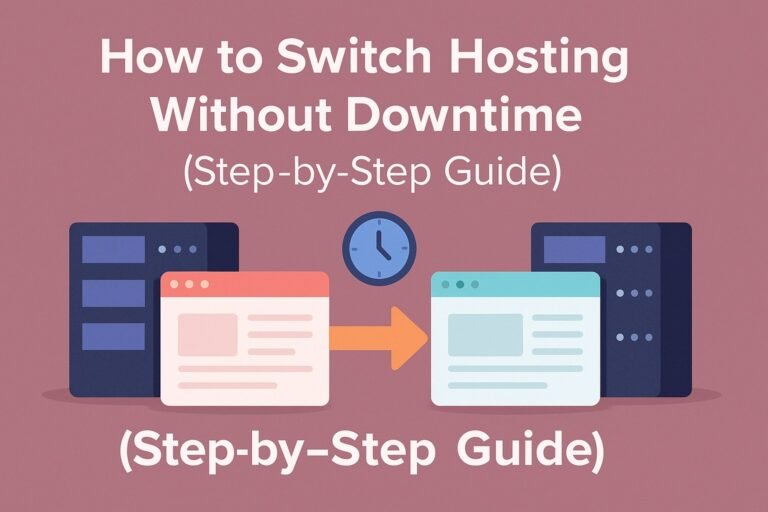
How to Switch Hosting Without Downtime (Step-by-Step Guide)

0

Last Updated on November 2, 2025

Few things cause more anxiety for website owners than changing their web hosting provider. The fear is understandable — one wrong move during migration and your site can vanish from the internet, break its SSL certificate, or even lose data permanently. But the truth is, moving your website to a new host without downtime is absolutely possible.

Whether you’re migrating to a faster server, escaping poor customer support, or simply consolidating multiple projects under one provider, the key to success is preparation and precision. In this guide, you’ll learn how to move your website step by step — in a way that’s invisible to your visitors and completely safe for your data.

Why Downtime Happens During Migration

When you move a website, two things are happening simultaneously: you’re transferring files and databases from one server to another, and you’re also telling the world’s DNS systems that your website now “lives” at a new IP address. If either process isn’t timed correctly, browsers can’t find your website — resulting in downtime.

This usually happens when DNS propagation (the process by which new IP records spread across global servers) takes longer than expected. Other causes include incomplete file uploads, mismatched PHP or database versions, or missing SSL certificates. A proper migration strategy addresses all these issues before they have the chance to appear.

Step 1: Prepare and Back Up Your Entire Website

Before you make any move, the first step is safeguarding your data. Take a complete backup of your website — not just files, but also the database. Every host provides a backup option in its control panel, but you can also use FTP to download files manually and export the database via phpMyAdmin or the command line.

This backup acts as your safety net. If anything goes wrong during migration, you’ll be able to restore your website instantly to its current state. It’s also a good idea to back up your emails, SSL certificates, and DNS records. Keeping all of this in a single backup folder ensures you can rebuild your setup from scratch if necessary.

Step 2: Audit Your Current Environment

Next, take a moment to analyze your current hosting setup. Note down which PHP version your site uses, which database engine it runs on, and any specific server configurations or cron jobs that keep things running. If you use integrations like payment gateways, SMTP email services, or a CDN such as Cloudflare, record those details too.

This information will help you recreate a mirror environment on the new host. If your new server uses a different PHP version or lacks an extension your application needs, you might encounter compatibility issues after migration. Knowing your exact specifications removes that risk before you even start.

Step 3: Choose the Right New Host

Not all hosting companies handle migrations equally well. If you want zero downtime, choose a host that supports modern server technology — such as PHP 8.2 or higher, MySQL 8, and SSD or NVMe storage. Ideally, the host should also include free SSL certificates, staging environments, automatic backups, and quick support response times.

Choose the Right New Host

Speed and reliability matter as much as uptime guarantees. A host that offers 99.9% uptime but takes two days to respond to tickets is not a good long-term partner. If you’re unsure, reach out to their support before purchasing and ask: “Can you confirm support for zero-downtime migration?” Their confidence and clarity will tell you how capable they are.

Step 4: Set Up Your New Hosting Environment

Once you’ve chosen your new host, it’s time to prepare it before moving any traffic. Think of this as building the stage before the performance. Create your new account, add your domain (without updating DNS yet), and set up a new empty database if your site uses one.

Next, upload your website files. Most control panels offer file managers for this, but it’s faster and safer to use an FTP client or SSH command. If you compressed your site into a ZIP archive, simply upload and extract it in your new server’s public directory. Then, import your database backup into the new database you created.

If your site runs on WordPress, update your wp-config.php file with the new database name, user, and password. This connects your WordPress installation to the right database on the new host.

At this point, your new hosting account contains an exact copy of your website — but the world still sees the old version. That’s perfect. You’ll now test this private version before going live.

Step 5: Test the New Site Using a Temporary Domain

Before changing DNS records, it’s essential to confirm that your website works perfectly on the new host. Most hosting companies offer a temporary preview URL for testing, something like yourdomain.hostingprovider.com. If yours doesn’t, you can achieve the same effect by editing your computer’s hosts file — a simple local file that maps domains to IP addresses.

By pointing your domain to the new server IP in your hosts file, your computer will load the new site, while the rest of the world still sees the live one. This private testing phase lets you browse your website exactly as visitors would.

Click through every important page, test forms, verify images, check your admin dashboard, and confirm that SSL, redirects, and caching are functioning correctly. Once you’re satisfied that everything looks identical, you can proceed to the live switch.

Step 6: Lower the DNS TTL in Advance

DNS propagation is the main reason websites go offline during migration. When you update DNS records, it can take several hours for the change to spread worldwide — unless you reduce your TTL (Time to Live) first.

TTL determines how long DNS resolvers cache your domain’s IP address. If it’s set to 24 hours, your visitors might still be directed to the old host for a full day after the switch. The solution is simple: lower your TTL value to 300 seconds (five minutes) at least 24 to 48 hours before the migration.

This tells global DNS servers to refresh your records more frequently, allowing a near-instant switch when you finally update your hosting IP.

Step 7: Sync and Finalize Before the Switch

When you’re ready to make the move, pause all major content updates on your site. For example, if you run an online store, disable checkout temporarily or notify customers of a short maintenance window. This ensures that no new orders or comments are added to the database while you’re performing the final synchronization.

Download one last copy of your database from the old host and import it into the new one, replacing the test version. Do the same with your uploads folder if your site has new media. This step ensures that your new server is completely up to date.

Step 8: Update DNS to Point to the New Host

With your data migrated and tested, it’s time for the big switch. Log in to your DNS management panel — usually provided by your domain registrar or CDN — and update your domain’s A record to the new server IP address.

This single change tells the internet where your website now lives. Because you lowered the TTL earlier, most users will start reaching your new host within minutes. For a short time, some visitors might still land on the old host, but that’s fine — both servers will have identical data.

Avoid changing nameservers during this step unless absolutely necessary; modifying only the A record is faster and more reliable for zero-downtime transitions.

Step 9: Verify Everything After the Switch

Once DNS changes propagate, test your website again — this time using your real domain name. Open it on multiple devices and browsers to confirm that all pages load correctly. If you notice SSL warnings, reissue your certificate on the new host or force HTTPS through the control panel.

Also, check your contact forms and email functions. If you use a third-party mail provider such as Google Workspace, make sure your MX records remain unchanged. If your email was hosted by your old provider, recreate the same accounts on your new one and test sending and receiving messages.

Monitor your traffic and performance closely for the next few hours. You can use tools like UptimeRobot to confirm that your website remains available globally.

Step 10: Keep the Old Hosting Live for a Few Days

Even after your website appears stable on the new host, keep your old hosting account active for at least 48 to 72 hours. Some internet service providers may take longer to update their DNS caches, and those users will continue connecting to the old server for a while.

Keeping both servers live ensures that everyone sees a working website during the transition window. After two to three days, when all traffic has shifted to the new host, you can safely cancel your old hosting plan.

Step 11: Reissue SSL and Optimize Performance

SSL certificates are tied to your server, so once you move, it’s wise to generate a new one. Most hosts that use Let’s Encrypt or Cloudflare will handle this automatically once DNS points to the new IP. If you use a custom SSL certificate, import it manually.

After reissuing SSL, take this opportunity to improve performance. Enable server-side caching, upgrade PHP to the latest stable version, and connect your site to a CDN for faster global delivery. Moving hosts isn’t just about maintaining uptime — it’s also a chance to make your website faster and more secure than before.

Step 12: Confirm Everything with Search Engines

Once your migration is complete, go to Google Search Console and resubmit your sitemap. This step tells Google that your website is alive and unchanged, ensuring your rankings remain stable.

Check your canonical tags, robots.txt file, and internal links to confirm they all still point to your main domain. If you’ve kept URLs identical (which you should), Google won’t even notice you’ve moved.

Avoiding Common Mistakes

Many migrations fail not because of technical complexity but because of poor planning. The most common mistake is updating DNS before verifying that the new host is fully ready. Another frequent error is forgetting to lower the TTL early, resulting in unpredictable downtime. Some users delete their old hosting immediately after migration — only to realize a day later that part of their data didn’t copy over.

Patience is crucial here. Always test first, switch later. Double-check your DNS records, keep backups handy, and don’t rush to cancel your old provider until you’re absolutely sure the new one is stable.

Advanced Strategy: Blue-Green Deployment

If you manage a high-traffic website or eCommerce platform, you can take your migration strategy one step further using a blue-green deployment model. In this setup, your current website is the “blue” environment and your new host is the “green” environment.

Both environments run simultaneously and share identical code and databases. When you’re ready, you simply switch incoming traffic from blue to green by updating DNS or load balancer settings. If anything goes wrong, you can revert instantly by switching traffic back. This method eliminates nearly all risk and is standard practice for enterprise-level migrations.

FAQs

Q1: Is zero downtime truly possible during hosting migration?
Yes. With proper preparation, a lowered TTL, and pre-tested environments, users will never notice the switch. The key is keeping both hosts live for at least a short overlap period.

Q2: How long should I keep my old hosting active?
At least two to three days after switching DNS. That ensures every ISP and CDN around the world has updated to your new IP.

Q3: Do I need to put my site in maintenance mode?
For static sites, no. For dynamic websites that accept user submissions or orders, it’s wise to temporarily freeze changes during the final data sync.

Q4: Will moving hosts affect my SEO?
Not if URLs, structure, and SSL certificates remain the same. Search engines don’t penalize host changes as long as the website stays accessible.

Q5: Should I move my email service at the same time?
Ideally, no. Keep email migration separate from your web migration to minimize complications.

Q6: What’s the fastest way to test if DNS has propagated?
Use tools like whatsmydns.net to check if your domain points to the new IP across major regions.

Conclusion

Switching hosting doesn’t have to be stressful or risky. With a little preparation and discipline, you can move your website to a new provider without even a second of downtime. The secret lies in careful sequencing — testing your new environment privately, lowering TTL before migration, syncing final data at the right time, and verifying everything afterward.

By following these steps, you’re not just switching hosts — you’re upgrading your site’s foundation for better speed, security, and reliability. And when done right, your visitors will never know anything changed — except that your website suddenly feels faster and more dependable than ever before.

Hostinger vs SiteGround Speed Test: Which Hosting Provider Wins in 2025?

0

When choosing the right hosting provider, website speed is one of the most critical factors. A fast-loading site not only improves user experience but also boosts your search engine rankings and conversions. Two of the most popular hosting companies today are Hostinger and SiteGround. Both claim to offer excellent performance, but how do they really compare in speed tests?

In this article, we’ll focus on Hostinger vs SiteGround speed test results in 2025, highlight the pricing differences, and finally provide the verdict so you can make an informed decision.

Hostinger vs SiteGround 2025: The Verdict

After running multiple speed tests using tools like GTmetrix, Pingdom, and Google PageSpeed Insights, Hostinger consistently showed slightly faster loading times compared to SiteGround, especially when tested from North America and Asia.

Hostinger

  • Hostinger Speed Highlights

    • Average load time: ~1.2 seconds (depending on server location)

    • Time to First Byte (TTFB): very low, thanks to LiteSpeed servers

    • Optimized caching and free CDN improve global performance

  • SiteGround Speed Highlights

    • Average load time: ~1.5 seconds

    • TTFB is strong but slightly slower than Hostinger

    • Uses Google Cloud infrastructure with their custom SG Optimizer

???? Verdict: If you are looking for raw speed and value for money, Hostinger edges out SiteGround in 2025. However, SiteGround is still excellent for stability, customer support, and enterprise-level reliability.

Pricing: Hostinger is Cheaper and Provides Better Value

Speed is important, but pricing plays a big role in decision-making.

  • Hostinger Pricing

    • Plans start at $2.99/month

    • Includes free domain, SSL, and email accounts

    • Great for bloggers, small businesses, and startups

  • SiteGround Pricing

    • Plans start at around $14.99/month

    • Strong focus on premium features and customer support

    • More suited for established businesses with higher budgets

???? Conclusion on Pricing: Hostinger is far more affordable and delivers impressive speed at a fraction of the cost. For budget-conscious users who want high performance, Hostinger is the clear winner. On the other hand, if you value premium support and advanced features, SiteGround may still be worth the extra price.

Ease of Use: Hostinger Is Easier to Use Than SiteGround

When it comes to user experience, Hostinger takes the lead. The platform is designed for beginners as well as professionals, offering a smooth onboarding process. From creating a new website to managing hosting settings, Hostinger provides step-by-step guidance, making it ideal for users who don’t want to deal with technical complexity.

On the other hand, SiteGround is a powerful hosting solution, but it has a slightly steeper learning curve. Advanced users may appreciate its deeper customization options, but beginners often find Hostinger much easier to start with.

Verdict: Hostinger wins in terms of ease of use, especially for first-time website owners.

Account Management Dashboard

Hostinger uses its proprietary hPanel, which is sleek, modern, and very intuitive. All essential tools like domain management, email accounts, file management, and SSL installation are available in one place. The dashboard loads quickly and offers clear navigation.

SiteGround relies on a combination of its custom dashboard with Site Tools, which replaced the traditional cPanel. While Site Tools is functional and powerful, it can feel overwhelming for someone who is new to web hosting.

Verdict: Hostinger’s hPanel is simpler and more beginner-friendly, while SiteGround’s Site Tools offers more depth for advanced users.

Control Panel Comparison

The control panel experience plays a major role in hosting management. Hostinger’s hPanel is based on cPanel logic but redesigned to be cleaner and more user-friendly. It focuses on essential hosting tasks without clutter.

SiteGround’s Site Tools panel provides robust features like advanced caching, staging tools, and collaboration settings for teams. However, it’s more suitable for developers or businesses that require advanced configurations.

Verdict: Hostinger’s control panel is better for straightforward website management, while SiteGround’s control panel is better for technical users who want more control.

Extra Hosting Features

Both Hostinger and SiteGround include free SSL certificates, email accounts, and managed WordPress features, but there are some differences:

  • Hostinger:

    • LiteSpeed Web Server with built-in caching (faster speed performance).

    • Affordable premium plans with unlimited bandwidth.

    • AI Website Builder included for quick site creation.

  • SiteGround:

    • Google Cloud infrastructure for stable performance.

    • SG Optimizer plugin for advanced WordPress speed improvements.

    • Collaboration tools for teams and staging environment for developers.

Verdict: Hostinger offers more beginner-friendly extras, while SiteGround caters to advanced users who need professional tools.

Hostinger vs SiteGround Speed Test: Which One Performs Better?


1. Hostinger vs SiteGround Performance

When it comes to performance, both Hostinger and SiteGround have built a strong reputation in the hosting industry. Hostinger is known for its LiteSpeed servers and built-in caching that ensure fast page loads at an affordable price. On the other hand, SiteGround relies on Google Cloud infrastructure and its custom SG Optimizer plugin, which makes it a reliable choice for speed and stability.

Overall, Hostinger tends to deliver slightly faster loading times for small to medium-sized websites, while SiteGround offers a more consistent performance for heavy traffic and larger projects.

2. Uptime and Response Time

Uptime is critical because even a few minutes of downtime can hurt your SEO rankings and customer trust.

  • Hostinger: Guarantees 99.9% uptime, and most tests confirm that it meets this promise. Response time averages around 350–400 ms.

  • SiteGround: Delivers 99.99% uptime on average with response times closer to 250–300 ms, making it more reliable for mission-critical sites.

In terms of uptime and server responsiveness, SiteGround takes a slight lead.

3. Website Speed

Speed tests are where most users focus when choosing between these two hosts.

  • Hostinger: Thanks to LiteSpeed technology and NVMe SSD storage, Hostinger websites load quickly. Tests show load times of around 1.0–1.3 seconds for optimized WordPress sites.

  • SiteGround: With its Google Cloud hosting and dynamic caching, SiteGround often achieves load times between 1.1–1.5 seconds depending on the test location.

While the difference is small, Hostinger is generally a bit faster in raw website loading speed, especially for lightweight websites.

4. Stress Testing Results

Stress tests measure how a host performs under sudden traffic spikes.

  • Hostinger: Performs well under moderate stress but may show slower response times once concurrent users exceed 100–150.

  • SiteGround: Handles higher traffic loads more effectively due to its resource isolation technology. Even with 200+ concurrent users, SiteGround maintains stable performance.

If you expect rapid traffic growth or sudden spikes (e.g., during sales or product launches), SiteGround has the advantage.

5. Website Security

Security is another area where both hosts invest heavily.

  • Hostinger: Provides free SSL, DDoS protection, Cloudflare integration, and weekly backups.

  • SiteGround: Goes further with daily backups, AI anti-bot systems, advanced firewalls, and proactive monitoring.

For businesses where security is non-negotiable, SiteGround offers a stronger package.

6. Customer Support

Customer support can make or break your hosting experience.

  • Hostinger: Offers 24/7 live chat support with a large knowledge base. Support is responsive but sometimes takes longer during peak hours.

  • SiteGround: Known for excellent customer service, with near-instant responses via live chat and phone. Their support team has higher technical expertise compared to Hostinger.

If premium customer service is important to you, SiteGround is the clear winner.

Hostinger vs SiteGround: Final Recommendations

After running multiple speed tests and analyzing performance metrics, it’s clear that both Hostinger and SiteGround deliver fast and reliable hosting. However, their strengths differ:

  • Hostinger is an excellent choice for beginners and budget-conscious users. It offers impressive loading times, LiteSpeed servers, and affordable pricing. If you want a solid balance between speed and cost, Hostinger is the winner.

  • SiteGround, on the other hand, provides premium speed performance, backed by Google Cloud infrastructure and advanced optimization tools like SG Optimizer. It’s the better option for business websites, eCommerce stores, or projects where reliability and scalability matter more than price.

???? Final verdict:

  • Choose Hostinger if you need a fast, budget-friendly host for blogs, portfolios, or small business websites.

  • Choose SiteGround if you want enterprise-level performance, priority support, and are ready to pay a bit more for long-term stability.

FAQs

1. Which is faster: Hostinger or SiteGround?
Both are fast, but SiteGround usually performs slightly better in global tests due to its Google Cloud infrastructure. Hostinger still offers excellent speed for the price.

2. Does Hostinger’s LiteSpeed technology really make a difference?
Yes. LiteSpeed servers with built-in caching help Hostinger deliver faster page loading, especially for WordPress sites.

3. Why is SiteGround more expensive than Hostinger?
SiteGround invests heavily in Google Cloud servers, advanced caching, security, and premium support. These features justify the higher pricing.

4. Can I use a CDN to improve speed on both hosts?
Absolutely. Pairing Hostinger or SiteGround with Cloudflare CDN can further boost global loading times and reduce latency.

5. Which host is better for beginners?
Hostinger is more beginner-friendly because of its affordable plans and easy-to-use hPanel. SiteGround is ideal if you’re planning long-term growth and want advanced tools.

Hosting with Free Staging Environment for WordPress Multisite (2025 Edition)

0

Last Updated on November 2, 2025

WordPress Multisite is a powerful feature that lets you run multiple websites from a single installation. It’s perfect for agencies, universities, franchises, or content networks managing dozens—or even hundreds—of sites.

But here’s the problem: when you share one database and one codebase, even a small mistake (like a plugin update or PHP tweak) can break every site in your network.

That’s why every serious developer uses a staging environment—a safe, private clone of your website where you can test updates, design changes, or new code without putting live sites at risk.

In 2025, several hosting companies offer free staging environments built right into their WordPress plans—saving you from the complexity of manual setup. Let’s explore why staging is essential and which hosts offer the best solutions for WordPress Multisite users.

What Is a Staging Environment (and How It Works for Multisite)?

A staging environment is a private duplicate of your live site. It runs on the same server configuration but uses a separate URL (e.g., staging.yourdomain.com).

How It Works for Regular WordPress Sites:

  • You click “Create Staging” → host clones your database + files.
  • You make edits or updates in staging.
  • Once satisfied, you “Push to Live.”
  • The changes overwrite your live site.

How It Works for WordPress Multisite:

For multisite, it’s more complex because all sites share:

  • One WordPress core installation
  • One shared wp_users table
  • Dozens (or hundreds) of unique sub-site tables

A true staging solution for multisite must:

  • Clone the entire network (not just a sub-site)
  • Maintain database relationships
  • Handle domain mapping (subdomain/subdirectory)
  • Allow full rollback in case of failure

That’s why only a handful of premium hosts provide native multisite staging that works reliably out of the box.

Why Staging Is Critical for WordPress Multisite Users

ProblemRisk Without StagingHow Staging Solves It
Plugin update breaks the themeAll sub-sites crashTest first in staging
Theme customization gone wrongAffects all usersRollback instantly
PHP version upgrade failsFatal errors sitewideValidate in staging
Database migration errorsData corruptionSafe preview of DB sync
Client edits on live siteSEO or design impactSafe sandbox for edits

If you manage multiple clients, staging isn’t optional—it’s the lifeline between safety and chaos.

Key Hosting Features You Need for WordPress Multisite

  1. Free One-Click Staging – Instantly clone your full network.
  2. Push/Pull Deployment – Sync changes between staging and live environments.
  3. Multisite Compatibility – Full support for subdirectory and subdomain setups.
  4. Scalable Infrastructure – Add CPU/RAM easily as network grows.
  5. Automated Backups – Daily restore points for rollback.
  6. Free SSL + CDN Integration – Essential for security and speed across subsites.
  7. PHP Workers and Object Cache (Redis) – Prevents slowdowns during high activity.
  8. Staging Security – Password-protected and search engine–blocked.

Top Hosting Providers with Free Staging for WordPress Multisite (2025)

Below is an in-depth look at the best hosts that combine performance, safety, and ease of use.

1. SiteGround – Best All-Around Choice for Multisite Staging

SiteGround

Overview:
SiteGround is a veteran in managed WordPress hosting, famous for its free staging feature, stellar support, and fast cloud infrastructure.

Key Features:

  • Free staging tool (GrowBig & GoGeek plans)
  • Full multisite support (subdomain or subdirectory)
  • Git version control built-in
  • Dynamic caching + Cloudflare CDN
  • Automated daily backups

Why It’s Great:
SiteGround’s staging tool allows granular push options (database only, files only, or both). It creates a full multisite clone with a single click. You can then merge changes selectively—a lifesaver for developers.

Tech Stack: PHP 8.3, MySQL 8, NGINX reverse proxy, SSD storage
???? Starting Price: $4.99/month
???? Best For: Agencies and freelancers managing multiple small networks

2. Kinsta – Enterprise-Level Staging on Google Cloud

Kinsta

Overview:
Kinsta offers enterprise-grade hosting powered by Google Cloud C2 virtual machines, ensuring maximum speed and scalability. Each site gets an isolated environment with staging pre-installed.

Key Features:

  • Unlimited free staging environments
  • Full support for WordPress Multisite
  • Redis, Nginx, and MariaDB 10.11 stack
  • Edge caching (Cloudflare Enterprise)
  • Automatic daily & on-demand backups

Why It’s Great:
Unlike traditional shared hosting, Kinsta isolates every WordPress site inside a container. This isolation prevents one multisite instance from affecting another. You can create two-stage environments—one for development and one for staging—before going live.

???? Starting Price: $35/month
???? Best For: Large networks, universities, enterprise-grade websites

3. WP Engine – Pro-Level Dev/Staging/Live Workflow

Wpengine

Overview:
WP Engine is built for professional WordPress development. It automatically provides three environments: Dev, Staging, and Production.

Key Features:

  • Free staging for all sites (including multisite)
  • Git integration + SSH access
  • Automated plugin/theme updates
  • Redis + EverCache performance layer
  • 24/7 expert WordPress support

Why It’s Great:
WP Engine’s “copy environment” feature lets you clone staging to development or push staging to production seamlessly. It’s ideal for high-traffic multisites with frequent code releases.

???? Starting Price: $20/month
???? Best For: Developers managing active, update-heavy networks

4. Cloudways – Flexible Cloud Hosting with One-Click Staging

Cloudways

Overview:
Cloudways offers managed cloud servers from providers like DigitalOcean, Vultr, Linode, AWS, and Google Cloud.
Their one-click staging system works beautifully with WordPress Multisite, letting you test code in isolation.

Key Features:

  • Free staging and cloning
  • Redis & Varnish caching
  • Pay-as-you-go pricing
  • Team collaboration and staging sync
  • Free SSL and backups

Why It’s Great:
Cloudways is perfect for developers who want full control. You can spin up staging on the same server or deploy it to a different provider entirely—ideal for multisite development teams.

???? Starting Price: $14/month
???? Best For: Developers needing flexibility and multi-cloud setups

5. Hostinger Cloud – Affordable Staging for Growing Networks

Overview:
Hostinger’s Cloud Business plan delivers top-tier performance at a fraction of managed host prices. Its staging tool works even with WordPress Multisite networks.

Key Features:

  • One-click staging & restore
  • NVMe SSD + LiteSpeed Cache
  • Free domain, SSL, and CDN
  • PHP 8.3 + isolated resources
  • Daily backups

Why It’s Great:
A perfect fit for small-to-medium multisite setups that need staging but can’t afford enterprise hosting. Hostinger’s UI makes staging incredibly simple.

???? Starting Price: $9.99/month
???? Best For: Agencies on a budget

6. A2 Hosting Turbo – Developer-Oriented Performance

Overview:
A2 Hosting is well-known for performance. While its staging feature is manual (via Softaculous), it supports Multisite and full SSH access.

Key Features:

  • NVMe SSD + LiteSpeed servers
  • Free site cloning and staging in cPanel
  • Redis + Opcache ready
  • Developer access (SSH, Git)
  • Free SSL and CDN

Why It’s Great:
For developers who prefer control, A2 lets you manage your own staging directory and database copy easily. The LiteSpeed + Redis combo keeps even large networks fast.

???? Starting Price: $7.99/month
???? Best For: Technical users managing mid-size multisites

7. DreamHost DreamPress – Reliable & Unlimited

DreamHost

Overview:
DreamHost’s DreamPress is a managed WordPress platform that includes unlimited bandwidth and free staging.

Key Features:

  • Free one-click staging
  • Unlimited storage and bandwidth
  • Built-in caching
  • 97-day money-back guarantee
  • Multisite supported on higher plans

Why It’s Great:
DreamPress focuses on simplicity—great for creators who want staging without complex tools. The unlimited resources make it suitable for content-heavy multisites.

???? Starting Price: $16.95/month
???? Best For: Content publishers and educators

Performance Comparison Table (2025)

ProviderStagingMultisite SupportCache SystemUptimePrice (USD)
SiteGround✅ Yes✅ FullDynamic + NGINX99.9%4.99
Kinsta✅ Yes✅ FullRedis + Edge Cache99.99%35
WP Engine✅ Yes✅ FullEverCache + Redis99.99%20
Cloudways✅ Yes✅ FullRedis + Varnish99.95%14
Hostinger✅ Yes✅ PartialLiteSpeed99.9%9.99
A2 Hosting✅ Manual✅ YesLiteSpeed + Opcache99.9%7.99
DreamHost✅ Yes✅ YesBuilt-in Cache99.9%16.95

Developer Guide: How to Use Staging with WordPress Multisite

Even with built-in tools, understanding the workflow helps you avoid conflicts.

Step 1 – Create the Staging Copy

Most hosts offer a “Create Staging” button. For manual setup:

  • Clone files using SSH:
    rsync -avz public_html/ staging.yourdomain.com/
    
  • Export the database with mysqldump.
  • Update the site URLs in the cloned database (use WP-CLI or search-replace plugin).

Step 2 – Configure Staging for Multisite

In wp-config.php, define:

define('MULTISITE', true);
define('SUBDOMAIN_INSTALL', true);
define('DOMAIN_CURRENT_SITE', 'staging.yourdomain.com');
define('PATH_CURRENT_SITE', '/');

This ensures proper mapping for sub-sites during staging.

Step 3 – Test Updates Safely

  • Update themes/plugins
  • Run compatibility checks for PHP versions
  • Test login/logout across all sub-sites
  • Verify performance and caching

Step 4 – Push to Production

Hosts like SiteGround, WP Engine, or Kinsta let you push selectively:

  • Files only (theme changes)
  • Database only (content updates)
  • Both (major releases)

Always trigger automatic backup before pushing.

Advanced Staging Techniques for Agencies

1. Multi-Level Environments

Use three environments:

  • Development (local coding)
  • Staging (final testing)
  • Production (live)

2. CI/CD Integration

Connect staging with GitHub or GitLab using webhook automation.
For example, commit to main branch → host automatically deploys to staging.

3. Database Sync Automation

Plugins like WP Migrate DB Pro or host-native tools (Kinsta, WP Engine) allow selective data synchronization between environments.

4. CDN Edge Testing

Enable CDN on staging to see how sub-sites perform globally before launch.

Common Staging Mistakes to Avoid

  1. Indexing staging sites: Always use noindex to block Google.
  2. Pushing test data live: Exclude temporary posts and dummy users.
  3. Overwriting production DB accidentally: Always backup first.
  4. Not testing plugin conflicts: Run updates one at a time.
  5. Ignoring PHP workers: Multisite needs at least 4–8 workers for concurrency.

Recommended Hosting by Use Case

Use CaseRecommended HostWhy
Best OverallSiteGroundAffordable, stable, multisite-compatible
Enterprise/CorporateKinstaGoogle Cloud infrastructure, isolated staging
Developer WorkflowWP Engine3-tier environments, Git integration
Custom Setup ControlCloudwaysMulti-cloud, manual staging flexibility
Budget OptionHostinger CloudNVMe storage, free domain, low cost
Unlimited ResourcesDreamPressNo bandwidth or storage limits
Manual Power UsersA2 HostingFull SSH and custom staging setup

FAQs: Staging Environments and WordPress Multisite

Q1. Does every hosting provider support WordPress Multisite?
No. Many disable it on shared plans. Always check the documentation before activating Multisite.

Q2. Can I create a staging site for just one sub-site?
Typically, no. Most hosts clone the entire Multisite. However, Cloudways and A2 Hosting let developers stage partial sites manually.

Q3. Will staging affect SEO or analytics?
No, staging sites are usually password-protected and marked noindex. They are invisible to search engines.

Q4. Can staging slow down my server?
Only if it’s hosted on the same resources. Premium hosts isolate staging on separate containers.

Q5. What’s the safest way to push updates to live?
Always backup first, push in low-traffic hours, and verify database merges. Use Git-based deployment if possible.

Q6. Is staging included in free hosting?
No. It requires extra server resources and is available only in paid plans.

Q7. What if my staging site gets stuck or corrupted?
Simply delete and recreate it. Hosts like Kinsta, WP Engine, and SiteGround let you rebuild staging in one click.

Conclusion

A free staging environment is the cornerstone of professional WordPress Multisite hosting. It lets you test updates, deploy confidently, and protect your live network from catastrophic errors.

In 2025, the best hosting providers offering free, multisite-compatible staging are:

  • SiteGround — best overall value for most users
  • Kinsta — best enterprise-grade performance
  • WP Engine — perfect for developer workflows
  • Cloudways — great for technical flexibility
  • Hostinger Cloud — strong budget-friendly option
  • DreamPress — unlimited storage simplicity

If you manage multiple websites under one network, staging isn’t optional — it’s your safety net.
Invest in hosting that provides it for free, and you’ll never fear an update again.

Hosting with Unlimited Bandwidth and Storage

0

When choosing a web hosting plan, one of the most eye-catching offers is “unlimited bandwidth and storage.” Many hosting providers advertise these plans as a way to attract beginners, bloggers, small businesses, and even e-commerce owners. The idea of never worrying about running out of space or paying extra for traffic sounds perfect, especially for people planning to scale their websites.

However, while “unlimited” hosting sounds appealing, it is often misunderstood. To use it effectively, you need to understand what it truly means, how it works, and where the hidden limits may exist. In this article, we will break down the concept of unlimited hosting, explain what providers actually offer, and reveal whether it is genuinely unlimited.

What is Unlimited Web Hosting?

Web Hosting

Unlimited web hosting is a type of hosting plan where providers claim to offer:

  • Unlimited Bandwidth: This means your website can theoretically handle unlimited traffic, allowing visitors to access your site without restrictions on data transfer.

  • Unlimited Storage: This means you can store as many files (images, videos, documents, or code) as you want without worrying about hitting a specific limit, like 10GB or 100GB.

In practice, unlimited hosting is popular in shared hosting plans, where multiple websites are hosted on the same server. Providers advertise it to remove the fear of “overusing” resources, giving customers peace of mind while growing their site.

Why People Choose Unlimited Hosting

  1. Flexibility: No need to upgrade frequently as traffic grows.

  2. Cost-effective: Offers more value compared to limited-storage plans.

  3. Beginner-friendly: Perfect for new website owners who don’t want to calculate usage.

  4. Great for Media-rich Websites: Blogs, portfolios, or online stores that use a lot of images and videos can benefit.

Is Unlimited Web Hosting Really Unlimited?

The short answer is: No, unlimited hosting is not truly unlimited. While the marketing term suggests endless resources, every hosting provider has fair usage policies in place.

1. Fair Usage Policies

  • Hosting companies set hidden limits to prevent abuse.

  • If your site uses too many resources (CPU, RAM, or MySQL queries), they may restrict your account or even suspend it.

2. Overselling by Hosting Providers

Most providers assume that the majority of customers will never fully use their resources. So, they “oversell” servers — offering unlimited hosting to many people, expecting only a few to use it heavily.

3. Performance Issues

On shared hosting servers, if one website uses too many resources, it affects others on the same server. That’s why “unlimited” only works under average usage.

4. Real-world Example

  • You can upload thousands of images or videos, but if you start hosting extremely large media files (like movies, raw files, or software downloads), the provider will flag your account.

  • Similarly, even with “unlimited bandwidth,” if your website suddenly gets millions of visits in a short time, the provider may throttle your site speed.

5. What Unlimited Actually Means

In reality, “unlimited” means:

  • No predefined cap on bandwidth and storage.

  • Use as much as you want, as long as it falls within normal website operations.

  • Not suitable for heavy file hosting, video streaming platforms, or enterprise-level applications.

What are the Limitations of Unlimited Web Hosting?

When choosing a hosting plan, the promise of unlimited bandwidth and storage often sounds too good to resist. Many hosting providers highlight “unlimited” as a key selling point to attract beginners, bloggers, and small business owners. But the truth is, unlimited hosting doesn’t mean endless resources. Every hosting provider has hidden conditions, resource restrictions, and fair usage policies that you need to understand before committing to a plan.

In this article, we will explore the real limitations of unlimited web hosting, focusing on bandwidth, storage, and overall resource usage.

Bandwidth: Is It Really Unlimited?

Bandwidth refers to the amount of data your website can transfer to visitors over a given period. Hosting companies may advertise unlimited bandwidth, but in practice:

  1. Fair Usage Policy (FUP)
    Most providers include a Fair Usage Policy. This means your website can only consume bandwidth up to a certain point without affecting other customers on the same server.

  2. Server Load and Shared Environment
    Unlimited bandwidth is usually offered on shared hosting plans. Since hundreds of websites share the same server, your site cannot hog all the resources. If your website traffic suddenly spikes, the hosting company might throttle your bandwidth.

  3. Throttling and Suspension
    If you consistently consume too much bandwidth (e.g., streaming videos, serving large downloadable files), providers may reduce your speed or temporarily suspend your account.

???? Example: If you run a small blog, unlimited bandwidth might be fine. But if you host a video streaming platform or large e-commerce store, you’ll likely run into restrictions.

Resource Usage: The Hidden Limitations

Apart from bandwidth, unlimited hosting comes with several resource usage restrictions that are often overlooked.

  1. CPU and RAM Limits
    Even if storage and bandwidth are unlimited, your hosting account will be assigned limited CPU power and memory. Heavy processes like running scripts, handling large queries, or managing high traffic can slow down your site.

  2. File Usage (Inode Limits)
    Many unlimited hosting plans restrict the number of files and folders you can store. This is known as the inode limit. For example, a host might allow only 200,000 files, even if they claim “unlimited storage.”

  3. Database Restrictions
    Unlimited hosting usually has limitations on the size and number of databases you can create. For database-heavy websites like e-commerce stores or forums, this becomes a serious drawback.

  4. Email Account Restrictions
    Some providers limit the number of email accounts or the email sending quota, even though they advertise “unlimited.”

  5. Website Content Restrictions
    Hosting companies prohibit resource-intensive content such as video streaming, file-sharing platforms, or storage-heavy backups.

Why Do Hosting Companies Use “Unlimited” Plans?

The truth is, most small websites don’t use massive bandwidth or storage. Hosting companies know this and can safely oversell resources under the “unlimited” label. It’s a marketing strategy designed to make the package look attractive without revealing the fine print.

“Unlimited” Web Hosting is Oversold

When you see hosting providers advertise “Unlimited Bandwidth and Unlimited Storage”, it sounds like the perfect solution for any website. But the truth is, unlimited hosting is often more of a marketing strategy than an actual limitless service.

Most hosting companies use the word “unlimited” to attract beginners and small business owners. However, behind the scenes, they usually include a Fair Usage Policy (FUP). This means:

  • You can use as many resources as you want until your usage impacts other customers on the same server.

  • If you use too much CPU, RAM, or server processes, your account may face throttling, suspension, or extra charges.

  • Unlimited storage usually means hosting reasonable website files only. If you try to store movies, software, or backup archives, providers may terminate your account.

So, while “unlimited” sounds attractive, you need to remember that every server has physical limits. No hosting company can truly offer infinite bandwidth or storage.

Checklist – To Wisely Choose Your Web Hosting Provider

If you are considering hosting with unlimited bandwidth and storage, follow this checklist before making a decision:

  1. Read the Fair Usage Policy Carefully

    • Look for terms like “reasonable use” or “server resource limits.”

    • Avoid providers that use vague language.

  2. Check Server Uptime Guarantee

    • A reliable host should provide at least 99.9% uptime.

    • Downtime means lost traffic, sales, and reputation.

  3. Understand Renewal Pricing

    • Many providers advertise cheap first-year pricing but charge 2x or 3x more on renewal.

  4. Evaluate Customer Support

    • Test their live chat or ticket response time.

    • Choose providers with 24/7 support and a good reputation.

  5. Look at Security Features

    • Free SSL certificates, daily backups, malware scanning, and firewall protection are a must.

  6. Test Performance (Speed and Load Time)

    • A good hosting provider should use SSD storage and modern infrastructure.

    • Page speed affects both SEO ranking and user experience.

  7. Scalability Options

    • Can you upgrade to VPS, cloud, or dedicated hosting when your website grows?

    • Flexibility is key if you plan to expand your online presence.

  8. Real Customer Reviews

    • Check platforms like Trustpilot, Reddit, or G2 for unbiased reviews.

Following this checklist ensures that you won’t be misled by the term “unlimited.” Instead, you’ll choose a hosting provider that balances performance, transparency, and value.

Conclusion

“Unlimited bandwidth and storage” in hosting is often oversold. While the concept sounds appealing, no server can truly offer infinite resources. Instead, hosting companies rely on fair usage limits to manage customer activity.

If you’re a blogger, small business owner, or e-commerce entrepreneur, unlimited hosting can still be a cost-effective choice, but only if you:

  • Read the fine print,

  • Compare providers wisely, and

  • Choose a hosting plan that matches your real needs.

In short, unlimited hosting is not a scam, but it is a marketing exaggeration. The best way to benefit from it is by being an informed buyer, checking the hosting company’s policies, and ensuring the service aligns with your website goals.

Green Eco-Friendly Web Hosting Providers

0

The internet may seem weightless, but every website you visit, every file you download, and every video you stream is powered by large data centers around the world. These facilities consume massive amounts of electricity to keep servers running 24/7, leading to significant carbon emissions. As digital activities grow, so does the environmental impact.

This is where green eco-friendly web hosting providers come in. Instead of relying on traditional energy sources, these hosting companies adopt renewable energy, carbon-offset programs, and sustainable technologies to reduce their footprint. Choosing such providers not only helps the planet but also positions your website as part of the global solution toward sustainability.

Why Consider Using an Environmentally Friendly Host?

  1. Reduced Carbon Footprint
    Traditional web hosting depends heavily on non-renewable energy, which increases greenhouse gas emissions. Eco-friendly hosting providers rely on solar, wind, or hydro power, which directly reduces your website’s carbon impact.

  2. Positive Brand Image
    Today’s users care about sustainability. Running your website on a green hosting platform highlights your brand’s commitment to the environment, building trust and attracting eco-conscious customers.

  3. Compliance With Global Sustainability Goals
    Governments and organizations worldwide are pushing for cleaner energy and carbon neutrality. By choosing a green host, you align your business with these global initiatives and stay ahead of environmental regulations.

  4. Energy-Efficient Technology
    Many eco-friendly hosting providers use advanced cooling systems, efficient hardware, and optimized servers that reduce energy waste while improving website performance.

  5. Long-Term Value
    While eco-friendly hosting is often priced similarly to traditional hosting, the long-term benefits—both for your brand and the environment—make it a smart investment.

Green Eco-Friendly Web Hosting Providers – Our Handpicked Selection

With the growing demand for websites, the internet consumes more energy than ever before. Data centers powering millions of websites use huge amounts of electricity, often relying on non-renewable sources. This has made eco-friendly web hosting providers more important than ever. Choosing a hosting company with green initiatives not only helps reduce your digital carbon footprint but also supports a sustainable future.

Here is our handpicked selection of two reliable and eco-conscious hosting providers.

1. DreamHost

DreamHost

Eco-Friendly Initiatives

DreamHost is one of the most recognized names in the hosting industry, and they have made significant efforts to operate sustainably. Their offices and data centers are powered by renewable energy sources, and they implement advanced cooling technologies to reduce energy waste. DreamHost also purchases carbon offsets to neutralize emissions from their servers.

Additionally, the company practices paperless billing, recycling, and energy-efficient office operations. All of these initiatives make DreamHost a top choice for businesses and individuals who want reliable hosting without harming the environment.

Price

DreamHost offers Shared Hosting starting at just $2.59/month. Their plans are affordable, and considering the eco-friendly benefits, it’s a cost-effective solution for small websites, blogs, and startups.

2. Krystal

Eco-Friendly Initiatives

Krystal is a UK-based hosting provider that takes green web hosting to the next level. They are a carbon-negative company, meaning they offset more carbon than they produce. Krystal powers all its services using 100% renewable energy from wind and solar.

They also partner with global reforestation initiatives, planting trees for every new customer. This makes Krystal not just eco-friendly, but actively contributing to reversing climate damage. Their servers use energy-efficient hardware, further minimizing environmental impact.

Price

Krystal’s Cloud Hosting starts at £7.50/month. While slightly more expensive than some providers, customers pay for both premium performance and a strong sustainability commitment. For eco-conscious businesses, Krystal is one of the most responsible and ethical choices.

3. GreenGeeks

Eco-Friendly Initiatives

GreenGeeks is one of the most recognized names in green web hosting. They purchase three times the energy they consume in the form of renewable energy credits, which means they give back more power to the grid than they use. This makes them a 300% green hosting provider. In addition, their data centers and servers are designed with energy-efficient hardware, helping reduce waste and environmental impact.

They are also a proud partner of the U.S. Environmental Protection Agency’s Green Power Partner Program, which adds credibility to their sustainability claims. By hosting with GreenGeeks, businesses and individuals can lower their digital carbon footprint without sacrificing performance.

Price

GreenGeeks offers affordable hosting plans starting at around $2.95/month for shared hosting (introductory price). They also provide WordPress hosting, VPS, and reseller plans at competitive rates. Considering the eco-friendly benefits included, the pricing is budget-friendly while aligning with sustainable goals.

4. HostGator

Eco-Friendly Initiatives

HostGator, one of the most popular hosting companies worldwide, has also made steps toward becoming more eco-conscious. They invest in renewable energy credits (RECs) to offset the energy consumption of their servers and data centers. Their initiatives primarily focus on reducing the overall carbon footprint of their operations.

While not as aggressive as GreenGeeks in terms of green commitments, HostGator’s efforts still help reduce the environmental impact of hosting thousands of websites. Their use of energy-efficient servers and support for carbon offset programs demonstrate a willingness to move toward sustainability.

Price

HostGator’s pricing is very competitive, with shared hosting plans starting from about $2.75/month (introductory rate). They also offer WordPress hosting, VPS hosting, and dedicated server options at various price levels, making them a flexible choice for businesses of all sizes.

5. HostPapa

When talking about green web hosting providers, HostPapa deserves special attention. It is one of the most popular names in the eco-friendly hosting industry, combining reliable performance with sustainability.

Eco-Friendly Initiatives

HostPapa has committed to reducing the environmental impact of its data centers, offices, and web hosting services. They achieve this by:

  • Purchasing 100% renewable energy credits (RECs) to offset power usage.

  • Supporting wind and solar energy projects around the world.

  • Making sure that the energy consumed by servers, office spaces, and even staff laptops is matched by green energy investments.

This means that every website hosted with HostPapa runs on carbon-neutral infrastructure, helping businesses and individuals reduce their digital carbon footprint.

Price

HostPapa offers affordable plans that balance eco-friendliness with high-quality features. Their shared hosting plans start at around $3.95/month, making them budget-friendly for beginners, bloggers, and small businesses.

Key highlights of HostPapa’s pricing include:

  • Free website migration from your old host.

  • Free domain name registration for the first year.

  • Access to cPanel, one of the most user-friendly hosting dashboards.

  • Free SSL certificates for improved security.

Compared to other green hosting providers, HostPapa provides excellent value while still maintaining its eco-conscious mission.

Final Thoughts

If you are searching for a green hosting provider that combines affordability, eco-friendly operations, and reliable service, HostPapa is an excellent choice. Its dedication to renewable energy initiatives sets it apart, and its hosting plans come with plenty of features for both beginners and professionals.

By choosing HostPapa, you’re not only building your online presence but also contributing to a more sustainable future.

FAQs

1. Is HostPapa really eco-friendly?
Yes. HostPapa offsets 100% of its energy usage through renewable energy credits, ensuring that its operations are carbon-neutral.

2. Does HostPapa cost more because it’s green?
No. HostPapa’s plans are competitively priced, often cheaper than many non-green providers.

3. Can I migrate my website to HostPapa easily?
Yes. HostPapa provides free website migration services, making it easy to switch.

4. What types of hosting does HostPapa offer?
They provide shared hosting, VPS hosting, reseller hosting, and WordPress hosting.

5. Is HostPapa suitable for beginners?
Absolutely. With its simple cPanel dashboard, free website builder, and reliable support, HostPapa is beginner-friendly.