Home Blog Page 8

Best Hosting for Multi-Site WordPress Network

0

WordPress is the world’s most popular content management system (CMS), powering more than one-third of all websites online. While most users run a single WordPress installation for one website, there is another powerful feature that many overlook: the WordPress Multisite Network. This built-in feature allows you to run and manage multiple websites from a single WordPress installation, making it an efficient solution for organizations, agencies, and entrepreneurs who manage more than one site.

Imagine running ten blogs or multiple business websites and having to log in to each one separately for updates, plugin installations, and security checks. That can quickly become overwhelming. A multisite setup eliminates this hassle by giving you one central dashboard to control everything.

However, the power of multisite comes with responsibility. All the websites in the network share the same server resources. This means if your hosting is not strong enough, one busy site can slow down the entire network. Similarly, if a security issue occurs in one site, it can affect all others in the network. For this reason, choosing the right hosting is critical.

The right host can ensure that your WordPress Multisite Network runs smoothly, with fast loading speeds, excellent uptime, and robust security. On the other hand, the wrong host can make your websites sluggish, unreliable, and vulnerable to threats.

In this guide, we will explore what a WordPress Multisite Network is, the key factors to consider when choosing hosting, the types of hosting available, the best providers for multisite, and tips to ensure long-term success. By the end, you’ll have a clear idea of which hosting option is best for your multisite project and how to set it up for growth.

What is a WordPress Multisite Network?

Before diving into hosting options, it’s essential to understand what exactly a WordPress Multisite Network is and why it’s different from a regular WordPress installation.

What is a WordPress Multisite NetworkA WordPress Multisite Network is a feature built into WordPress that allows you to create and manage multiple websites under a single WordPress installation. Instead of installing WordPress separately for each site, you can manage all of them from one central dashboard. Each site in the network can have its own content, theme, and plugins, but they all share the same core WordPress files and database structure.

This makes multisite incredibly efficient, especially for people or organizations managing a large number of websites.

How Multisite Works

  • You start with one main WordPress installation.
  • From there, you create multiple “subsites” within the same network.
  • These subsites can use subdomains (site1.example.com) or subdirectories (example.com/site1). With proper configuration, they can even have unique domain names.
  • All subsites share the same WordPress core, themes, and plugins, but administrators can control content independently.

Common Use Cases for Multisite

Multisite isn’t just for big companies—it’s useful for a wide range of scenarios:

  • Universities and Schools – Each department or course can run its own site under the same network.
  • Agencies and Developers – Agencies managing multiple client websites can save time with one central system.
  • News Portals and Online Magazines – Large publishers often create category-based subsites for easier management.
  • Bloggers and Entrepreneurs – Those running multiple niche blogs can manage everything from one dashboard.

Advantages of WordPress Multisite

  • Centralized Management – Manage users, themes, and plugins across all sites at once.
  • Efficiency – Update plugins or themes once, and the changes apply across the entire network.
  • Scalability – Easily add new sites as your network grows.
  • Cost-Effective – One hosting plan can support multiple sites instead of paying separately.

Disadvantages of WordPress Multisite

While multisite has strong advantages, it also has some limitations:

  • Shared Resources – All sites use the same server resources, so one heavy site can slow down the entire network.
  • Plugin Compatibility – Not all WordPress plugins are designed to work with multisite.
  • Complex Backups and Migration – Moving a single site out of a network can be complicated.
  • Security Risks – If one site in the network is compromised, all sites may be at risk.

Why Hosting Matters for Multisite

Because of these pros and cons, hosting becomes the backbone of a successful WordPress Multisite Network. A reliable hosting provider ensures that your network can handle traffic, maintain speed, and remain secure. Weak hosting, on the other hand, can lead to downtime, frustrated users, and missed opportunities.

Key Factors to Consider When Choosing Hosting for Multisite

Selecting the right hosting for a WordPress Multisite Network is very different from hosting a single WordPress site. Because multiple sites share the same installation, themes, plugins, and server resources, your hosting provider becomes the foundation for stability, speed, and long-term growth. If you choose poorly, you may face performance issues, downtime, or even security breaches that affect every site in your network.

Let’s look at the most important factors you should evaluate before deciding on a hosting plan for your multisite project.

1. Performance and Speed

Performance is critical for user experience and SEO. Since multiple sites rely on the same hosting account, the server must be capable of handling high demand. Look for:

  • SSD storage for faster data retrieval.

  • Optimized databases that can handle multiple WordPress tables.

  • Built-in caching to reduce server load.

  • Content Delivery Networks (CDNs) to speed up global access.

A slow server means every site in the network will suffer, which can quickly damage your credibility.

2. Scalability

A multisite network often starts small but can grow rapidly. Your hosting should scale easily as you add more sites or your traffic increases. VPS hosting, managed WordPress hosting, and cloud hosting are all designed to handle growing needs. Avoid entry-level shared hosting if you plan to expand beyond just a few subsites.

3. Security

Since all sites share the same WordPress installation, security must be a top priority. If one site is hacked, the entire network could be compromised. A reliable hosting provider should offer:

  • Free SSL certificates for all sites.

  • Firewalls and malware scanning.

  • Automatic WordPress updates.

  • Regular security patches.

  • Protection against brute-force attacks and DDoS threats.

Some premium managed WordPress hosts also provide proactive monitoring, which can help detect issues before they become critical.

4. Official Support for Multisite

Not all hosting companies allow or support WordPress Multisite. Some even restrict it on lower-tier plans. Always check with the hosting provider to confirm if multisite is permitted, and whether they offer features that make it easier to manage. Providers like Kinsta, WP Engine, and SiteGround have dedicated support for multisite installations.

5. Ease of Management

Managing multiple sites requires reliable tools. Look for hosting that offers:

  • One-click WordPress installation with multisite support.
  • Automated backups that can restore the entire network if something goes wrong.
  • Staging environments to test updates before deploying them.
  • User-friendly dashboards that make site management easier.

These tools can save hours of manual work and prevent costly mistakes.

6. Pricing and Value

Cost is always a consideration, but with multisite hosting, you need to think about long-term value. Cheap shared hosting may save you money upfront, but it often lacks the power, speed, and security needed for multiple sites. Instead of focusing solely on price, consider what you’re getting: resources, uptime guarantees, customer support, and scalability. Sometimes paying a little more results in a much smoother experience and fewer headaches down the road.

Types of Hosting for WordPress Multisite

Not all hosting environments are suitable for a WordPress Multisite Network. Since multiple sites share the same server resources, the hosting must be chosen carefully based on performance, scalability, and management requirements. Let’s explore the main types of hosting you can use for multisite and the situations where each makes sense.

Shared Hosting

Shared hosting is the cheapest and most beginner-friendly option, where multiple customers share the same server. While it works fine for running a single small site, it’s rarely the best choice for multisite. With shared hosting, resources like memory and processing power are limited, so one site’s spike in traffic can slow down the whole network.

  • Best for: Experimenting with multisite or very small networks with minimal traffic.
  • Limitations: Poor scalability, limited control, and slower performance as more sites are added.

VPS Hosting (Virtual Private Server)

VPS hosting is a step up from shared hosting. Instead of sharing resources with dozens of other customers, you get a dedicated portion of a server. This means more reliability, faster speeds, and better scalability. For a medium-sized multisite network, VPS hosting is often the sweet spot between affordability and power.

  • Best for: Small to medium multisite networks that expect steady growth.
  • Advantages: Greater control over server settings, better performance, and resource isolation.

Managed WordPress Hosting

Managed WordPress hosting is designed specifically for WordPress websites, including multisite. These hosting providers handle technical aspects like updates, caching, backups, and security, allowing you to focus on running your sites. Premium providers such as Kinsta and WP Engine explicitly support multisite on certain plans.
Managed WordPress Hosting

  • Best for: Agencies, businesses, or bloggers who want hassle-free hosting with expert support.
  • Advantages: Superior performance, built-in security, dedicated WordPress support, and staging environments.
  • Downside: Higher monthly cost compared to VPS or shared hosting.

Dedicated Hosting

Dedicated hosting means you rent an entire physical server for your network. This provides maximum performance, full customization, and total control over your server environment. While it’s the most expensive option, it’s also the most powerful and reliable.

  • Best for: Large networks with high traffic or enterprise-level websites.
  • Advantages: No resource sharing, top-notch performance, and advanced security options.
  • Consideration: Requires technical expertise or a server admin to manage effectively.

Cloud Hosting

Cloud hosting is one of the most flexible and scalable options for WordPress Multisite. Instead of relying on a single physical server, your sites are hosted across multiple cloud servers. Platforms like AWS, Google Cloud, or providers like Cloudways let you scale resources up or down based on traffic demands.

  • Best for: Growing multisite networks with unpredictable or high traffic.
  • Advantages: Pay-as-you-go pricing, near-instant scalability, and high uptime.
  • Downside: Can be complex for beginners, depending on the provider.

Best Hosting Providers for WordPress Multisite

Now that we’ve covered the hosting types, it’s time to look at specific providers that deliver excellent performance for WordPress Multisite Networks. The providers below have been chosen for their speed, scalability, customer support, and compatibility with multisite setups. Each has unique strengths, so the right choice depends on your budget, technical skills, and long-term goals.

1. SiteGround

SiteGround is one of the most popular WordPress hosting companies and is officially recommended by WordPress.org. It’s well-known for its reliability, strong customer support, and performance optimization. SiteGround supports multisite out of the box, making it an excellent option for beginners and small to medium-sized networks.

Why SiteGround works for multisite:

  • Free SSL, CDN, and daily backups.
  • Advanced caching for fast load times.
  • Easy-to-use dashboard with one-click WordPress installation.
  • 24/7 expert support.

Drawback: Storage limits on lower-tier plans may become restrictive for large networks.

2. Bluehost

Bluehost is another hosting provider officially recommended by WordPress.org. It is beginner-friendly, affordable, and widely trusted. Multisite is supported on VPS and dedicated plans, giving you flexibility depending on your needs.

Why Bluehost works for multisite:

  • Affordable plans with decent resources.
  • Seamless WordPress installation and setup.
  • Reliable uptime with 24/7 customer support.

Drawback: Shared hosting plans are not suitable for larger multisite networks due to limited resources.

3. Kinsta

Kinsta is a premium managed WordPress hosting provider powered by Google Cloud. It is highly optimized for speed, security, and scalability, making it one of the best choices for agencies and businesses running multisite networks.

Why Kinsta works for multisite:

  • High-performance hosting on Google Cloud Platform.
  • Automatic daily backups and free premium CDN.
  • Expert WordPress support with proactive monitoring.
  • Advanced dashboard for easy site management.

Drawback: Higher pricing compared to traditional hosting, but worth it for serious projects.

4. WP Engine

WP Engine is another premium managed WordPress hosting solution that supports multisite. It’s designed for professionals, agencies, and enterprises that need powerful features and a developer-friendly environment.

Why WP Engine works for multisite:

  • Strong focus on security with firewalls and threat detection.
  • Built-in staging environments for safe testing.
  • Automatic WordPress updates and daily backups.
  • Advanced tools for developers, including Git integration.

Drawback: Pricing is on the higher side, making it less suitable for hobby projects.

5. Cloudways

Cloudways offers a unique approach by allowing you to host your WordPress Multisite Network on top cloud providers like DigitalOcean, AWS, or Google Cloud. It provides a managed platform that balances power with ease of use.

Why Cloudways works for multisite:

  • Flexible cloud hosting with pay-as-you-go pricing.
  • Easy scaling as your network grows.
  • Built-in caching and CDN for performance.
  • Choice of multiple cloud providers.

Drawback: Requires some technical knowledge compared to traditional managed hosts.

6. DreamHost

DreamHost is a long-standing hosting provider also recommended by WordPress.org. It’s known for its reliable performance, strong privacy policies, and transparent pricing. DreamHost supports multisite on VPS and dedicated hosting plans.

Why DreamHost works for multisite:

  • Unlimited bandwidth and free SSL certificates.
  • Transparent, predictable pricing with no hidden fees.
  • Reliable uptime backed by strong infrastructure.
  • Official WordPress.org recommendation.

Drawback: Customer support is not always as fast as premium providers like Kinsta or SiteGround.

Choosing the Right Hosting Provider

  • If you’re just starting out or running a small network, SiteGround or Bluehost are affordable, beginner-friendly choices.
  • For agencies, developers, or businesses that prioritize reliability and speed, Kinsta and WP Engine stand out as premium managed options.
  • If you need flexibility and scalability with control over resources, Cloudways is an excellent choice.
  • For long-term reliability at fair pricing, DreamHost is a solid alternative.

Tips for Running a Successful Multisite & Conclusion

Even with the best hosting in place, running a WordPress Multisite Network requires smart management practices. Because all subsites share the same installation, a single mistake or vulnerability can impact the entire network. To make sure your multisite runs smoothly, securely, and efficiently, you’ll need to adopt a few best practices.

Essential Tips for Multisite Success

1. Choose Multisite-Compatible Themes and Plugins
Not all WordPress plugins or themes are designed to work with multisite. Before installing anything, confirm compatibility. A poorly coded plugin could break multiple sites at once. Stick to reliable, frequently updated products with good reviews.

2. Optimize Performance with Caching and a CDN
Multisite networks can put extra pressure on your hosting resources. Enabling caching reduces server load, while a Content Delivery Network (CDN) speeds up site performance for visitors across the globe. Most managed hosts include these features by default.

3. Set Up Automated Backups
Because all subsites share the same database, a single failure can put the entire network at risk. Daily backups are non-negotiable. Make sure your host provides automated backups and test restoring them occasionally to ensure reliability.

4. Monitor Performance and Security Regularly
Use tools like GTmetrix, Pingdom, or Uptime Robot to monitor site speed and availability. For security, enable two-factor authentication, restrict login attempts, and use plugins like Wordfence or Sucuri that work well with multisite.

5. Create a Clear User Management Strategy
Since multiple administrators may be managing different subsites, establish clear roles and permissions. This prevents accidental changes to the entire network and improves overall security.

6. Plan for Growth
Start with a hosting provider that allows easy scalability. As your network grows, you’ll need additional resources like memory, bandwidth, or even dedicated servers. Migrating later can be more complex, so think long-term from the beginning.

Conclusion

A WordPress Multisite Network is one of the most powerful features WordPress has to offer. It allows you to manage multiple websites efficiently, save time on updates, and scale projects without juggling dozens of separate installations. But with great convenience comes higher demands on hosting.

The right hosting plan is the foundation of a successful multisite. For small projects, SiteGround and Bluehost offer affordable and user-friendly solutions. For agencies or businesses that need speed, security, and expert support, Kinsta and WP Engine are excellent premium options. If you’re looking for flexibility and scalability, Cloudways stands out, while DreamHost offers reliability and transparent pricing.

Ultimately, the best hosting for your multisite depends on your goals, budget, and technical requirements. By combining the right host with smart management practices—such as caching, backups, and strong security—you’ll create a multisite network that is fast, secure, and ready to grow.

Your hosting provider is not just a service—it’s your partner in success. Choose wisely, and your WordPress Multisite Network will thrive for years to come.

Managed Hosting for Agency Clients Who Manage Multiple Websites

0

If you run a digital agency, your clients depend on you for more than just beautiful websites — they rely on you for speed, uptime, and security. Hosting becomes a core part of your agency’s reputation. But as you take on more clients, managing separate hosting accounts, renewals, and technical issues for each one can quickly spiral into chaos.

That’s where managed hosting for agency clients comes in.

Unlike traditional shared hosting, managed hosting gives you a performance-optimized environment where server management, updates, backups, and security are all handled by experts. It’s a hands-off model that lets you focus on design, marketing, and growth — while the host handles the technical foundation.

In 2025, the best managed hosting providers for agencies offer centralized dashboards, white-label tools, easy client access control, scalable resources, and predictable pricing. This article dives deep into why it matters, what features to prioritize, and which hosts deliver the best experience for multi-site management.

Why Agencies Need Managed Hosting (Not Shared or DIY)

Agencies managing multiple client websites face unique challenges that individual site owners never do. Let’s explore why managed hosting has become essential for agencies in 2025.

1. Time is your most valuable asset

When you manage 10, 20, or 50 client websites, even small technical issues multiply.
A hacked plugin, a slow database, or a downtime alert doesn’t just affect one client — it affects your reputation and your team’s productivity.

With managed hosting, your provider automatically handles:

  • Server maintenance and updates
  • Security monitoring and patching
  • Daily or hourly backups
  • Performance optimization (caching, CDN, PHP tuning)
  • Malware scans and DDoS protection

That means fewer emergencies, less firefighting, and more time for strategic work like client acquisition and campaign delivery.

2. Better scalability for growing client portfolios

Traditional shared hosting plans are fine for one or two sites. But once your agency grows, scaling becomes a nightmare — multiple logins, fragmented dashboards, inconsistent billing cycles, and resource conflicts.

Managed hosting consolidates everything. You get:

  • One unified dashboard to monitor all client sites
  • Centralized billing and resource tracking
  • Tiered upgrade options (VPS, cloud, enterprise) without migration headaches

Agencies using providers like Kinsta, Cloudways, or WP Engine can spin up new client environments in minutes using templates or cloned setups — no manual installations required.

3. Client trust depends on uptime and performance

When a client’s site goes down, they don’t blame the hosting company — they blame you.
Managed hosting removes this liability by offering SLA-backed uptime (99.9–100%) and proactive server monitoring.

Many 2025 hosts like SiteGround Cloud and Kinsta use global data centers powered by Google Cloud or AWS. This infrastructure ensures sub-200ms response times for global users, automatic redundancy, and daily snapshots.

Simply put: client confidence = consistent hosting performance.

4. Security that protects every client simultaneously

Every site you host carries risk — one outdated plugin can compromise the entire network if the hosting environment isn’t isolated.
Modern managed hosting platforms use containerized architecture, meaning each website runs in its own isolated environment.

This setup ensures:

  • One site’s malware or overload doesn’t affect others
  • Automated malware detection and firewall protection
  • Free SSL certificates for all sites
  • Regular patching and bot protection

In an age where agencies often manage sensitive client data (e-commerce, membership, or medical sites), this kind of layered protection is non-negotiable.

Key Features to Look For in Managed Hosting for Agencies

Before choosing a hosting partner, assess how well their service aligns with agency workflows. Here’s what matters most in 2025:

1. Multi-Site Management Dashboard

This is your mission control. The ideal dashboard should:

  • Let you view all client sites in one place
  • Offer one-click logins to dashboards (no need to remember multiple passwords)
  • Track uptime, storage, bandwidth, and performance metrics
  • Allow you to group or label sites by client or project

For example, Cloudways’ Team Console or WP Engine’s User Portal let agencies manage dozens of client sites with tagging, staging environments, and built-in monitoring tools.

2. Role-Based Access Control

Not every user should have the same privileges.

  • Developers may need SSH and SFTP access
  • Clients may need WordPress dashboard access but not server-level control
  • Project managers might only need analytics and reporting visibility

Managed hosting tailored for agencies allows role-based logins so you can safely delegate access without risking security breaches.

3. Built-in Staging and Cloning

Every professional agency tests updates, plugins, and themes before pushing them live.
Your hosting provider should let you create staging environments per site — and ideally clone sites for new clients.

Example: When you finish building a real estate site with your agency’s standard plugins, you can clone that setup in seconds for the next client, saving hours of setup time.

4. White-Label and Branding Options

Many agency-focused hosts now let you white-label the hosting dashboard.
You can brand the control panel, emails, and support notifications with your own logo — giving clients the impression that you run your own hosting company.

Hosts like Flywheel Growth Suite and GoDaddy Pro Hub are built for this model, helping agencies resell hosting under their own brand without managing infrastructure.

5. Performance Optimization

Managed hosting should guarantee speed without requiring you to configure caching manually.
Look for:

  • NVMe SSD or LiteSpeed-powered servers
  • Global CDN integration (Cloudflare Enterprise, BunnyCDN, or proprietary)
  • Server-level caching (object, page, and database caching)
  • Latest PHP version (8.2 or higher)

In 2025, top-performing managed hosts are also adopting HTTP/3 + QUIC, further improving latency for mobile users — crucial for agencies handling eCommerce or media-heavy sites.

6. Automated Backups and Instant Restore

Downtime is inevitable, but data loss isn’t.
Make sure your provider offers:

  • Daily or hourly backups
  • One-click restore
  • Off-site backup storage

Some hosts even let you schedule additional on-demand backups before making big changes, ensuring you never lose client data due to a faulty plugin or theme update.

7. Transparent, Scalable Pricing

Agencies need predictable costs that scale smoothly.
Your hosting partner should offer:

  • Monthly or annual billing with no surprise renewal hikes
  • Resource-based pricing (RAM, storage, CPU) rather than site count alone
  • Ability to easily upgrade to VPS, Cloud, or Enterprise tiers

Providers like Kinsta and Cloudways display real-time resource usage and clear upgrade paths so you can expand when clients grow.

Best Managed Hosting Providers for Agencies in 2025

Let’s look at some of the top-rated hosting platforms trusted by agencies managing multiple client websites.

1. Kinsta — Premium Google Cloud-Based Hosting for Agencies

Kinsta

Kinsta is the go-to for agencies needing enterprise-grade reliability.
It’s built entirely on Google Cloud Platform’s Premium Tier, ensuring global coverage, containerized site isolation, and lightning-fast performance.

Key Features:

  • Multi-site dashboard with analytics per client
  • White-label support and branded reports
  • Staging, cloning, and developer access via SSH
  • Auto-scaling PHP workers
  • 24/7 expert support specialized in WordPress

Why It’s Great for Agencies:
Kinsta handles all maintenance while offering transparency and reporting tools that let agencies deliver performance reports to clients.

Downside: Premium pricing — best suited for agencies charging retainer-based hosting fees.

2. WP Engine — Enterprise Reliability with Client Reporting

Wpengine

WP Engine is one of the most trusted names in managed WordPress hosting. It offers multi-environment setups, staging, Git integration, and client collaboration tools.

Key Features:

  • Advanced caching and CDN through Cloudflare Enterprise
  • Role-based access for developers and clients
  • Global data centers for regional client hosting
  • Automated migration plugin for new clients
  • Custom agency partner program with revenue sharing

Why It’s Great for Agencies:
WP Engine’s ecosystem integrates perfectly with tools like LocalWP and Genesis Framework — perfect for agencies building and maintaining multiple client sites.

3. Cloudways — Flexible and Affordable for Multi-Client Workflows

Cloudways

Cloudways sits between DIY cloud hosting and fully managed hosting. It gives agencies a customizable managed layer over cloud providers like AWS, DigitalOcean, and Google Cloud.

Key Features:

  • Manage multiple servers from one dashboard
  • Clone and stage websites with one click
  • Team collaboration with access controls
  • Pay-as-you-go billing
  • Free SSL, backups, and real-time monitoring

Why It’s Great for Agencies:
Agencies can assign different clients to separate servers and scale each independently. It’s ideal for developers who prefer flexibility and control.

Downside: Slightly steeper learning curve than plug-and-play managed WordPress hosts.

4. Flywheel — Made for Design & Creative Agencies

Flywheel (part of WP Engine) focuses on creative teams and design agencies.
It offers white-label hosting, easy client billing transfers, and performance-optimized WordPress environments.

Key Features:

  • Client billing handoff (transfer hosting charges directly to client)
  • Growth Suite dashboard for agencies
  • Built-in site templates
  • Blueprints for fast site duplication
  • Free local development with LocalWP

Why It’s Great for Agencies:
Perfect for design-first agencies managing 5–50 client sites. It streamlines client handoff while maintaining recurring revenue potential.

5. SiteGround — Affordable Managed Hosting for Growing Agencies

SiteGround

SiteGround is known for its balance between affordability and performance. Its GrowBig and GoGeek plans support unlimited websites with free staging and daily backups.

Key Features:

  • Google Cloud infrastructure
  • Built-in caching and CDN
  • Easy collaboration and white-label access
  • 24/7 live support
  • Automatic updates and site security

Why It’s Great for Agencies:
SiteGround lets smaller agencies manage multiple clients under one dashboard with strong performance and simple scalability.

How Agencies Can Monetize Managed Hosting

Smart agencies don’t just use hosting — they turn it into a recurring revenue stream.

Here’s how:

  1. Bundle hosting into maintenance retainers. Charge clients a monthly fee that includes hosting, updates, and performance checks.
  2. White-label the hosting. Present the hosting as your own brand, using tools like Flywheel Growth Suite.
  3. Offer tiered hosting plans. Create packages (Basic, Growth, Pro) based on site traffic and storage.
  4. Upsell speed and security enhancements. Offer premium CDN or backup add-ons for extra profit.

This transforms hosting from a cost center into a reliable, passive revenue channel.

Common Mistakes Agencies Make

Even experienced teams fall into these traps:

  • Choosing cheap shared hosting: It may work initially but collapses under client load.
  • Ignoring scaling strategy: Agencies often outgrow their hosting before realizing it.
  • Lack of backups: One site failure can wipe out dozens of client projects.
  • Not setting client boundaries: Allowing full admin access without restrictions can lead to accidental damage.
  • Failing to monitor uptime: Proactive monitoring saves hours of panic-driven troubleshooting.

FAQs About Managed Hosting for Agencies

Q1: Can I host unlimited client websites under one managed hosting plan?
Not exactly. “Unlimited” usually refers to domains, but performance depends on CPU/RAM. Always match resources to expected traffic.

Q2: Is white-label hosting profitable?
Yes. Many agencies resell hosting with 30–50% markup while providing value-added management services.

Q3: How do I migrate existing client sites to managed hosting?
Most top hosts (Kinsta, SiteGround, Cloudways) provide free migration tools or dedicated support teams to move your client sites safely.

Q4: Should agencies let clients access hosting dashboards?
Only partially. Use role-based access so clients can manage content but not server settings.

Q5: What’s the difference between VPS and managed hosting for agencies?
VPS requires manual setup and maintenance; managed hosting automates everything, including updates, backups, and optimization — ideal for agencies that value time over technical tinkering.

Conclusion

Running an agency means juggling client expectations, timelines, and budgets — hosting should simplify your life, not complicate it.

Choosing the right managed hosting for agency clients who manage multiple websites ensures every site stays fast, secure, and scalable without you touching a server.

If your agency focuses on creative, marketing, or development work, managed hosting isn’t just convenience — it’s a strategic necessity.

Start small, automate wisely, and scale confidently.
Your clients will see the results, your team will stay productive, and your business will grow sustainably — powered by reliable, managed hosting built for agencies like yours.

Hosting for WooCommerce Stores Under Budget

0

WooCommerce has established itself as one of the most popular eCommerce platforms in the world, powering millions of online stores. Built on WordPress, it offers flexibility, scalability, and a wide range of plugins that allow business owners to customize their stores with ease. Whether you are selling handmade crafts, digital downloads, or a full product catalog, WooCommerce gives you all the tools needed to succeed.

However, many new entrepreneurs underestimate one crucial factor—web hosting. The performance of your WooCommerce store is heavily dependent on the quality of the hosting provider you choose. Hosting is more than just renting server space; it directly influences your store’s speed, uptime, security, and overall user experience. In fact, a poorly hosted store can lead to slow loading times, frequent downtime, and even vulnerabilities that put customer data at risk.

For eCommerce, every second counts. Studies show that customers abandon carts if a page takes more than three seconds to load. Similarly, if your site goes down during peak shopping hours, you may lose hundreds of potential sales. On top of that, search engines like Google consider site speed and security as ranking factors, meaning your hosting plan can also affect your SEO performance.

But here’s the good news—getting high-quality hosting doesn’t always mean breaking the bank. Many hosting providers offer budget-friendly plans that are specifically optimized for WooCommerce. The challenge is identifying which ones give you the best value without sacrificing performance.

This article will guide you through the essentials of choosing hosting for WooCommerce stores under budget. From understanding the unique needs of WooCommerce websites to exploring affordable hosting providers and cost-saving strategies, you’ll discover how to build a reliable online store without overspending.

Understanding the Needs of WooCommerce Stores

Running a WooCommerce store is not the same as running a simple WordPress blog or portfolio website. While a blog mostly serves static content such as text and images, a WooCommerce-powered store has far more moving parts. Product catalogs, shopping carts, customer logins, payment gateways, and order management systems all run in real time. This additional complexity means your hosting plan must be able to handle heavier workloads and higher security demands.Understanding the Needs of WooCommerce Stores

Why WooCommerce Requires More Resources

Every time a customer browses a product, adds it to the cart, or completes a checkout, your server processes multiple database queries. As your catalog and traffic grow, the server load increases significantly. Unlike a content-only site, which can perform decently on almost any hosting plan, WooCommerce demands optimized performance and enough server resources to handle multiple transactions without crashing.

The Core Needs of a WooCommerce Store

To run smoothly, every WooCommerce store requires a few fundamental hosting features:

  • Speed and Performance: Fast-loading pages are critical for reducing cart abandonment rates and improving user experience. Hosting with SSD storage, caching tools, and possibly Content Delivery Network (CDN) integration ensures your store remains responsive.

  • High Uptime Reliability: Even a few minutes of downtime can cost you lost sales. Look for hosting providers with at least a 99.9% uptime guarantee.

  • Security: Since WooCommerce handles sensitive customer data such as payment information, strong security is non-negotiable. A hosting plan should include SSL certificates, firewalls, malware scanning, and regular backups.

  • Scalability: As your business grows, your hosting should grow with you. A plan that allows seamless upgrades from shared hosting to VPS or cloud hosting prevents migration headaches later.

  • WooCommerce Compatibility: Some providers offer one-click WooCommerce installations, pre-configured servers, and specialized support staff trained in WooCommerce troubleshooting. These save time and effort, especially for beginners.

The Cost vs. Performance Balance

It’s tempting to choose the cheapest hosting plan available, but in WooCommerce, cost-cutting in the wrong places can hurt your business. For example, an ultra-low-cost shared hosting plan may save a few dollars each month, but it could slow down your store during peak hours, driving customers away. On the other hand, overspending on enterprise-level hosting when you are just starting out is also unnecessary.

The goal is to strike a balance—find hosting that provides essential WooCommerce features at a price that fits your budget. When you understand these core needs, it becomes much easier to evaluate different providers and choose a plan that won’t let you down when your business begins to grow.

Types of Hosting Options and Their Suitability for WooCommerce

Before selecting a hosting provider, it’s important to understand the different types of hosting available and how they perform with WooCommerce. Not all hosting is created equal, and choosing the wrong type can result in wasted money or poor performance. Below, we’ll break down the most common hosting types and discuss their suitability for WooCommerce stores under budget.Shared Hosting

Shared Hosting

Shared hosting is the most affordable option, where multiple websites share the same server resources. For a brand-new WooCommerce store with very few products and limited traffic, shared hosting can be a good starting point. The low cost allows entrepreneurs to test their store without heavy financial commitments.

Pros:

  • Very cheap, often under $5/month for entry-level plans.
  • Beginner-friendly with one-click WooCommerce installation.
  • Suitable for small stores or testing phases.

Cons:

  • Limited resources since they are shared with other websites.
  • Slower performance under traffic spikes.
  • Security risks if other websites on the same server are compromised.

Best for: Beginners with low traffic expectations.

Managed WordPress Hosting

Managed WordPress hosting is specifically optimized for WordPress and WooCommerce. It typically comes with automated updates, caching, built-in security, and professional customer support. While slightly more expensive than shared hosting, it delivers far better performance and ease of use.

Pros:

  • WooCommerce-optimized servers with excellent speed.
  • Automatic updates, backups, and strong security.
  • Expert support staff familiar with WordPress and WooCommerce.

Cons:

  • More expensive than shared hosting (typically $10–$30/month).
  • Limited flexibility if you want full server control.

Best for: Store owners who want performance and convenience without technical headaches.

VPS Hosting (Virtual Private Server)

A VPS splits a physical server into multiple virtual environments, giving you dedicated resources at a fraction of the cost of a dedicated server. VPS hosting is a big step up from shared hosting, offering more stability and speed for growing WooCommerce stores.

Pros:

  • Dedicated resources (RAM, CPU) for better performance.
  • More customization and control than shared or managed hosting.
  • Handles moderate to high traffic smoothly.

Cons:

  • Requires some technical knowledge (unless fully managed).
  • Costs more than shared hosting, usually $20–$60/month.

Best for: Growing WooCommerce stores with consistent traffic and sales.

Cloud Hosting

Cloud hosting distributes your website across multiple servers, which ensures better performance and reliability. It’s highly scalable, meaning you only pay for what you use. Cloud hosting is particularly useful for WooCommerce stores that experience seasonal traffic spikes, such as during holidays or promotions.

Pros:

  • Highly scalable—easily upgrade or downgrade resources.
  • Excellent uptime and reliability.
  • Pay-as-you-go pricing can be cost-effective.

Cons:

  • More complex setup compared to shared hosting.
  • Costs may increase if traffic grows unexpectedly.

Best for: Stores with fluctuating traffic or businesses preparing for long-term growth.

Which Hosting Type Should You Choose?

If you’re just starting and want to keep expenses as low as possible, shared hosting or budget managed WordPress hosting is a good entry point. As your WooCommerce store grows, upgrading to VPS or cloud hosting ensures stability and speed without overspending on enterprise solutions.

Ultimately, the right choice depends on your current stage. Starting small and upgrading as your store expands is usually the most cost-effective strategy.

Best Budget Hosting Providers for WooCommerce Stores

Once you understand the hosting types available, the next step is to evaluate the providers that deliver the right mix of affordability, performance, and WooCommerce compatibility. Not all companies that advertise “cheap hosting” are actually suitable for eCommerce. Below are some of the best budget hosting providers that consistently perform well for WooCommerce stores.

1. Hostinger

Hostinger is one of the most affordable yet surprisingly powerful hosting providers. Its WooCommerce-ready plans come with SSD storage, free SSL certificates, and 24/7 support. Even at entry-level prices, Hostinger offers features like LiteSpeed servers and caching tools, which help WooCommerce stores run smoothly.

  • Starting price: Around $2.99/month with long-term plans.
  • Strengths: Extremely low cost, strong performance for small to medium stores, easy setup.
  • Best for: Beginners who want reliable hosting at the lowest possible price.

2. Bluehost

Bluehost is officially recommended by WordPress and has dedicated WooCommerce hosting packages. These plans come pre-installed with WooCommerce and the Storefront theme, making it very beginner-friendly. Bluehost also includes a free domain, SSL certificate, and marketing credits.

  • Starting price: About $4.95/month with a discount for new customers.
  • Strengths: Official WordPress endorsement, simple WooCommerce setup, reliable customer support.
  • Best for: Small business owners who want trusted support and easy growth options.

3. SiteGround

SiteGround is known for its excellent performance, customer service, and advanced security. Its managed WordPress hosting is optimized for WooCommerce, including free CDN, daily backups, and automatic updates. While slightly more expensive than Hostinger or Bluehost, its reliability and scalability make it worth considering.

  • Starting price: Around $6.99/month.
  • Strengths: Excellent uptime, strong security, top-rated customer service.
  • Best for: Store owners expecting steady growth and willing to pay a bit more for premium stability.

4. A2 Hosting

A2 Hosting focuses heavily on speed. Its Turbo servers can deliver up to 20x faster performance compared to standard hosting. For WooCommerce stores, faster load times translate directly into fewer abandoned carts and higher conversions. Despite the performance benefits, A2 Hosting remains reasonably priced.

  • Starting price: Roughly $2.99/month (shared hosting), WooCommerce-friendly plans slightly higher.
  • Strengths: Speed-focused infrastructure, reliable uptime, developer-friendly environment.
  • Best for: Store owners who prioritize performance without moving to premium-tier hosting.

5. DreamHost

DreamHost offers WooCommerce-optimized hosting with SSD storage, daily backups, and strong uptime guarantees. Its pricing is transparent, and unlike many competitors, it doesn’t raise renewal prices dramatically. The inclusion of free SSL and domain privacy makes it especially appealing for budget-minded users.

  • Starting price: About $2.59/month for shared hosting.
  • Strengths: Transparent pricing, daily backups, reliable uptime.
  • Best for: Budget-conscious entrepreneurs who value straightforward pricing without hidden costs.

How to Choose Among Them

  • If your budget is extremely tight: Hostinger is the best entry point.
  • If you want official WordPress support and simple onboarding: Bluehost is a safe choice.
  • If you need long-term reliability: SiteGround provides premium features at mid-range costs.
  • If speed is your top priority: A2 Hosting delivers excellent performance.
  • If you want transparent pricing and daily backups: DreamHost is highly competitive.

Choosing a provider depends not only on price but also on your store’s growth plans. Always compare introductory offers against renewal prices and check what’s included in the package before committing.

Tips to Save Money Without Sacrificing Performance

Finding budget hosting for WooCommerce is only half the battle. The way you manage your hosting plan and store setup can make a big difference in long-term costs. Many new store owners overspend by choosing unnecessary add-ons or upgrading too quickly, while others go too cheap and sacrifice essential features. The key is to strike the right balance—keeping expenses low without hurting performance.

1. Take Advantage of Introductory Discounts

Most hosting providers offer steep discounts for the first term, sometimes up to 70% off. While these deals may require a commitment of one to three years, they can save you hundreds of dollars compared to paying month-to-month. If you are confident about running your WooCommerce store long term, locking in a discounted rate is one of the smartest money-saving strategies.

2. Choose the Right Plan Size

It can be tempting to pay extra for higher-tier hosting plans “just in case,” but this often leads to unnecessary costs. If your WooCommerce store is new, you likely don’t need unlimited bandwidth or advanced server resources yet. Start with the most affordable plan that meets your needs, then upgrade only when traffic and sales increase.

3. Optimize Store Performance to Reduce Server Load

A well-optimized WooCommerce store runs faster and requires fewer resources, allowing you to stay on budget hosting longer. Simple adjustments can go a long way:

  • Use lightweight WooCommerce-compatible themes.
  • Compress product images before uploading.
  • Install a caching plugin to reduce server strain.
  • Enable a free CDN (many hosts include this).

These optimizations not only cut costs but also improve user experience and SEO rankings.

4. Avoid Paying for Unnecessary Add-Ons

Hosting companies often offer extras like premium backups, security upgrades, or marketing tools at checkout. While some are useful, many WooCommerce hosting plans already include free SSL, automatic backups, and malware scanning. Evaluate whether you truly need the add-on or if a free alternative exists before adding it to your plan.

5. Use Free Plugins and Tools Strategically

WooCommerce’s open-source nature means there are thousands of free plugins available. For SEO, email marketing, and performance monitoring, you don’t need to invest in premium tools right away. Free plugins like Yoast SEO (basic version), WP Super Cache, or MailPoet can provide what you need without additional costs. As your store grows, you can gradually invest in premium versions.

6. Keep an Eye on Renewal Rates

One of the most common mistakes budget-conscious store owners make is ignoring renewal prices. Hosting providers advertise very low introductory rates, but the price often doubles or triples when the term ends. Always check the renewal cost in advance and set reminders to re-evaluate your plan before renewal. Sometimes switching providers after the first term can save you money.

7. Scale Smartly as Your Store Grows

When your WooCommerce store begins attracting more traffic and generating sales, upgrading your hosting plan will eventually become necessary. The trick is to scale at the right time—not too early, and not too late. If your site performance slows down under traffic, consider upgrading to VPS or cloud hosting, but avoid jumping to costly enterprise-level solutions unless you truly need them.

Conclusion – Finding the Perfect Balance

Choosing hosting for a WooCommerce store under budget doesn’t mean settling for poor performance or unreliable service. The reality is that many hosting providers today offer affordable plans specifically optimized for WooCommerce, giving small businesses the chance to compete without breaking the bank.

The key is to understand what your store really needs. Speed, security, and uptime are non-negotiable, even on a budget. If your store loads slowly, suffers frequent downtime, or lacks proper protection, you risk losing both customers and search engine rankings. Instead of chasing the absolute cheapest option, focus on finding hosting that delivers the essentials at a fair price.

For beginners, shared or managed WordPress hosting provides a cost-effective starting point. Providers like Hostinger and Bluehost make it easy to launch a WooCommerce store quickly with little technical effort. As your store grows, moving to VPS or cloud hosting with providers such as SiteGround, A2 Hosting, or DreamHost ensures smoother scaling and better long-term stability.

Equally important is how you manage your hosting costs. Taking advantage of introductory discounts, avoiding unnecessary add-ons, and optimizing your store’s performance can save you a significant amount of money each year. By planning upgrades strategically, you ensure that every dollar you invest in hosting contributes directly to your store’s growth.

At the end of the day, hosting is an investment in your business. The right hosting plan empowers your WooCommerce store to load quickly, stay secure, and provide a seamless shopping experience for your customers. And when customers enjoy shopping on your site, they come back, make repeat purchases, and spread the word.

If you are serious about building a profitable online store, start with a budget-friendly hosting provider that meets your immediate needs, but keep an eye on scalability. That way, you’re not only saving money today but also preparing your WooCommerce store for future success.

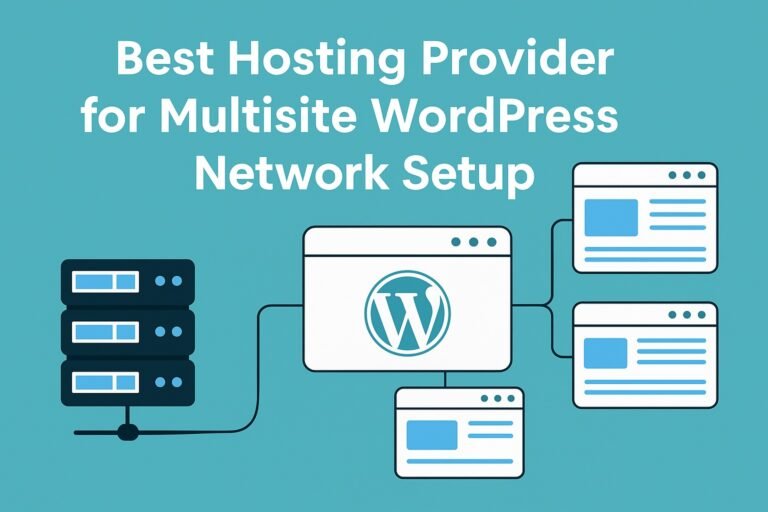
Best Hosting Provider for Multisite WordPress Network Setup

0

Running a WordPress Multisite network means you’re not just running a single website—you’re managing a network of sites, each with its own users, themes, plugins and content but all under one WordPress installation. This setup offers efficiency and manageability, but it also demands more from your hosting infrastructure. Choosing the right hosting provider for a multisite setup is therefore critical.

In 2025, with rising traffic, stricter security requirements, higher expectations for performance and scalability, it’s more important than ever to pick a host that supports multisite out of the box. This article will walk you through: what makes hosting multisite different, the core criteria you should evaluate, and then a curated list of standout hosting providers that support multisite networks.

What Makes Hosting for Multisite Different

In a traditional single-site WordPress setup, your concerns might be load time, uptime, plugin updates and backups. With multisite, you add layers: multiple domains or sub-domains, many individual site dashboards, shared theme/plugin management, potential high concurrency and increased database complexity. As WordPress documentation puts it: “You’ll need a robust hosting solution … not all hosting providers can support a Multisite network.”

Specifically, three factors grow in importance:

  • Scalability – As your network grows (more subsites, more users), you’ll need more CPU, RAM, I/O and bandwidth.
  • Management tools – You’ll want staging/test environments, domain mapping, role permissions, and tools that let you manage network-wide themes/plugins without breaking individual sites.
  • Isolation & performance – While all subsites share resources, you want your hosting to minimise a “bad plugin on one site” slowing the entire network.

In short: your hosting must treat your network as a small “ecosystem” rather than just a single blog.

Core Hosting Features to Prioritise for a Multisite Network

Before picking a provider, you must define your requirements. Below are the capabilities you should rank highly.

1. Resource Allocation & Scalability

For a multisite network, look beyond “unlimited websites” marketing. You should verify:

  • Number of dedicated PHP workers or threads available, so that one busy sub-site doesn’t hog resources.
  • NVMe SSD or equivalent high performance storage for fast shared database access.
  • Ability to upgrade (scale up) resources easily—CPU, RAM, storage—without migrating servers.
  • Traffic/bandwidth allowances that handle combined usage from all subsites.

2. Multisite-Friendly Tools

A host should make network management smoother by offering:

  • One-click multisite install or ability to enable multisite easily.
  • Domain/sub-domain mapping support so each sub-site can have its own URL.
  • Staging environments, cloning of subsites, rollback options.
  • Central plugin/theme update management. Some providers explicitly list “multisite hosting” as a plan feature. For example, Kinsta says their multisite hosting “provides tools for … manage client and institutional sites, blog networks …”

3. Performance & Security

Because your network is larger and more complex:

  • Strong caching layers (object cache, page cache) and global CDN where relevant.
  • Security features such as Web Application Firewall (WAF), malware scanning, isolation of subsites to prevent network-wide compromise.
  • Daily automated backups and restore-capability per sub-site or network-wide.

4. Multi-User & Client Workflow Support

If you’ll be hosting subsites for clients or team members:

  • Ability to assign roles per sub-site (admin/editor) without giving full network super-admin access.
  • Billing/support workflows if you manage sites for clients.
  • White-label or branded dashboards may be needed if you’re an agency hosting multiple clients.

5. Pricing Model That Aligns With Network Growth

Some providers will charge by number of sites or per-site visits, which can get expensive with a large network. You’ll prefer plans with:

  • Flat pricing or generous “unlimited subsites” allowances
  • Transparent cost when scaling (no surprise upgrade mid-month)
  • Clear resource usage metrics so you know when to upgrade.

Top Hosting Providers for Multisite Networks (2025)

Below are some strong picks for hosting providers that support multisite networks well. Each has strengths and trade-offs—choose based on your budget, expected network size, and technical comfort.

Kinsta

Kinsta

Kinsta offers premium managed WordPress hosting built on Google Cloud infrastructure. For multisite, their plan explicitly supports network installations, offering advanced caching, DevKinsta for local development, and dedicated PHP workers.
Why pick Kinsta: Excellent performance, strong developer tools, great support for agencies managing many subsites.
Trade-off: Higher price point; you may pay for more resources than a small network needs.

WP Engine

WP Engine is well established in the managed WordPress space and supports multisite networks in their higher-tier plans.
Why pick WP Engine: Superb support, solid performance, client-workflow features.
Trade-off: Cost can rise significantly as your network scales; some lower tier plans may not include multisite or unlimited sites.

SiteGround

SiteGround

SiteGround is a more affordable managed WordPress host with excellent support and WordPress-org recommendation. Their infrastructure supports multiple websites and they appear in multisite-hosting lists.
Why pick SiteGround: Good value, strong features for the price.
Trade-off: May require more manual configuration for large or high-traffic networks compared to premium hosts.

Cloudways

Cloudways

Cloudways offers a managed platform on top of various cloud providers (DigitalOcean, AWS, Google Cloud). They advertise their multisite hosting capability.
Why pick Cloudways: Flexibility of underlying cloud infrastructure, control, team collaboration features.
Trade-off: Slightly more technical in nature; you’ll have more responsibility for optimization than fully managed hosts.

A2 Hosting

A2 Hosting supports multisite setups and is noted for being budget-friendly. Their hosting is listed in multisite provider comparisons.
Why pick A2 Hosting: Lower cost entry point for networks not yet high-traffic, good performance tuning.
Trade-off: Some advanced features and infrastructure may not be as refined as premium providers.

How to Choose Based on Your Network Stage

Your ideal host will depend on how many subsites you have (or expect to have), how technical your team is, and what your budget is.

Network StageKey PrioritiesRecommended Hosts
Small network (10-20 subsites)Cost control, reliable basic performanceA2 Hosting, SiteGround
Medium network (20-100 subsites)Ability to scale, better caching/optimizeCloudways, SiteGround
Large network (100+ subsites or high traffic)Best performance, support, resourcesKinsta, WP Engine

In each case, verify your expected growth for CPU, RAM, and I/O rather than just “number of sites”.

Implementation Tips for Running a Multisite Network

Having the right host is essential—but your network’s success also depends on how you set it up and maintain it.

  1. Enable multisite correctly — whether sub-domains or sub-folders. Follow best practices for domain mapping.
  2. Limit resource hogs — One heavy plugin on one sub-site should not degrade the entire network. Monitor usage and enforce policies.
  3. Use staging/cloning — When you update themes/plugins, test on staging before deploying network-wide.
  4. Backup per site + network — Use network-level backup and optionally individual sub-site restore.
  5. Enforce consistent theme/plugin sets — Shared codebase means vulnerabilities on one site can affect all.
  6. Monitor performance per sub-site — Use tools to track which subsites consume resources and potentially upgrade.
  7. Plan for growth early — If you expect heavy traffic, choose hosts that allow seamless scaling or clustering.

Common Mistakes to Avoid

  • Choosing a hosting plan that allows many sites but doesn’t offer enough resources for each site’s needs.
  • Ignoring the PHP/worker limit—many hosting plans throttle PHP threads, which slows multisite networks.
  • Neglecting backups—when you host many sites on one network, failure impacts all.
  • Picking based on initial cost only and not future growth and optimization.
  • Forgetting domain mapping and SSL issues when using sub-domains across subsites.

FAQs

Q1. Can any WordPress host support multisite?
No — while multisite is a WordPress feature, not all hosts support it well. Some restrict number of databases, impose high limits or lack domain-mapping support. Guides note that you’ll need a hosting provider that “can handle multiple domains on a single web hosting plan.”

Q2. Does multisite mean unlimited sites?
Technically you can create many subsites, but resources are shared. Unlimited sites without sufficient CPU/RAM means slow performance. Always check the underlying server capacity and plan limitations.

Q3. Which hosting model is better for multisite: shared, VPS, managed cloud?
For multisite networks, shared hosting is often insufficient. A managed cloud or VPS with dedicated resources is ideal because you’ll likely need higher performance, scaling and control.

Q4. How many sites can I host on a multisite network?
There’s no hard limit from WordPress itself, but your hardware and host plan impose limits. For example Kinsta notes the number you can run depends on resources. (Kinsta®)

Q5. Do I need separate hosting accounts for clients if I use multisite?
Not necessarily. Multisite allows you to host many client sites under one WordPress install. But you still need strong role management and clear boundaries, especially for billing, backups and access.

Conclusion

Selecting the best hosting provider for multisite WordPress network setup is more than picking the cheapest plan. You must consider scalability, performance, tools for network management and future growth. Whether you’re starting with a few subsites or running hundreds of sites under your brand, the right host supports you without becoming the bottleneck.

From premium providers like Kinsta and WP Engine to value options like SiteGround and A2 Hosting, there’s a solution for every size and budget. While you evaluate, keep your network’s growth in mind, choose infrastructure that scales, and implement best practices for performance and security.

With the right host and smart setup, your WordPress multisite network can operate smoothly, scale easily, and deliver exceptional performance—exactly what modern websites demand in 2025.

Best Bangladeshi Hosting to Speed Up Website

0

In today’s fast-moving digital world, a website is the face of your business. Whether you are running an e-commerce store, a blog, or a service-based website, your success highly depends on how fast and reliable your website performs. Slow websites not only irritate visitors but also push them away to competitors.

This is where web hosting comes into play. The right hosting service in Bangladesh can drastically improve your website speed, lower bounce rates, and increase customer satisfaction. With more businesses going online, demand for fast, secure, and affordable Bangladeshi hosting has grown rapidly.

Hosting

Hosting is the foundation of every website. Simply put, hosting is the service that stores your website files and makes them accessible to anyone visiting your domain.

When it comes to Bangladeshi hosting, you need to focus on:

  • Server Location: Local data centers reduce latency for Bangladeshi visitors.
  • Speed & Uptime: A hosting provider must guarantee 99.9% uptime with high-speed SSD servers.
  • Support System: 24/7 customer support in Bangla and English can save time during emergencies.
  • Scalability: As your business grows, the hosting plan should be able to scale easily.
  • Security: SSL certificates, DDoS protection, and automatic backups are essential.

Popular local hosting providers like ExonHost, XeonBD, HostMight, Alpha Net, and AmarHost are well-known for offering reliable Bangladeshi hosting packages designed for website speed and performance.

Key Reasons Why Opting For The Right Hosting Services Matters

Choosing the right hosting service is not just a technical decision—it’s a business investment. Here are the major reasons why it matters:

  1. Website Speed & SEO
    Google considers page speed as a ranking factor. Faster websites get higher chances of ranking on top of search results.
  2. User Experience
    Visitors leave a site if it takes more than 3 seconds to load. A good hosting provider ensures smooth and fast browsing.
  3. Better Conversion Rates
    A fast website builds trust and encourages visitors to stay longer, browse more, and make purchases.
  4. Local Advantage
    Bangladeshi hosting with local servers ensures lower latency compared to hosting in the US or Europe, making your site load faster for local visitors.
  5. Security & Data Safety
    The right hosting provider offers built-in security features and frequent backups to protect your website from hacks and data loss.
  6. 24/7 Technical Support
    Problems can occur anytime. A hosting service with reliable customer support helps solve issues without affecting your business.

Types of Web Hosting Service in Bangladesh

Types of Web Hosting Service in Bangladesh

1. Shared Hosting

Shared hosting is the most common and budget-friendly option. Multiple websites share the same server resources such as CPU, RAM, and bandwidth.

  • Pros: Affordable, easy to set up, ideal for beginners.
  • Cons: Limited resources, slower during traffic spikes.
    Best for: Personal blogs, small business websites, and beginners.

2. VPS Hosting

Virtual Private Server (VPS) hosting offers more control and dedicated resources compared to shared hosting. Your website is hosted on a virtualized section of a physical server.

  • Pros: Faster speed, customizable environment, better security.
  • Cons: Slightly more expensive, requires technical knowledge.
    Best for: Growing businesses, e-commerce websites, and medium-traffic sites.

3. Dedicated Hosting

Dedicated hosting means you get an entire physical server for your website. No sharing, no competition for resources.

  • Pros: Maximum speed, complete control, high-level security.
  • Cons: Expensive, requires advanced management skills.
    Best for: Large enterprises, high-traffic websites, and organizations needing strong data security.

4. Cloud Hosting

Cloud hosting is modern and highly scalable. Your site runs on a network of virtual servers instead of a single machine.

  • Pros: High uptime, flexible scaling, pay-as-you-go pricing.
  • Cons: Pricing may vary based on usage, technical complexity.
    Best for: Websites with unpredictable traffic, startups, and SaaS businesses.

5. WordPress Hosting

Specially optimized for WordPress websites, this hosting type comes pre-configured with WordPress tools, caching, and security.

  • Pros: One-click installation, optimized performance, automatic updates.
  • Cons: Limited flexibility compared to VPS or dedicated hosting.
    Best for: Blogs, news portals, and small-to-medium businesses using WordPress CMS.

How Bangladeshi Hosting Boosts Website Speed

  • Local servers reduce latency: Visitors in Bangladesh enjoy faster page loads.
  • BDIX connectivity: Some providers offer BDIX (Bangladesh Internet Exchange) hosting, which makes local browsing extremely fast.
  • SSD-based storage: Ensures quicker data retrieval compared to HDD.
  • Optimized server software: Many Bangladeshi hosts use LiteSpeed or NGINX for faster response times.

Tips to Maximize Website Speed

Even with the best hosting, optimization is key:

  • Use a lightweight theme and limit unnecessary plugins.
  • Enable caching and connect your site to a CDN (like Cloudflare).
  • Compress images and use modern formats like WebP.
  • Regularly clean your database and update your CMS.

Key Features to Looking for in the Best Hosting Service in Bangladesh

When you are planning to invest in web hosting, you should remember that not all hosting services are the same. Some may look cheap at first glance but fail to deliver when your website starts to grow. Here are the most important features you should carefully check before choosing the best Bangladeshi hosting provider:

  • Server Speed & Uptime Guarantee
    A website is only as good as its server. If the server is slow, your website will load slowly no matter how well you design it. Look for providers that promise 99.9% uptime and have modern, high-performance servers. Even a few minutes of downtime can affect your business reputation and SEO rankings.
  • Local Data Centers & BDIX Connectivity
    Hosting providers with data centers in Bangladesh or BDIX (Bangladesh Internet Exchange) connectivity can load websites much faster for local users. This reduces latency, meaning your audience in Bangladesh will see pages load almost instantly.
  • SSD Storage Instead of HDD
    Speed also depends on the type of storage. SSD (Solid State Drives) are much faster than traditional HDDs. They allow quicker file transfer, reduce page load time, and improve overall website performance. If speed is your priority, always choose SSD-based hosting plans.
  • Scalability & Bandwidth
    At the beginning, your website might get only a few visitors. But as your business grows, you’ll need more resources. A good hosting provider should offer easy scalability—the ability to upgrade from shared hosting to VPS or dedicated servers without downtime. Unlimited or higher bandwidth is also important to handle traffic spikes smoothly.
  • Customer Support Quality
    Technical issues can happen anytime. That’s why 24/7 customer support is essential. In Bangladesh, it’s even better if the support team can communicate in both Bangla and English, making it easier for non-technical users to get help. Look for providers with live chat, phone support, and quick response times.
  • Security Features
    A fast website is useless if it’s not secure. The best Bangladeshi hosting services include features like free SSL certificates, automatic backups, firewall protection, and malware scanning. Security not only protects your data but also builds trust with your audience.
  • Value for Money
    Price is always a factor, but you should focus on the value you get for your money. Some cheap hosting services may compromise speed, uptime, or support. Compare packages and see if they include features like free domain, SSL, email accounts, or control panel access.
  • Server Technology & Software
    Advanced technology such as LiteSpeed web server, cPanel/DirectAdmin control panels, and one-click installers for WordPress or Joomla can make your experience smoother. LiteSpeed in particular is known to improve website speed significantly compared to older Apache servers.
  • Reputation & Customer Reviews
    Before finalizing a hosting provider, check what other users are saying. Reliable providers usually have a strong reputation, positive reviews, and long-term clients. This gives you confidence that the company is trustworthy and can handle your website efficiently.

Best Hosting Providers in Bangladesh

1. BDWEB IT

BDWEB IT is one of the most recognized hosting providers in Bangladesh. They offer reliable uptime, fast SSD servers, and packages suitable for beginners to large businesses.

Key Features:

  • SSD-powered hosting for faster speed
  • 99.9% uptime guarantee
  • Free SSL certificates
  • 24/7 Bangla and English support
  • Affordable starter packages

Why Choose BDWEB IT?
If you are just starting out with a blog or small business website, BDWEB IT ensures good performance at a reasonable cost. Their customer support is beginner-friendly, making them a strong option for non-technical users.

2. XeonBD

XeonBD has been in the market for more than a decade and is popular for professional hosting solutions.

Key Features:

  • Data centers in the USA and Singapore with CDN integration
  • LiteSpeed web server for faster performance
  • Free daily backups
  • Security protection against malware and DDoS
  • Flexible packages from shared to dedicated hosting

Why Choose XeonBD?
If your website targets both Bangladeshi and international visitors, XeonBD’s global server setup helps reduce latency. Their security features are also a plus point for e-commerce sites.

3. HostMight

HostMight is another trusted Bangladeshi hosting company, providing affordable yet quality hosting services.

Key Features:

  • Free domain with some plans
  • Fast SSD storage
  • 24/7 local customer support
  • Free migration service for websites
  • Multiple payment methods including bKash, Rocket, Nagad

Why Choose HostMight?
They are a good choice if you want both affordability and strong local support. Payment flexibility is a big advantage for Bangladeshi users.

4. Alpha Net

Alpha Net focuses on premium hosting services with advanced technologies.

Key Features:

  • Bangladesh-based data centers for low latency
  • Business email hosting with professional features
  • Cloud-based hosting options
  • Free SSL and daily backups
  • 24/7 technical support

Why Choose Alpha Net?
They are ideal for businesses that want enterprise-level hosting with reliable uptime and dedicated customer support.

Benefits of Choosing a Local Hosting Provider

When your target audience is primarily from Bangladesh, hosting your website on a local server makes a noticeable difference. A local hosting provider reduces latency because data doesn’t need to travel across continents to load your site. This results in faster loading times and a smoother browsing experience for visitors.

Additionally, local hosting companies often understand the needs of Bangladeshi users better than international providers. From local payment gateways to BDIX connectivity, they provide services that are more aligned with your requirements.

Faster Local Loading Speeds

Speed is one of the biggest advantages of local hosting. When your website is hosted on servers located in Bangladesh, users in Dhaka, Chittagong, Rajshahi, or anywhere else in the country can experience almost instant loading.

  • Local servers reduce the delay caused by international routing.
  • Many Bangladeshi hosting companies use BDIX connectivity, which allows faster access within the country.
  • Faster speeds improve both user experience and SEO rankings since Google gives preference to sites that load quickly.

A difference of just a few seconds in page load time can decide whether a visitor stays on your website or leaves.

Local Support Team

Technical problems are bound to happen, but the support team you get matters a lot. With Bangladeshi hosting providers, you can expect quick help from local experts who understand your language, your payment system, and even the local internet infrastructure.

  • Support is available in Bangla as well as English.
  • Local teams can resolve issues faster compared to international providers who operate in different time zones.
  • Many hosting companies in Bangladesh provide 24/7 live chat or phone support, ensuring you are never stuck during critical times.

This personal touch can save you time and frustration, especially if you are not very technical.

Affordable Pricing

Cost is always an important factor for businesses and individuals. Local hosting providers usually offer very competitive pricing compared to international ones. Since they operate within Bangladesh, they avoid extra costs like currency conversion or high international transaction fees.

Most providers offer flexible plans suitable for small blogs, eCommerce shops, and large businesses. You get features like SSD storage, free SSL certificates, unlimited bandwidth, and email hosting at affordable monthly or yearly rates.

This affordability makes local hosting a smart choice for startups and entrepreneurs who want performance without overspending.

Mobile Payment Integration

Another big advantage of Bangladeshi hosting companies is the ease of payment. Unlike many international providers that require credit cards or PayPal, local providers allow you to pay through mobile banking and mobile wallets.

  • bKash, Nagad, Rocket, and Upay are widely accepted.
  • Payments are processed quickly without the hassle of international verification.
  • Even non-technical users can easily renew or upgrade their hosting plans.

This flexibility ensures that anyone, from students running personal blogs to small businesses selling products online, can easily manage their hosting accounts.

How to Choose the Best Hosting Plan for Your Needs

Choosing hosting is not only about price; it’s about finding the right balance between cost, performance, and support. Consider these points:

  • For personal blogs or portfolio sites: Shared hosting with SSD storage is enough.
  • For growing business websites: Choose a VPS (Virtual Private Server) plan for better control and speed.
  • For e-commerce stores: Go for a hosting provider with BDIX support, CDN integration, and high bandwidth.
  • For large projects or agencies: A dedicated server ensures maximum performance.

Also, check if the provider allows easy upgrades. Many businesses start with shared hosting but quickly need VPS as traffic grows.

Extra Tips to Speed Up Your Website

Even with the best hosting, you’ll need some extra steps to optimize speed:

  • Compress and optimize images.
  • Use caching plugins for WordPress.
  • Minify CSS and JavaScript files.
  • Integrate CDN (e.g., Cloudflare, BunnyCDN).
  • Choose lightweight website themes.

These small tweaks, combined with good hosting, can cut loading time by several seconds.

Final Thoughts

Bangladeshi hosting providers are rapidly improving, offering reliable speed and support that match global standards. For a local audience, BDIX-enabled servers can drastically improve website performance.

If you want a budget-friendly start, shared hosting is fine, but for businesses and online stores, investing in a VPS or dedicated server is the smarter choice.

In the end, the “best” hosting depends on your website’s size, traffic, and growth plan. Choose wisely today – because your hosting provider directly impacts your SEO, your sales, and your visitors’ first impressions.

How to Migrate WordPress Site to New Host Safely in 2025

0

Last Updated on November 5, 2025

How to migrate WordPress site to a new hosting provider can sound intimidating — especially if you’re worried about downtime, broken pages, or lost SEO rankings. But in 2025, the process is far more reliable and easier than ever before, thanks to advanced hosting tools, one-click migration plugins, and better DNS control.

Whether you’re upgrading to a faster host, switching for better support, or consolidating multiple websites, this guide will walk you through how to migrate a WordPress site to a new host safely in 2025 — from initial preparation to post-migration optimization.
Follow each step carefully, and you’ll move your site confidently without a minute of unnecessary downtime.

Why You Might Need to Migrate Your WordPress Site

There are many reasons you might want to migrate your website to a new host — and understanding these helps you plan the process better:

  • Slow loading times: Poor server performance can ruin user experience and lower SEO rankings.
  • Frequent downtime: A host with unreliable uptime can cost you visitors and conversions.
  • Limited scalability: Growing websites need more bandwidth, CPU power, or better caching.
  • Outdated technology: Some older hosts still use slow HDDs or outdated PHP versions.
  • Better pricing and support: Newer hosting companies often offer more value for the same cost.

Whatever your reason, learning how to migrate WordPress site properly can result in faster performance, higher stability, and improved SEO metrics.

Pre-Migration Preparation

Before moving your WordPress site to a new host, preparation is key. Most migration failures happen because of poor planning — not because of technical complexity. Follow these pre-migration steps carefully.

1. Audit Your Current Website

List every element your site depends on:

  • Installed plugins and active themes
  • Custom scripts, APIs, or external integrations
  • Database size and total storage used
  • PHP version and WordPress version

This will help you detect compatibility issues early — especially when you know how to migrate WordPress site from old hosts that run outdated PHP 7.x environments to newer ones offering PHP 8.2 or above.

2. Backup Everything

Backup

This is the most important safety step.
You must back up:

  • All website files (themes, plugins, uploads)
  • Your wp-config.php file
  • The full database (via phpMyAdmin or a plugin)

Store the backups locally and on cloud storage (like Google Drive or Dropbox).
If anything goes wrong during migration, you can restore your site within minutes.

3. Lower Your DNS TTL (Time to Live)

DNS propagation delays cause downtime. To minimize that when you plan how to migrate WordPress site, go to your domain registrar and lower your TTL value (from the default 3600 seconds to 300 seconds).
This ensures that when you switch hosts later, the DNS update spreads across the internet within minutes instead of hours.

4. Choose a Compatible Hosting Provider

When migrating WordPress in 2025, make sure your new host supports:

  • PHP 8.2 or newer
  • NVMe SSD storage
  • Free SSL (Let’s Encrypt)
  • Daily automated backups
  • Staging environment
  • One-click migration or WordPress installer

Top options include SiteGround, Hostinger, A2 Hosting, Cloudways, and Kinsta — all known for reliability and WordPress-optimized performance.

How to Migrate WordPress Site to New Host Safely in 2025

There are multiple ways to move a WordPress site, depending on your skill level and hosting setup.
Below are three proven methods you can use in 2025.

Method 1: Using a WordPress Migration Plugin (Safest for Beginners)

If you want a simple, automated path for how to migrate WordPress site, use a migration plugin. Popular options include Duplicator, All-in-One WP Migration, and BlogVault.

Steps:

  1. Install the plugin on your current site.
  2. Create a migration package (it includes your files + database).
  3. Download the generated archive.
  4. Install WordPress on the new host.
  5. Upload the archive via the plugin on the new site.
  6. Run the plugin’s “import” or “restore” wizard.

This method ensures safe migration with minimal technical effort.
Most premium plugins even handle serialized data and automatic URL updates.

Method 2: Manual Migration (Best for Developers)

If you prefer total control for how to migrate WordPress site, follow these manual steps:

Step 1 – Download Files from the Old Host
Use FileZilla (FTP) or your host’s file manager to download all files under /public_html/ or /www/.

Step 2 – Export the Database
Go to phpMyAdmin → Select your site’s database → Click “Export” → Choose “Quick” and “SQL” format → Download.

Step 3 – Upload Files to the New Host
Connect to your new server via FTP or SSH and upload all files to the same directory (usually /public_html/).

Step 4 – Create a New Database
Inside your new host’s control panel, create a new database, username, and password. Note down these credentials.

Step 5 – Import the Database
Open phpMyAdmin on the new host → Select your new database → Click “Import” → Upload your .sql file.

Step 6 – Update wp-config.php
Edit this file to update your new database name, user, and password.
Example:

define('DB_NAME', 'newdbname');
define('DB_USER', 'newdbuser');
define('DB_PASSWORD', 'newdbpass');
define('DB_HOST', 'localhost');

Step 7 – Fix URLs (If Domain Changed)
If your domain has changed, use WP-CLI or a plugin like “Better Search Replace” to update all URLs in your database.

Step 8 – Test the Site
Use the temporary IP or edit your local “hosts” file to preview the site privately before switching DNS.

Method 3: Host-Assisted Migration (Best for Busy Professionals)

Many top hosts in 2025 offer free or managed migration.
You just provide your old credentials, and their experts handle everything — including DNS updates and SSL setup.
This option is ideal if you want zero hassle and maximum safety.

Post-Migration Testing Checklist

Once your WordPress site is copied to the new host, remember how to migrate WordPress site checklists — don’t go live yet. Test every critical function before pointing the domain.

  • Check all pages and posts for formatting or missing images
  • Verify that contact forms and comment sections work
  • Test WooCommerce checkouts (if applicable)
  • Confirm login and admin panel functionality
  • Ensure SSL certificate is active and secure
  • Compare load times between old and new servers

When everything looks perfect, you’re ready for the final step — DNS switching.

Switching DNS Without Downtime

DNS

Go to your domain registrar or DNS manager and update your A record to the new host’s IP address.
Because you lowered TTL earlier, this update should propagate within 5–10 minutes globally.

Keep both your old and new hosts active for 24–48 hours.
This ensures that even users on cached DNS still see your live site.
Once propagation is complete, you can safely cancel your old hosting plan.

After Migration: Optimization Steps

You’ve successfully learned how to migrate WordPress site to new host safely in 2025, but the process isn’t done yet.
Here’s what to do immediately afterward:

1. Clear All Caches

Purge cache at every layer — WordPress plugins, CDN, and browser.
This removes outdated files that might cause display issues.

2. Regenerate Permalinks

Go to Settings → Permalinks → Save Changes.
This rebuilds your .htaccess file and prevents 404 errors.

3. Re-activate Plugins

Re-enable caching and security plugins like Wordfence, WP Rocket, or LiteSpeed Cache.

4. Reissue SSL

If your SSL didn’t carry over, install a new Let’s Encrypt certificate from your new host.

5. Submit New Sitemap

Visit Google Search Console and submit your sitemap.xml again to ensure indexing stability.

6. Monitor Uptime and Performance

Use tools like UptimeRobot, Pingdom, or GTmetrix to track uptime and speed for the first week post-migration.

Common Mistakes to Avoid

  1. Skipping backups: Never migrate without a recent backup.
  2. Migrating during peak traffic: Do it at night or on weekends.
  3. Forgetting email settings: MX records may differ between hosts.
  4. Not disabling plugins during transfer: Some caching plugins break serialized data.
  5. Deleting old host too soon: Always keep it active for at least 48 hours post-migration.

Avoid these mistakes, and your migration will be 100% smooth.

SEO & Analytics Preservation

Switching hosts can slightly affect how search engines crawl your site.
Here’s how to protect your SEO:

  • Maintain identical URLs and permalinks.
  • Keep your robots.txt unchanged.
  • Ensure all redirects (if any) are 301, not 302.
  • Monitor Google Search Console for crawl errors.
  • Reconnect Google Analytics or GA4 if it stopped tracking.

If done correctly, your site will retain rankings — and possibly load faster, which can even boost SEO performance.

Frequently Asked Questions (FAQs)

Q1. How long does it take to migrate a WordPress site?
For small websites, the process takes 1–2 hours. Larger eCommerce or media sites may take up to 6 hours, depending on file size and DNS propagation speed.

Q2. Will I lose any data during migration?
No, as long as you perform a full backup before starting, and sync your database just before switching DNS.

Q3. Can I migrate without using a plugin?
Yes. Manual migration gives full control and avoids plugin limitations — ideal for developers or advanced users.

Q4. Do I need to reinstall WordPress on the new host?
Not necessarily. Migration plugins restore everything automatically. Manual users can upload the full package without reinstalling.

Q5. Will migrating affect my SEO ranking?
If your URLs and structure remain identical, there’s no negative SEO impact. In fact, a faster host can improve rankings over time.

Conclusion

Migrating your WordPress site doesn’t have to be stressful — not in 2025.
With the right preparation, backups, and testing, you can move your website to a new host safely, quickly, and without downtime.

Always remember:

  • Backup first.
  • Test before DNS switch.
  • Keep both servers active during propagation.

Follow this guide step by step, and your site will be faster, more secure, and ready for future growth — exactly how a successful migration should end.

Kinsta vs WPX Performance Comparison

0

Last Updated on November 5, 2025

When it comes to managed WordPress hosting, two names often stand out — Kinsta vs WPX performance comparison has become a common discussion among users. Both providers have built a strong reputation for speed, reliability, and customer support, but they cater to slightly different audiences and use different approaches to deliver performance.

For an online business or eCommerce store, choosing between Kinsta and WPX can feel like a critical decision. The hosting platform you select directly impacts:

  • Website speed and uptime → which influence bounce rate and conversion rate.
  • Search engine optimization (SEO) → Google rewards faster sites with better rankings.
  • User experience → customers expect instant page loading, especially on product and checkout pages.

In today’s digital marketplace, a delay of even one second can cost you sales. Therefore, this article provides a detailed Kinsta vs WPX performance comparison — covering speed benchmarks, global infrastructure, caching technologies, developer features, customer support, and overall value.

By the end, you’ll know which platform is the right fit for your website depending on your traffic size, budget, and growth goals.

Kinsta vs WPX Performance Comparison: An Overview

Before diving into performance comparisons, it’s important to understand what makes Kinsta and WPX unique. Both are managed WordPress hosting providers, but their infrastructure, technology, and target users differ in meaningful ways.

Kinsta

Kinsta

  • Powered by Google Cloud – Kinsta runs entirely on the Google Cloud Platform (GCP), using premium C2 and C3D machines that are optimized for speed and scalability.
  • Global Data Centers – With 37+ data center locations around the world, users can host their websites closer to their target audience, reducing latency.
  • Built-in Cloudflare Integration – Every site benefits from enterprise-level Cloudflare security, DDoS protection, and a high-speed CDN with 34+ edge locations.
  • Developer-Friendly Tools – Kinsta includes SSH access, Git integration, WP-CLI, staging environments, and an in-house APM (Application Performance Monitoring) tool.
  • Premium Positioning – Kinsta positions itself as a high-end hosting solution for businesses, agencies, and high-traffic websites that demand reliability and cutting-edge technology.

WPX Hosting

WPX Hosting

  • Focus on Simplicity & Speed – WPX emphasizes ease of use and lightning-fast loading times with its own custom-built WPX Cloud (XDN) CDN.
  • Fewer Data Centers – WPX offers a smaller number of global server locations compared to Kinsta, but its CDN helps balance speed worldwide.
  • Straightforward Dashboard – Unlike Kinsta’s developer-heavy environment, WPX provides a simplified control panel that’s beginner-friendly.
  • Affordable Managed Hosting – WPX is priced lower than Kinsta, making it attractive for bloggers, solopreneurs, and small-to-medium websites.
  • Fast Customer Support – Known for their 30-second average response time on live chat, WPX consistently highlights customer support as a key selling point.

Key Difference at a Glance

  • Kinsta = Enterprise-grade hosting built on Google Cloud, best for agencies, developers, and high-traffic businesses.
  • WPX = Budget-friendly managed hosting with a strong focus on speed and excellent customer support, ideal for bloggers and smaller businesses.

Performance Comparison: Speed, Caching, CDN, and Load Tests

When conducting a Kinsta vs WPX performance comparison, the most important factor is real-world performance. A hosting provider can have great marketing, but benchmarks, stress tests, and user experiences reveal the actual difference. Let’s break it down:

Speed & Load Times

  • Kinsta consistently delivers faster global load times thanks to its Google Cloud C2/C3D infrastructure and built-in Edge Caching. Independent tests show that in multiple international locations (e.g., Mumbai, Sydney, and London), Kinsta outperformed WPX by 20–30% faster load times.

  • WPX, however, still ranks as one of the fastest budget-friendly hosts. In some U.S. and European locations, WPX matched or slightly outperformed Kinsta in initial response times.

Verdict from this Kinsta vs WPX performance comparison: Kinsta dominates in global performance, while WPX holds its own in regions closer to its data centers.

Caching Technology

  • Kinsta uses server-level full-page caching and automatically excludes WooCommerce/EDD cart, checkout, and account pages from caching. It also integrates object caching and supports third-party caching plugins.

  • WPX relies on its custom WPX Cloud CDN and LiteSpeed caching rules. While effective, it doesn’t provide the same level of server-side optimization and automation as Kinsta.

Verdict: Kinsta’s caching system is more advanced and optimized for high-traffic eCommerce stores.

CDN & Global Delivery

  • Kinsta integrates Cloudflare Enterprise CDN, which includes 34+ edge locations worldwide. This means static assets (images, CSS, JS) are delivered closer to visitors, improving performance globally.

  • WPX provides its proprietary XDN (WPX Cloud) with 25+ endpoints. It performs well but doesn’t match the reach and optimization level of Cloudflare Enterprise.

Verdict: Kinsta wins on global CDN coverage, while WPX provides a decent in-house option for smaller sites.

Load & Stress Testing

  • Kinsta handles traffic spikes more efficiently. In stress tests with 500–1,000 concurrent users, Kinsta maintained stable response times under 1 second with minimal errors.

  • WPX performed well for smaller loads but started to show slight performance drops (higher response times and a few errors) under heavy concurrent traffic.

Verdict: For websites expecting rapid growth or viral traffic spikes, Kinsta is more reliable. WPX is fine for low-to-medium traffic levels.

Developer Tools and Advanced Features

Kinsta is designed with both developers and agencies in mind. Every plan includes SSH access, Git integration, and WP-CLI, allowing technical users to manage sites more efficiently. The MyKinsta dashboard offers a polished experience with options to switch PHP versions, enable debugging tools, and deploy one-click staging environments. Perhaps one of Kinsta’s most valuable features is its built-in Application Performance Monitoring (APM), which helps diagnose slow queries and bottlenecks without relying on external plugins.

WPX, by contrast, focuses more on simplicity than advanced developer functionality. Its control panel is intentionally minimal, catering to beginners who want to launch and manage WordPress sites without dealing with technical complexities. While WPX does not provide advanced tools like Git or SSH on all plans, it ensures that migration, SSL setup, and CDN integration are straightforward. This makes WPX appealing to users who prefer ease of use over fine-grained control.

User Experience and Dashboard

The user experience differs significantly between the two providers, as revealed through this Kinsta vs WPX performance comparison. Kinsta’s dashboard has a sleek, modern interface that allows users to monitor bandwidth usage, performance analytics, and site health in real time. The design reflects its enterprise focus, giving users transparency and control at a granular level.

On the other hand, WPX’s dashboard avoids complexity. It emphasizes quick access to essential actions — adding domains, setting up email, or restoring backups. This approach resonates with bloggers, solopreneurs, and small businesses who value speed and simplicity in site management rather than advanced customization.

Support and Reliability

Both companies are praised for customer support, but their approaches differ. Kinsta provides 24/7 live chat with WordPress experts, known for technical depth and fast resolutions. Support interactions are built into the MyKinsta dashboard, so help is only a click away.

WPX, however, has built a reputation around super-fast response times, often claiming an average of 30 seconds for live chat replies. While Kinsta excels in technical sophistication, WPX stands out for immediacy and accessibility, especially for non-technical users who need quick reassurance.

Security and Backups

Security is another area where Kinsta pulls ahead. By leveraging Cloudflare Enterprise, it offers advanced DDoS protection, a powerful firewall, and automatic SSL certificates. Daily automatic backups are included, with options for manual and system-generated backups as well.

WPX also offers security features such as malware scanning, free SSL, and DDoS protection, along with a backup system that retains data for several weeks. However, it does not provide the same enterprise-level protections bundled into Kinsta’s platform.

Use Cases: When to Choose Kinsta vs WPX

Although both offer excellent hosting, this Kinsta vs WPX performance comparison shows they’re built for different user profiles. Understanding which host fits your situation will save you time, money, and frustration.

High-Traffic and Enterprise Websites

If your website expects thousands of concurrent visitors, viral traffic spikes, or runs a large eCommerce store, Kinsta is the safer choice. Its Google Cloud infrastructure, global data centers, and advanced caching ensure stability under heavy load. Agencies managing client portfolios also benefit from the developer tools and staging environments Kinsta provides.

Bloggers and Small-to-Mid Websites

For individual bloggers, personal projects, or small business websites, WPX is often the better fit. It’s more affordable than Kinsta, easier to set up, and still provides fast performance. WPX’s simplified control panel and rapid customer support make it attractive for those who want hosting that “just works” without technical complexity.

Developers and Agencies

Agencies or freelance developers who manage multiple client sites will appreciate Kinsta’s built-in Git, SSH, WP-CLI, and staging tools. These features allow smoother collaboration, quicker debugging, and efficient deployment of updates. WPX, while simpler, lacks many of these advanced developer features, making it less appealing for technical workflows.

Budget-Conscious Users

If cost is your main concern, WPX is typically the better option. Its plans are priced lower than Kinsta, yet it still delivers impressive speed and strong customer support. Kinsta, while more expensive, justifies the price with enterprise-level infrastructure and premium features.

Global Audience Reach

For websites with a worldwide audience, Kinsta’s 37+ data centers and Cloudflare Enterprise CDN provide a clear advantage. It reduces latency across continents, ensuring users in Asia, Europe, or North America all experience fast load times. WPX does offer a CDN (XDN) with multiple endpoints, but its reach isn’t as extensive as Kinsta’s.

Conclusion

In conclusion, this Kinsta vs WPX performance comparison makes it clear that both hosts excel in different areas of managed WordPress hosting. The right choice ultimately depends on your website’s needs, growth stage, and budget.

Kinsta shines as an enterprise-grade solution. Its reliance on Google Cloud’s C2/C3D machines, Cloudflare Enterprise CDN, and 37+ global data centers make it one of the fastest and most scalable options available. The inclusion of developer tools like SSH, Git, WP-CLI, staging environments, and built-in APM monitoring also makes it the go-to option for agencies, developers, and high-traffic websites. The trade-off, of course, is price — Kinsta is more expensive, but it justifies the cost with unmatched reliability and advanced infrastructure.

WPX, on the other hand, appeals to users who value simplicity, affordability, and speed without the complexity. Its streamlined dashboard, proprietary WPX Cloud CDN, and 30-second support response time make it a strong choice for bloggers, solopreneurs, and small-to-mid-sized websites. While it doesn’t offer as many developer-focused tools or the same global reach, WPX delivers excellent performance at a more budget-friendly rate.

Final Recommendations

  • If you run a large eCommerce store, expect heavy traffic, or need enterprise-level scalability, go with Kinsta.

  • If you’re a blogger, small business owner, or cost-conscious site manager who values simplicity and responsive support, WPX will serve you well.

In the end, there is no absolute “winner.” Instead, the best choice depends on whether you prioritize premium performance and scalability (Kinsta) or affordability and simplicity (WPX). By aligning your hosting provider with your website’s current needs and long-term growth plans, you’ll ensure that your online presence runs fast, secure, and smoothly.

Web Hosting for Remote Web Developers Working from Home

0

The rise of remote work has completely reshaped how web developers build, deploy, and maintain websites. Gone are the days when teams worked in physical offices, pushing code to local servers. Today’s developers — especially freelancers and home-based professionals — rely on powerful, cloud-driven hosting solutions that act as their virtual workspace.

If you’re a remote web developer, your hosting isn’t just where websites live — it’s the backbone of your workflow. It affects how fast you can test projects, collaborate with clients, and deploy updates. A slow or unreliable hosting setup can destroy productivity, frustrate clients, and lead to unnecessary downtime.

This guide explains exactly what kind of hosting setup remote developers need in 2025 — including performance essentials, collaboration tools, recommended hosts, and best practices for working securely and efficiently from home.

Why Hosting Matters More for Remote Developers

For most freelancers or remote developers, hosting is not just a technical decision — it’s a business one. Your hosting determines how smoothly you manage multiple clients, deploy code remotely, or maintain uptime for live websites.

When you work from home, your local environment is often limited — you might be on a laptop with restricted bandwidth or storage. The real “engine room” of your work becomes your hosting infrastructure. That’s where your projects live, where clients test features, and where updates are pushed.

Good hosting gives you:

  • Reliable uptime so clients’ sites never go down.
  • SSH and Git integration to deploy changes directly from your local machine.
  • Multiple environments (development, staging, production) to test safely.
  • Fast databases and caching to handle modern applications.
  • Scalability for when your workload and client list grow.

In other words, the right hosting setup lets you work like an agency — even if you’re coding from your living room.

Understanding Your Hosting Needs as a Remote Developer

Before choosing a provider, you need to understand what kind of projects you’ll run and what level of control you require.

If you mostly build WordPress or static websites for small businesses, you can get by with managed cloud hosting that takes care of server management for you.

If you build custom web apps (Node.js, Laravel, Django, React, etc.), you’ll want VPS or cloud hosting with root access and full control over environments.

And if you’re running a small remote agency or hosting multiple clients under your brand, you’ll benefit from white-label or reseller hosting with multi-user access.

The right host depends on your workflow — but the fundamentals remain the same: flexibility, speed, security, and remote accessibility.

Key Features Remote Developers Should Look For

1. Developer Access (SSH, Git, CLI)

A good host must feel like a local development environment. That means secure SSH access, Git integration, and command-line tools. You should be able to clone repositories, run deployments, and update environments directly — without relying on cPanel or GUI tools every time.

2. Staging and Version Control

When you work remotely, mistakes can happen — an incorrect push, an untested plugin, or a broken line of code. That’s why you need staging environments to test changes before pushing live. Version control (Git or integrated systems) helps track revisions and roll back safely.

3. Performance and Uptime

Your hosting should deliver 99.9% uptime or better and be optimized with NVMe SSD storage, LiteSpeed or NGINX servers, and caching layers (Redis, Varnish). Fast loading times are essential not just for users — but for developers who need rapid testing and deployment cycles.

4. Remote Collaboration

Working from home often means collaborating asynchronously. Choose a host that allows multiple logins, team access roles, or shared environments so teammates and clients can review or test without compromising security.

5. Security and Backups

Since you may connect from different networks — home WiFi, mobile hotspots, or co-working spaces — you must protect both your local and hosted environments. Automatic backups, free SSL, firewalls, and malware scanning are mandatory.

6. Scalability

As your freelance career grows, so will your hosting needs. A scalable host lets you start with a small plan and upgrade instantly without downtime. This prevents painful migrations when you onboard multiple clients or launch large web apps.

7. Remote Accessibility

You need consistent access to your servers no matter where you work. That means reliable dashboards, API access, and SSH tunnels that don’t get blocked on shared networks.

Best Hosting Types for Remote Developers

1. Managed Cloud Hosting

If you prefer to focus on development instead of server administration, managed hosting is ideal. Providers like Kinsta, SiteGround, and Hostinger Cloud offer one-click staging, automatic backups, built-in caching, and 24/7 support.
Perfect for developers who build WordPress or client sites and want to spend zero time on DevOps.

2. VPS (Virtual Private Server) Hosting

VPS hosting offers root access, dedicated resources, and the flexibility to install your own stack — PHP, Node, Python, etc. It’s best for developers managing custom web applications. Providers like DigitalOcean, Vultr, and Linode offer cost-effective, developer-centric VPS setups with strong APIs.

3. Dedicated Server or Cloud Instance

For advanced developers or small remote teams managing multiple production sites, a dedicated server provides total control. You can run Docker, CI/CD pipelines, databases, and file storage from one place.
However, it requires more technical skill to maintain — regular patching, updates, and monitoring.

4. Reseller Hosting

If you manage websites for clients and want to bill them under your brand, reseller hosting is an efficient solution. It gives you separate cPanel or site accounts for each client while keeping control under your master dashboard.
It’s perfect for developers running small remote agencies or freelancers managing 10–50 client sites.

Top Hosting Providers for Remote Developers (2025)

1. Cloudways

Cloudways

A hybrid managed platform that sits on top of Google Cloud, AWS, Vultr, or DigitalOcean. You can deploy WordPress, Laravel, or custom PHP apps in minutes.
Cloudways includes staging, Git deployment, team collaboration, SSH, and vertical scaling — making it ideal for remote developers who need flexibility.

Why it’s great: You control the infrastructure but avoid DevOps headaches. Its pay-as-you-go billing is perfect for freelancers handling multiple projects.

2. Hostinger Cloud Business

Hostinger

Hostinger’s Cloud Business plan is budget-friendly and fast, powered by LiteSpeed and NVMe SSD storage. It includes daily backups, Git integration, and a built-in CDN.
If you want a cost-effective managed environment with modern performance, Hostinger is a strong pick.

Why it’s great: Affordable for independent developers working from home with multiple clients.

3. SiteGround

SiteGround

SiteGround’s Google Cloud-based infrastructure delivers impressive speed and stability. The Site Tools dashboard includes staging, Git, and collaboration features that make remote work seamless.
For WordPress developers, its built-in optimization and security stack reduce workload significantly.

Why it’s great: Combines reliability with strong developer tools and excellent support — a perfect “set it and forget it” hosting for home-based professionals.

4. DigitalOcean

A pure cloud provider for developers who want control. You can deploy your own stack, build staging servers, and scale vertically with ease.
DigitalOcean’s Droplets are simple, transparent, and supported by an excellent API — perfect for automated deployments or CI/CD pipelines.

Why it’s great: Full flexibility and transparency for technical developers comfortable managing their own environment.

5. Kinsta

Kinsta

A premium managed WordPress host that runs on Google Cloud’s fastest network tier. It offers one-click staging, automatic scaling, Redis caching, and developer tools like SSH and WP-CLI.
For remote developers building eCommerce or high-traffic client sites, Kinsta ensures uptime and support 24/7.

Why it’s great: Enterprise-grade performance and zero maintenance. You focus on development; Kinsta handles optimization, security, and scaling.

Setting Up a Remote Development Workflow

Even the best hosting won’t help if your workflow isn’t optimized. Here’s how to set up a clean remote-friendly hosting workflow that keeps you productive and safe:

1. Use Local + Cloud Environments

Develop locally using Docker or LocalWP for quick changes, then push updates via Git or deployment pipelines to your hosting environment.
This gives you flexibility to work offline while maintaining version control and backup.

2. Organize Projects with Staging

Each project should have separate development, staging, and production environments. This ensures you can test plugins, updates, or code changes without breaking live client sites.

3. Automate Backups and Deployments

Use automated daily backups and deployment scripts. Platforms like Cloudways and SiteGround offer one-click restore points and Git hooks for deployment.

4. Collaborate with Clients Securely

Don’t share your main credentials. Create user accounts or limited access logins for each client or collaborator. This reduces risk and keeps your workflow professional.

5. Monitor Your Hosting

Use monitoring tools (like UptimeRobot or BetterStack) to check uptime and response times. Set up alerts so you know instantly if any of your client sites face downtime — before they do.

Security for Remote Developers

Remote work introduces unique security challenges. When you’re connecting from home networks, you’re outside the traditional office firewall, so extra layers are necessary.

  1. Use a VPN whenever connecting to your server from public or unsecured Wi-Fi.
  2. Authenticate via SSH keys, not passwords, to prevent brute-force attacks.
  3. Enable 2FA (two-factor authentication) on your hosting control panel.
  4. Encrypt everything — SSL certificates, SFTP connections, and database traffic.
  5. Keep software updated, both locally and on the host, including WordPress, plugins, and libraries.
  6. Set up access logs and monitoring to track unusual activity.

Good hosting providers automate much of this — but ultimately, as a developer, you are responsible for client data integrity and uptime.

Collaboration Tools Integrated into Hosting

Modern hosts now go beyond storage — they act as collaboration hubs. Some hosting providers let you invite teammates, assign roles (developer, editor, admin), or manage multiple users across client projects.

For example:

  • SiteGround and Kinsta allow you to assign collaborator roles per site.
  • Cloudways supports team accounts and project-level access.
  • WP Engine includes multi-user staging environments for agency workflows.

This kind of collaboration is essential when you’re freelancing remotely or managing clients across time zones.

Cost Considerations for Home-Based Developers

Budget plays a big role when you’re freelancing. But cheap hosting usually costs more in lost time, errors, and downtime.
For remote developers, aim for $10–$40 per month for quality cloud hosting or $20–$60 for managed environments that handle maintenance and security.

Here’s a simple way to think about it:

  • Budget plans (e.g., Hostinger Cloud): Ideal for entry-level projects.
  • Mid-tier managed hosting (e.g., SiteGround, Cloudways): Best for small agencies or multiple clients.
  • Premium managed WordPress (e.g., Kinsta, WP Engine): Perfect for eCommerce or high-paying clients.

Remember — your hosting is part of your professional toolkit, not just an expense.

Common Mistakes Remote Developers Make with Hosting

  1. Using shared hosting for client sites — cheap but unreliable.
  2. Skipping backups — one bad update can erase weeks of work.
  3. Testing directly on live sites — always use staging.
  4. Not securing credentials — reuse of weak passwords is a major risk.
  5. Ignoring scalability — growing traffic or client load can overwhelm entry-level plans.

Avoiding these mistakes separates professional developers from amateurs — and builds trust with clients who rely on your hosting expertise.

FAQs

Q1: What’s the best hosting type for remote developers?
Cloud or VPS hosting offers the best combination of control, scalability, and remote access. Managed hosting is great if you want convenience without managing servers.

Q2: Can I host multiple client websites under one plan?
Yes. Choose hosting that supports multiple domains, subaccounts, or reseller features — like SiteGround GrowBig or Cloudways projects.

Q3: How do I deploy code remotely?
Use Git integration or CI/CD pipelines. Many hosts allow pushing from your local repository to the live environment via SSH.

Q4: How can I work securely from home with hosting?
Use VPN, 2FA, and SSH keys for secure remote connections. Keep backups and use staging for testing.

Q5: Should I use a managed host or set up my own VPS?
If you enjoy configuring servers and saving costs, VPS works well. If you want to focus purely on coding, choose managed hosting — it saves time and reduces risk.

Conclusion

For remote web developers, hosting isn’t a background tool — it’s the foundation of your daily workflow. The right hosting setup lets you build, test, and deploy websites faster, collaborate with clients confidently, and scale your freelance business smoothly.

Whether you prefer the flexibility of Cloudways or the simplicity of Hostinger and SiteGround, focus on three pillars: performance, security, and scalability.

Because when you work from home, your hosting isn’t just where your code lives — it’s where your business grows.

Cheap Managed WordPress Hosting for Beginners

0

Starting a website as a beginner often feels overwhelming — not because of design or content, but because of the technical side of hosting. Your hosting provider plays a crucial role in how fast your site loads, how secure it is, and how well it performs under traffic spikes. For small business owners, bloggers, or students just starting out, choosing the right hosting can be the difference between success and frustration.

This is where managed WordPress hosting comes in. Unlike traditional shared hosting where you are responsible for most configurations, managed WordPress hosting is designed specifically for WordPress users. It takes care of essential tasks such as updates, backups, performance optimization, and security so you can focus on creating content or running your business.

The biggest challenge? Managed WordPress hosting is often expensive, making it difficult for beginners on a tight budget to get started. Fortunately, in recent years, several hosting providers have introduced cheap managed WordPress hosting plans that balance affordability with professional features.

What Is Managed WordPress Hosting – Benefits and Limitations

Before jumping into the cheapest options, it’s important to understand exactly what managed WordPress hosting is and how it differs from regular shared hosting.

1. What Is Managed WordPress Hosting?

Managed WordPress hosting is a specialized service where the hosting provider takes care of most of the technical aspects of running WordPress. Instead of manually handling updates, server optimization, or security monitoring, these tasks are done for you. This is why many experts call it a “concierge-level” service for WordPress websites.

What Is Managed WordPress Hosting

Typical features include:

  • Automatic WordPress core, theme, and plugin updates.
  • Optimized server configuration designed for WordPress speed.
  • Built-in caching for faster load times.
  • Daily backups and easy site restoration.
  • Enhanced security with firewalls, malware scans, and DDoS protection.
  • Expert support teams familiar with WordPress-specific issues.

2. Key Benefits of Managed WordPress Hosting

  1. Ease of Use – Beginners don’t need to worry about server management, performance tuning, or backups.
  2. Better Performance – Hosting environments are optimized for WordPress, often resulting in faster sites.
  3. Improved Security – Advanced monitoring tools and protections keep your site safer from attacks.
  4. Automatic Backups – Peace of mind knowing your website can be restored if something goes wrong.
  5. Expert Support – Hosting companies usually provide staff who specialize in WordPress troubleshooting.

3. Limitations of Managed WordPress Hosting

  1. Higher Cost – Managed plans are more expensive than shared hosting, even at the cheapest levels.
  2. Plugin Restrictions – Some hosts ban certain plugins that overlap with their own features (e.g., caching or backup plugins).
  3. Less Flexibility – You may not have full control of the server environment compared to VPS or dedicated hosting.
  4. Resource Limits – Budget-friendly managed plans may include traffic or storage caps.

4. Why It Matters for Beginners

If you are new to WordPress, the idea of handling server-level settings, optimizing databases, or configuring firewalls can feel intimidating. Managed WordPress hosting reduces this burden and allows you to concentrate on learning, creating content, or building your brand.

However, the trade-off is usually cost. That’s why choosing a cheap managed WordPress hosting provider that still delivers essential features is so important for beginners.

Key Factors to Consider When Choosing Cheap Managed WordPress Hosting

Not all hosting plans are created equal — especially when it comes to budget-friendly managed WordPress hosting. Beginners often make the mistake of choosing the cheapest option without checking what’s actually included. Below are the most important factors you should look at before committing to a provider.

1. Performance and Speed

  • SSD or NVMe Storage: Modern storage is much faster than traditional HDD.
  • Built-in Caching: Good managed hosts provide server-level caching for speed optimization.
  • CDN Integration: Some hosts include a free Content Delivery Network (CDN) to ensure your site loads quickly worldwide.
  • Server Response Time: Look for providers with consistently fast response times under 200 ms.

2. Uptime and Reliability

Your business website needs to be available 24/7. A good host should guarantee at least 99.9% uptime. Anything lower means your visitors could frequently find your site offline, which hurts both credibility and SEO.

3. Security Features

  • Free SSL Certificate (usually Let’s Encrypt).
  • Malware Scanning & Removal to detect threats early.
  • DDoS Protection to keep your site running during traffic surges.
  • Firewall & Server Hardening to protect against common attacks.

4. Backups and Restore Options

Beginners often overlook backups until it’s too late. A cheap managed hosting plan should still provide:

  • Daily automatic backups.
  • One-click restore in case your site breaks.
  • Offsite backup storage for extra safety.

5. Customer Support Quality

  • 24/7 Live Chat or Ticket System is essential.
  • Ensure the support team actually understands WordPress issues.
  • Check reviews: Some cheap providers outsource support, leading to poor experiences.

6. Scalability and Flexibility

You may start with low traffic, but your site will hopefully grow. Look for:

  • Easy upgrades to higher-tier plans.
  • Generous bandwidth without hidden charges.
  • Plugin freedom (some hosts block caching or backup plugins).

7. Pricing and Renewal Costs

  • Introductory Discounts: Many hosts lure you in with low first-year prices but drastically increase rates on renewal.
  • Hidden Fees: Watch for charges on SSL, backups, or site migrations.
  • Value for Money: Don’t just go for the lowest price — balance cost with features.

8. Beginner-Friendliness

Finally, check how easy the platform is for new users:

  • Intuitive dashboards and control panels.
  • One-click WordPress installation.
  • Guided onboarding for first-time users.

Budget-Friendly Managed WordPress Hosting Options for Beginners

Finding a hosting provider that is both affordable and truly “managed” can feel like looking for a needle in a haystack. Many companies advertise managed hosting, but the features they include at the lower price tiers may not live up to expectations. To save you time, let’s explore some beginner-friendly providers that strike a balance between cost and quality.

Budget-Friendly Managed WordPress Hosting Options for Beginners

Hostinger – Best for Absolute Beginners on a Budget

Hostinger is often the first stop for beginners because of its unbeatable introductory pricing. Starting at just a few dollars per month, it offers SSD storage, free SSL, and a simple dashboard that even non-technical users can understand.

  • Why choose it? Extremely cheap plans with decent speed.
  • Downside: Renewal rates are higher, and advanced users may find the features limited.
  • Best for: Students, personal blogs, or anyone who just wants to test the waters.

SiteGround – Great Support with Affordable Managed Plans

SiteGround is slightly more expensive than Hostinger at first glance, but its reputation for top-notch support makes it stand out. SiteGround runs on Google Cloud infrastructure, which means fast, reliable servers. It also includes automated updates, daily backups, and staging environments — features usually reserved for premium hosting.

  • Why choose it? Reliable support and strong security, perfect for beginners who may need handholding.
  • Downside: Renewal prices can be steep.
  • Best for: Small business owners who want peace of mind with support always available.

DreamHost (DreamPress) – Official WordPress Recommendation

DreamHost’s managed WordPress product, DreamPress, comes with daily backups, caching, and on-demand scaling. While the starting price is higher than Hostinger or SiteGround, DreamHost is one of the officially recommended hosts by WordPress.org, which gives it a lot of credibility.

  • Why choose it? Long history, solid uptime, and a direct endorsement from WordPress.org.
  • Downside: Entry-level pricing is not the cheapest on the list.
  • Best for: Beginners who are serious about growing their site long-term.

A2 Hosting – Affordable Speed-Focused Option

A2 Hosting is known for its “Turbo Servers” that promise up to 20x faster page loads. While that claim is marketing-heavy, the reality is that A2 does perform well for sites needing speed. Their managed WordPress hosting plans include free site migration, automatic backups, and staging tools.

  • Why choose it? Speed-focused, affordable compared to premium hosts.

  • Downside: Customer support can be hit or miss depending on the time of day.

  • Best for: Beginners who want fast-loading blogs or portfolio sites.

Pressable – Premium Features at a Reasonable Entry Price

Pressable is part of Automattic (the company behind WordPress.com), so it’s as close as you can get to an “official” WordPress-managed hosting experience. Its plans are not dirt cheap, but they include Jetpack Security, CDN, and powerful optimization features that give real value.

  • Why choose it? Strong features built by the WordPress creators themselves.
  • Downside: Higher entry cost compared to ultra-cheap providers.
  • Best for: Beginners willing to invest a little more for a premium, worry-free experience.

Setting Up Your Website

Most budget-friendly managed hosts offer an easy onboarding process. Here’s what a beginner should typically do:

  1. Select a Plan – Choose the cheapest managed WordPress plan that still covers SSL, backups, and sufficient storage.

  2. Register or Connect a Domain – Either buy a new domain through your host or connect an existing one.

  3. Install WordPress – Many managed hosts include one-click installations or even pre-install WordPress for you.

  4. Add SSL – Enable the free SSL certificate that comes with most plans. This is essential for security and SEO.

  5. Choose a Theme – Start with a lightweight, responsive theme. Avoid bloated templates that slow down your site.

  6. Install Essential Plugins – Focus on SEO, caching (if allowed), contact forms, and security. Don’t overload your site with unnecessary plugins.

Managing Your Site Day-to-Day

One of the best parts of managed WordPress hosting is that many tasks are automated. Still, you’ll need to:

  • Update Content Regularly – Fresh blog posts or product updates keep your site relevant.

  • Check Backups – Make sure backups are running daily. Try a test restore once in a while.

  • Monitor Performance – Use tools like Google PageSpeed Insights to see if your site is slowing down.

  • Security Checks – Even with managed hosting, occasionally scan for malware and update your passwords.

Preparing for Growth

At some point, your site traffic will (hopefully) start increasing. Here’s how to prepare:

  • Upgrade Plans When Needed – If you’re hitting traffic or storage limits, move to the next tier. Most managed hosts make this easy.

  • Use a CDN – A Content Delivery Network speeds up your site globally and reduces server load. Many hosts include a free CDN.

  • Optimize Plugins and Media – Compress images and deactivate unused plugins to keep your site light.

  • Leverage Staging Environments – Test changes on a staging site before pushing them live. This prevents downtime.

Tips for Beginners to Succeed

  • Start small — don’t overpay for features you won’t use in the beginning.

  • Learn the basics of WordPress even if you’re on managed hosting. Understanding your platform helps you make smarter decisions.

  • Keep an eye on renewal prices. A host may be cheap today but expensive tomorrow.

  • Track your site’s growth using Google Analytics or other tools.

Common Mistakes to Avoid

  1. Choosing a host only for the lowest price

    • A rock-bottom plan may look attractive, but if it lacks backups, support, or proper security, you’ll pay the price later.

  2. Ignoring renewal costs

    • Many providers offer cheap intro prices but sharply increase fees after the first term. Always check renewal rates before committing.

  3. Overloading with plugins

    • Some beginners install dozens of plugins, slowing down the site or even breaking it. Stick to essentials, especially on cheap managed plans.

  4. Skipping backups

    • Even if your host offers automatic backups, don’t assume everything works perfectly. Verify backups regularly and keep a manual backup occasionally.

  5. Not preparing for growth

    • Cheap plans often have strict traffic or storage limits. If you ignore growth planning, your site may crash just when you start gaining visitors.

Precautions for Beginners

  • Read the fine print – Check what features are truly included (SSL, email, backups).

  • Test support early – Contact customer service with a simple question to see how fast and helpful they are.

  • Check uptime guarantees – A minimum of 99.9% uptime should be non-negotiable.

  • Have an exit strategy – Know how easy it is to migrate your site if you’re not satisfied.

Final Thoughts and Recommendations

Cheap managed WordPress hosting is not a myth. Today, providers like Hostinger, SiteGround, and DreamHost offer entry-level plans that deliver most of the managed experience without breaking your budget.

  • If you’re just experimenting or learning: Hostinger is the easiest way to get started.

  • If you want better customer support and long-term reliability: SiteGround is a smart choice.

  • If you’re serious about building a brand and want a WordPress.org-recommended host: DreamHost (DreamPress) is worth considering.

The key is to balance price with essential features. Don’t sacrifice backups, support, or security just to save a few dollars. Managed WordPress hosting exists to make your life easier — and with the right choice, even beginners can enjoy a fast, secure, and worry-free website without overspending.

Green Web Hosting Providers List (2025): How to Choose Truly Sustainable Hosting

0

Every page load draws power in a data center somewhere—power for servers, switches, storage, and cooling. A decade ago, “green hosting” was little more than a marketing tagline. Today it’s an engineering choice with measurable impact, because the energy mix behind your workloads (and the efficiency of the data centers running them) directly affects emissions.

But “green” isn’t one thing. Providers typically pursue one or more of the following:

  • Energy efficiency: low PUE (Power Usage Effectiveness), efficient cooling, and high server utilization.
  • Renewable energy use: running facilities on renewable electricity, either directly or by matching consumption with renewable energy purchases (e.g., Renewable Energy Certificates/Guarantees of Origin).
  • Offsets and removals: financing projects that reduce or remove emissions elsewhere to compensate for residual emissions.
  • Next-gen grid alignment: not just buying enough renewable power annually, but moving toward 24/7 carbon-free energy so that each hour of consumption is matched by local carbon-free generation. Google has made this a moonshot goal for 2030, and it shapes many “green” claims you’ll see downstream from hosts that sit on Google Cloud.

Understanding those levers helps you separate genuine impact from vague marketing. Below, you’ll find a curated list of providers with documented initiatives, plus the context needed to choose responsibly.

How to Evaluate Green Claims (Fast but Rigorous)

Before the provider list, here’s a quick “trust but verify” checklist you can actually use:

  1. What exactly is “green” here?
    Are they buying Renewable Energy Certificates (RECs), investing in energy efficiency, running on a cloud that matches electricity with renewables, or pushing toward hourly 24/7 carbon-free energy? HostPapa, for instance, openly states it uses RECs to support wind/solar. That’s legitimate, but different from operating directly on carbon-free power every hour.
  2. Is there a public sustainability page or report?
    Companies like IONOS publish an environmental page and sustainability report confirming 100% renewable electricity at proprietary data centers and efficiency targets (PUE). That’s the kind of documentation you want.
  3. Who’s the upstream?
    Many managed WordPress hosts run on Google Cloud, AWS, or Azure. Their climate targets matter because your workloads inherit the upstream grid mix and efficiency. (Google: 24/7 CFE by 2030; AWS: matching 100% of electricity with renewables by 2025; Microsoft: 100% renewable energy by 2025 and carbon-negative by 2030.)
  4. Are the claims current?
    2024–2025 brought major shifts. For example, Google reiterated its long-term 24/7 CFE ambition even as data-center electricity demand soared; the nuance here is important if you want hourly-clean workloads rather than annual matching.

Use those four checks as you scan the list below.

The 2025 Green Web Hosting Providers List (Curated)

Quick note on inclusion criteria: the providers below (a) publish specific sustainability commitments or are recognized for green credentials, and/or (b) run primarily on hyperscalers with documented renewable/efficiency goals. Where relevant, I’ve highlighted exactly how each provider achieves “green”—RECs, renewable matching, offsets, or 24/7 CFE alignment.

1) GreenGeeks — “300% Green” positioning (RECs + tree planting)

GreenGeeks is one of the most visible “green hosting” brands, recognized by the U.S. EPA’s Green Power Partnership. The company markets “300% green hosting,” meaning it matches its electricity use with three times the amount in renewable energy certificates, and it plants a tree per new account through One Tree Planted. If you want a budget-friendly cPanel host that leans heavily into RECs and public environmental messaging, GreenGeeks is the archetype.

Best for: small to mid-sized sites that want a conventional shared/VPS experience with strong REC-based claims.

2) DreamHost — Carbon-neutral stance and EPA Green Power Partnership

DreamHost

DreamHost maintains a long-standing sustainability page describing carbon-neutral operations and participation in the EPA’s program. The company promotes remote-first policies, efficiency, and renewable-power purchasing to offset its footprint. If you prioritize a mainstream U.S. brand with transparent green positioning and open-source ethos, DreamHost is a safe pick.

Best for: WordPress sites and developers who want a familiar control panel plus published sustainability commitments.

3) A2 Hosting — Carbonfund.org partner since 2007 (offsets)

A2 Hosting emphasizes a lengthy partnership with Carbonfund.org, focusing on carbon offsets and efficiency practices. While offsets are a different lever than 24/7 renewable procurement, the longevity and clarity of the partnership are differentiators in the shared/VPS market.

Best for: cost-conscious users who still want a provider with a documented offset program and strong performance features (LiteSpeed/NVMe).

4) HostPapa — REC-driven approach to power use

HostPapa has been explicit about buying RECs to support wind/solar for years, and it publishes accessible explainers on what RECs and VERs (offsets) are. If you like clarity about the mechanism—“we buy renewables to match our consumption”—this documentation is refreshing.

Best for: SMB sites that want a budget plan and straightforward renewable matching via energy certificates.

5) IONOS — 100% renewable power at proprietary data centers (Europe & North America)

IONOS operates its own data centers and publicly states they run on 100% renewable electricity in Europe and North America. The group also publishes an annual sustainability report and, in 2025, announced a new German data-center location powered by 100% renewables with a PUE claim around 1.23 in full operation—an efficiency signal worth noting.

Best for: users who want a European provider with owned facilities, published sustainability KPIs, and enterprise-grade platforms.

6) SiteGround — Google Cloud under the hood (renewable matching + efficiency)

SiteGround

SiteGround’s modern platform runs on Google Cloud, inheriting Google’s annual renewable matching and long-term 24/7 CFE target. For teams that don’t want to build directly on a hyperscaler but want to benefit from its network efficiency and renewable programs, SiteGround is a familiar managed-WordPress experience built on greener infrastructure. (Independent roundups regularly cite SiteGround’s “Google-powered” angle among green options.)

Best for: managed WordPress users who value Google Cloud’s backbone and a polished control panel.

7) Kinsta — Managed WordPress at Google Cloud’s premium tier

Kinsta

Kinsta’s entire stack is on Google Cloud’s Premium Tier, so you benefit from Google’s renewable procurement and efficiency efforts as well as edge caching. If your priority is performance and uptime—while aligning with a hyperscaler driving toward 24/7 CFE—Kinsta is a premium, developer-friendly route.

Best for: sites that want the operational polish of a top managed WordPress host coupled with Google’s sustainability program.

8) WP Engine — Multi-environment WordPress with global CDN, built on major clouds

Wpengine

WP Engine doesn’t market “green” as aggressively as some shared hosts, but in practice many WP Engine environments run on hyperscalers (including Google Cloud) whose roadmaps include renewable matching and, in Google’s case, 24/7 CFE by 2030. It’s a credible path when you need developer workflows, speed, and the upstream’s renewable program.

Best for: agencies and high-traffic WordPress sites that need enterprise-grade tooling while inheriting greener upstream power.

9) Cloudways — Choose your greener upstream (DO/Vultr/AWS/GCP)

Cloudways

Cloudways lets you deploy on DigitalOcean, Vultr, AWS, or Google Cloud but adds managed optimization (Varnish/Redis/Backups). If you want a “green-aware” build, pick Google Cloud regions with stronger carbon-free energy shares or AWS regions with robust renewable projects; both hyperscalers publish sustainability milestones. AWS reports matching 100% of its electricity consumption with renewable energy as of 2024, and targets remain in force for 2025.

Best for: Dev teams who want control to choose underlying regions/providers aligned to renewable targets.

10) Cloudflare (CDN/Edge) — Make your whole stack greener and faster

Cloudflare isn’t your origin host, but placing a CDN/edge layer in front of your site slashes origin energy use by caching content globally. Cloudflare has long claimed 100% renewable energy for purchased electricity and set a goal to remove historical emissions from powering its network by 2025. For many sites, putting Cloudflare in front of any host yields immediate speed and carbon intensity gains.

Best for: anyone who wants a low-effort, high-impact way to reduce bandwidth at the origin and improve carbon-per-request.

The Hyperscaler Angle: Google Cloud vs. AWS vs. Azure (2025 Snapshot)

If your host sits on one of the big three, your emissions profile depends heavily on that upstream’s grid strategy and data-center efficiency.

  • Google Cloud has matched its annual electricity use with renewable purchases for years and is now pushing to run on 24/7 carbon-free energy by 2030 in every grid where it operates. That’s the gold standard target because it tackles the “hourly” problem—clean power when you actually consume it.
  • AWS says it is matching 100% of the electricity used by its operations with renewable energy and reached that match in 2024; it continues to expand projects globally. If you deploy on AWS through a managed host, you inherit those renewable purchases and AWS’s efficiency work.
  • Microsoft/Azure targets 100% renewable energy by 2025 and carbon-negative by 2030. If your managed platform runs Azure-based infrastructure, you benefit from these commitments and the company’s public sustainability reporting.

There’s an honest caveat: AI’s growth is dramatically increasing electricity demand in data centers. Even leaders like Google acknowledge the challenge of keeping emissions down while compute explodes; keep that context in mind when you read any “green” claim in 2025.

RECs vs. 24/7 Carbon-Free Energy: What Should You Prefer?

Renewable Energy Certificates (RECs) are legitimate instruments that financially support renewable generation; many budget hosts use RECs to “green” their consumption. That’s better than nothing, and it’s audit-friendly. However, annual REC matching can mask hourly mismatches: your server might be running at 2 a.m. on a coal-heavy grid while the renewable purchase sits on a different grid at a different hour.

By contrast, 24/7 CFE attempts to align every hour of your consumption with local, carbon-free generation. It’s technically harder but environmentally stronger. If you have the option—via Google Cloud-based hosts or region selection—prefer workloads in regions with higher hourly carbon-free percentages and credible roadmaps toward 24/7 CFE.

Bottom line: REC-based hosts (GreenGeeks, HostPapa, A2 via offsets) are valid and often cost-effective; hyperscaler-based platforms (SiteGround, Kinsta, WP Engine) ride larger-scale renewable programs and, in Google’s case, the 24/7 CFE trajectory. Choose based on your budget, performance needs, and the level of climate rigor you want.

Building a Greener Stack in Practice (Without Slowing Down)

Pick a cleaner region. If your host lets you choose regions, pick ones with greener grids and published carbon-free energy shares (see Google’s per-region guidance).

Add a green CDN. Even if your origin host isn’t perfect, caching at the edge (Cloudflare) reduces origin CPU time and data transfer—materially lowering energy per request.

Right-size your resources. Over-provisioning idles compute; under-provisioning increases retries and waste. Monitor CPU/RAM and scale to the sweet spot.

Use NVMe storage and modern PHP/HTTP. Faster I/O and efficient runtimes shorten request times, which usually means less energy per transaction.

Separate static media. Offload images/video to object storage with a CDN to avoid wasteful origin workloads.

Measure, don’t guess. Track performance (TTFB, LCP) and availability. The quickest path to lower emissions is often simply fewer, faster requests.

Choosing Between Providers: Three Common Scenarios

Solo creator or small business on a tight budget
You’ll likely get the best balance from GreenGeeks or HostPapa—both rely on REC-based greening and keep pricing friendly. If you prefer an offset-forward brand with long history, A2 Hosting fits.

Growing WordPress or WooCommerce site that needs more speed
Consider SiteGround, Kinsta, or WP Engine—you’ll inherit the efficiency and renewable programs of Google Cloud (and in AWS-backed cases, Amazon’s 2025 renewable match). Align regions with cleaner grids where possible.

Enterprise or data-sovereignty needs in Europe
IONOS stands out with owned data centers, 100% renewable electricity claims, and public reporting—handy if you need documentation for ESG. Augment with Cloudflare to trim origin load further.

A Note on 2025 Reality: Ambition Meets AI-Era Electricity

2025 has underscored a paradox: the same AI boom that can optimize grids and sustainability is also driving huge demand for compute. Google’s own reporting highlighted rising data-center energy and the difficulty of keeping emissions down during rapid AI growth. That doesn’t invalidate green-hosting efforts, but it urges realistic expectations and smarter choices (regions, caching, efficient code) rather than slogans.

Quick Profiles (At a Glance)

  • GreenGeeks — REC-heavy “300% green” + tree planting; EPA Green Power Partner. Great value for conventional shared/VPS.
  • DreamHost — Carbon-neutral positioning and EPA partnership; clear sustainability page.
  • A2 Hosting — Longtime Carbonfund.org partnership; offset-centric, performance-oriented stack.
  • HostPapa — Transparent REC strategy and green explainers. IONOS — 100% renewable electricity at owned data centers; 2024/2025 sustainability reporting and new PUE-efficient builds.
  • SiteGround — Runs on Google Cloud; inherits renewable matching and 24/7 CFE trajectory.Kinsta — Premium Google Cloud footprint; performance + renewable program alignment.
  • WP Engine — Enterprise WordPress; benefits from hyperscaler roadmaps (Google/AWS) depending on region/stack.
  • Cloudways — Lets you choose AWS/GCP etc.; align regions with higher renewable shares; AWS indicates renewable matching of operations.
  • Cloudflare (CDN) — 100% renewable electricity matched; goal to remove historical network emissions by 2025; practical way to cut origin energy.

FAQ: Green Hosting in 2025

Is REC-based hosting “real” greening?
Yes—RECs finance renewable generation and, under accepted accounting rules, let companies match electricity use with renewables. It’s different from hour-by-hour carbon-free operation, but still a valid mechanism. HostPapa explains the distinction plainly.

What’s the simplest way to reduce my site’s footprint today?
Put a CDN like Cloudflare in front of your site to cache content globally, then choose an origin region with a cleaner grid. You’ll reduce origin compute and data transfer, often boosting performance at the same time.

If my host runs on Google Cloud, does that automatically make it “green”?
You inherit Google’s renewable matching and its push toward 24/7 CFE, which is better than the industry baseline. Still, pick regions with higher carbon-free scores when latency allows.

What about AWS and Azure?
AWS reports matching 100% of electricity consumption with renewable energy as of 2024 and maintains a 2025 commitment; Microsoft is targeting 100% renewable energy by 2025 and carbon-negative by 2030. If your managed host sits on either, you benefit from those programs.

Are “green” hosts slower or more expensive?
No. Many of the fastest hosts ride hyperscalers that are also sustainability leaders. In practice, faster sites often use less energy per request.

Final Recommendations

If you want the most budget-friendly green posture with transparent claims, start with GreenGeeks or HostPapa and add Cloudflare for edge efficiency. If you prioritize performance with cleaner upstream energy, choose Kinsta or SiteGround (Google Cloud)—and be intentional about region selection. For European operations or ESG reporting needs, IONOS offers owned facilities with renewable electricity and a clear paper trail.

Whichever path you pick, remember the three levers you control right now: efficient code, smart caching/CDN, and region choice. Stack those with a provider that documents its energy strategy, and you’ll have a website that’s both fast and future-proof—for the planet and your business.