Home Blog Page 12

Functional resume template for career change

0

Last Updated on November 7, 2026

Functional resume template for career changeMaking a career change is both exciting and intimidating. You may feel motivated to enter a new industry, but at the same time, you worry about whether employers will take your application seriously. Traditional chronological resumes, which focus heavily on past job titles and timelines, don’t always work in your favor during such transitions. If your previous career seems unrelated to your new path, recruiters might overlook your potential.

This is where a functional resume template for career change becomes highly effective. Unlike a chronological resume, the functional format emphasizes skills, abilities, and accomplishments rather than just your job history. By highlighting transferable skills, you can bridge the gap between your old career and your desired new role, making it easier for hiring managers to see your true value.

In today’s competitive job market, your resume isn’t just a document—it’s your first chance to prove you have what it takes to succeed, even if your career path is unconventional. This article will guide you through the concept of a functional resume, how to write one for a career change, and provide you with templates and examples that you can adapt for your own job search.

What is a Functional Resume?

A functional resume is a resume format that prioritizes skills and qualifications over chronological work history. Instead of listing jobs in order by date, it organizes information under skill categories such as “Leadership,” “Communication,” or “Technical Expertise.” This makes it easier for recruiters to focus on what you can do, rather than where and when you did it.

This type of resume is especially useful in situations where:

  • You are changing careers and want to emphasize transferable skills.

  • You have employment gaps that you don’t want to highlight.

  • You have diverse experience (freelance work, short-term contracts) that doesn’t fit neatly into a timeline.

  • You want to direct attention to strengths that match a specific job posting.

For example, if you’re moving from a teaching career into project management, your resume may highlight skills like leadership, organization, communication, and problem-solving, rather than focusing only on your years of teaching. Recruiters will quickly see that you possess the competencies they need, even if your job titles don’t perfectly align with the new role.

How to Write a Career Change Functional Resume

Switching industries can be challenging, but with the right resume strategy, you can highlight your strengths and demonstrate your value to potential employers. The key is to present transferable skills in a way that connects your past experiences with your future career goals. A functional resume format is ideal for this because it draws attention away from job titles and focuses on abilities.How to Write a Career Change Functional Resume

Below are the steps to create a strong functional resume template for career change:

1. Research the Industry

Before writing anything, you must understand what your target industry is looking for. Go through job descriptions, LinkedIn profiles, and company websites to identify recurring keywords and skill requirements. For example:

  • If you are moving from retail to human resources, note skills like employee training, conflict resolution, and communication.

  • If you are shifting from teaching to corporate training, pay attention to terms such as curriculum design, leadership, and presentation skills.

By researching thoroughly, you’ll know exactly what to emphasize in your resume to align with industry expectations.

2. Review Your Experience

Think about your transferable skills—abilities that are valuable in any industry. Even if your previous role seems unrelated, you’ve likely gained experience that can apply elsewhere. For instance:

  • A teacher has organization, communication, and leadership skills that are useful in project management.

  • A customer service representative has problem-solving and client management experience, which translates well into sales or HR.

List these experiences and categorize them under broad skill areas. This exercise will help you structure the “Skills” section of your resume later.

3. Write an Objective Statement

Unlike a standard resume, a career-change functional resume benefits from an objective or summary statement at the top. This short section allows you to explain why you’re transitioning and what you can offer in your new career.

Example:
“Adaptable and detail-oriented professional with 6 years of experience in education, now seeking to transition into project management. Skilled in leadership, communication, and organizational planning, with a proven ability to deliver results and manage teams effectively.”

This type of statement reassures employers that you are serious about the shift and already have the skills to succeed.

4. Outline Relevant Skills

The most important section of a functional resume for career change is the skills-based format. Instead of leading with job titles, you highlight abilities that directly relate to your new career path. This allows recruiters to focus on what you can do, rather than where you have worked.

Organize your skills into categories, and under each one, provide supporting examples. For instance:

Leadership and Team Collaboration

  • Directed a group of colleagues to complete time-sensitive projects.

  • Trained and mentored new employees, improving overall productivity.

Problem-Solving and Critical Thinking

  • Streamlined processes that reduced errors and improved efficiency.

  • Analyzed challenges in workflow and implemented solutions that cut delays by 20%.

Communication and Interpersonal Skills

  • Delivered presentations to large groups with clarity and confidence.

  • Handled sensitive conversations with empathy, ensuring positive outcomes.

This structure ensures that even if your job titles do not match the role you are applying for, recruiters immediately recognize your transferable strengths.

5. Include Professional Experience

Although your career-change resume should focus on skills, you should still include a professional experience section. The goal here is not to list every responsibility but to briefly show employment history and credibility. Keep it simple: job title, company name, and dates.

Example:

  • Customer Service Manager – ABC Retail – 2018–2023

  • Customer Service Associate – XYZ Store – 2015–2018

By keeping this section concise, you demonstrate stability and accountability without drawing too much attention to unrelated roles.

6. List Education

Education becomes more important during a career transition, especially if you’ve taken additional courses, workshops, or certifications related to your new field.

For example:

  • Google Project Management Certificate – 2024

  • Bachelor of Arts in English – 2015

If your degree is not directly related to your new career, highlight coursework, training, or certifications that are. This shows employers you are committed to building expertise in your chosen path.

7. Consider Additional Sections

A functional resume gives you flexibility, which means you can add optional sections that strengthen your application and highlight your commitment to a new career path. These sections can make a big difference when hiring managers compare candidates with similar skill sets.

Some valuable additions include:

Certifications & Training
If you’ve taken courses or earned certifications related to your new industry, showcase them. For example, a Google Analytics certificate can help if you’re moving into marketing, while a Scrum Master certification supports a shift into project management.

Volunteer Work
Volunteer experience can demonstrate passion and skills relevant to your new career. For example, volunteering as an event coordinator for a local nonprofit proves your organizational and leadership skills.

Projects
Independent or freelance projects are powerful, especially if they connect directly to your desired role. Listing a website you designed, a campaign you managed, or a training program you created gives tangible proof of your abilities.

Professional Affiliations
Membership in industry-related associations shows genuine interest. If you’re transitioning into HR, joining a local HR association will make you stand out.

These sections are not mandatory, but they provide additional credibility and demonstrate that you’re actively building expertise in your new career.

8. Proofread Your Resume

Even the most impressive skills can be overshadowed by poor formatting or errors. Before submitting, ensure your resume is polished and professional. Pay attention to:

  • Grammar and spelling: Typos immediately reduce credibility.

  • Consistency: Use the same font, bullet style, and tense throughout.

  • ATS optimization: Incorporate keywords from job descriptions naturally.

  • Readability: Keep sentences concise and use active language.

It’s also wise to ask someone else—a mentor, career coach, or trusted friend—to review your resume. A fresh perspective often catches mistakes you might miss.

Template for Career Change Functional Resume

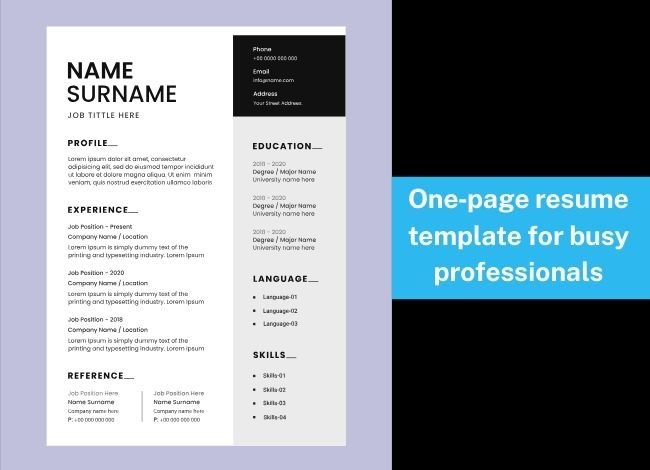
When making a career change, structure matters. A functional resume works best because it brings skills and transferable achievements to the forefront. Below is a professional functional resume template for career change that you can adapt to your situation.

[Full Name]
[Email Address] | [Phone Number] | [LinkedIn Profile] | [City, State]

Objective / Summary
Write a brief 3–4 sentence introduction that explains your career change, highlights your strongest skills, and connects them to the new role.
Example: Results-driven professional with 8 years of experience in customer service, now seeking to transition into human resources. Skilled in communication, conflict resolution, and leadership, with a proven record of improving team efficiency.

Key Skills
(Choose 3–4 main skill categories and add achievements under each one)

Leadership & Management

  • Coordinated teams to complete projects on time and under budget.

  • Mentored and trained new employees, improving retention rates.

Problem-Solving & Analysis

  • Developed strategies that reduced operational costs by 15%.

  • Resolved client concerns quickly, achieving 95% satisfaction ratings.

Communication & Interpersonal Skills

  • Delivered presentations to diverse audiences with clarity.

  • Handled sensitive negotiations, building long-term relationships.

Professional Experience
(Keep this section brief—list only job title, company, and dates. Do not overemphasize unrelated duties.)

Job Title – Company – Dates

Education
(Include relevant degrees, certifications, or training)

  • Degree / Certification – Institution – Year

  • Additional relevant coursework or licenses

Additional Sections (Optional)

  • Certifications: Any industry-specific training (e.g., Project Management Certificate).

  • Volunteer Work: Demonstrates initiative and transferable skills.

  • Projects: Independent work showcasing skills relevant to your new career.

  • Awards or Achievements: Recognition that adds credibility.

This structure ensures recruiters immediately see your strengths, while still including essential background details. By putting skills first and keeping unrelated work history minimal, the template makes it easier to prove you’re ready for a new industry.

Example of Career Change Functional Resume

Here’s a sample functional resume template for career change to give you a clear idea of how your finished document should look.

Jane Smith
jane.smith@email.com | (555) 123-4567 | LinkedIn.com/in/janesmith | Chicago, IL

Objective
Dedicated professional with 7 years in customer service, now seeking to transition into Human Resources. Strong communication, conflict resolution, and organizational skills with proven ability to foster a positive workplace environment.

Key Skills

Communication & Interpersonal Abilities

  • Trained and coached over 20 new employees, improving onboarding efficiency.

  • Handled customer concerns with empathy, increasing satisfaction ratings by 30%.

Leadership & Organization

  • Supervised a retail team of 10 employees, overseeing schedules and performance.

  • Coordinated day-to-day operations to maintain smooth workflows.

Conflict Resolution & Problem-Solving

  • Resolved escalated issues successfully, de-escalating 95% of conflicts.

  • Introduced a new reporting system that reduced complaint resolution time by 25%.

Professional Experience
Customer Service Manager – ABC Retail – 2017–2023
Customer Service Associate – XYZ Retail – 2014–2017

Education
Bachelor of Science in Business Administration – University of Illinois – 2014

Additional Sections

  • Certified HR Assistant Training Program – 2023

  • Volunteer HR Coordinator, Local Nonprofit – 2022

This example demonstrates how to place skills front and center, while keeping the work history section brief. The result is a resume that tells employers: “I may be changing careers, but I already have the skills to succeed in this new field.”

Conclusion

Making a career change can feel daunting, but the right resume format can open doors. A functional resume template for career change allows you to highlight transferable skills, downplay unrelated job history, and show employers you are capable of thriving in a new industry.

By carefully researching your target field, crafting a compelling objective statement, and showcasing your most relevant abilities, you can present yourself as a strong candidate—even without direct experience.

Remember, the key is not to hide your past but to reframe it. A well-written functional resume bridges the gap between where you’ve been and where you want to go. With a polished, skill-focused resume, your career change will no longer feel like a risk—it will look like a smart, strategic step forward.


Resume template for recent graduates 2025

0

Last Updated on November 7, 2026

Graduating in 2025 comes with both opportunities and challenges. The world of work is evolving faster than ever, shaped by artificial intelligence, remote collaboration, and a more competitive hiring process. For students stepping into the job market for the first time, one of the biggest hurdles is standing out among hundreds of other applicants who share similar degrees and experiences.

That’s where a resume template for recent graduates 2025 becomes essential. Your resume is more than just a summary of your education and skills—it is your professional introduction to recruiters and hiring managers. A well-structured resume can determine whether you get invited for an interview or overlooked by Applicant Tracking Systems (ATS).

In today’s hiring environment, recruiters spend less than seven seconds scanning each resume. They are looking for clarity, proper structure, and keywords that match the job description. This means graduates can no longer afford to submit outdated, cluttered, or visually distracting resumes. Instead, they need modern, clean, and ATS-optimized templates that not only showcase their qualifications but also present them in a way that is easy to read and aligned with 2025 standards.

In this guide, we’ll explore what your resume should look like in 2025. You’ll learn why keeping it classic still works, how to choose from the three main resume formats, how to structure each section, and how to bypass ATS filters. We’ll also look at practical examples of different resumes designed specifically for recent graduates.

By the end of this article, you’ll know exactly how to craft a resume template for recent graduates 2025 that helps you stand out, pass ATS scans, and move one step closer to your dream job.

Keep it Classic on Your Resume

When graduates think about creating a resume in 2025, many assume it must be flashy, colorful, or designed like a graphic portfolio to grab attention. But in reality, the opposite is true. Recruiters and Applicant Tracking Systems (ATS) still favor resumes that are classic, clean, and easy to scan.

The main purpose of a resume is to communicate information clearly. Employers are not interested in decorative fonts or heavy graphics—they want to quickly identify your skills, education, and potential. A polished resume template for recent graduates 2025 should therefore focus on simplicity and readability over style.

Why Classic Works Best

  1. Recruiter-Friendly: Hiring managers typically scan hundreds of resumes daily. A resume that is clutter-free and formatted consistently makes their job easier, which works in your favor.

  2. ATS Compatibility: Most companies in 2025 use ATS software. Overly designed resumes with icons, text boxes, or unusual fonts can confuse these systems, causing your application to be rejected before a human even sees it.

  3. Professional Impression: A classic design gives off an impression of seriousness and maturity. As a recent graduate, you may not have years of experience, but presenting yourself professionally can help compensate.

What “Classic” Means in 2025

  • Font Choice: Stick with simple, modern fonts like Arial, Calibri, Helvetica, or Times New Roman. They are universally recognized by ATS and easy on the eyes.

  • Color Scheme: Black text on a white background is still the safest choice. You may add a subtle touch of navy blue or gray in headings, but avoid bright colors or heavy shading.

  • Layout: Keep margins clean, use consistent spacing, and align sections neatly. Bold your headings (Education, Skills, Experience) so that they are easy to locate.

  • Length: For recent graduates, a one-page resume is usually enough. Only expand to two pages if you have significant internships, freelance projects, or leadership roles to showcase.

The Balance Between Simplicity and Personalization

Classic does not mean boring. You can still personalize your resume template for recent graduates 2025 without overcomplicating the design. For example, include a well-written professional summary that highlights your career goals, or add a concise section for certifications and skills. These personal touches show initiative while still maintaining the traditional structure recruiters expect.

Think of your resume like a professional handshake: it should be firm, straightforward, and confident. If you focus on clarity instead of decoration, you’ll instantly set yourself apart from graduates who rely on overdesigned templates that fail ATS scans.

What a Resume Should Look Like in 2025 – The 3 Standard Resume Formats

Even in 2025, resumes still follow three main formats: reverse-chronological, functional, and combination. What has changed is how these formats are used and adapted for fresh graduates entering today’s competitive job market.

When choosing the best resume template for recent graduates 2025, it’s important to understand these formats, because the structure you pick can either highlight your strengths or unintentionally expose your lack of experience.

Reverse-Chronological Resume

The reverse-chronological format remains the most popular and widely accepted resume style in 2025. It lists your most recent education, internships, and work experiences first, moving backward in time.

For a graduate, this format works best when you already have internships, part-time jobs, volunteer roles, or campus projects that demonstrate practical skills. Recruiters like this format because it is familiar, easy to scan, and shows career progression.

Why it works for graduates:

  • It puts your most recent and relevant experiences at the top.

  • It makes it easy for employers to see your academic achievements and practical involvement.

  • It is the most ATS-friendly format.

Sample structure for a graduate:

  1. Contact Information (Name, phone, email, LinkedIn)

  2. Professional Summary (2–3 lines describing your goals)

  3. Education (University, degree, graduation year)

  4. Work Experience / Internships

  5. Skills (Technical + soft skills)

  6. Certifications / Awards

  7. Volunteer Work or Extracurricular Activities

This straightforward flow ensures that your resume looks professional and aligns with recruiter expectations in 2025.

Resume Structure

No matter which format you choose, structure is non-negotiable. A successful resume template for recent graduates 2025 should be cleanly divided into clear sections. Each section should start with a bold heading, use consistent spacing, and avoid unnecessary styling.

A strong structure usually contains:

  • Header: Name, contact number, email, LinkedIn/portfolio link.

  • Professional Summary: A short, tailored statement instead of an outdated “objective.”

  • Education: Degree, major, university, and graduation year. Add GPA if it is strong.

  • Experience: Internships, part-time jobs, or relevant projects with action-oriented bullet points.

  • Skills: Mix of technical (e.g., Python, Excel, Canva) and transferable (e.g., teamwork, leadership) skills.

  • Certifications & Training: Short courses or online learning platforms that add credibility.

  • Achievements: Awards, honors, or campus leadership roles.

A solid structure makes sure your resume is easy to read, ATS-scannable, and recruiter-friendly.

Functional Resume

The functional resume prioritizes skills over experience. Instead of focusing on work history, it highlights what you can do. This is especially useful for graduates who may not have internships but have completed coursework, group projects, or personal projects relevant to their target job.

For example, if you are a computer science graduate, you can showcase your coding skills, programming languages, and projects instead of formal job titles.

Ideal for:

  • Graduates with minimal professional experience.

  • Applicants entering industries where projects and skills matter more than job history (IT, digital marketing, design).

Functional resumes can be slightly less popular with some recruiters, but when carefully structured, they can strongly present your abilities as a fresh graduate in 2025.

Combination Resume

The combination (or hybrid) format merges both the reverse-chronological and functional styles. It begins with a skills summary but also includes a chronological list of experiences.

This is the most flexible option for 2025 because it allows graduates to highlight both skills and internships/projects. If you have done multiple internships, freelancing, or leadership activities, this format ensures that your resume tells a complete story.

Why it works best in 2025:

  • Showcases a well-rounded profile.

  • Balances between “what you know” and “what you’ve done.”

  • Gives recruiters confidence that you have both knowledge and practical exposure.

For many graduates, a combination format is the best resume template for recent graduates 2025 because it adapts to different industries and makes the candidate look versatile.

What a Resume Should Look Like in 2025 to Bypass ATS

In 2025, it’s no longer enough to design a resume that looks good to the human eye—you also need to make sure it can pass through Applicant Tracking Systems (ATS). These systems scan resumes for keywords, formatting, and structure before recruiters ever see them. Studies show that over 85% of large companies and more than 70% of mid-sized firms now rely on ATS to filter candidates.

If your resume is not ATS-friendly, it may be rejected automatically, even if you are a perfect match for the role. That’s why creating a modern, ATS-optimized resume template for recent graduates 2025 is essential.

Why ATS Matters in 2025

Employers receive hundreds of applications for a single graduate-level job. ATS helps them manage the overwhelming volume by ranking resumes based on keyword matches. If your resume does not include the right formatting or terms, it may never reach a recruiter’s desk. For graduates, this means missing opportunities even before the interview stage.

Rules to Make Your Resume ATS-Friendly

  1. Use Standard Fonts
    Stick with fonts like Arial, Calibri, Helvetica, or Times New Roman. Decorative fonts or script styles often confuse ATS software.

  2. Stick to Simple Formatting
    Avoid using text boxes, graphics, icons, tables, or unusual symbols. ATS may not read them correctly and could reject your resume.

  3. Use Conventional Section Titles
    Headings such as “Education,” “Work Experience,” and “Skills” are easily understood by ATS. Do not replace them with creative titles like “My Journey” or “Expertise Zone.”

  4. Incorporate Keywords
    Tailor your resume to each job posting. If a role requires skills in “data analysis” or “social media campaigns,” those exact terms should appear naturally in your skills and experience sections.

  5. Choose the Right File Format
    In 2025, the safest choices are .docx (Word) and PDF (if allowed by the employer). Some ATS still misread certain PDFs, so always check the job posting for file format preferences.

  6. Avoid Headers and Footers for Key Info
    Some ATS programs do not scan information in headers or footers. Keep your name, contact details, and LinkedIn link in the body of the document.

  7. Use Bullet Points Wisely
    While bullet points are useful for clarity, do not overload your resume with them. Keep descriptions short, starting with strong action verbs like “Developed,” “Managed,” “Led,” or “Created.”

Example of an ATS-Friendly Graduate Resume in 2025

  • Professional Summary: “Recent marketing graduate skilled in SEO, content creation, and Google Analytics. Experienced in leading university social media campaigns and conducting keyword research.”

  • Skills: SEO, Content Marketing, Social Media Management, Google Analytics, MS Excel

  • Experience: “Digital Marketing Intern – Assisted in running Facebook ad campaigns, increased engagement by 20%.”

  • Education: “Bachelor of Business Administration, XYZ University, Class of 2025.”

This type of resume template for recent graduates 2025 is keyword-rich, structured, and ATS-approved—giving you a higher chance of being shortlisted.

8 Examples of What a Resume Should Look Like in 2025

Every graduate’s journey is different. Some have completed internships, others worked on academic projects, while many gained skills through freelance work or extracurricular activities. This means there’s no single “perfect” resume—rather, the best resume template for recent graduates 2025 depends on your background and career goals.

Below are eight powerful examples to help you see how a resume can be adapted for different types of graduates in 2025.

1. The Internship-Focused Resume

If you have completed multiple internships, highlight them prominently. Employers in 2025 value hands-on industry exposure, even if it’s short-term.

What it looks like:

  • Education listed after internships.

  • Each internship explained with achievements (e.g., “Increased engagement by 20% during marketing internship”).

  • Skills reinforced with proof from internship projects.

This type of template is excellent for business, engineering, or communications graduates.

2. The Project-Based Resume

Not all graduates get internships, but class projects or capstone assignments can be just as powerful. This format highlights academic and independent projects that show technical or problem-solving skills.

Example:

  • “Developed a mobile app prototype in a final-year project used by 200+ students.”

  • “Researched renewable energy solutions and presented findings at a university conference.”

This approach works well for IT, engineering, or science graduates.

3. The Skills-First Resume

For those with limited experience, a functional style that emphasizes skills over jobs can be effective.

Example flow:

  • Core Competencies: Data Analysis, Public Speaking, Graphic Design.

  • Projects/Coursework: Short explanations of where these skills were applied.

  • Education: Degree and university.

This is one of the most practical resume templates for recent graduates 2025 entering creative or digital industries.

4. The Leadership Resume

Employers love graduates who demonstrate leadership qualities, even outside of formal work. If you were president of a university club, led a volunteer team, or organized campus events, make that the highlight of your resume.

Example entry:

  • “President, Debate Club – Led a team of 30 members, organized national-level competitions, and won 3 inter-university tournaments.”

This format is particularly strong for management, law, and consulting roles.

5. The Academic Resume

Some graduates pursue further education (master’s, PhD, or research roles). For them, an academic-style resume works best.

Structure includes:

  • Research Projects

  • Publications (if any)

  • Academic Achievements (Dean’s list, scholarships)

  • Relevant Coursework

This version is widely accepted in research and higher education fields in 2025.

6. The Freelance Resume

Freelancing has become a major career path for students. If you worked on gigs like content writing, tutoring, or web design while studying, showcase them as professional experiences.

Example entry:

  • “Freelance Graphic Designer – Created 15+ logos and branding kits for small businesses, receiving 5-star ratings.”

Such a resume template for recent graduates 2025 demonstrates initiative, self-management, and industry-ready skills.

7. The Career-Shifter Resume

Some graduates may want to enter industries unrelated to their degree. In this case, a combination format works best, showcasing transferable skills.

Example:

  • Psychology graduate applying for HR roles – highlight research, communication, and organizational skills.

  • Engineering graduate moving into finance – showcase analytical thinking, statistics, and Excel skills.

This shows adaptability, a highly valued trait in 2025.

8. The Hybrid Resume

The hybrid (combination) resume blends skills + internships + projects all in one. For many new graduates, this is the most practical and versatile format in 2025.

Why it works:

  • It appeals to ATS by using standard sections.

  • It satisfies recruiters by showcasing skills and experience together.

  • It adapts well across industries (tech, business, creative, education).

A hybrid template often turns out to be the most balanced resume template for recent graduates 2025.

Conclusion

Stepping into the job market as a recent graduate in 2025 is both exciting and competitive. With employers receiving hundreds of applications for every role, your resume is no longer just a document—it is your first professional impression, your marketing tool, and often the deciding factor in whether you land an interview.

By now, you’ve seen that the best resume template for recent graduates 2025 is one that balances clarity, structure, and strategy. Keeping your resume classic ensures that it remains easy to read and professional. Choosing the right format—whether reverse-chronological, functional, or combination—allows you to highlight your strengths. And making your resume ATS-friendly guarantees that it passes through the first stage of digital filtering.

The eight examples we discussed show that there is no “one-size-fits-all” resume. Some graduates will benefit from showcasing internships, others from highlighting academic projects, and many from blending skills with limited job experience. What matters most is customization—tailoring your resume to the job you are applying for and the industry you want to join.

In 2025, recruiters are not looking for perfection; they are looking for potential. They want to see initiative, adaptability, and proof that you are prepared to transition from student life into professional life. A well-designed resume template gives you that edge, helping you stand out in a crowded field.

Remember these key takeaways:

  • Keep it professional and simple.

  • Use the right resume format to highlight your strengths.

  • Structure your resume with clear sections and consistent formatting.

  • Optimize for ATS by using the right keywords and file type.

  • Personalize your resume for each application.

As a graduate, your career journey is just beginning. By starting strong with a strategic, polished, and modern resume template for recent graduates 2025, you’ll open doors to interviews, opportunities, and the professional growth you’ve been working toward.

Best Hosting for Digital Download Stores

0

Last Updated on November 7, 2026

In today’s digital age, selling products no longer requires physical shelves or storage facilities. From ebooks and online courses to music files, stock photos, and software, digital products are shaping a multi-billion dollar industry — and choosing the best hosting for digital download stores is key to success. For entrepreneurs entering this space, the foundation of success lies in choosing the best hosting for digital download stores. A reliable hosting provider ensures fast delivery, secure transactions, and a seamless shopping experience for customers — which is exactly what the best hosting for digital download stores delivers. Without the right hosting, even the most creative products may fail to reach their audience effectively.

The Best Ecommerce Platform for Digital Downloads

While hosting forms the backbone, the ecommerce platform is the interface customers interact with. A good ecommerce platform integrates with your hosting to deliver your products efficiently. The best platforms for digital downloads focus on speed, file protection, and user experience. WordPress with plugins like Easy Digital Downloads, Shopify, and WooCommerce are common choices. Each offers a range of features, but their effectiveness heavily depends on the hosting environment — especially when paired with the best hosting for digital download stores. For example, a WooCommerce store on high-speed managed hosting will perform significantly better than on a basic shared server.

Understanding Ecommerce Platforms for Digital Downloads

Ecommerce platforms are essentially toolkits that allow you to create, manage, and sell digital products. They include features such as product pages, shopping carts, checkout systems, and download protection. When combined with strong hosting, these platforms ensure that customers can easily browse your store, make payments, and instantly receive their downloads. For businesses that sell high-volume digital goods, the platform must handle large files, high traffic, and offer secure gateways for payment processing.

What is an Ecommerce Platform?

An ecommerce platform is software that enables businesses to sell products and services online. For digital stores, this platform does more than just display items. It manages product delivery, restricts unauthorized access, and ensures buyers receive secure, reliable downloads. Popular platforms like WooCommerce, Shopify, and Gumroad are designed to make digital sales straightforward by offering built-in tools for order management, analytics, and customer support.

Importance of Ecommerce Platforms for Digital Downloads

The importance of ecommerce platforms for digital downloads cannot be overstated. They bridge the gap between your products and your customers, handling everything from product presentation to payment collection and delivery automation. Without a solid ecommerce platform, digital store owners would struggle with managing customer orders, preventing piracy, and ensuring smooth downloads. Platforms that are optimized for digital products also enhance customer trust by offering encrypted payments, instant access, and easy refund management. In short, the right platform, backed by the best hosting, creates a professional, reliable, and scalable environment for your online business.

Key Features to Look for in an Ecommerce Platform

When running a digital download store, choosing the right hosting provider is not only about uptime and speed — it’s about finding the best hosting for digital download stores that balances performance and scalability. It is also about how well the hosting environment supports an ecommerce platform that can securely deliver your products. A strong hosting plan should allow you to scale easily, integrate with digital delivery plugins or software, and ensure smooth transactions for your customers. The right features make the difference between a frustrating experience and a reliable online store.

Ease of Use

An ecommerce platform should be simple to manage even if you are not highly technical. Hosting providers that offer one-click installations for WordPress, WooCommerce, or Easy Digital Downloads make setup much faster. A user-friendly control panel also helps you manage your files, domains, and email without confusion. For store owners, ease of use means spending more time growing the business and less time troubleshooting technical issues.

Payment Options

Digital download stores need flexible payment gateways so that customers can pay in their preferred way. Look for hosting that supports integrations with trusted gateways like PayPal, Stripe, and Apple Pay. Some platforms even allow for region-specific options, which can be a great advantage if you sell internationally. Offering multiple payment choices builds trust and increases conversions, since customers feel comfortable purchasing when their preferred method is available.

Security Measures

Security is one of the most critical aspects of hosting for digital downloads. Customers are trusting you with their payment information and personal details. That means your hosting must include SSL certificates, firewall protection, and malware scanning. DDoS protection and automatic backups are also important, especially if your store is growing. Beyond protecting data, a secure environment reassures your customers that your business is trustworthy, which helps in long-term growth.

Top Ecommerce Platforms for Digital Downloads

Digital downloads have become one of the fastest-growing online businesses, and every successful seller relies on the best hosting for digital download stores to keep sales running smoothly. Whether you sell ebooks, music, software, or design templates, having the right hosting platform ensures smooth delivery, security, and scalability. The hosting provider you choose directly impacts your store’s performance, customer experience, and ultimately your sales.

Here are some of the top eCommerce hosting platforms for digital downloads that are trusted by entrepreneurs worldwide:

  • SiteGround – Known for speed, security, and excellent customer support.

  • Hostinger – Budget-friendly hosting with WordPress and WooCommerce support.

  • Kinsta – Premium managed WordPress hosting with cloud infrastructure.

  • Cloudways – Flexible cloud hosting with pay-as-you-go pricing.

  • Bluehost – Beginner-friendly with strong WooCommerce integration.

  • A2 Hosting – High-speed SSD hosting with great uptime for digital stores.

Overview of Leading Platforms

Let’s take a closer look at the leading hosting providers that make digital product delivery easy:

1. SiteGround

SiteGround is highly recommended for entrepreneurs who want reliable performance and strong security features. With automatic backups, SSL certificates, and CDN integration, it’s an excellent choice for growing digital download stores.

2. Hostinger

Perfect for beginners, Hostinger offers affordable plans with one-click WordPress and WooCommerce installation. Its custom control panel is user-friendly, and it provides scalable resources as your business expands.

3. Kinsta

Kinsta runs on Google Cloud infrastructure, offering unmatched speed and scalability. It’s fully managed, meaning you don’t need to worry about technical setup. This makes it ideal for large stores expecting high traffic.

4. Cloudways

Cloudways allows you to choose cloud providers like AWS, Google Cloud, or DigitalOcean. It gives flexibility, advanced caching, and pay-as-you-go pricing—great for scaling digital download stores with fluctuating traffic.

5. Bluehost

Bluehost is one of the most popular hosts recommended by WordPress. It offers dedicated WooCommerce hosting plans with pre-installed online store features, making it a beginner-friendly option.

6. A2 Hosting

A2 Hosting is known for speed. Its Turbo Servers claim up to 20x faster performance, which is beneficial when delivering large digital files quickly and reliably.

Pros and Cons of Each Platform

Hosting ProviderProsCons
SiteGroundExcellent uptime, strong security, free CDNHigher renewal rates
HostingerAffordable, beginner-friendly, good speedLimited advanced features
KinstaPremium performance, cloud-based, fully managedExpensive for beginners
CloudwaysFlexible cloud hosting, pay-as-you-go, scalableMore technical setup required
BluehostEasy to start, WooCommerce integration, 24/7 supportAverage speed compared to others
A2 HostingVery fast, SSD storage, reliable supportTurbo plans cost more

Choosing the Right Ecommerce Platform for Your Business

When building a digital download store, your hosting platform is the backbone of your online business — so choosing the best hosting for digital download stores determines your growth potential. Unlike physical products, digital items such as eBooks, music, videos, or software require fast, secure, and scalable hosting. The right eCommerce platform ensures that your customers experience quick downloads, safe payments, and a smooth shopping process.

Look for a hosting solution that integrates seamlessly with popular tools like WooCommerce, Shopify, or Easy Digital Downloads (EDD). These platforms provide built-in features for file delivery, payment gateways, and customer management. However, their performance depends heavily on the hosting provider you choose. A high-quality host ensures uptime, server speed, and security compliance—all of which directly impact your sales.

Assessing Your Business Needs

Before selecting a hosting provider, analyze your business requirements. Ask yourself:

  • What type of digital products are you selling? Small files like PDFs may require less storage, while video courses or high-resolution graphics demand larger bandwidth.

  • How much traffic do you expect? Startups may be fine with shared hosting, but high-traffic stores need VPS or cloud hosting for scalability.

  • What is your budget? Entry-level hosting can cost as little as $3–$5 per month, while premium managed hosting may exceed $30 per month.

  • Do you need global reach? If your customers are worldwide, choose a host that provides a CDN (Content Delivery Network) for faster delivery across regions.

  • How important is support? 24/7 live chat and technical assistance are vital, especially if you’re not very technical.

Understanding these factors will help you avoid paying for unnecessary features while ensuring you get the right level of performance.

Comparing Platform Features

Not all hosting providers are created equal. When comparing platforms, focus on the features that matter most to digital stores:

  1. Performance & Speed – SSD storage, optimized servers, and caching for faster downloads.

  2. Security – Free SSL, malware scanning, firewalls, and payment gateway protection.

  3. Storage & Bandwidth – Flexible plans with enough space to handle large files and unlimited downloads.

  4. E-commerce Integration – Compatibility with WooCommerce, Shopify, or Easy Digital Downloads.

  5. Scalability – Ability to upgrade easily as your sales grow.

  6. Backup & Restore – Automated backups to protect files and customer data.

  7. Customer Support – Reliable 24/7 support to fix urgent issues quickly.

Recommended Hosting Providers for Digital Download Stores

  • SiteGround – Known for excellent support and strong security features.

  • Hostinger – Affordable hosting with solid performance for beginners.

  • Kinsta – Premium managed WordPress hosting built on Google Cloud.

  • A2 Hosting – High-speed hosting with unlimited SSD storage.

  • Cloudways – Flexible cloud hosting with pay-as-you-go pricing.

Each of these providers caters to different business sizes and budgets. For beginners, Hostinger or SiteGround may be enough, while advanced entrepreneurs handling thousands of downloads monthly may prefer Cloudways or Kinsta.

Optimizing Your Digital Downloads on Ecommerce Platforms

When you run a digital download store, your hosting provider is the backbone of performance. Fast, reliable hosting ensures customers can download products without interruptions. Look for platforms optimized for WordPress with Easy Digital Downloads (EDD) or WooCommerce, since these integrate seamlessly with eCommerce tools.

A few tips for optimization:

  • Use SSD-powered hosting for quick file delivery.

  • Enable CDN (Content Delivery Network) to serve downloads faster worldwide.

  • Choose scalable cloud hosting to handle traffic spikes during product launches.

  • Ensure 99.9% uptime guarantees so your store never goes offline.

Best Practices for Digital Product Presentation

Good hosting gives you the foundation, but presentation builds trust with buyers. Digital products should be displayed clearly and securely:

  • High-quality previews – Provide screenshots, demo videos, or sample pages.

  • Secure download links – Hosting with built-in SSL and download protection prevents piracy.

  • Mobile responsiveness – Ensure your hosting supports themes and plugins that adapt to all devices.

  • Simple navigation – Use fast servers and caching to create smooth browsing.

For hosting, platforms like SiteGround and Kinsta are strong because they are optimized for WordPress performance and eCommerce plugin compatibility — making them among the best hosting for digital download stores.

Strategies for Pricing Digital Downloads

Your hosting cost also affects your pricing strategy. If your hosting is too slow, you lose customers—even with competitive pricing. Balance costs wisely:

  • Entry-level hosting (e.g., Hostinger, Bluehost) is good for small stores starting out.

  • Mid-range hosting (e.g., SiteGround, A2 Hosting) supports better performance for growing stores.

  • Premium hosting (e.g., Kinsta, Cloudways) works best for high-traffic stores needing global delivery.

Pricing tips:

  • Offer tiered pricing (basic vs. premium download).

  • Use bundling strategies (sell collections together).

  • Add limited-time discounts during holidays or launches.

Conclusion

Choosing the best hosting for digital download stores comes down to speed, security, scalability, and integration — the ultimate formula for online success. For small stores, budget-friendly hosting like Hostinger works well. For growing businesses, SiteGround or A2 Hosting balances cost and performance. For enterprise-level digital stores, Kinsta or Cloudways provides premium speed and global reach.

???? The right hosting ensures your customers enjoy a smooth experience—from browsing to buying to downloading. When you combine reliable hosting with smart presentation and pricing strategies, your digital download store is set up for long-term success.

ATS optimized resume template download

0

Last Updated on November 7, 2026

In today’s highly competitive job market, landing an interview is often more difficult than excelling in one. Recruiters and hiring managers receive hundreds of resumes daily, and to streamline the process, most companies use Applicant Tracking Systems (ATS) to filter resumes before they even reach human eyes. That’s where an ATS optimized resume template download becomes a game-changer.

An ATS optimized resume template is specifically designed to pass through these automated systems without errors or rejections. Such templates focus on clean formatting, correct keyword usage, and logical organization so that your resume ranks higher in recruiter searches. If your resume isn’t formatted correctly for ATS, you could be losing opportunities—even if you’re qualified for the role.

In this guide, we’ll explore everything you need to know about ATS optimized resume templates, from why you should use them, to different formats like Google Docs and Microsoft Word, along with tips to select the right one for your career stage. By the end, you’ll not only understand how ATS works but also know exactly where and how to download the perfect resume template that increases your chances of getting hired.

Why Use Our Resume Templates & Builder?

When searching online for resume templates, you’ll find countless options. However, not all of them are ATS-friendly. Many designs may look visually appealing but fail when processed by Applicant Tracking Systems. That’s why using our professionally created ATS optimized resume template download ensures you never miss an opportunity because of poor formatting.Why Use Our Resume Templates & Builder

Here’s why candidates prefer our templates and resume builder:

  • ATS Compliance – Our templates are structured with simple fonts, clear section headings, and keyword-friendly layouts.

  • Time-Saving – Instead of creating a resume from scratch, you can edit and customize a pre-designed format in just minutes.

  • Recruiter-Friendly – The templates balance ATS compatibility with human readability, ensuring that once your resume passes the system, recruiters find it appealing too.

  • Versatility – Available in multiple formats such as Google Docs and Microsoft Word, making them easy to edit anytime.

  • Proven Results – Thousands of job seekers have used ATS optimized resumes to secure interviews faster.

Using our resume templates and builder means you don’t just get a document—you get a strategic tool designed to highlight your skills, experiences, and achievements in a way that both machines and humans can understand.

Google Doc Resume Templates

For many job seekers, convenience is key. Google Doc resume templates are a popular choice because they are easy to access, edit, and share. Since Google Docs is free and cloud-based, you don’t need to worry about losing your work or carrying files across devices.Google Doc Resume Templates

Our ATS optimized resume templates for Google Docs are designed to be lightweight and system-friendly. Unlike flashy designs that include unnecessary graphics or columns, these templates use a single-column structure, professional fonts like Arial or Calibri, and keyword-optimized sections such as:

  • Professional Summary

  • Skills Section (keyword-rich for ATS)

  • Work Experience (reverse chronological order)

  • Education and Certifications

Because Google Docs integrates easily with job portals, you can directly download your resume as a PDF or Word file without losing formatting. This flexibility makes it one of the most practical choices for applicants applying to multiple companies at once.

Moreover, these templates are shareable via link, making collaboration with career coaches, peers, or mentors seamless. If you want a fast, ATS-friendly resume template download option that doesn’t require paid software, Google Docs is your go-to solution.

Microsoft Word Resume Templates

When it comes to creating resumes, Microsoft Word remains the most widely used tool across the globe. Almost every recruiter, HR professional, and hiring manager is familiar with the .docx format, making it the safest choice for submitting applications.

Our ATS optimized resume template downloads for Microsoft Word are specifically designed to ensure that your resume looks professional while remaining fully compatible with Applicant Tracking Systems. Unlike overly designed templates found online, ours focus on:

  • Clean Formatting – Simple margins, spacing, and fonts that ATS systems can easily scan.

  • Editable Sections – Pre-formatted headers like Work Experience, Skills, Education, and Certifications that you can quickly fill in.

  • Keyword Integration – Word templates make it easy to adjust your resume for each job application by adding industry-specific terms.

  • Easy Customization – Fonts, spacing, and sections can be updated in seconds without breaking the design.

One of the key advantages of Word templates is their universal compatibility. Even if you apply online, upload to job portals, or send your resume directly to recruiters, you can be confident the formatting won’t break. Additionally, Word allows exporting into PDF format—a recruiter’s favorite—without losing the ATS-friendly structure.

If you’re serious about your job hunt, downloading an ATS-optimized Microsoft Word resume template is one of the smartest investments you can make.

Basic Resume Templates

Not every job application requires fancy visuals or bold designs. Sometimes, a basic resume template is the most effective way to present your experience, especially when dealing with ATS software.

Our ATS optimized basic resume templates prioritize clarity over decoration. They use straightforward layouts that ensure your resume won’t get misread or rejected by Applicant Tracking Systems. These templates are perfect for:

  • Entry-Level Candidates – Fresh graduates who want a simple and professional look.

  • Traditional Industries – Sectors like education, healthcare, and government jobs where clean formatting is valued.

  • High-Volume Applications – When applying to many positions, a basic template saves time while keeping your resume ATS-compliant.

A basic template typically includes:

  • One-Column Layout – ATS systems read left to right, top to bottom, so single-column designs prevent errors.

  • Standard Fonts – Fonts like Arial, Times New Roman, or Calibri are readable by both machines and humans.

  • No Graphics or Tables – Unlike creative resumes, basic ones avoid design elements that confuse ATS.

Many job seekers assume that simple equals boring. But in reality, a basic, ATS-optimized resume template download often performs better than colorful resumes that look appealing but never reach the recruiter’s desk. By keeping your information structured and keyword-rich, a basic resume increases your chances of making it to the interview stage.

Modern Resume Templates

Job seekers today face stiff competition, which means your resume needs to look fresh and relevant without breaking ATS rules. That’s where modern resume templates come in. These designs combine a sleek, professional appearance with ATS-optimized formatting, ensuring your application passes both the system check and the recruiter’s quick scan.

Our modern resume templates use subtle styling that makes your resume stand out without confusing Applicant Tracking Systems. Features include:

  • Clear Headings & Sections – Easy for ATS to scan keywords like Experience, Skills, and Education.

  • Minimal Use of Color – A touch of blue, gray, or dark green to add personality while keeping it professional.

  • Balanced White Space – Improves readability for both systems and hiring managers.

  • Strategic Font Choices – Professional fonts like Helvetica or Calibri that ATS can interpret correctly.

These templates are particularly effective in industries like technology, marketing, design, and corporate roles where a polished yet modern appearance matters. A modern ATS-optimized resume template download ensures you look up-to-date while still passing the automated filters.

Creative Resume Templates

For professionals in design-heavy industries—such as graphic design, media, arts, or advertising—a creative edge can make a big difference. But many creative resume templates fail in ATS systems because of complex visuals, graphics, and multi-column layouts.

Our ATS-friendly creative resume templates are designed differently. They strike the perfect balance between showcasing creativity and maintaining ATS compliance.

Here’s what sets them apart:

  • Subtle Graphics – Minimal icons or dividers that won’t confuse ATS parsing.

  • Readable Layouts – One-column or hybrid formats that prioritize text over visuals.

  • Keyword Placement – Ensuring creative resumes still contain industry-specific terms for ATS scanning.

  • Eye-Catching Yet Professional – Creative elements are carefully placed so that even if the ATS strips them away, the resume remains complete.

These templates are ideal for applicants in visual arts, fashion, digital marketing, film, or photography who want to reflect their personality but also ensure their resume passes the first round.

A creative, ATS-optimized resume template download gives you the confidence to apply broadly, knowing your resume won’t get rejected by the system while still impressing human recruiters with originality.

Professional Resume Templates

For mid-level and senior professionals, a resume must strike the right balance between authority, clarity, and presentation. Professional resume templates are crafted to highlight extensive work history, leadership roles, and specialized skills while ensuring ATS compliance.

Our ATS-optimized professional resume template downloads are structured for candidates who need to present complex career paths without overwhelming recruiters or systems. These templates typically include:

  • Well-Defined Sections – Headings like Executive Summary, Core Competencies, Professional Experience, Education, and Certifications are clearly formatted.

  • Chronological or Hybrid Layouts – Professional resumes often work best with a chronological format, but we also provide hybrid options that emphasize skills and achievements.

  • Subtle Design Elements – A clean touch of lines, minimal color, or bolded headings makes the resume look polished without breaking ATS scanning.

  • Emphasis on Achievements – Space for quantifiable accomplishments such as revenue growth, project success rates, or leadership impact.

These templates are especially suited for industries such as finance, law, engineering, corporate management, and healthcare, where professionalism and clarity carry more weight than visuals. A professional ATS optimized resume template download helps you demonstrate credibility while ensuring your resume makes it through automated filters.

Resume Format Templates

Choosing the right resume format can make a huge difference in how your career story is understood by both ATS and recruiters. That’s why we offer a variety of resume format templates designed with ATS optimization in mind.

The three most common resume formats include:

  1. Chronological Resume Templates

    • Highlights work history in reverse order.

    • Ideal for candidates with steady career growth.

    • ATS-friendly because it clearly lists job titles, companies, and dates.

  2. Functional Resume Templates

    • Focuses on skills rather than work history.

    • Useful for career changers or those with gaps in employment.

    • Risk: Some ATS systems may not interpret skills sections well unless carefully formatted.

  3. Combination (Hybrid) Resume Templates

    • Mixes skills and experience, giving equal importance to both.

    • Popular among professionals who want to showcase achievements as well as job history.

    • ATS-optimized versions ensure keywords from both experience and skills sections are properly scanned.

Our ATS optimized resume format template downloads are designed to eliminate errors like misplaced job titles, unreadable dates, or non-standard section names. Each format is structured so ATS systems can parse data correctly while recruiters get a clear, professional overview of your career.

Resume Example Templates

Sometimes, job seekers struggle not just with formatting but with knowing what content to include. That’s why resume example templates are so valuable. These templates go beyond structure by providing sample text, phrases, and achievements tailored to specific industries.

Our ATS optimized resume example template downloads include pre-written sections that you can easily customize. For instance:

  • Software Developer Resume Example – Featuring sample bullet points about coding languages, frameworks, and project achievements.

  • Marketing Specialist Resume Example – Highlighting digital campaigns, SEO/SEM expertise, and branding success stories.

  • Nurse Resume Example – Showcasing patient care, certifications, and compliance with healthcare standards.

  • Project Manager Resume Example – Detailing leadership, cross-functional team coordination, and milestone delivery.

These templates give you a real-world guide on how to phrase your experience in a way that passes ATS scans and resonates with recruiters. Instead of worrying whether your wording is strong enough, you can model your content on proven examples while still tailoring it to your personal achievements.

By downloading these templates, you gain access to ready-to-use frameworks that save time, eliminate guesswork, and increase your chances of landing interviews.

Tips On How To Choose A Resume Template

With so many options available, choosing the right template can feel overwhelming. Here are some practical tips to help you select the best ATS optimized resume template download for your needs:

  1. Match Industry Standards

    • A creative role may allow for more design elements, while a corporate job requires a professional and minimal format.

  2. Consider Career Stage

    • Entry-level candidates often benefit from basic or example-based templates, while senior professionals should use professional or hybrid templates that highlight achievements.

  3. Check ATS Compatibility

    • Avoid templates that use tables, columns, or graphics-heavy layouts. Stick to clean, text-based designs.

  4. Prioritize Customization

    • Choose a template that’s easy to edit for each application. Adding relevant keywords from the job posting is essential for passing ATS filters.

  5. Think About Readability

    • Recruiters spend only a few seconds scanning resumes. Pick a layout with clear headings, consistent spacing, and logical flow.

  6. Choose a File Format That Works

    • Always keep versions in both Word and PDF. Submit Word files to portals when required and PDFs when emailing directly to recruiters.

By following these tips, you ensure your chosen template is not only visually appealing but also strategic, practical, and job-winning.

FAQ

1. What is an ATS optimized resume template?
An ATS optimized resume template is a resume layout designed specifically to be read by Applicant Tracking Systems. It avoids complicated designs, tables, or graphics and instead uses clean formatting, simple fonts, and keyword-friendly sections so the system can scan it correctly.

2. Why do I need an ATS optimized resume?
Most companies now use ATS software to filter resumes. If your resume isn’t optimized, it might be rejected automatically—even if you’re fully qualified. An ATS-optimized template ensures your resume gets past the system and into the hands of recruiters.

3. Can I download ATS optimized resume templates for free?
Yes, many free versions are available online, but premium downloads usually offer better formatting, industry-specific designs, and professional styling. Free options are a good start, but investing in a paid template can increase your chances of standing out.

4. Should I use PDF or Word when submitting my resume?
It depends. Word documents are safest for ATS systems, while PDFs are often preferred for emailing or printing. Always check the job posting instructions—if no preference is stated, keep both versions ready.

5. Do ATS systems recognize colors and graphics?
Generally, no. Most ATS systems only scan text. Overly creative resumes with graphics, icons, or images may confuse the system. That’s why ATS optimized templates rely on structured text and minimal styling.

6. How can I make my resume more ATS-friendly?

  • Use standard fonts like Arial, Calibri, or Times New Roman.

  • Include keywords from the job description in your resume.

  • Stick to simple layouts without tables or columns.

  • Label sections clearly (Work Experience, Education, Skills, etc.).

  • Save your file in ATS-friendly formats like .docx or .pdf.

Conclusion

Your resume is more than just a document—it’s your first impression, your marketing tool, and your ticket to getting noticed. But in today’s hiring landscape, that first impression often goes through a machine before a human ever sees it. That’s why using an ATS optimized resume template download is no longer optional; it’s essential.

By choosing the right template—whether it’s basic, modern, creative, or professional—you increase your chances of passing the automated filters and impressing recruiters. From Google Docs to Microsoft Word formats, from entry-level examples to senior-level professional templates, the right choice ensures your skills and achievements shine through.

The bottom line? Don’t let poor formatting cost you opportunities. With an ATS-friendly resume template, you can focus on showcasing your abilities while knowing your resume will make it past the system and into the recruiter’s hands.

So, if you’re serious about landing interviews, don’t wait. Start today with an ATS optimized resume template download that’s designed to help you get hired faster.

Simple resume template for accountants

0

Last Updated on November 7, 2026

When it comes to landing a job in the accounting field, having the right resume is often the first and most important step. Employers in finance and accounting review hundreds of applications, and a well-designed resume can be the deciding factor between getting noticed and being overlooked. For aspiring accountants, the simple resume template for accountants has become a proven way to present qualifications clearly, concisely, and professionally.

Unlike overly complex or flashy resumes, a simple format ensures hiring managers can instantly find your skills, certifications, and work experience. Since recruiters typically spend less than 10 seconds scanning each resume, a clean, straightforward layout not only improves readability but also enhances your chances of passing Applicant Tracking Systems (ATS).

This article will guide you through everything you need to know about creating an accountant resume. From formatting to skills listing, tailoring your resume to job descriptions, and even writing a resume with no prior experience — you’ll get practical advice and real examples. Whether you’re an entry-level applicant or an experienced accountant, following these strategies will help you stand out in a competitive job market.

Accountant Resume Sample

Before diving into the details, it’s helpful to visualize what a simple accountant resume might look like.

A standard accountant resume often includes:

  • Header/Contact Section: Name, phone, email, and LinkedIn profile.

  • Professional Summary: A concise 3–4 sentence introduction highlighting accounting expertise and achievements.

  • Skills Section: Core technical skills (like QuickBooks, GAAP, Excel, or financial reporting) alongside soft skills (such as problem-solving and teamwork).

  • Work Experience: A reverse-chronological list of roles, with bullet points that quantify results (e.g., “Reduced monthly closing time by 20% by automating reporting processes”).

  • Education: Degrees in accounting, finance, or related fields.

  • Certifications (if applicable): CPA, CMA, or ACCA credentials.

Here’s a short example:

Jane Doe, CPA
???? jane.doe@email.com | ???? (123) 456-7890 | LinkedIn.com/in/janedoe

Summary
Detail-oriented Certified Public Accountant with 5+ years of experience in financial analysis, auditing, and tax compliance. Skilled in streamlining processes and improving reporting accuracy.

Skills

  • Financial Reporting & Analysis

  • QuickBooks, Excel, SAP

  • GAAP & Tax Compliance

  • Budgeting & Forecasting

Experience
Senior Accountant — ABC Finance Ltd. (2019 – Present)

  • Reduced annual audit discrepancies by 15% through careful review of internal controls.

  • Prepared quarterly financial reports improving accuracy by 25%.

  • Collaborated with cross-department teams to implement new ERP system.

Education
Bachelor of Science in Accounting — XYZ University, 2015

This sample demonstrates the power of a simple resume template for accountants: professional, clear, and easy to follow.

How to Format an Accountant Resume

Formatting plays a crucial role in determining whether your resume gets read or rejected. Many companies rely on ATS software that scans resumes for specific keywords and sections. Using the wrong format can prevent your resume from reaching a human recruiter.

The three most common formats are:

  1. Reverse-Chronological Resume – The most widely used and employer-friendly format. It lists work experience from most recent to oldest. Best for candidates with consistent accounting experience.

  2. Functional Resume – Focuses on skills rather than work history. Useful for career changers or candidates with employment gaps.

  3. Combination Resume – Blends both chronological experience and skill highlights. Ideal for accountants with diverse experience or specialized skills.

Formatting Best Practices

  • Use 12-point font (Arial, Calibri, or Times New Roman).

  • Keep margins at 1 inch for clean spacing.

  • Bold section headings for better readability.

  • Save space by using bullet points (but avoid overloading with unnecessary detail).

  • Keep resume length to one page (for entry-level) or two pages max (for senior roles).

Remember: A simple, ATS-friendly format is always better than a flashy, design-heavy one that may get rejected by scanning software.

Resume Designs

When creating a simple resume template for accountants, the design should emphasize clarity, readability, and professionalism. Accountants deal with numbers, reports, and compliance, so hiring managers expect a document that mirrors this structured and precise nature.

Why Keep It Simple?

  • ATS compatibility: Complex graphics, images, or tables can confuse applicant tracking systems, causing your resume to be rejected automatically.

  • Professional expectations: Accounting is a formal profession; flashy designs may appear unprofessional.

  • Easy readability: Recruiters often skim hundreds of resumes. A neat, consistent layout makes their job easier.

Recommended Design Tips

  • Stick to black text on a white background. Avoid multiple colors.

  • Use a single professional font throughout (Calibri, Arial, or Times New Roman).

  • Keep section headings bolded or slightly larger (14 pt vs. 12 pt body text).

  • Use line spacing (1.0–1.15) for better readability.

  • Apply consistent alignment—usually left-aligned text for details, with job titles bolded.

Think of your resume design as a financial report: clean, structured, and straightforward. The goal is not to impress with creativity but to communicate credibility.

Contact Information

Your contact details are the gateway for employers to reach you. Surprisingly, many candidates lose opportunities simply because their contact information is incomplete, outdated, or unprofessional.

What to Include

  • Full Name: Avoid nicknames. Use the same name you use on professional documents.

  • Phone Number: Provide a mobile number you actively use.

  • Email Address: Always use a professional format, ideally with your name (e.g., john.smith@email.com). Avoid informal addresses like “coolguy1990@gmail.com.”

  • LinkedIn Profile: Employers often check LinkedIn to validate credentials and review professional activity.

  • Location (optional): City and state/country are usually enough. Full addresses are rarely necessary anymore.

Common Mistakes to Avoid

  • Typos in phone numbers or emails.

  • Using outdated email addresses.

  • Adding unnecessary details like marital status or age (which are outdated practices and not required in most countries).

The contact section should be short, precise, and placed at the very top of the resume.

File Format

Once your resume is ready, the file format you choose can affect whether employers actually see it as intended.

The Best Formats

  1. PDF (Preferred): Preserves formatting across all devices. Employers will see the resume exactly as you designed it.

  2. DOCX (Microsoft Word): Accepted by most Applicant Tracking Systems and sometimes preferred if recruiters want to make edits or notes.

What to Avoid

  • JPEG/PNG: Never send resumes as images; they are not ATS-friendly.

  • Exotic file formats (.odt, .pages, etc.): Recruiters may not have the software to open them.

Naming Your File

Recruiters often receive hundreds of resumes. A generic file name like resume.pdf may get lost. Instead, use a clear naming convention:

???? Firstname-Lastname-Accountant-Resume.pdf

This ensures your document looks professional and is easily searchable in email inboxes or ATS databases.

How to Write Your Accountant Resume Experience

Your work experience section is the backbone of your resume. For accountants, this section must highlight not only responsibilities but also measurable achievements. Recruiters want to see evidence of impact, not just a list of daily duties.

Key Guidelines

  1. Use reverse-chronological order — Start with your most recent position and work backwards.

  2. Include employer details — Mention company name, job title, and employment dates.

  3. Write strong bullet points — Begin each line with action verbs like “Managed,” “Prepared,” “Analyzed,” “Implemented.”

  4. Quantify achievements — Use numbers, percentages, or timeframes to show real results.

  5. Keep it relevant — Highlight responsibilities that match the accounting role you are applying for.

Example:

Staff Accountant — XYZ Corporation (2020 – Present)

  • Managed month-end closing process, reducing closing time by 15%.

  • Prepared and analyzed quarterly financial reports for senior management.

  • Assisted in annual audits, achieving 100% compliance with federal tax regulations.

  • Automated reconciliation processes, saving 10 hours per week of manual work.

This approach transforms your resume from a list of tasks into a record of achievements, making it more attractive to employers.

Why Tailor Your Accountant Resume to the Job Description and How to Do It Correctly

One of the most common mistakes job seekers make is sending the same resume to multiple employers. In today’s competitive market, a tailored resume dramatically increases your chances of landing interviews.

Why Tailoring Matters

  • ATS Screening: Job descriptions often contain keywords that the ATS scans for. If your resume doesn’t include those keywords, it may never reach a recruiter.

  • Employer Needs: Every company has specific accounting tools, reporting standards, and expectations. A one-size-fits-all resume won’t highlight your fit.

  • Stand Out from Competition: Customization shows effort and interest, making you more appealing than candidates who send generic resumes.

How to Tailor Your Resume Effectively

  1. Analyze the job description: Highlight keywords (e.g., “GAAP compliance,” “budget forecasting,” “QuickBooks”).

  2. Match skills and experience: Integrate those keywords naturally into your skills and experience sections.

  3. Reorder achievements: Place the most relevant responsibilities at the top of each role.

  4. Adjust your summary statement: Rewrite your professional summary to reflect the employer’s priorities.

???? Example: If the job requires strong tax compliance skills, make sure your experience bullets emphasize your expertise in preparing tax returns and audits.

How to Quantify Your Experience on a Resume

Numbers make achievements more credible. In accounting, where everything revolves around accuracy, using measurable results makes your resume far more persuasive.

Ways to Quantify Accounting Achievements

  • Percentages: “Reduced expenses by 12% through budget restructuring.”

  • Dollar amounts: “Managed annual budgets exceeding $5 million.”

  • Time saved: “Decreased financial reporting cycle from 15 days to 10 days.”

  • Volume of work: “Processed 300+ invoices per month with 99% accuracy.”

Why This Works

Recruiters don’t just want to know what you did; they want to know how well you did it. Quantified results transform vague duties into proof of ability.

Compare these two statements:
❌ “Responsible for preparing monthly reports.”
✅ “Prepared monthly financial reports, reducing errors by 20% through improved reconciliation processes.”

The second statement immediately communicates competence and measurable value.

How Do I Write an Accountant Resume With No Experience?

Many aspiring accountants face the challenge of building a resume without professional experience. The good news is, employers understand that entry-level candidates may not have years of accounting work history. Instead, they look for potential, transferable skills, and evidence of preparation for the role.

Strategies for Writing a Resume With No Experience

  1. Highlight Education: List relevant coursework, projects, and academic achievements. For example, courses like Financial Accounting, Managerial Accounting, or Auditing can demonstrate knowledge.

  2. Include Internships: Even short internships or volunteer bookkeeping roles show hands-on skills.

  3. Showcase Transferable Skills: Skills such as data analysis, problem-solving, and Microsoft Excel proficiency are valuable in accounting.

  4. Add Certifications or Training: If you’ve taken online courses in QuickBooks, Excel, or financial modeling, include them in a separate section.

  5. Emphasize Achievements Outside of Work: Part-time jobs that involved handling cash, managing budgets, or maintaining records are relevant.

Example (for a fresh graduate):

Education
Bachelor of Accounting — University of ABC (2023)

  • GPA: 3.7/4.0

  • Relevant Coursework: Financial Reporting, Business Law, Taxation, Auditing

  • Senior Project: Designed a financial reporting model that improved reporting accuracy for a case-study company.

Internship Experience
Accounting Intern — DEF Associates (Summer 2022)

  • Assisted in reconciling financial statements.

  • Supported payroll and invoice management for small business clients.

This structure proves that even without full-time accounting work, you can still present yourself as job-ready.

Resume Objective for Entry-Level Accountant

When you lack experience, the resume objective becomes crucial. Unlike a summary (which highlights past achievements), an objective statement focuses on your career goals and enthusiasm to contribute.

Key Features of a Strong Objective

  • Emphasizes eagerness to apply knowledge.

  • Mentions specific skills relevant to accounting.

  • Aligns goals with the company’s needs.

Examples:

✅ “Recent accounting graduate with strong skills in financial reporting and Excel. Seeking an entry-level accountant position to contribute analytical abilities and attention to detail at [Company Name].”

✅ “Motivated finance graduate with internship experience in auditing. Eager to apply knowledge of GAAP principles and problem-solving skills in an entry-level accounting role.”

✅ “Detail-oriented accounting student with proficiency in QuickBooks and MS Excel. Looking to support [Company Name]’s finance team by delivering accurate and reliable financial reporting.”

Why It Works

These objectives show that you:

  • Understand the field.

  • Possess relevant skills (even if gained through education).

  • Are committed to starting your accounting career with focus and dedication.

How to List Your Hard and Soft Skills on Your Resume

Skills play a central role in an accountant resume, because they communicate both your technical abilities and your personal attributes. Hiring managers want candidates who not only understand accounting software and regulations but also bring strong problem-solving and communication skills.

Hard Skills (Technical Skills)

Hard skills are measurable, job-specific abilities. In accounting, these usually include:

  • Accounting software: QuickBooks, SAP, Oracle, Xero, FreshBooks.

  • Spreadsheets & reporting tools: Microsoft Excel, Google Sheets, Tableau.

  • Accounting principles: GAAP, IFRS compliance.

  • Tax preparation & compliance: Federal and state tax regulations, auditing.

  • Financial reporting: Budgeting, forecasting, reconciliations.

  • Data analysis & accuracy: Maintaining detailed and error-free records.

Soft Skills (Interpersonal Skills)

Soft skills demonstrate how you work with others and solve problems. Important ones for accountants are:

  • Attention to detail

  • Time management

  • Analytical thinking

  • Problem-solving

  • Team collaboration

  • Communication skills

  • Integrity and confidentiality

Best Practices for Listing Skills

  1. Create a dedicated “Skills” section. Use bullet points or a short list.

  2. Match keywords from the job description. This ensures ATS compliance.

  3. Mix hard and soft skills. Employers value both equally.

  4. Prove skills through achievements. For example, don’t just write “Excel,” but show in experience that you used Excel to automate reporting.

???? Example:
Skills

  • QuickBooks, SAP, and Microsoft Excel (PivotTables, VLOOKUP)

  • GAAP Compliance & Financial Reporting

  • Budget Forecasting and Data Analysis

  • Strong Attention to Detail and Problem-Solving

This way, your resume highlights both the tools you use and the strengths you bring to the workplace.

How to Write Your Accountant Resume Summary

The summary is the first section recruiters read after your contact details, making it one of the most critical parts of your resume. A strong resume summary should quickly communicate your experience, expertise, and career highlights.

Key Elements of a Strong Summary

  • Years of experience in accounting or finance.

  • Key areas of expertise (financial reporting, auditing, compliance, etc.).

  • Major achievements (if applicable).

  • Soft skills or qualities that make you a reliable accountant.

Examples of Resume Summaries for Accountants

✅ “Detail-oriented Certified Public Accountant with 6+ years of experience in financial reporting, auditing, and tax compliance. Proven record of improving efficiency by 20% through process automation and ensuring compliance with GAAP standards.”

✅ “Motivated accountant with 3 years of experience in budgeting, payroll management, and expense tracking. Skilled in QuickBooks and Excel, with a reputation for accuracy and timely reporting.”

✅ “Entry-level accounting graduate with internship experience in auditing and reconciliation. Strong knowledge of financial principles, Excel proficiency, and eagerness to contribute analytical skills to a professional finance team.”

Why This Matters

A resume summary is not just about what you’ve done, but about how you bring value to an employer. By combining technical expertise with achievements, you create a compelling snapshot that encourages recruiters to read further.

Frequently Asked Questions About Accountant Resumes

1. What is the best resume format for accountants?

The reverse-chronological format is generally the best option for accountants. It allows recruiters to see your most recent and relevant accounting roles first. This format works well with ATS software and presents a clear career progression.

2. How long should an accountant resume be?

For entry-level applicants, one page is enough. Experienced accountants with multiple roles, certifications, and projects can go up to two pages, but no longer. Recruiters prefer concise, focused resumes.

3. Should I use a resume template?

Yes. A simple resume template for accountants saves time and ensures that your resume is structured correctly. Just make sure it is clean, ATS-friendly, and doesn’t include distracting graphics or tables.

4. What are the most important skills for accountants?

Hard skills like financial reporting, tax compliance, GAAP knowledge, and accounting software proficiency are essential. Soft skills such as attention to detail, analytical thinking, and integrity are equally valued.

5. How do I make my accountant resume stand out?

  • Quantify achievements (e.g., “Reduced audit discrepancies by 15%”).

  • Tailor the resume to the specific job description.

  • Highlight certifications (CPA, CMA, ACCA).

  • Write a strong summary that shows value, not just responsibilities.

6. Can I apply for accounting jobs with no experience?

Yes. Focus on your education, internships, academic projects, certifications, and transferable skills. Write a compelling resume objective that highlights enthusiasm and readiness to learn.

7. Should I include references on my resume?

No. Simply write “References available upon request” if necessary. Most employers don’t require references until later in the hiring process.

Conclusion

A successful accounting career starts with a strong resume. The simple resume template for accountants provides a clean, professional, and ATS-friendly way to showcase your skills, education, and experience.

By following the strategies in this guide—choosing the right format, highlighting measurable achievements, tailoring your resume to job descriptions, and crafting compelling summaries—you’ll create a resume that grabs attention and improves your chances of landing interviews.

Whether you’re a seasoned accountant or just starting your career, remember that your resume is more than a document; it’s your first impression. Keep it professional, precise, and tailored, and you’ll stand out in the competitive job market.

Etsy vs Shopify for Small Business

0

Last Updated on November 7, 2026

When comparing Etsy vs Shopify for small business, start with where shoppers will find you. Etsy puts eligible products inside a marketplace people already search. Shopify gives you a store with its own domain, design, and checkout settings. Those differences affect both the first sale and the work you do after it.

A handmade jewelry seller with a few listings faces a different decision from a clothing brand with repeat customers. Compare your products, where your orders might come from, and what you can afford in a slow month.

Why This Comparison Matters

Both Etsy and Shopify are powerful tools for online sellers, but they serve very different purposes:

  • Etsy is a marketplace for products that fit its Creativity Standards, including qualifying handmade items, vintage goods, craft supplies, and original digital designs.

  • Shopify provides the tools to build and operate a standalone online store. You can choose a theme and domain, connect sales channels, and configure payments and fulfillment for the business.

This guide compares setup, costs, marketing, checkout, and support for growing catalogs. Use the fee example to work out how the two platforms fit your expected orders.

When you compare Etsy vs Shopify for small business, decide which tasks you can take on now. You can start with one channel and revisit the choice when you know what customers buy.

Platform Overview and Ease of Use

Setup is the first difference you will notice when comparing Etsy vs Shopify for small business. Plan around your country, product eligibility, and how much time you have to build a storefront.

Etsy: A Marketplace with a Gentle Learning Curve

Etsy provides the storefront and checkout. Set up a shop, verify your identity and payment details, and create listings that fit the marketplace’s policies. Check Etsy Payments availability for the country where your shop and bank account are based before preparing listings.Etsy a Marketplace with a Gentle Learning Curve

Here’s why Etsy is especially beginner-friendly:

  • Guided setup – Create your shop and follow the verification steps before publishing the first listing.

  • Minimal Setup: No coding or designing skills required.

  • Marketplace discovery – Buyers can find eligible listings in Etsy search. Photos, product details, price, and how well the listing matches a search all matter.

  • Simplified Backend: The seller dashboard is intuitive, even for non-tech-savvy users.

You can use a banner, logo, and shop details to establish a style. Etsy supplies the page layout and checkout.

Shopify: Full Control with More Responsibility

Shopify, on the other hand, gives you the tools to build your own independent online store. You’ll need to handle more setup tasks, like choosing a domain name, customizing your website’s appearance, and selecting apps and payment processors. But this effort comes with significant rewards in flexibility and control.

Here’s what Shopify offers in terms of usability:

  • User-Friendly Store Builder: Drag-and-drop themes make designing easy.

  • Custom Domain & Branding: You can create a fully branded, professional-looking site.

  • Checkout settings – Use standard branding and configuration on Basic or higher. Shopify Plus adds advanced customization options for key checkout pages.

  • Shopify support – The standard plans include 24/7 live chat support. Check the plan details for the support channels you need.

Shopify gives you a separate storefront and more setup to manage. Plan time to test checkout, delivery, and the mobile layout before sending customers there.

Which Is Easier for Beginners?

  • Etsy is a practical starting point if your product qualifies and shoppers already look for it in marketplace search.

  • Shopify fits a seller who needs a dedicated store and has a plan to bring in buyers through search, social posts, email, ads, or in-person sales.

When comparing Etsy vs Shopify for small business, include the time to create listings, configure payment and delivery, and answer the first customer questions.

Etsy vs Shopify for Small Business: Costs and Fees

Compare fixed costs and what you pay on a typical order. Use rates for the country and payment method you will use. The examples below use USD and U.S. payment rates.

Etsy Pricing Structure: Low Barrier, Higher Transaction Fees

A standard Etsy shop has no required monthly subscription. Etsy may charge a one-time, nonrefundable setup fee, shown during onboarding if it applies. Listings and orders bring separate charges.

Here’s a breakdown of Etsy’s primary fees:

  • Listing fee – $0.20 per listing. A listing normally expires after four months. Renewals and additional quantities sold can create additional listing charges.

  • Transaction fee – 6.5% of the order amount, including shipping and gift wrapping you charge the buyer.

  • Etsy Payments processing – U.S. shops generally pay 3% + $0.25 per order. Processing fees vary with the location of the seller’s bank account.

  • Advertising charges:

    • Etsy Ads (on-site PPC): You control the budget.

    • Offsite Ads – Etsy charges for attributed orders. Shops below the $10,000 threshold that participate generally pay 15% on those orders. At $10,000 or more in Etsy sales within a consecutive 365-day period, participation becomes required for the lifetime of the shop and the attributed-order rate is 12%. The fee is capped at $100 per order.

Pros of Etsy’s Fee Structure:

  • No monthly subscription required.

  • Listing fees are easy to budget once you know how many products and variants you plan to sell.

  • Ideal for occasional or hobby sellers.

Cons:

  • High fees per sale reduce profit margins.

  • Include an Offsite Ads fee in the margin for attributed orders if your shop participates.

  • Renewals, additional quantities, payment processing, and optional services can add to the total. Check your Etsy payment account by order.

Shopify Pricing Structure: Monthly Subscription, Lower Per-Sale Fees

Shopify charges a plan subscription and payment-related fees. The economics depend on how many orders you expect, the cards customers use, and the amount you spend on apps and customer acquisition.

These are Shopify’s U.S. Basic, Grow, and Advanced prices and standard online card rates. The annual figures are monthly equivalents when billed yearly. Shopify Payments card rates can differ for premium, international, and other payment types.

PlanPlan cost (USD)Standard online card rate (U.S.)Shopify fee with third-party provider
Basic$39 monthly or $29/mo billed yearly2.9% + $0.302%
Grow$105 monthly or $79/mo billed yearly2.7% + $0.301%
Advanced$399 monthly or $299/mo billed yearly2.5% + $0.300.6%

Other potential costs include:

  • Themes – Choose a free theme or check the current one-time price of a paid theme.

  • Apps & Integrations: Many are free, but some require monthly subscriptions.

  • Domain – Check the first-year and renewal prices for the extension you want.

Pros of Shopify’s Fee Structure:

  • Predictable monthly costs.

  • No listing or renewal fees.

  • Lower advertised standard card rates on the higher plans can help at sufficient volume. Compare the savings with the additional subscription cost.

  • More control over expenses.

Cons:

  • Higher upfront cost for new sellers.

  • Can get expensive if you rely heavily on paid apps.

Which Is More Cost-Effective?

  • For a low-volume shop, Etsy can limit recurring costs. Estimate listing, transaction, payment processing, and any advertising charges before you set your price.

  • Shopify’s monthly cost can make sense when you have a reliable way to generate orders or need features that save time. A lower processing rate alone does not cover a slow month.

When analyzing Etsy vs Shopify for small business, think beyond the price tag. Consider how often you plan to sell, how much control you want, and how you intend to grow.

Example: Compare Fees on a $25 Order

Suppose a U.S. seller has a $25 order with one item, no shipping charge, and no Offsite Ads fee. At the listed rates, Etsy’s $0.20 listing fee, 6.5% transaction fee, and 3% + $0.25 payment processing fee total about $2.83. Shopify Basic’s standard Shopify Payments card fee is about $1.03 on the same order, plus the plan’s monthly cost.

The difference is roughly $1.80 per order under those assumptions. At $39 per month for Basic, it takes about 22 orders at that price for the per-order fee savings to cover the plan fee alone. This calculation leaves out taxes, setup fees, shipping, ads, refunds, themes, domains, and apps. If Shopify needs an extra ad budget to bring in the same buyers, include it before deciding.

For your own Etsy vs Shopify for small business comparison, put the current rates beside your usual basket size and the number of orders you expect in a slow month. Use the same product and fulfillment costs on both sides so you can see which fees actually differ.

Customization, Features, and Scalability

When comparing Etsy vs Shopify for small business, look at the daily work each store needs. Think about listing updates, inventory, delivery, and which parts of checkout you need to control.

Etsy: Simplicity with Some Limitations

Etsy is designed to be simple and uniform. Every shop follows the same layout structure, which helps maintain consistency across the platform. While this is helpful for shoppers navigating different stores, it limits how much sellers can tailor their storefront.

Etsy Customization Options:

  • Add shop banner, logo, and profile image.

  • Write a custom bio and store policies.

  • Customize product descriptions and pricing.

  • Tag products for search visibility.

Etsy provides a shared storefront format and checkout. Use listing photos, descriptions, shop sections, and offers to make products easier to find and compare.

Etsy Features:

  • Basic analytics and shop stats.

  • Built-in shipping and discount tools.

  • Access to Etsy Ads for paid visibility.

  • Limited integrations (like with social media or accounting tools).

A small catalog is often easy to manage with these tools. For a larger catalog, check how much time you need for listings, renewals, shipping profiles, and inventory across channels.

Digital Products and Production Partners on Etsy

Etsy digital items must be made or designed by the seller. Upload the finished files when you create an instant-download listing, or specify what the buyer will receive and when for a made-to-order item. If you use a production partner for a physical product based on your design, disclose the partner where required. For example, this Etsy print-on-demand T-shirt guide walks through preparing a design, choosing a supplier, and creating the listing.

Shopify: Deep Customization and Full Control

Shopify gives your store its own domain, theme, menus, and product pages. You can change the storefront to suit the catalog and add apps for the work the theme does not cover.Shopify Deep Customization and Full Control

Shopify Customization Options:

  • Choose from free or premium themes (customizable).

  • Modify layouts, colors, fonts, and design elements.

  • Create unique landing pages and navigation menus.

  • Add custom domains, blogs, and about pages.

Standard checkout branding is available on Basic and higher plans. Advanced customization of the information, shipping, and payment pages is a Shopify Plus feature.

Shopify Features:

  • Inventory management, product variants, and bulk editing.

  • SEO optimization for individual pages and products.

  • Powerful analytics and reporting dashboards.

  • Abandoned cart recovery and discount engines.

  • Shopify’s App Store includes integrations for delivery, reporting, marketing, and other store tasks. Check which features are included and which charge separately.

  • Connect available social and marketplace sales channels when your business and product meet their eligibility rules.

Before selling internationally, check available payment currencies, shipping options, duties, and returns. Confirm the features and fees for your country and plan.

Set Up File Delivery on Shopify

For a download, configure Shopify’s Digital Products app or another delivery app and attach the correct file to each product or variant. Test the receipt and download as a buyer. If a file includes a font, template link, or licensed asset, make the instructions and permitted uses easy to find.

If your first product is a single downloadable file and you need to see how a simple checkout works, the Gumroad setup and test-purchase guide walks through product files, payout checks, and delivery.

Scalability: Who Wins?

  • Etsy can serve sellers who want to grow inside a marketplace, especially if their listings are a good match for how people search. Check how your shop handles larger inventory and support needs.

  • Shopify gives you tools for a larger catalog, more sales channels, and your own marketing. Work out who will run those systems and how much they cost.

Etsy vs Shopify for small business is a choice about the kind of growth you want. An Etsy shop can reach shoppers within the marketplace. A Shopify store gives you more options to build your own storefront and channels.

Marketing, SEO, and Traffic Control

Marketing and visibility are vital for any online business. Without customers, even the best products won’t sell. In this section, we’ll explore the differences between Etsy vs Shopify for small business when it comes to marketing tools, SEO control, and traffic generation.

Etsy: Built-In Audience, Limited Control

Etsy already has shoppers searching for eligible products. Use specific photos, accurate categories, useful attributes, and descriptive titles to help the right shoppers find your listing.

Etsy Marketing Tools:

  • Etsy Search – Use accurate titles, tags, and attributes that match the item. Track impressions and orders before changing several details at once.

  • Etsy Ads: Run pay-per-click ads within the Etsy platform to boost visibility.

  • Offsite Ads: Etsy promotes your products on Google, Facebook, and other platforms. You only pay when a sale is made through those ads.

  • Coupons and Sales: Offer discounts or promotions directly through your Etsy dashboard.

  • Targeted offers – Etsy can send certain discounts to eligible shoppers who opted into marketing emails, such as buyers who favorited an item.

Use Etsy order information to fulfill purchases and help customers with their Etsy orders. Keep your independent mailing list for people who sign up for it, and complete Etsy-originated transactions on Etsy under its marketplace rules.

SEO on Etsy:

  • Limited to listing titles, tags, and product descriptions.

  • You can’t optimize URLs or meta descriptions.

  • Rankings are influenced by Etsy’s algorithm, which you can’t control.

Shopify: Full Marketing and SEO Ownership

A Shopify store gives you more ways to bring people to a store page you control. Plan the channels and traffic budget before opening the store. Use opt-in forms for customers who want marketing messages.

Shopify Marketing Tools:

  • Built-in Blog: Share updates, improve SEO, and attract organic traffic.

  • Email marketing – Use Shopify Messaging, formerly Shopify Email, or connect an email tool such as Klaviyo or Mailchimp. Send campaigns to customers who signed up for them.

  • Social channels – Connect available sales channels or share store links from social posts. Catalog and checkout features vary by market and account.

  • Abandoned Cart Recovery: Automatically follow up with customers who leave items in their carts.

  • Affiliate & Referral Apps: Run affiliate programs and referral incentives.

Connect analytics or advertising tools if they serve a specific purpose, such as measuring orders from a campaign. Set the appropriate consent preferences for tracking.

SEO on Shopify:

  • Edit page titles, meta descriptions, and URL handles within Shopify’s store structure.

  • Ability to use alt tags for images.

  • Clean, customizable site architecture for better indexing.

  • Compress images, keep themes and apps lean, and check mobile loading speed. Theme code and third-party scripts can affect the experience even when hosting is included.

Who Has Better Traffic and SEO Potential?

  • Etsy offers marketplace discovery. Your visibility depends on the listings, the competition, and the platform’s search and merchandising.

  • With Shopify you can build a marketing mix around search, social, returning customers, and your store’s opt-in list. Set aside time and money to bring people to the store.

If you compare Etsy vs Shopify for small business, estimate where your first 20 orders might come from and what each source would cost.

Give the platform a fair test. On Etsy, track listing views and orders. On Shopify, track qualified traffic, checkout completion, and repeat orders before drawing a conclusion.

Final Verdict – Etsy vs Shopify for Small Business

Use the platform whose requirements and day-to-day work fit the business today. Etsy and Shopify can both serve a small shop when the product, costs, and traffic plan line up.

Etsy: The Ideal Launchpad for Beginners

Etsy is a useful starting point for a seller whose items fit the marketplace and who wants a guided listing and checkout setup.

  • Sell handmade, vintage, or niche products.

  • Want to test their products without investing heavily.

  • Prefer a simple platform with minimal technical setup.

  • Want shoppers to be able to discover products inside a marketplace.

Budget for Etsy’s selling fees and use the shop format provided. Keep ownership of your product photos, descriptions, and files so you can reuse them where you have the rights.

Shopify: An Independent Store for Your Brand

Shopify works well for sellers who need a distinct storefront and can bring customers there. It suits businesses that:

  • Want control over their domain, store design, and product pages.

  • Plan to grow their product line or enter new markets.

  • Are comfortable (or willing to learn) marketing and traffic generation.

  • Want to build a direct relationship with shoppers who choose to subscribe.

Budget for the plan, payment fees, domain, apps, and marketing. Test the complete checkout and fulfillment process before launch.

Use Both for the Best of Both Worlds?

Running both channels can make sense when the added sales cover the extra work. Set one process for reconciling stock, pricing, and returns before listing the same items on both.

  • Use Etsy to validate product ideas and take advantage of built-in traffic.

  • Use Shopify for your independent storefront and opt-in email list. Keep purchases that begin on Etsy within Etsy’s checkout.

Start with one shared product and check that inventory changes reach both stores. Keep separate reports for marketplace fees, store fees, advertising, and refunds so you know how each channel performs.

Etsy vs Shopify for Small Business: The Final Takeaway

When choosing Etsy vs Shopify for small business, start with the product and how you will get orders. Etsy can fit an eligible product with marketplace demand. Shopify can fit a business that wants its own store and has a plan to reach buyers.

Write down the first month’s costs and decide what a useful test would look like. A handful of shipped orders with healthy margins can give you enough information to plan the next step.

A useful first-month plan is to publish a few eligible listings, test the customer experience from a phone, and record which sales source brings completed orders. Compare the amount you kept after fees with the time you spent on each order. Revisit the choice if your stock, audience, or average sale changes.

FAQs: Etsy vs Shopify for Small Business

1. Which is better for beginners—Etsy or Shopify?

Etsy has fewer storefront setup steps if you qualify to sell there. Shopify takes more setup but offers a custom domain and theme. On either platform, allow time for account verification, payment setup, and a listing or checkout test.

2. Can I use both Etsy and Shopify at the same time?

Yes. Keep orders, inventory, and customer messages organized by channel. Test any sync app before relying on it, and handle an Etsy-originated purchase through Etsy.

3. Does Etsy or Shopify have lower fees?

It depends on the size and number of orders, the Shopify plan, and payment and advertising costs. Compare both with your own order amount, actual card rates, and any recurring expenses.

4. Which platform is better for branding?

Shopify offers more control over the storefront, domain, and layout. Etsy provides its own shop format with branding options such as a shop banner and logo.

5. Who controls the customer relationship—Etsy or Shopify?

A Shopify store can collect marketing signups from people who opt in. Etsy shares the details sellers need for Etsy orders and places limits on using those details for marketing or off-platform transactions.

6. Which is better for SEO—Etsy or Shopify?

Shopify provides settings for page titles, descriptions, URL handles, and image ALT text. Etsy listings can use descriptive titles, tags, attributes, and photos to help shoppers find them in Etsy search.

7. Is Shopify worth the cost for a small business?

Shopify can be worth the cost if the margin on the orders you expect covers the subscription and other store expenses. Make the comparison with your actual payment rate, apps, and marketing plan.

Baby Gear Affiliate Programs High Paying

0

Last Updated on November 7, 2026

The baby gear industry is a multi-billion-dollar global market that continues to grow each year. From strollers and cribs to diapers and digital monitors, new parents are constantly looking for safe, reliable, and innovative products for their babies. This rising demand creates a lucrative opportunity for affiliate marketers who know how to tap into the parenting niche.

The Emotional Trigger Behind Baby Gear Purchases

Unlike many other consumer purchases, baby gear buying decisions are often fueled by emotions. Parents are more willing to spend money when their baby’s comfort, safety, or development is involved. This emotional drive leads to higher conversion rates, especially for high-quality and well-reviewed products.

Evergreen and Sustainable Demand

Babies are born every single day. That means the demand for baby gear never stops. Whether it’s a first-time parent or someone expecting their third child, people are always searching for:

  • Cribs and bassinets
  • Baby strollers and car seats
  • Diapers, wipes, and skin care products
  • Feeding accessories
  • Baby tech (monitors, humidifiers, sleep soothers)

These are not one-time purchases. Many parents revisit baby gear shopping repeatedly, creating opportunities for affiliate marketers to earn multiple commissions per customer.

High Average Order Value

Many baby gear products come with a relatively high price tag. For example, a high-quality travel system (stroller + car seat combo) can cost between $300 to $1000. Smart baby monitors range from $150 to $400. When you join affiliate programs with high commission rates, these large order values translate into generous payouts.

Subscription-Based Baby Products

Several baby brands also offer subscriptions for essentials like diapers, wipes, formula, and baby food. These recurring purchases mean that if you refer a customer once, you could keep earning commissions month after month. Programs like these can be especially profitable in the long term.

Digital Products and Courses for New Parents

In addition to physical products, many platforms offer digital parenting courses, sleep training guides, or breastfeeding programs—often priced between $50 to $300. These products usually have high margins, which means affiliate commissions can be incredibly attractive (sometimes 30% to 70%).

What to Look for in a High Paying Baby Gear Affiliate Program

When it comes to selecting the best baby gear affiliate programs, not all opportunities are created equal. Some may offer great products but low commission rates, while others might provide high payouts but lack brand trust or marketing support. To truly succeed in this niche, you need to know what makes an affiliate program worth your time and effort.

1. High Commission Rates

This is the first and most obvious factor. Look for programs that offer:

  • Flat-rate commissions ($25–$200 per sale), or
  • Percentage-based payouts (typically 5%–20%, but some go as high as 50%)

For example, promoting a $500 stroller with a 10% commission rate can earn you $50 per sale. If you refer just 20 buyers a month, that’s $1,000 in affiliate income.

2. Recurring Commissions

Some of the most profitable affiliate programs offer recurring commissions. If you refer a parent to a diaper or baby food subscription box, you can earn a percentage every time the customer is rebilled. This is passive income at its best.

3. Cookie Duration

Cookie duration refers to how long a referral stays tracked in the system. A longer cookie window increases your chances of getting credit for a sale even if the user doesn’t buy immediately.

  • Short cookies (24–48 hours) = Low potential
  • Medium (15–30 days) = Reasonable
  • Long cookies (60–120 days) = Ideal for baby gear, as parents often take time to research

4. Product Quality & Brand Reputation

Parents are extremely cautious when it comes to purchasing baby gear. If you promote a product that turns out to be unsafe, defective, or low quality, it can harm your credibility and kill future sales.

Choose affiliate programs that represent:

  • Trusted brands with positive reviews
  • Safety-certified products
  • Products tested and recommended by parenting experts

This also leads to better conversion rates, as customers are more likely to trust the brand you’re promoting.

5. Supportive Marketing Materials

Good affiliate programs make it easy for you to succeed. They provide:

  • Professional banners and images
  • Ready-to-use email and social media templates
  • Detailed product information
  • Affiliate dashboards to track performance

The more resources you have, the faster you can create content and optimize your campaigns.

6. Niche-Focused or Wide Selection?

Some affiliate programs are very niche—selling only strollers or only organic baby food. Others act like marketplaces, offering a full range of baby products.

Both have pros and cons:

  • Niche stores often pay better and convert higher.
  • Broad marketplaces like Amazon give you more product choices but offer lower commissions.

Your choice depends on whether you want to go deep (build authority in one category) or wide (offer variety).

Top High-Paying Baby Gear Affiliate Programs to Join in 2025

Now that you understand the profitability of the baby gear niche and how to evaluate affiliate programs, it’s time to explore some of the top-paying and trusted baby gear affiliate programs available in 2025. These programs not only offer generous commissions but also provide reputable products that parents actually search for.

1. The Tot Affiliate Program

  • Commission: 10% per sale
  • Cookie Duration: 30 days
  • Why Join: The Tot focuses on non-toxic, eco-friendly, and carefully curated baby gear. From strollers to sleepwear, their premium products are perfect for eco-conscious parents.
  • Platform: ShareASale

This brand appeals to millennial and Gen Z parents who are more mindful of sustainability and safety.

2. BabyQuip Affiliate Program


  • Commission: Up to $100 per referral (service-based)
  • Cookie Duration: 90 days
  • Why Join: BabyQuip is a baby gear rental platform, popular with traveling families. If someone rents a full set of baby gear for their trip, you can earn high commissions per referral.
  • Platform: In-house

It’s a unique opportunity—perfect for blogs or influencers in the travel-with-kids niche.

3. Snuggle Me Organic Affiliate Program

  • Commission: 15% per sale
  • Cookie Duration: 30 days
  • Why Join: Snuggle Me sells high-end, minimalist baby loungers and accessories. Their products are often recommended by parenting influencers and known for comfort and style.
  • Platform: ShareASale

These are often baby registry favorites, making it ideal for targeting expecting parents.

4. Nanit Affiliate Program

  • Commission: 10% per sale
  • Cookie Duration: 30 days
  • Why Join: Nanit is a tech-driven baby monitor that tracks sleep, breathing, and even provides parenting insights through an app. Their products are premium-priced ($200–$400), resulting in high commissions.
  • Platform: Impact

If you’re focusing on baby tech or modern parenting solutions, Nanit is a must-promote.

5. Amazon Associates

  • Commission: 3% (for baby products)
  • Cookie Duration: 24 hours
  • Why Join: Although the commission rate is lower, Amazon’s massive product selection and brand trust make it a solid starter platform for affiliate marketers.
  • Platform: Amazon’s own

Great for niche websites doing reviews and comparisons, especially if you use “best baby gear” roundup articles.

6. BuyBuy Baby Affiliate Program

  • Commission: 2–6%
  • Cookie Duration: 30 days
  • Why Join: BuyBuy Baby offers thousands of products and is a known retail brand under Bed Bath & Beyond. It has a baby registry, exclusive brands, and frequent deals that encourage conversions.
  • Platform: CJ Affiliate

Reliable and versatile, it works well with email marketing and SEO-based blog posts.

7. Happiest Baby (SNOO) Affiliate Program

  • Commission: Up to $100 per sale
  • Cookie Duration: 30 days
  • Why Join: SNOO is one of the most talked-about baby bassinets in the market, known for promoting better infant sleep through motion and sound. The high price tag ($1,695+) makes it ideal for premium affiliate earnings.
  • Platform: ShareASale

This works great for YouTubers and bloggers who review luxury baby gear or sleep solutions.

8. Ergobaby Affiliate Program

  • Commission: 10% per sale
  • Cookie Duration: 30 days
  • Why Join: Ergobaby is a top brand for baby carriers, strollers, and sleep products. Their products are known for safety and comfort and are often featured in “top 10” baby gear lists.
  • Platform: ShareASale

Best for parenting blogs that emphasize physical closeness and on-the-go parenting.

Smart Content Strategies to Promote Baby Gear Affiliate Products

Even with access to high-paying affiliate programs, success ultimately depends on how you promote the products. In the parenting and baby gear niche, content is king—but strategy is queen. You need both to drive traffic, gain trust, and generate consistent affiliate income.

Here are proven content strategies to help you promote baby gear effectively:

1. Create Honest Product Reviews

Parents crave real opinions. Use blog posts, videos, or Instagram reels to publish:

  • In-depth reviews of strollers, monitors, or carriers
  • Pros and cons, real-life usage photos
  • Personal stories and results (e.g., “How the SNOO bassinet helped our baby sleep through the night”)

Tip: Include affiliate links early in your content and again after summarizing benefits.

2. Write Comparison Posts

These rank well in Google search and are highly helpful for indecisive buyers.

Examples:

  • “Nanit vs Owlet: Which Baby Monitor is Better in 2025?”
  • “SNOO vs Halo Bassinet: Which One Is Worth the Money?”
  • “Top 5 Convertible Car Seats Compared”

Use comparison tables, visuals, and clear conclusions to improve readability and increase clicks.

3. Target “Best of” Roundups

SEO-rich listicles are some of the most powerful types of content for affiliate conversions.

Examples:

  • “10 Best Baby Travel Systems in 2025 (Expert Reviews)”
  • “Best Eco-Friendly Baby Products for Conscious Parents”
  • “Best Baby Carriers for Dads”

These posts perform well because they attract high-intent buyers searching for recommendations before making a purchase.

4. Answer Buyer Questions

Use “people also ask” queries or forums like Reddit and Quora to find questions new parents are asking, then create content around those.

Examples:

  • “Is the Snuggle Me Organic Safe for Overnight Sleep?”
  • “When Should I Upgrade to a Convertible Car Seat?”
  • “Are Smart Baby Monitors Worth It?”

This content builds trust and positions you as a helpful resource.

5. Build an Email List with a Baby Gear Freebie

Give away a free downloadable checklist or guide to build your list. Examples:

  • “Baby Essentials Checklist for New Moms”
  • “Top 10 Safety Tips for Choosing a Car Seat”
  • “Printable Hospital Bag Checklist”

Once subscribers are in your email funnel, you can promote affiliate products with educational content and gentle calls-to-action.

6. Leverage YouTube and TikTok

Parents love visual reviews and quick demos. Create content like:

  • “Unboxing & First Impressions: Nanit Pro Monitor”
  • “Top 3 Diaper Bags Every Mom Needs in 2025”
  • “How to Install Your Convertible Car Seat in 5 Minutes”

Include affiliate links in the video description and mention the product benefits naturally while you demonstrate.

7. Use Pinterest for Passive Traffic

Pinterest is a powerful traffic engine for baby gear content. Create vertical pins for your blog posts, with text overlays like:

  • “Best Baby Strollers of the Year”
  • “Newborn Sleep Must-Haves”
  • “Top 5 Registry Items You’ll Actually Use”

Link pins to affiliate content or your opt-in pages to build long-term traffic.

SEO and Traffic Tips to Boost Your Affiliate Sales

You’ve chosen high-paying baby gear affiliate programs. You’ve created helpful and engaging content. Now, the final piece of the puzzle is getting consistent traffic to that content. SEO (Search Engine Optimization) is one of the most powerful ways to drive free, targeted visitors to your website—people who are actively searching for what you offer.

Here are proven SEO and traffic strategies that work especially well in the parenting and baby gear niche:

1. Keyword Research for Buyer Intent

Don’t just target broad keywords like “baby strollers.” Instead, focus on long-tail keywords with high buying intent.

Examples:

  • “Best baby monitor for twins in 2025”
  • “Nanit vs Owlet monitor comparison”
  • “Eco-friendly diaper bag under $100”
  • “SNOO bassinet discount code”

Use tools like Ubersuggest, Ahrefs, and Google Keyword Planner to find these keywords. Also explore forums, parenting blogs, and Amazon reviews for inspiration.

2. Optimize Blog Posts for SEO

Each blog post should include:

  • An SEO-friendly title (with your main keyword)
  • A meta description (clear and enticing)
  • H1 and H2 tags with relevant keywords
  • Alt-text on images
  • Internal links to related posts
  • External links to authority sites

Example: A blog titled “Top 7 Baby Carriers for Hiking” could include the keyword in the title, description, and subheadings like “Best carrier for newborns” or “Carrier with the most back support.”

3. Build Topical Authority with Clusters

Google rewards websites that show deep expertise. Instead of writing scattered content, focus on topic clusters. For example:

Main pillar post:
“Ultimate Guide to Baby Carriers in 2025”

Supporting content:

  • “Best Baby Carrier for Hot Weather”
  • “How to Wear a Baby Carrier Correctly”
  • “Baby Carrier vs Wrap: Pros & Cons”
  • “Top 5 Hiking Baby Carriers for Dads”

Interlink all of them to build SEO strength.

4. Leverage Pinterest for SEO and Traffic

Pinterest is not just a social network—it’s a visual search engine. Optimize your pins by:

  • Including keywords in pin titles and descriptions
  • Using hashtags related to baby gear (e.g., #newmom, #babystuff, #momlife)
  • Linking pins to your affiliate blog posts
  • Designing eye-catching, vertical pins (1000×1500 px)

Parenting and baby gear content performs especially well here, as many moms use Pinterest for baby product research and nursery inspiration.

5. Create YouTube Content and Embed Videos

Google often shows YouTube videos at the top of search results. Record product demos, tutorials, or “best of” lists with affiliate links in the description.

Then, embed those videos into your blog posts. This:

  • Improves SEO by increasing time-on-page
  • Builds trust and engagement
  • Drives traffic from YouTube to your site (and vice versa)

6. Use Email Marketing to Nurture Leads

Once someone lands on your site, give them a reason to subscribe. Offer a checklist, printable, or mini-guide. Then, send helpful follow-up emails that:

  • Educate the reader (e.g., “How to Choose a Baby Monitor”)
  • Recommend products (with affiliate links)
  • Share personal tips or stories

Email subscribers are often more likely to convert because they’ve already shown interest and trust.

7. Answer Questions on Forums and Communities

Reddit, Quora, and parenting Facebook groups are full of people asking baby gear questions. Contribute value-packed answers and link to your site (if allowed) or mention your blog subtly.

Example:

“We ended up choosing the Ergobaby 360 after testing a few—our baby felt supported and I didn’t get back pain. I actually wrote a full comparison on my blog if anyone’s interested.”

This builds authority, trust, and often results in long-term SEO backlinks.

Final Tips and How to Succeed Long-Term in the Baby Gear Niche

You’ve learned why baby gear is a profitable affiliate niche, how to find high-paying programs, and smart content and SEO strategies to drive traffic and sales. But affiliate marketing—especially in a sensitive and competitive niche like baby gear—requires long-term thinking, consistency, and trust-building to succeed.

Here are the final tips to help you grow steadily and build a sustainable online income:

1. Prioritize Trust Over Everything

Parents are protective. They don’t trust just anyone when it comes to buying products for their babies. If you come across as salesy or pushy, they’ll leave your site immediately.

To build trust:

  • Be honest about your experiences with products
  • Don’t promote items just because they pay well
  • Disclose your affiliate relationship transparently
  • Provide valuable advice and thoughtful reviews

The more genuine you are, the more likely people are to buy through your links and return to your site for more.

2. Focus on a Specific Angle or Persona

Instead of trying to appeal to all parents, target a specific group. This helps you build a loyal following and create more targeted content.

Examples:

  • Eco-conscious moms → promote organic, toxin-free baby products
  • Travel-loving parents → focus on portable and compact baby gear
  • Budget-conscious families → review value-for-money items and offer discount tips
  • First-time dads → explain baby gear in beginner-friendly language

Narrowing your focus helps you become a go-to expert for that group—and that’s where the real affiliate gold lies.

3. Diversify Income Streams

While affiliate commissions are great, consider adding other monetization methods for stability:

  • Sponsored posts from baby brands
  • YouTube ad revenue if you create videos
  • Digital products like printable baby checklists or eBooks
  • Lead generation for email marketing or future product launches

The baby niche is emotional and information-driven, making it perfect for multiple income sources.

4. Stay Updated with Trends and Regulations

New baby products and trends are released constantly—from smart bassinets to organic baby formula. Stay ahead of the curve:

  • Subscribe to parenting newsletters
  • Follow baby gear brands on social media
  • Watch reviews and launch videos on YouTube
  • Read customer reviews to identify pain points and product gaps

Also, follow affiliate disclosure laws and FTC guidelines to stay compliant and build trust.

5. Track Performance and Optimize

Don’t just promote and pray. Use analytics tools to track what’s working:

  • Which posts are getting the most traffic?
  • Which affiliate links are converting best?
  • Which keywords are driving organic visits?

Use tools like Google Analytics, affiliate dashboards, and heatmaps to understand visitor behavior. Then, optimize your content, update product links, improve CTAs, and keep refining your strategy.

6. Be Patient and Consistent

Affiliate marketing takes time. Especially in a trust-heavy niche like baby gear, you might not see big returns right away. But if you’re consistent with your content, build a helpful brand, and choose the right programs, your income will grow over time.

Focus on building:

  • Quality content every week
  • Authentic relationships with your audience
  • Long-term SEO assets (evergreen posts, email lists, YouTube videos)

Think of your blog or channel like a digital asset that appreciates in value.

Final Thought

The baby gear affiliate niche is not only profitable—it’s deeply rewarding. You’re helping new parents make better decisions, save time, and feel more confident in their journey. That’s powerful.

With high-paying affiliate programs, smart promotion strategies, and a focus on trust and helpfulness, you can turn your baby gear content into a long-term, income-generating business.

Start small. Stay consistent. And grow with love—just like a baby.

Frequently Asked Questions (FAQs)

❓ What are baby gear affiliate programs?

Baby gear affiliate programs let you earn a commission by promoting baby products like strollers, car seats, diapers, and monitors through affiliate links.

❓ Which baby affiliate programs pay the most?

High-paying programs include:

  • SNOO (Happiest Baby) – Up to $100 per sale
  • Nanit – 10% commission on high-ticket baby monitors
  • Snuggle Me Organic – 15% per sale

❓ Can beginners join baby gear affiliate programs?

Yes! Many programs like Amazon Associates and ShareASale are beginner-friendly and easy to join with or without a website.

❓ What’s the average commission rate for baby products?

Commission rates vary, but most baby gear affiliate programs offer 5% to 20% per sale. Some also offer flat payouts or recurring income.

❓ How do I promote baby gear affiliate links?

You can promote through:

  • Blog posts and product reviews
  • Pinterest pins and YouTube videos
  • Comparison articles and “top 10” lists
  • Email newsletters and parenting guides

Paid Product Testing from Home

0

Last Updated on November 7, 2026

Have you ever dreamed of getting paid to try out new products—all while lounging at home in your pajamas? Welcome to the world of paid product testing from home, a flexible and exciting way to earn money and enjoy exclusive access to the latest innovations in beauty, tech, food, and lifestyle items.

In today’s digital economy, more and more companies are relying on everyday consumers to test and provide honest feedback about their products before releasing them to the general public. This feedback is critical in helping brands identify problems, improve usability, and ensure their products will succeed in the marketplace.

But here’s the best part: you get paid or rewarded to do it.

What Is Paid Product Testing?

Paid product testing is a process where individuals receive new or prototype products to use and review. Companies send these products to selected testers who evaluate and share their honest feedback based on real-world use. In return, testers may receive:

  • Monetary compensation
  • Free products
  • Gift cards
  • Discounts on future purchases

It’s a win-win for both sides. Brands receive valuable insights, and testers enjoy free items and extra income from home.

Why Do Companies Pay for Product Testing?

Before launching a new product, companies need to ensure it meets customer expectations. Flawed products can result in poor reviews, wasted marketing spend, or total flops. That’s why big brands (and even startups) pay to gather user opinions before going public.Why Do Companies Pay for Product Testing

Companies use your feedback to:

  • Improve product design and features
  • Test packaging and usability
  • Validate market appeal
  • Ensure safety and satisfaction

Your role as a product tester helps shape the final version that ends up on store shelves or online listings.

Who Can Become a Product Tester?

Good news—you don’t need any special skills, certifications, or experience to get started. If you can write a clear review and follow simple instructions, you’re qualified.

The ideal tester is:

  • Reliable and honest
  • Comfortable sharing opinions
  • Able to meet deadlines
  • Attentive to details

People from all walks of life participate in paid product testing. Moms, students, retirees, freelancers, and even full-time workers do it as a flexible side hustle. All you need is a device (computer or phone), internet access, and a bit of time.

Benefits of Paid Product Testing

Let’s break down the major perks of being a product tester:Benefits of Paid Product Testing

✅ Work from anywhere: Your couch, your kitchen table, or even while traveling—no office required.
✅ Earn extra income: Great as a part-time gig or side hustle for stay-at-home parents, students, or those seeking flexible work.
✅ Try new products first: Be the first to test trending items before the public sees them.
✅ Keep the products: In many cases, you don’t have to return the items—they’re yours to keep!
✅ Flexible hours: No rigid schedule. Test products on your own time.
✅ No experience necessary: Anyone can sign up and start testing.

Real-World Example

Let’s say a skincare brand is launching a new face serum and wants opinions from women aged 25–45. If your profile matches, the company may ship the serum to your address, ask you to use it for two weeks, then fill out a detailed review survey.

Once completed, you might receive $20 plus get to keep the serum (worth $50+). Not bad for trying something you’d use anyway!

How Paid Product Testing Works

Now that you understand what paid product testing is and why companies rely on it, let’s walk through how the entire process actually works—from signing up to getting paid. Whether you’re completely new or have dabbled before, this section breaks everything down into clear, actionable steps.

Step 1: Sign Up on a Product Testing Platform

Your journey begins by registering on one or more trusted product testing platforms. These are websites or apps that act as middlemen between companies and everyday testers like you.

When signing up, you’ll be asked to fill out a personal profile. This includes:

  • Age
  • Gender
  • Location
  • Occupation
  • Interests
  • Household details (kids, pets, etc.)
  • Purchase habits

Why does this matter? Because companies target specific audiences for their product trials. A diaper brand won’t send test samples to someone without a baby at home. A fitness gadget company may look for gym enthusiasts. The more detailed your profile, the better your chances of getting matched.

Step 2: Get Matched With a Product

Once registered, you wait to be matched with a test opportunity. Depending on the platform and your profile, this could happen within days—or weeks. You may receive an email or notification inviting you to participate in a test.

Sometimes, platforms post “available tests” that you can apply for manually. You may need to answer a few pre-screening questions to prove eligibility. For example:

  • Do you own a smartphone?
  • Are you allergic to specific ingredients?
  • Are you a regular user of beauty products?

If you pass the screener, you’re selected.

Step 3: Receive the Product at Home

If selected, the company or platform will ship the product directly to your home address. In some cases—such as app or software testing—you’ll receive a download link or code via email.

The product package may also include:

  • Instructions on how to use the item
  • A checklist of what to observe
  • A timeline for completing your review

Delivery time varies. Physical products typically arrive in 3–10 business days.

Step 4: Use and Evaluate the Product

This is where the actual testing happens. You’ll be given a specific period—ranging from 2 days to 2 weeks—to use the product regularly and take notes on your experience.

What kind of feedback are companies looking for?

  • Is the product easy to use?
  • Does it meet expectations?
  • Did you encounter any issues?
  • How does it compare to similar products?
  • Would you buy it or recommend it?

If it’s a food item, you may be asked about taste, texture, and packaging. If it’s a tech gadget, they’ll want your opinion on setup, performance, and design. Be thorough and honest. Your feedback helps shape final production decisions.

Step 5: Submit Your Review

Once you’ve completed the testing period, you’ll need to submit your feedback—usually through a survey, review form, or even a short video.

Some platforms also ask for:

  • Photos of you using the product
  • A short social media post (especially on Instagram or TikTok)
  • A follow-up survey a few weeks later

Don’t worry—most platforms provide clear instructions. And you don’t need to be a professional writer or influencer. Just be real.

Tip: High-quality, thoughtful reviews increase your chances of getting invited to future campaigns.

Step 6: Get Paid or Rewarded

After submitting your review, you’ll receive compensation as promised. Depending on the campaign, this could be:

  • A PayPal payment (e.g., $10–$50 per test)
  • A gift card (Amazon, Walmart, Visa)
  • Reward points (convertible to cash or prizes)
  • The product itself (you usually keep it for free)

Some companies pay per test, while others offer monthly payouts. The most active and reliable testers often get prioritized for future tests or even offered bonuses.

Bonus Tip: Follow Up Professionally

If a test went well and you enjoyed the experience, don’t hesitate to reach out to the platform or company and express interest in more opportunities. Building relationships can lead to repeat invitations or even long-term product reviewer roles.

Summary of the Product Testing Workflow:

StepDescription
1Sign up and complete your profile on testing platforms
2Get matched with relevant product testing opportunities
3Receive the product at your home (or via email/download)
4Use the product for the required period and note your experience
5Submit honest feedback, reviews, photos, or videos
6Get paid in cash, gift cards, or keep the product

One‑page resume template for busy professionals

0

Last Updated on November 7, 2026

In today’s fast-paced job market, recruiters and hiring managers often spend less than 10 seconds scanning a resume before deciding whether to keep reading. For busy professionals, this means every word, bullet point, and design choice must be strategic. A one-page resume template for busy professionals provides the perfect solution—concise, clear, and impactful. By distilling your skills, experience, and achievements onto a single page, you can showcase your professional brand effectively without overwhelming the reader.

This article will explore whether a resume must be one page, the benefits of one-page resumes, how to use one-page resume templates, and actionable strategies to make your resume concise yet powerful. Whether you’re an experienced executive or just starting your career, learning to craft a single-page resume will give you a competitive edge.

Does a Resume Have to Be One Page?

The age-old debate—should a resume be one page or two? The truth is, it depends on your career stage, industry, and job requirements. Traditionally, recruiters preferred one-page resumes because they are easier to review quickly. However, two-page resumes are also accepted in certain circumstances, especially for candidates with over 10 years of experience or those in research, academia, or technical industries.

Still, a one-page resume often works best in today’s digital hiring environment. Applicant Tracking Systems (ATS) do not discriminate against length, but human recruiters appreciate brevity. If you can highlight your strongest qualifications and quantifiable achievements on one page, you maximize the chances of making a strong first impression.

Benefits of One-Page Resumes

Benefits of One-Page Resumes

Why should you consider using a one-page resume template for busy professionals? Here are the top benefits:

  1. Time-Efficient for Recruiters
    Hiring managers are usually pressed for time. A one-page format ensures they can quickly find the most relevant information.
  2. Focused Messaging
    A concise resume forces you to eliminate fluff and focus on measurable accomplishments, making your application stronger.
  3. ATS & Human-Friendly
    While ATS can process longer resumes, recruiters prefer shorter formats. A one-page resume balances both.
  4. Professional Appearance
    Minimalist designs and compact layouts project confidence and professionalism, ideal for busy professionals.
  5. Portability
    One-page resumes print neatly, are easier to email, and are perfect for networking events, career fairs, and job interviews.

One-Page Resume Templates

Templates play a critical role in helping professionals keep resumes concise yet visually appealing. A one-page resume template for busy professionals typically includes the following sections:One-Page Resume

  • Header: Name, contact information, LinkedIn, and optional portfolio links.
  • Professional Summary: A short 3-4 sentence overview of your career highlights and value proposition.
  • Core Skills: A bulleted list of technical and soft skills relevant to the job.
  • Professional Experience: Reverse chronological order with 2–4 concise bullet points per role, highlighting achievements.
  • Education: Degree(s), certifications, or licenses.
  • Optional Section: Awards, publications, or volunteer experience if highly relevant.

Modern templates often use subtle design elements such as color blocks, icons, or bold headings to enhance readability without distracting from content. Platforms like Canva, Microsoft Word, and Google Docs provide free or paid templates, while professional resume services offer customized designs optimized for ATS.

Should a Resume Be One Page or Two Pages?

The decision between a one-page and a two-page resume depends on multiple factors, but the guiding principle is relevance. A resume isn’t meant to be a complete career autobiography—it’s a marketing tool designed to secure an interview.

For busy professionals, a one-page resume template offers clarity and efficiency. If you can communicate your qualifications in a single page without sacrificing key details, you should absolutely choose this format. However, in some cases, two pages may be justified, especially if you have extensive leadership roles, technical expertise, or multiple industries under your belt.

Think of it this way: recruiters want to see the highlights, not every task you’ve ever completed. If your resume looks like a dense wall of text, trimming it down to one page will make it far more effective.

Level of Experience

Your career stage is one of the biggest factors in deciding whether a resume should be one or two pages:

  • Entry-Level Professionals (0–3 years of experience):
    A one-page resume is almost always the best choice. Recruiters do not expect a long employment history at this stage. Instead, focus on internships, academic projects, part-time jobs, and transferable skills.
  • Mid-Career Professionals (4–10 years of experience):
    Most professionals in this range can still use a one-page resume. Highlight only the most impactful roles, achievements, and leadership experiences. Compress older or less relevant jobs into a “Previous Experience” section if needed.
  • Senior-Level & Executives (10+ years of experience):
    In some cases, a two-page resume makes sense. C-suite executives, researchers, or professionals in fields like engineering and healthcare may need more space to cover complex roles, patents, or publications. However, even at this level, keeping your resume concise is essential.

The bottom line: if you can fit your qualifications into one page without cutting out essential achievements, do it.

Industry Norms

Different industries have different expectations regarding resume length:

  • Creative Fields (Marketing, Design, Media):
    One-page resumes are highly preferred. Creativity and brevity signal strong communication skills. A visually polished template can make you stand out.
  • Technology (IT, Software, Engineering):
    One-page resumes work well, but for highly technical professionals, two pages may be acceptable if detailing projects, coding languages, or systems is necessary.
  • Academia & Research:
    These fields often expect a CV (Curriculum Vitae), which is longer and more detailed. However, for industry jobs outside academia, a one-page resume is still the norm.
  • Corporate Roles (Finance, Consulting, HR):
    Recruiters expect clean, one-page resumes. The ability to condense information into a crisp format reflects professionalism and analytical skills.

Understanding industry norms ensures you align your resume with recruiter expectations.

Job Requirements

Another factor that determines resume length is the specific role you’re applying for. Some jobs demand specialized skills or certifications that must be included, while others focus more on general leadership and achievements.

For example:

  • A project manager may need to include certifications like PMP or PRINCE2.
  • A software engineer may need to list programming languages, frameworks, and notable projects.
  • A creative professional may emphasize design portfolios and campaign highlights.

Even when job requirements are detailed, you should prioritize relevance. Ask yourself: Does this detail help me get hired for this specific role? If the answer is no, leave it out.

Recruiters are not impressed by quantity—they’re impressed by quality. The strongest resumes emphasize skills and achievements directly tied to the position, making the one-page format ideal for most busy professionals.

How to Fit a Resume on One Page

Fitting years of experience, skills, and achievements onto one page can feel like a challenge. But with the right strategies, it’s absolutely achievable. Here’s how to streamline your resume without losing impact:

  1. Prioritize Relevance
    Only include jobs, skills, and experiences that directly relate to the role you’re applying for. Recruiters don’t need to see every part-time job you had in college unless it adds value.

  2. Use Strategic Formatting
    Choose a clean, ATS-friendly template with consistent font size (10–12 pt for text, 14–16 pt for headings). Minimize spacing, avoid large graphics, and keep margins between 0.5–0.75 inches.

  3. Condense Older Roles
    If you’ve been in the workforce for 10+ years, you don’t need to detail every early role. Summarize older positions in a “Previous Roles” section.

  4. Focus on Achievements, Not Duties
    Instead of writing long lists of responsibilities, emphasize measurable results. For example, “Increased sales by 25% in six months” is more impactful than “Responsible for managing sales team.”

  5. Leverage Bullet Points
    Keep bullet points concise—one to two lines each. Use action verbs and quantifiable metrics wherever possible.

  6. Cut Unnecessary Details
    Remove outdated skills (e.g., Windows XP proficiency) and irrelevant experiences. Keep your resume fresh and aligned with the current job market.

By applying these strategies, you’ll fit your content into a single, polished page without compromising quality.

One-Page Resume Builder

For busy professionals, a one-page resume builder can save valuable time while ensuring your resume remains professional and effective. These tools typically offer drag-and-drop formatting, ATS optimization, and modern layouts.

Popular one-page resume builders include:

  • Canva: Great for creative fields with visually appealing templates.
  • Zety & Novoresume: Provide structured, ATS-compliant templates with customization options.
  • Kickresume: Offers templates tailored to industries and allows portfolio integration.
  • Microsoft Word & Google Docs: Reliable, easy-to-use, and widely accepted.

Using a builder helps you:

  • Maintain consistent formatting.
  • Avoid spacing or alignment issues.
  • Automatically optimize for one-page layouts.
  • Save different versions for multiple job applications.

If you’re a busy professional juggling multiple job applications, a resume builder can cut preparation time in half while ensuring your resume always looks sharp and concise.

What to Leave Off a One-Page Resume

When space is limited, knowing what not to include is just as important as deciding what to keep. Here are items you should leave off:

  • Irrelevant Work Experience: Jobs unrelated to your target role (e.g., a cashier job for a senior software engineer).
  • Personal Details: Marital status, age, religion, or photo (unless industry-specific, such as modeling).
  • Excessive Technical Jargon: Keep it simple and clear; avoid overwhelming recruiters with acronyms.
  • Objective Statements: Replace outdated objectives with a powerful professional summary highlighting your value.
  • References: These are assumed and can be provided upon request. Don’t waste space listing them.
  • Fluff Words: Terms like “hard-working” or “team player” without proof dilute your resume. Show achievements instead.
  • Outdated Skills: Remove obsolete technologies or irrelevant tools that don’t enhance your candidacy.

By trimming these elements, you’ll maximize space for the experiences, skills, and achievements that actually matter to hiring managers.

One-Page Resume Format

The format you choose can make or break the effectiveness of your one-page resume. A strong format organizes information logically and emphasizes your key strengths without clutter. Here are the most effective formats for busy professionals:

1. Reverse-Chronological Format

  • Best for: Professionals with a steady work history in the same industry.
  • Structure: Lists work experience in reverse order, starting with your most recent role.
  • Why it works: Recruiters prefer this layout because it quickly shows your career progression and recent accomplishments.

2. Functional (Skills-Based) Format

  • Best for: Career changers, freelancers, or those with employment gaps.
  • Structure: Focuses on skills and achievements rather than specific job titles.
  • Why it works: Allows you to highlight transferable skills instead of drawing attention to gaps or unrelated jobs.

3. Hybrid (Combination) Format

  • Best for: Mid-career or senior professionals with both strong skills and work experience.
  • Structure: Combines a skills summary with a reverse-chronological experience section.
  • Why it works: Balances technical expertise and career trajectory, making it ideal for professionals targeting leadership roles.

Design Best Practices

  • Use clear section headers like “Professional Summary,” “Experience,” and “Skills.”
  • Keep fonts professional (e.g., Arial, Calibri, or Times New Roman).
  • Use bold and italics sparingly to guide the reader’s eyes.
  • Ensure proper white space for readability.

The right format ensures that recruiters can navigate your resume quickly while highlighting your most relevant achievements.

One-Page Resume Writing Tips

Even the most polished template won’t work if the content isn’t compelling. Here are key writing tips to make your one-page resume impactful:

1. Start With a Strong Professional Summary

  • Replace outdated objectives with a 2–4 sentence summary.
  • Highlight your years of experience, major achievements, and value proposition.
  • Example: “Marketing professional with 7+ years of experience driving digital campaigns, improving ROI by 40%, and managing cross-functional teams across global markets.”

2. Use Action Verbs and Metrics

  • Begin bullet points with strong verbs like led, implemented, increased, streamlined, launched.
  • Quantify results whenever possible: “Boosted client retention by 30% in one year” sounds more powerful than “Improved client retention.”

3. Tailor to Each Job Posting

  • Scan the job description for keywords.
  • Mirror those terms in your resume to pass ATS filters.
  • Customize your professional summary and skills section for each role.

4. Showcase Skills Strategically

  • Include both hard skills (e.g., Python, financial analysis, SEO) and soft skills (e.g., communication, leadership).
  • Place your core skills in a dedicated section for quick visibility.

5. Keep It Concise and Relevant

  • Stick to 3–4 bullet points per job.
  • Avoid repeating the same achievement across multiple roles.
  • Leave off hobbies unless they directly support your candidacy.

6. Optimize for ATS and Recruiters

  • Save in a widely accepted format (PDF or DOCX).
  • Avoid graphics-heavy designs that ATS may misread.
  • Use simple headings and bullet points for readability.

A well-written one-page resume combines brevity with impact, ensuring recruiters immediately recognize your value.

Key Takeaways

Creating a compelling one-page resume template for busy professionals requires a mix of smart design, concise writing, and strategic formatting. Here are the main lessons to remember:

  • One-page resumes work best for most job seekers, especially those with less than 10 years of experience.
  • Relevance is key—only include details that strengthen your candidacy for the specific role.
  • Industry expectations matter—while academia may require longer CVs, corporate and creative fields prefer a concise format.
  • Use formatting strategically—reverse-chronological, functional, or hybrid formats all work depending on your background.
  • Focus on achievements, not duties—quantifiable results stand out more than generic responsibilities.
  • Leverage resume builders and templates to save time and maintain a professional look.
  • Cut unnecessary content like references, outdated skills, or irrelevant jobs to free up space.
  • Tailor your resume for each application by using keywords from the job posting.

If you keep these takeaways in mind, you’ll not only impress recruiters but also maximize your chances of landing interviews faster.

FAQ

1. Does a resume always have to be one page?

No, but one page is strongly preferred in most industries. Two pages are acceptable for senior professionals with 10+ years of experience or for highly technical roles.

2. What is the biggest advantage of a one-page resume?

Clarity and impact. Recruiters can quickly scan and identify your key qualifications without being overwhelmed by unnecessary details.

3. Can I use design elements in a one-page resume?

Yes—minimalist use of colors, icons, or section dividers can make your resume visually appealing. Just make sure the design remains ATS-friendly.

4. How can I make my resume stand out on one page?

Use strong action verbs, quantifiable results, and a tailored professional summary. Avoid vague statements and focus on specific achievements.

5. Should I include references on a one-page resume?

No. References are outdated on resumes. Save the space for more impactful content. Employers will ask for references separately if needed.

6. What if I can’t fit all my experience on one page?

Summarize older, less relevant roles and focus on recent positions that align with your target job. The goal is to highlight quality, not quantity.

7. Do hiring managers reject two-page resumes automatically?

Not necessarily. If you’re a senior professional or applying for a technical/academic position, a two-page resume may be acceptable. However, if you can condense your resume into one page without sacrificing clarity, it’s usually better.

8. Which format is best for a one-page resume?

The reverse-chronological format is the most common, but functional and hybrid formats work well depending on your career situation.

9. Is it okay to leave off older jobs?

Yes, especially if they are irrelevant or over 10–15 years old. Employers care most about your recent, relevant experience.

10. How do I make my one-page resume ATS-friendly?

Use standard fonts, avoid images or tables, and include relevant keywords from the job posting. Save in PDF or DOCX format for compatibility.

Conclusion

In today’s competitive job market, first impressions matter more than ever. Recruiters and hiring managers are often overwhelmed with hundreds of applications, which means they dedicate only a few seconds to each resume. A one-page resume template for busy professionals is not just a trend—it’s a necessity for making your qualifications stand out quickly and effectively.

A well-structured one-page resume communicates confidence, clarity, and professionalism. By focusing on achievements instead of job duties, tailoring content to each role, and using clean formatting, you maximize your chances of catching a recruiter’s attention. The one-page format forces you to prioritize what’s truly important: your value to the employer.

Whether you’re a recent graduate entering the workforce, a mid-career professional looking to advance, or even a seasoned expert seeking a leadership role, the one-page resume can work for you. Modern templates and resume builders make it easier than ever to create a visually appealing, ATS-friendly document that fits on a single page.

At the end of the day, your resume is your personal marketing tool. It doesn’t need to tell your entire life story—it needs to convince a hiring manager to invite you for an interview. That’s where a one-page resume excels: it delivers the essential information with precision and impact.

So, the next time you update your job application materials, remember: less is more. A carefully designed one-page resume can open doors, save recruiters time, and put you ahead of the competition.

Grocery Rebate Apps for Families

0

Last Updated on November 7, 2026

Grocery Rebate Apps for FamiliesWhy Families Are Turning to Smart Shopping Tools

In today’s inflation-heavy economy, grocery bills can take a serious toll on the family budget. Between feeding growing kids, keeping the pantry stocked, and accommodating special dietary needs, the weekly grocery haul often becomes a major household expense. This is where grocery rebate apps come into play—digital tools designed to help families earn back a portion of what they spend on groceries.

So, what exactly are grocery rebate apps? Simply put, they’re mobile applications that offer cash back or rewards on everyday grocery purchases. After shopping, users upload a photo of their receipt, link loyalty cards, or shop directly through the app to earn money back on eligible items. While individual rebates may seem small—often just $0.25 to $2 per item—they quickly add up, especially for families who shop regularly and in bulk.

The Family Budget Lifesaver

For large households or those with tight financial goals, these apps can feel like a secret weapon. Every dollar earned through rebates can be reallocated to other needs: school supplies, birthday gifts, or even a weekend family treat. Plus, they provide a fun and educational way to engage older children in money-saving habits.

Unlike extreme couponing, grocery rebate apps require very little time or effort. With just a few taps, you can earn real rewards on items you’re already buying—like milk, bread, cereal, and diapers.

Why This Matters More Than Ever

  • Food prices are on the rise: Inflation and supply chain issues have made groceries more expensive.
  • Families are budgeting smarter: More households are turning to digital tools to make informed purchasing decisions.
  • Technology makes it easy: These apps are designed to be user-friendly, accessible, and effective—ideal for busy parents.

If you’re new to the world of cash-back grocery apps, don’t worry. This article will guide you through how they work, the best options available, and the smartest ways to integrate them into your family’s shopping routine. From small savings to significant rebates, the benefits are real—and they’re just a download away.

Up next, we’ll break down exactly how grocery rebate apps work and what makes them a smart tool for families of all sizes.

How Grocery Rebate Apps Work

Simple Technology That Pays You Back

Grocery rebate apps may sound high-tech, but they’re built for everyday users—including busy parents and multitasking caregivers. Understanding how these apps function can help you unlock real value with minimal effort. Whether you’re shopping for a week’s worth of groceries or just restocking the essentials, rebate apps turn those receipts into rewards.How Grocery Rebate Apps Work

The Basic Workflow

Here’s how most grocery rebate apps work from start to finish:

1. Browse Available Offers

Before you head to the store (or even while standing in the aisle), open your rebate app and browse through available offers. These offers usually include:

  • Brand-specific cash-back deals (e.g., $1.00 back on a Kellogg’s cereal)
  • “Any brand” rebates (e.g., $0.25 back on any loaf of bread)
  • Buy-one-get-one (BOGO) offers
  • Category-wide discounts (e.g., $0.50 off frozen vegetables)

2. Shop As Usual

Next, shop at your favorite grocery store. You don’t need to do anything special while shopping—just be sure to buy items that match the app’s current offers. Some apps even let you link your loyalty card so you can earn rebates automatically when you swipe.

3. Scan or Submit Your Receipt

After shopping, open the app and either:

  • Take a picture of your receipt, or
  • Scan the barcode of the product(s), or
  • Submit a digital receipt if you shopped online or used pickup services like Walmart or Instacart.

4. Receive Cash Back or Points

Once the app verifies your purchases (usually within hours or a day), the cash-back or reward points are credited to your account. These balances can be redeemed via:

  • PayPal
  • Direct bank deposit
  • Digital gift cards (Amazon, Target, Starbucks, etc.)

Key Features to Look For

When choosing a grocery rebate app, consider the following:

FeatureWhy It Matters
Loyalty card integrationSaves time—no need to scan receipts manually
“Any item” offersGreat for store-brand and generic products
Referral bonusesEarn extra by inviting friends and family
StackabilityUse with store coupons and manufacturer deals for max savings
Family-friendly rewardsChoose gift cards the whole family can enjoy

Why Families Should Use Them

Rebate apps aren’t just for penny-pinchers or extreme savers—they’re practical tools for modern families. Here’s why they work so well:

  • Higher Grocery Volume = More Rebates: Families tend to buy more groceries, which means more eligible items and more potential savings.
  • Kids Learn Budgeting: Letting kids help pick out offers and scan receipts turns shopping into a learning opportunity.
  • No Need to Change Brands: Many apps offer generic or any-brand rebates—perfect for households loyal to specific store brands.

Example:

Let’s say you’re buying the week’s groceries:

  • $1 back on milk
  • $0.50 back on eggs
  • $1.50 back on detergent
  • $0.75 back on kids’ snacks
    That’s $3.75 in one trip—do that four times a month and you’re looking at $15+ in cash-back, just for doing what you already do.

Best Grocery Rebate Apps for Families

Top Apps That Help Families Save More With Every Receipt

With dozens of rebate apps available, choosing the right one can be overwhelming—especially when you’re managing a household and shopping on a tight schedule. The good news? Some apps stand out for their ease of use, extensive grocery store coverage, and family-friendly rewards. Here are the best grocery rebate apps that families can count on for consistent, meaningful savings.

1. Ibotta

Best for: Overall Cash-Back on Groceries

Ibotta is one of the most popular and comprehensive rebate apps in the market.

Why Families Love It:

  • Offers cash-back on common grocery items like milk, bread, cereal, snacks, and cleaning products.
  • Works with major grocery chains like Walmart, Kroger, Target, Aldi, and more.
  • Lets you link your loyalty cards for hands-free rewards.

Cash-Out Options: PayPal, bank transfer, or gift cards.

Pro Tip: Activate offers before shopping to avoid missing out. Look for “Any Brand” deals to save even if you buy generics.

2. Fetch Rewards

Best for: Fast Scanning and Gift Card Rewards

Fetch Rewards is perfect for families who want quick savings without complex steps.

Why Families Love It:

  • Just scan your grocery receipt, and Fetch awards you points for every item purchased—even without specific product offers.
  • Points add up quickly and can be redeemed for gift cards from Amazon, Target, Walmart, and more.
  • Allows multiple receipt uploads daily, making it perfect for families who shop often.

Cash-Out Options: Gift cards only.

Pro Tip: Scan every receipt, even from smaller stores—you still earn points.

3. Checkout 51

Best for: Traditional Receipt Scanning + Gas Rebates

Checkout 51 offers new rebates every Thursday and includes cash-back options on both groceries and gasoline.

Why Families Love It:

  • Features deals across food, cleaning supplies, baby items, and personal care products.
  • Offers gas rebates—great for families with school drop-offs, sports practice runs, and family road trips.
  • No loyalty cards needed—just snap and upload your receipt.

Cash-Out Options: Check or PayPal (after reaching $20 minimum).

Pro Tip: Check new offers early on Thursdays—popular deals can run out quickly.

4. Rakuten (formerly Ebates)

Best for: Online Grocery Shopping

Rakuten is ideal for families who shop groceries online through platforms like Instacart, Walmart.com, or Sam’s Club.

Why Families Love It:

  • Earns you a percentage of your total purchase back (1%–10%+), even on bulk or subscription orders.
  • Can be combined with other rebate apps (like Ibotta) if shopping through a browser extension.
  • Also includes cash-back from retailers outside groceries (school supplies, clothing, etc.).

Cash-Out Options: Check or PayPal.

Pro Tip: Use Rakuten’s browser extension to get pop-up notifications about available rebates.

5. Shopkick

Best for: Earning Rewards Without Buying Anything

Shopkick offers points (called “kicks”) for various activities—even walking into stores!

Why Families Love It:

  • Earn kicks by walking into stores, scanning barcodes of featured products, or making purchases.
  • Engages kids—make it a fun “treasure hunt” while shopping.
  • Points can be redeemed for gift cards at family-friendly places like Starbucks, Amazon, or Target.

Cash-Out Options: Gift cards only.

Pro Tip: Combine this with other rebate apps during store visits to double dip.

6. Coupons.com App

Best for: Digital Couponing Without Clipping

For parents tired of clipping paper coupons, this app is a digital dream.

Why Families Love It:

  • Offers digital manufacturer coupons that apply automatically with loyalty cards.
  • Can also scan receipts to claim rebates post-purchase.
  • Reduces physical clutter while offering high-value savings.

Cash-Out Options: PayPal or bank deposit.

Pro Tip: Link your store loyalty cards for automatic savings at checkout.

Bonus: Kroger, Safeway, and Store-Specific Apps

Some supermarket chains offer their own in-app rebate systems, which can be stacked with external rebate apps like Ibotta and Fetch.

Why Families Love It:

  • Personalized deals based on purchase history
  • Digital coupons and BOGO offers
  • Exclusive in-store discounts

How to Choose the Right App(s) for Your Family

FactorRecommendation
Want fast rewards?Use Fetch Rewards
Shop online often?Add Rakuten to your toolkit
Have teens who shop?Shopkick makes it fun for them
Love stacking savings?Ibotta + Coupons.com is a powerful combo
Need gas rebates too?Checkout 51 is a must-have