When building a WordPress website with Elementor, choosing WordPress Hosting Optimized for Elementor is critical. Elementor is one of the most powerful drag-and-drop page builders available, but it requires speed, stability, and resources to perform at its best. If your hosting isn’t WordPress Hosting Optimized for Elementor, you’ll face slow loading times, lags in the editor, and potential downtime—hurting both user experience and SEO rankings.
Optimized WordPress hosting ensures Elementor works seamlessly. This means faster page rendering, smooth real-time editing, and reliable uptime. Whether you’re a beginner launching your first site or a business owner managing a professional website, the hosting you pick directly impacts design freedom and performance.
In this article, we’ll explore the best WordPress hosting providers for Elementor—including Hostinger, SiteGround, DreamHost, Bluehost, HostGator, Kinsta, and IONOS. You’ll also learn how to choose the right hosting, what steps to take after getting a plan, and FAQs to help clear any confusion. By the end, you’ll know exactly which host aligns with your needs so you can design stunning Elementor websites without technical headaches.
Hostinger: Best WordPress Hosting Optimized for Elementor
Hostinger has become one of the most popular hosting providers for Elementor users—and for good reason. It offers an impressive balance of affordability, speed, and beginner-friendly tools that make it ideal for individuals and small businesses.

Key Features
LiteSpeed Web Servers: Hostinger uses LiteSpeed technology, which is highly compatible with Elementor and ensures blazing-fast load times.
Built-in Caching: Their custom caching tool, LiteSpeed Cache for WordPress, works seamlessly with Elementor designs, reducing unnecessary resource usage.
One-Click WordPress + Elementor Install: Beginners can set up WordPress with Elementor pre-installed in minutes.
SSD Storage & Free SSL: Your website not only loads faster but also remains secure.
24/7 Support: Hostinger offers round-the-clock live chat support, essential if your Elementor site ever runs into issues.
Performance for Elementor
Since Elementor relies heavily on JavaScript and CSS rendering, speed is crucial. Hostinger’s LiteSpeed servers and CDN integration ensure pages built with Elementor load quickly worldwide. Their uptime is consistently above 99.9%, which is vital for both SEO and user trust.
Pricing
Hostinger is known for being one of the most affordable providers, with plans starting as low as $2.99/month. Even their entry-level plan comes with WordPress acceleration, making it a cost-effective option for Elementor beginners.
Best For
Freelancers and beginners who want to experiment with Elementor
Budget-conscious users who still want reliable performance
Small businesses needing fast but affordable hosting
SiteGround
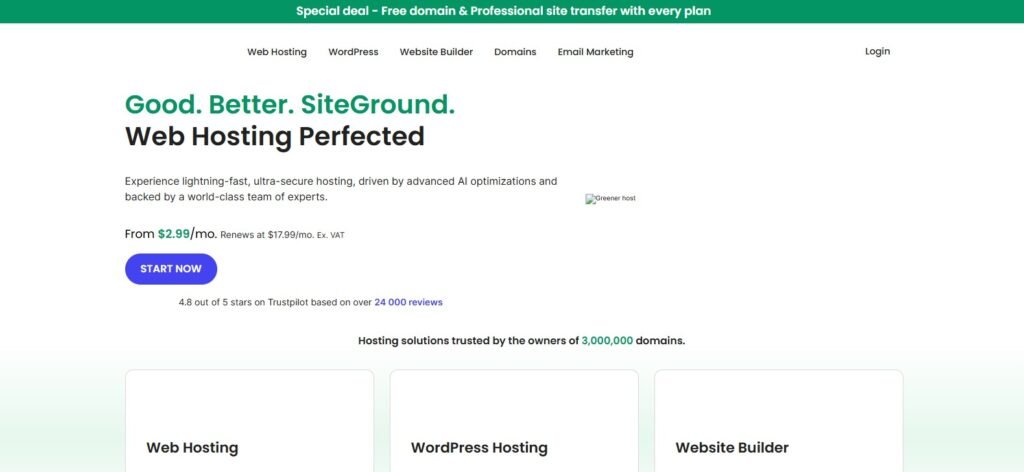
SiteGround is one of the most trusted names in WordPress hosting, and it’s also officially recommended by WordPress.org. For Elementor users, SiteGround offers a combination of speed, security, and advanced features that help websites run smoothly without technical struggles.
Key Features
Google Cloud Infrastructure: SiteGround runs on Google Cloud, ensuring global scalability, reliability, and lightning-fast speed.
Advanced Caching (SG Optimizer): Their custom caching system is specifically designed for WordPress and integrates well with Elementor.
Free CDN Integration: Cloudflare CDN is included, reducing latency and improving performance for international audiences.
Automatic Updates: WordPress core and plugin updates (including Elementor) are automated, so your site stays secure and updated.
Staging Tools: Perfect for Elementor users who want to test designs before publishing live.
Performance for Elementor
Elementor’s live drag-and-drop builder needs a host that can handle multiple processes in real-time. SiteGround delivers exceptional performance thanks to its Ultrafast PHP setup, making it one of the top choices for WordPress Hosting Optimized for Elementor. Combined with SSD storage and proactive monitoring, SiteGround ensures Elementor websites load quickly and stay stable, even with high traffic.
Pricing
SiteGround plans start at around $3.99/month, though renewal rates are higher. Despite this, the performance, customer support, and developer tools make it a solid investment for those serious about Elementor-based sites.
Best For
Professionals and small businesses that rely heavily on Elementor
Designers who need staging environments to test layouts
Users who want premium-level support with advanced hosting tools
DreamHost
DreamHost is another WordPress.org-recommended hosting provider and is especially known for its simplicity and reliability. With over 20 years of experience, DreamHost provides a balanced hosting environment that works seamlessly with Elementor.

Key Features
Unlimited Bandwidth & Storage: Unlike some providers, DreamHost doesn’t throttle performance based on usage. Elementor pages with lots of images and animations run smoothly.
Free Domain & SSL: Great for beginners setting up their first Elementor-powered website.
One-Click WordPress Install: Elementor can be added instantly with no technical barriers.
Custom Control Panel: Easier to navigate compared to cPanel, especially for beginners.
97-Day Money-Back Guarantee: The longest in the industry, offering peace of mind to Elementor users who want to test hosting performance.
Performance for Elementor
DreamHost uses SSD storage and offers reliable uptime (99.95%+), providing a stable base for WordPress Hosting Optimized for Elementor. While it may not be as fast as SiteGround or Kinsta, it’s perfectly capable of handling medium-sized Elementor websites. For users who prioritize simplicity, affordability, and reliability, DreamHost hits the sweet spot.
Pricing
DreamHost shared hosting starts at $2.59/month, making it budget-friendly. They also provide Managed WordPress Hosting (DreamPress) starting at $16.95/month, which gives extra performance boosts for Elementor.
Best For
Beginners who want simple, hassle-free hosting for Elementor
Bloggers and small business owners who need reliable uptime
Users looking for generous guarantees and straightforward pricing
Bluehost
Bluehost is one of the most widely used hosting providers worldwide and is officially recommended by WordPress.org. For Elementor users, Bluehost provides a stable, beginner-friendly hosting solution with a focus on usability and integration.
Key Features
Official WordPress Endorsement: Being a recommended host gives Bluehost credibility and reliability.
Seamless WordPress + Elementor Integration: Elementor can be installed automatically with WordPress during setup.
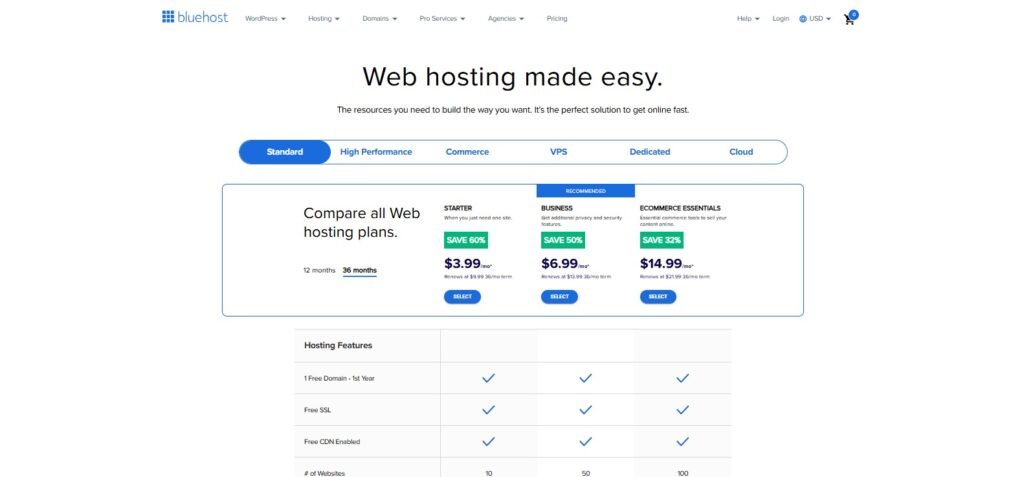
Free Domain & SSL: Every plan includes a free domain for the first year and SSL for security.
Custom Dashboard: A simplified dashboard designed for WordPress users makes navigation easy.
Marketing Tools: Built-in SEO and email marketing tools, useful for Elementor-powered business websites.
Performance for Elementor
Bluehost delivers solid speed and uptime, though not as fast as SiteGround or Kinsta. Its servers are optimized for WordPress, ensuring Elementor sites load smoothly and the builder runs without major lag. For small to medium-sized websites, Bluehost is more than capable.
Pricing
Plans start at $2.95/month, making Bluehost one of the most affordable options. Managed WordPress hosting (WP Pro) is available starting at $19.95/month, which offers higher performance and staging features.
Best For
Beginners who want an easy, all-in-one solution
Small businesses and bloggers using Elementor
Users looking for affordable hosting with strong brand trust
HostGator
HostGator is a long-established hosting provider known for its affordable plans and user-friendly setup. While not always the fastest, it’s a good choice for Elementor beginners or those who prioritize simplicity and low cost.
Key Features
Unmetered Bandwidth: No limits on traffic, allowing Elementor sites with image-heavy pages to scale easily.
One-Click WordPress Install: Elementor setup is quick and hassle-free.
Free Site Migration: If you already have a WordPress + Elementor site, HostGator migrates it for free.
Website Builder: HostGator includes its own builder, but Elementor is fully supported for more flexibility.
24/7 Support: Around-the-clock assistance via live chat and phone.
Performance for Elementor
HostGator provides decent speed, but its performance is not as strong as SiteGround, Hostinger, or Kinsta. For smaller Elementor websites, blogs, and portfolio sites, it delivers enough stability to ensure smooth editing and consistent uptime.
Pricing
HostGator’s shared hosting plans start at $2.75/month, keeping it competitive with other budget providers. Managed WordPress hosting is also available, starting at $5.95/month, giving Elementor sites an extra performance boost.
Best For
Beginners and budget-conscious users experimenting with Elementor
Freelancers and portfolio websites
Users who value affordable, reliable hosting over premium speed
Kinsta
Kinsta is a premium managed WordPress hosting provider built on Google Cloud Platform (GCP). It’s designed for performance, scalability, and professional-grade website management, making it one of the best options for Elementor users who demand top-tier speed and reliability.

Key Features
Google Cloud C2 Servers: These high-performance servers ensure Elementor-powered websites load incredibly fast.
Automatic Scaling: Perfect for sites that get traffic spikes (e.g., eCommerce stores, campaigns).
Free CDN & Premium DNS: Ensures global visitors access your Elementor site quickly.
Daily Backups: Automated backups keep your Elementor designs and data safe.
Staging Environments: Test new Elementor layouts without risking your live site.
24/7 Premium Support: Kinsta’s WordPress experts can solve advanced technical issues quickly.
Performance for Elementor
Kinsta is one of the fastest hosts on the market. Elementor websites load seamlessly, even with animations, heavy image use, and third-party add-ons. With GCP’s infrastructure, uptime is near-perfect, and editing inside Elementor feels smooth with almost no lag.
Pricing
Kinsta is premium-priced, starting at $35/month for a single WordPress site. This makes it less affordable for beginners but an excellent investment for professionals, agencies, and businesses that rely on Elementor for revenue-generating websites.
Best For
Agencies designing multiple Elementor websites
eCommerce businesses needing maximum uptime and speed
Professionals who want premium security, performance, and support
IONOS
IONOS (by 1&1) is one of the most affordable hosting providers on the market. It’s a budget-friendly option that can still support Elementor websites for beginners and small projects.
Key Features
Low-Cost Plans: Some of the cheapest WordPress hosting options available.
Free Domain & SSL: Included in most plans, great for first-time site owners.
Decent Performance: SSD storage and caching tools help Elementor pages load faster.
24/7 Phone Support: IONOS offers direct support, rare for low-cost hosting providers.
Scalability: Options to upgrade to higher plans as your Elementor site grows.
Performance for Elementor
IONOS won’t match Kinsta or SiteGround in raw performance, but it provides a stable environment for Elementor beginners. Editing in Elementor works fine for small to medium websites, though advanced sites with heavy animations may feel some lag.
Pricing
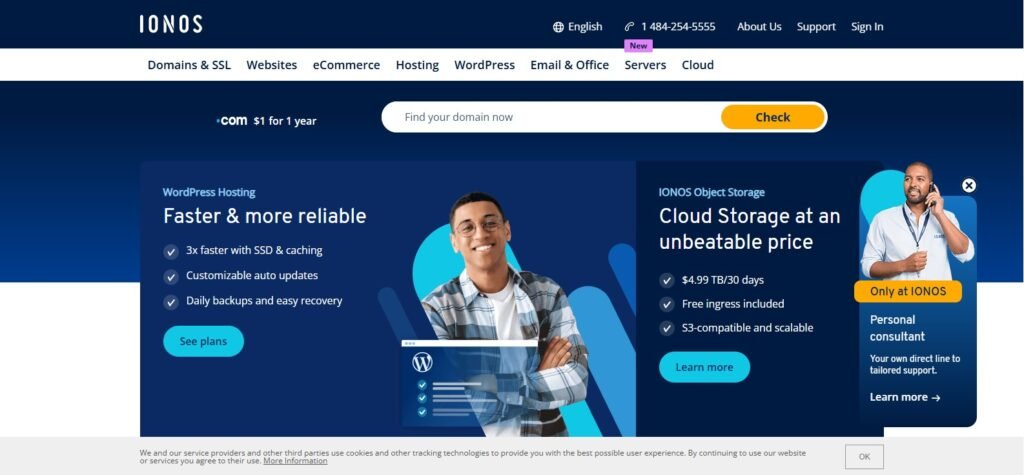
IONOS pricing is incredibly low, with plans starting at $1/month for the first year (then renewing at higher rates). This makes it one of the cheapest entry points into WordPress + Elementor hosting.
Best For
Beginners experimenting with Elementor on a budget
Personal blogs, small portfolios, or low-traffic business sites
Users who want the lowest possible upfront cost
How to Choose the Right WordPress Hosting Optimized for Elementor
With so many hosting providers available, choosing the best one for Elementor can feel overwhelming. The truth is: there’s no one-size-fits-all solution. Your ideal host depends on your budget, technical needs, and the type of website you’re building. Here are the key factors to consider:
1. Speed and Performance
Elementor is a feature-rich page builder, but that also means it can be resource-intensive. Hosting should include SSD storage, caching, and CDN integration to ensure pages load quickly. Look for hosts with proven uptime of 99.9% or higher.
2. Scalability
If your site grows (traffic spikes, eCommerce expansion, or more Elementor animations), your hosting must scale. Managed WordPress hosts like Kinsta and SiteGround provide scalability, while budget hosts like IONOS may require an upgrade as your site grows.
3. Ease of Use
Beginners should choose hosts with one-click WordPress installs, custom dashboards, and automatic updates. Hostinger, Bluehost, and DreamHost are excellent for ease of use.
4. Elementor Compatibility
Not all hosts are equally optimized for Elementor. Look for providers with LiteSpeed or NGINX servers, PHP 7.4+ support, and caching tools designed for WordPress. This ensures Elementor’s live editing runs smoothly.
5. Support Quality
Elementor sites can break due to plugin conflicts or server issues. You need 24/7 responsive support (via chat or phone). SiteGround and Kinsta are standouts for premium support, while Hostinger and HostGator are strong budget-friendly options.
6. Pricing and Value
Consider both the introductory price and the renewal rate. Some providers (like SiteGround) have higher renewals, while others (like DreamHost) offer long-term predictable pricing.
???? Quick Tip:
If you’re just starting, go with Hostinger or Bluehost. If you’re scaling a professional Elementor website, choose SiteGround or Kinsta.
Next Steps After Getting a WordPress Hosting Plan
Once you’ve selected your hosting provider, it’s time to set up Elementor and get your site live. Here’s a step-by-step roadmap:
1. Install WordPress
Most WordPress Hosting Optimized for Elementor providers offer one-click WordPress installation. Use this to get your site running within minutes.
2. Install Elementor
Free Version: Available directly from the WordPress plugin repository.
Elementor Pro: Purchase and upload the Pro plugin for advanced widgets, templates, and theme builder options.
3. Secure Your Site
Activate your SSL certificate (most hosts include it free). This ensures your Elementor site loads over HTTPS, which boosts SEO and builds visitor trust.
4. Choose a Theme Compatible with Elementor
Popular lightweight themes like Hello Elementor, Astra, and GeneratePress are highly optimized for speed and compatibility. Avoid bloated themes that slow down performance.
5. Set Up Performance Tools
Enable built-in caching (Hostinger LiteSpeed, SiteGround SG Optimizer, etc.).
Integrate a CDN (Cloudflare or host-provided).
Use an image optimization plugin like Smush or ShortPixel to compress Elementor images.
6. Build & Customize Pages
Use Elementor’s drag-and-drop editor to create your homepage, service pages, and blog layouts. With a good host, editing should feel smooth and lag-free.
7. Set Up Backups and Security
Enable daily or weekly backups (many hosts provide this automatically).
Use a security plugin like Wordfence or rely on your host’s built-in firewall.
8. Test Your Website
Run a speed test using GTmetrix, Pingdom, or Google PageSpeed Insights. Make sure your Elementor site loads in under 3 seconds, ideally under 2 seconds for the best SEO performance.
???? Pro Tip: After launching, keep monitoring performance. Elementor allows design freedom, but too many animations, videos, or large images can slow your site down. Use your host’s caching and performance tools regularly.
Conclusion
Elementor is one of the most powerful tools for building stunning, professional websites — but its true potential shines only when paired with WordPress Hosting Optimized for Elementor. But its performance depends heavily on the hosting environment you choose. A slow or poorly optimized host can make Elementor frustrating to use, while a fast and reliable host will unlock its full potential.
Here’s a quick recap:
Best budget-friendly option: Hostinger – ideal for beginners who want performance at an affordable price.
Best all-rounder for professionals: SiteGround – excellent speed, caching, and support for growing Elementor sites.
Best for simplicity: DreamHost – reliable hosting with unlimited bandwidth and straightforward pricing.
Best beginner-friendly brand: Bluehost – affordable and WordPress-recommended with smooth Elementor integration.
Best for budget learners: HostGator – inexpensive and easy for small projects or portfolio sites.
Best premium hosting: Kinsta – unmatched performance for agencies, businesses, and eCommerce sites.
Best ultra-low-cost option: IONOS – great for entry-level Elementor users who want to start cheap.
???? The bottom line:
If you’re serious about building a professional Elementor website that grows with your business, invest in a host like SiteGround or Kinsta. If you’re just starting, Hostinger or Bluehost will give you a solid foundation without breaking your budget.
Your next step is simple: Choose the hosting that matches your goals, install Elementor, and start building your dream website today. Don’t let slow hosting hold back your creativity or success.
FAQs
1. Why does Elementor need optimized hosting?
Elementor is resource-intensive due to its live editor, animations, and advanced widgets. Optimized hosting ensures your site loads faster, prevents lag in the editor, and keeps uptime stable.
2. Can I use Elementor with any WordPress hosting?
Yes, but not all hosts deliver the same performance. Some cheap hosts may cause slow loading times, especially with large Elementor designs. Choosing an Elementor-friendly host ensures smoother performance.
3. Is shared hosting good enough for Elementor?
Shared hosting (like Hostinger or Bluehost basic plans) is fine for beginners and small websites. For larger or business-critical sites, consider managed WordPress hosting (like SiteGround or Kinsta) for better speed and reliability.
4. Which hosting is best for Elementor eCommerce websites?
For WooCommerce sites built with Elementor, Kinsta or SiteGround are excellent choices. They handle traffic spikes, offer staging, and provide superior caching for online stores.
5. Do I need Elementor Pro if I have good hosting?
Hosting and Elementor Pro serve different purposes. Good hosting ensures speed and uptime, while Elementor Pro unlocks advanced design features like theme builder, pop-ups, and pro widgets. For professional websites, both are recommended.
6. Can I migrate my Elementor site to a new host easily?
Yes. Most top providers (like SiteGround, HostGator, and Kinsta) offer free website migration. You can also use plugins like All-in-One WP Migration to move your Elementor site manually.
7. What’s the cheapest hosting option for Elementor?
IONOS offers plans as low as $1/month for the first year. However, Hostinger provides a better balance of speed, features, and long-term pricing.
8. Which hosting is best for agencies using Elementor?
Agencies managing multiple Elementor sites will benefit most from Kinsta or SiteGround, as they provide staging tools, scalability, and premium support.



