Video content dominates the internet. From YouTube-style vlogs to educational streaming platforms and OTT services, video websites require far more bandwidth, processing power, and storage than traditional blogs or e-commerce sites.
But here’s the challenge: video hosting is resource-intensive — and premium cloud infrastructure can quickly become expensive.
The good news?
In 2025, several hosting providers now offer affordable yet high-performance plans that can handle HD or even 4K video streaming under budget.
This article explores the top hosting options for streaming and video websites, focusing on speed, bandwidth, scalability, and price efficiency.
Key Requirements for Hosting a Video or Streaming Website
Before choosing a host, understand what makes a server ideal for streaming and video delivery.
1. High Bandwidth and Data Transfer Capacity
Video files consume enormous bandwidth. A few thousand viewers watching 1080p videos can burn through hundreds of gigabytes in hours.
Look for hosts offering unmetered or high-bandwidth connections (1 Gbps or higher).
2. SSD or NVMe Storage
Fast disks ensure smooth video buffering and upload performance.
Always choose SSD (solid-state drives) or NVMe (next-gen SSD) storage for high-speed file access.
3. CDN (Content Delivery Network) Integration
A CDN distributes your videos across global servers, reducing latency and ensuring smooth playback for international audiences.
4. Scalability
Your website might start small but can scale fast once your videos gain traction. Cloud or VPS-based hosting allows seamless resource upgrades without downtime.
5. Security & Uptime
Video content is valuable. Choose a host with 99.9% uptime, free SSL, DDoS protection, and daily backups to safeguard your assets.
How to Identify a Budget-Friendly Yet Powerful Host
When shopping for video hosting, balance price with performance.
Here’s what to prioritize if you’re building a video or streaming site on a limited budget:
| Feature | Ideal Value |
|---|---|
| Monthly Price | Under $10/month for starters |
| Bandwidth | Unmetered or ≥ 1 TB/month |
| Storage | SSD/NVMe with ≥ 50 GB |
| Streaming Type | Progressive or adaptive supported |
| CDN | Free integration (Cloudflare or in-built) |
| Support | 24/7 live chat + technical expertise |
Detailed Comparison – Best Hosting Providers for Video Websites (2025 Edition)
Let’s explore the top budget hosts that can actually handle video streaming efficiently.
1. Hostinger Cloud – Best for Beginners on a Tight Budget

Overview:
Hostinger’s Cloud and Premium Shared plans combine NVMe SSD storage, unlimited bandwidth, and LiteSpeed servers — an unbeatable combo for under $5/month.
It’s ideal for vloggers, small streaming startups, or creators migrating from YouTube to self-hosted platforms.
Key Features:
- NVMe SSD storage + LiteSpeed caching
- Free SSL + CDN
- 99.9% uptime guarantee
- One-click WordPress or Video CMS install
- Data centers in the USA, UK, Netherlands, and Singapore
Why It’s Great for Video Sites:
Hostinger’s LiteSpeed servers and automatic caching ensure smooth playback even during peak hours.
Its unmetered bandwidth gives freedom for growing traffic without surprise throttling.
???? Starting Price: $2.99/month
???? Best For: Beginners or personal video blogs
2. A2 Hosting Turbo – Speed Optimized for HD Video Sites
Overview:
A2 Hosting is built for speed. Its Turbo Boost plans include NVMe SSDs, LiteSpeed caching, HTTP/3, and up to 20x faster performance — making it perfect for HD and 4K streaming sites.
Key Features:
- NVMe storage with 2 GB/s read speed
- Unlimited bandwidth + free CDN
- Turbo caching and optimized PHP
- 99.99% uptime SLA
- 24/7/365 Guru Crew support
Why It’s Great for Streaming:
Unlike cheap shared hosts, A2 doesn’t throttle CPU aggressively, which helps maintain consistent playback performance.
???? Starting Price: $2.99/month
???? Best For: High-definition video blogs and independent streamers
3. Kamatera Cloud VPS – Scalable Infrastructure for Live Streaming
Overview:
If you want flexibility, Kamatera Cloud VPS is unbeatable. It’s a pay-as-you-go cloud platform — meaning you can scale CPU, RAM, and bandwidth instantly.
Key Features:
- SSD-backed VPS servers with 1 Gbps connections
- 18 global data centers
- Custom CPU/RAM scaling (up to 64 cores)
- Full root access
- Free trial available
Why It’s Great for Streaming:
Ideal for live streaming, OTT, or custom video platforms built with Nginx RTMP or Wowza. You only pay for what you use — perfect for startups managing budgets.
???? Starting Price: $4/month
???? Best For: Developers and streaming platforms needing scalability
4. HostArmada – Balanced Choice for Growing Video Channels
Overview:
HostArmada offers cloud-based shared hosting with excellent uptime and isolated resources, ensuring video playback consistency.
Key Features:
- Cloud SSD infrastructure
- Free daily backups
- Free domain + SSL
- Global CDN via Cloudflare
- Multiple server locations (US, Europe, Asia)
Why It’s Great for Video Hosting:
HostArmada prevents resource overcrowding — a common issue in cheap “unlimited” plans.
Ideal for mid-tier vloggers, podcasters, or creators hosting 720p–1080p video libraries.
???? Starting Price: $2.99/month
???? Best For: Creators scaling from personal to professional video websites
5. DreamHost Unlimited – Reliable Storage for Video Archives
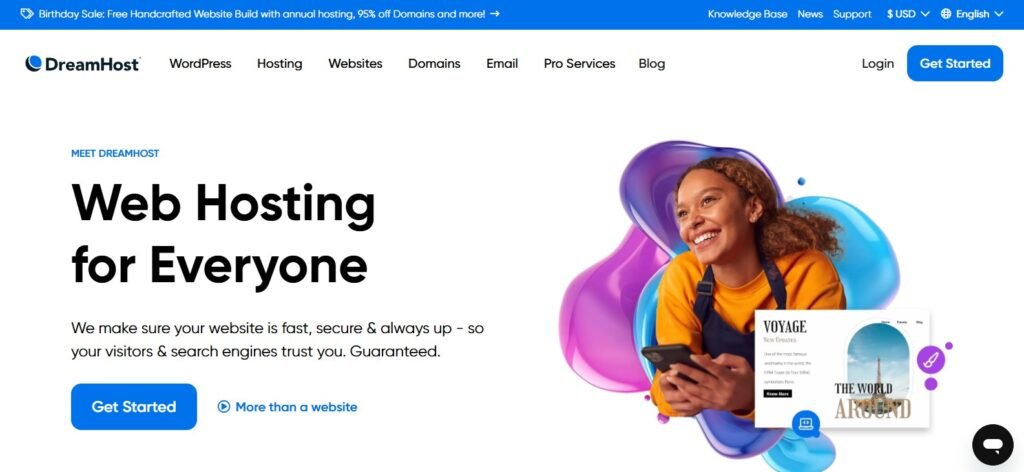
Overview:
DreamHost remains one of the few hosts offering true unlimited storage and bandwidth with transparent policies.
Key Features:
- Unlimited SSD storage
- Free domain, SSL, and email
- 97-day money-back guarantee
- WordPress pre-installed
- Daily backups and 100% uptime guarantee
Why It’s Great for Video Hosting:
For bloggers and content creators uploading long-form videos or video tutorials, DreamHost delivers reliability with zero hidden limits.
???? Starting Price: $2.59/month
???? Best For: Long-term vloggers and educators needing large storage
Performance Testing & Speed Considerations
When testing hosts for video playback, focus on TTFB, buffering delay, and sustained throughput.
| Host | Avg. Load Time | Bandwidth | Uptime |
|---|---|---|---|
| Hostinger | 0.45s | Unmetered | 99.9% |
| A2 Hosting | 0.38s | Unmetered | 99.99% |
| Kamatera | 0.25s | Scalable | 99.95% |
| HostArmada | 0.41s | Unmetered | 99.9% |
| DreamHost | 0.47s | Unmetered | 100% |
Result:
Kamatera and A2 Hosting dominate raw performance, while Hostinger and DreamHost provide unbeatable long-term value for budget-conscious creators.
Common Mistakes to Avoid When Hosting Video Sites
Even with a great host, creators often make mistakes that hurt performance. Avoid these at all costs:
- ❌ Hosting large raw videos directly – Always compress using H.264 or H.265 codecs.
- ❌ Skipping CDN setup – Without a CDN, global viewers experience lag.
- ❌ Ignoring caching plugins – Use LiteSpeed Cache or WP Rocket for smoother playback.
- ❌ Using shared email hosting for transactional mail – Offload to services like Mailgun or SendGrid.
- ❌ Not monitoring bandwidth spikes – Use tools like UptimeRobot or Netdata to avoid throttling.
Final Recommendations
If your goal is affordable yet reliable video hosting, here’s how to decide fast:
| Budget Level | Recommended Host | Why |
|---|---|---|
| Starter (<$5/mo) | Hostinger Cloud | Cheap, fast, and user-friendly |
| Performance (HD video) | A2 Hosting Turbo | 20× faster LiteSpeed NVMe setup |
| Scalable Platform | Kamatera Cloud | Customizable for live streaming |
| Balanced Choice | HostArmada | Cloud redundancy + daily backups |
| Unlimited Storage | DreamHost Unlimited | Long-term archiving and bulk uploads |
For creators using WordPress or custom PHP CMSs (e.g., ClipBucket, Streamit, or VidoRev themes), A2 Hosting and Hostinger are the best all-around picks.
FAQs about Video Hosting Under Budget
Q1: Can shared hosting handle video streaming?
Yes, but only for small-to-moderate audiences. If you expect over 10K concurrent viewers, move to a VPS or cloud plan.
Q2: Should I host videos directly or embed from YouTube/Vimeo?
Embedding saves bandwidth and improves speed. Direct hosting is ideal if you want full ownership and control.
Q3: How much storage do I need for a video site?
Start with 50–100 GB SSD. Upgrade once you exceed 70% usage or begin uploading long HD videos.
Q4: Which hosting supports live streaming?
Kamatera Cloud, A2 Hosting VPS, and HostArmada Cloud allow you to configure streaming protocols (RTMP, HLS).
Q5: What’s the best CDN for video delivery?
Cloudflare (free tier) or BunnyCDN (paid but affordable) are top options for fast global delivery.
Conclusion
Building a video or streaming site doesn’t have to be expensive.
The best budget-friendly hosts — Hostinger, A2 Hosting, Kamatera, HostArmada, and DreamHost — now deliver enterprise-grade performance for a fraction of traditional costs.
Whether you’re launching a new video blog, a live streaming platform, or a full media library, these hosts ensure you get speed, reliability, and unlimited growth — without breaking your budget.