Choosing the right hosting that supports Laravel & PHP projects is not just about speed or pricing—it’s about reliability, compatibility, and scalability. Laravel, one of the most popular PHP frameworks, powers thousands of websites and applications due to its elegant syntax and robust features. But here’s the catch: not every hosting provider is equally optimized for Laravel.
Whether you are building a small portfolio site, a SaaS application, or an enterprise-level project, the hosting you select directly impacts performance, security, and overall user experience. That’s why understanding the advantages and limitations of Laravel—and knowing which hosting companies best support it—is critical for developers and businesses alike.
In this guide, we’ll cover:
What Laravel is and why it matters.
The pros and cons of using Laravel.
The top 10 Laravel hosting providers with detailed features and pricing.
FAQs to answer common doubts before making a decision.
By the end, you’ll have a complete roadmap for selecting the right Laravel hosting provider tailored to your project’s needs. This guide will also help you understand how to evaluate hosting that supports Laravel & PHP for optimal performance and scalability.
What is Laravel?
Laravel is a modern PHP web application framework designed to make development faster, cleaner, and more efficient. It follows the MVC (Model-View-Controller) architecture, which helps developers separate business logic, user interface, and data handling into distinct layers.
Unlike plain PHP coding, which can become messy and hard to maintain, Laravel introduces an elegant syntax and a wide range of built-in tools for everyday tasks such as authentication, routing, sessions, and caching.
Some key highlights of Laravel:
Open-Source Framework – Free to use, supported by a massive global community.
Blade Templating Engine – Allows dynamic content rendering with minimal code.
Eloquent ORM (Object-Relational Mapping) – Simplifies database queries.
Artisan CLI (Command Line Interface) – Offers automated tasks like database migrations, testing, and seeding.
Strong Security Features – Built-in CSRF protection, password hashing, and encryption.
In short, Laravel gives developers a ready-to-use toolkit that reduces development time while maintaining high performance and clean, reusable code. It is often used to build:
Business websites
E-commerce platforms
SaaS applications
API-driven apps
Enterprise solutions
But while Laravel offers many advantages, it also has limitations. Before diving into hosting options, let’s explore both sides.
What are the Advantages of Laravel?
Laravel has become the go-to PHP framework for many developers worldwide. The reason is simple: it provides a balance of security, performance, and flexibility—three pillars every serious project needs. Let’s break them down.
Security
Security is often the biggest concern when choosing a framework. Laravel addresses this with a series of built-in protections that shield your web applications from common threats.
How Laravel Handles Security:
CSRF (Cross-Site Request Forgery) Protection: Automatically prevents malicious exploits that trick users into executing unwanted actions.
SQL Injection Prevention: By using Laravel’s Eloquent ORM, developers don’t write raw SQL queries—making it extremely hard for attackers to inject harmful code.
Password Hashing: Laravel stores user passwords securely using hashing algorithms like Bcrypt or Argon2, ensuring even leaked data is useless without decryption.
Encryption: Laravel provides an easy-to-use API for encrypting and decrypting sensitive data.
Authentication System: Built-in authentication scaffolding means login and user management are secure by default.
Why It Matters:
In today’s digital world, a single security breach can cost businesses millions of dollars. Laravel minimizes risks by building security into the core framework, giving developers peace of mind without requiring extensive third-party tools.
High Performance
No one likes a slow website or application. Performance directly impacts user satisfaction, SEO rankings, and revenue. Laravel ensures high performance through optimized architecture and advanced tools.
Performance Features of Laravel:
Caching Systems: Laravel supports popular caching backends like Redis and Memcached, which help applications load faster by storing frequently used data.
Route Optimization: The framework speeds up application routes by compiling them into a single file.
Lazy Loading & Eager Loading: Developers can manage database queries efficiently, reducing execution time.
Queue System: Tasks such as sending emails or processing uploads can be handled in the background, reducing server load.
Efficient Session Handling: Helps maintain fast and seamless user experiences.
Why It Matters:
For businesses running e-commerce sites, SaaS apps, or enterprise solutions, performance is not optional. A 1-second delay in page load can lead to significant drop-offs in conversion. Laravel ensures apps stay fast, even under heavy traffic.
Flexibility
Flexibility is where Laravel truly shines. Unlike rigid frameworks, Laravel gives developers freedom without sacrificing structure.
Flexible Features of Laravel:
MVC Architecture: Clean separation of data, logic, and presentation makes projects easy to scale and maintain.
Blade Templating Engine: Developers can create dynamic, reusable views with minimal code.
Extensive Libraries & Packages: Laravel has a vast ecosystem of ready-to-use packages for authentication, payments, notifications, and more.
API Development: Laravel makes building RESTful APIs straightforward, which is crucial in today’s app-driven world.
Cloud Integration: Works smoothly with AWS, Azure, and Google Cloud for modern, scalable deployments.
Third-Party Tools Compatibility: Laravel supports integration with tools like Stripe, PayPal, Mailgun, and more.
Why It Matters:
Every project is different. Laravel gives developers the flexibility to customize, scale, and integrate as needed—whether building a small personal site or a high-traffic SaaS platform.
What are the Limitations of Laravel?
No framework is flawless. While Laravel has a lot to offer in terms of security, performance, and flexibility, it also comes with some limitations that developers and businesses must consider before committing.
Lightweight Framework
Laravel is not the lightest framework out there.
Why it’s a limitation:
Laravel comes packed with numerous built-in features. While this makes development easier, it also means projects can become resource-heavy if not optimized properly.Impact on Hosting:
If you use shared hosting or a server with limited resources, you may notice slower performance compared to lighter frameworks like CodeIgniter or Slim. This is why choosing Laravel-optimized hosting is essential.When it’s a problem:
For small-scale projects or websites with minimal functionality, Laravel can feel like using a “sledgehammer to crack a nut.” The overhead might outweigh the benefits.
High Cost
Laravel is free as a framework, but the overall cost of development and hosting can be high.
Development Cost:
Laravel developers are often more expensive to hire than general PHP developers because of their specialized skills.Hosting Cost:
Since Laravel requires more server resources than basic PHP, you may need VPS or cloud hosting instead of cheap shared hosting. That increases the monthly budget.Long-Term Maintenance:
As your project grows, ongoing maintenance, security updates, and performance optimizations can add to the cost.When it’s a problem:
If you’re a startup or small business with a limited budget, Laravel’s ecosystem may stretch your financial resources compared to simpler frameworks.
Limited Support
Laravel has a strong community, but compared to frameworks like WordPress (which has millions of users), its support ecosystem is smaller.
Learning Curve:
Beginners often find Laravel difficult to learn because it involves understanding MVC, Artisan CLI, Blade, and Eloquent ORM.Community Size:
While Laravel’s community is growing fast, the number of plugins, themes, and ready-made solutions is still less than older ecosystems.Enterprise-Level Support:
Unlike commercial platforms backed by large corporations, Laravel relies heavily on open-source contributors. That means troubleshooting can sometimes take longer.When it’s a problem:
If your business relies on 24/7 enterprise-level support, Laravel may require hiring in-house experts rather than depending solely on community forums.
Top 10 Hosting Providers that Support Laravel & PHP
Laravel’s advantages and limitations highlight one clear fact: choosing hosting that supports Laravel & PHP makes or breaks your project. A poorly optimized hosting environment will expose Laravel’s weaknesses (slow performance, high resource use), while the right provider will maximize its strengths (speed, security, scalability).
When selecting Laravel hosting, consider these key factors:
PHP Compatibility – The provider should always support the latest stable PHP versions (Laravel is PHP-based).
Databases – MySQL or MariaDB support is essential, with smooth handling of migrations.
Performance Optimization – Built-in caching, SSD storage, and CDN integration ensure faster load times.
Scalability – As your project grows, you need options like VPS or cloud hosting.
Ease of Deployment – One-click Laravel installation or pre-configured environments save time.
Security – SSL certificates, DDoS protection, and firewalls are must-haves.
Pricing & Value – Balance between affordability and features tailored for Laravel.
Based on these criteria, we’ve shortlisted the top 10 hosting providers that support Laravel and PHP seamlessly. This list covers a range of options—from developer-focused cloud solutions to beginner-friendly managed hosting.
Here’s the quick rundown before we dive into each:
Back4App – Best for scalable backend hosting with strong Laravel support.
Laravel Forge – Tailored solution for Laravel developers who want automation and server management.
Cloudways – Managed cloud hosting that simplifies Laravel deployment.
Heroku – Popular platform-as-a-service (PaaS) with strong developer tools.
Kinsta – Premium managed hosting with performance and security focus.
AWS (Amazon Web Services) – Highly scalable and enterprise-ready cloud infrastructure.
DigitalOcean – Affordable and developer-friendly cloud hosting.
Microsoft Azure – Flexible cloud platform with enterprise-level services.
FastComet – Shared and cloud hosting with Laravel support at budget-friendly rates.
Vultr – Simple, high-performance cloud hosting with global servers.
Each of these providers has unique strengths. Some are geared toward enterprises and developers, while others are more suitable for startups and budget-conscious users.
Back4App
Back4App is a backend-as-a-service (BaaS) and cloud hosting platform widely recognized for supporting Laravel projects. It’s particularly popular among developers who need scalability, flexibility, and an easy deployment process for their PHP-based applications.

Unlike traditional shared hosting providers, Back4App offers a developer-friendly ecosystem that combines managed hosting with cloud benefits. This makes it an excellent choice for startups, SaaS applications, and enterprise-level Laravel projects.
Features
Here’s what makes Back4App stand out for Laravel hosting:
Laravel-Friendly Environment: Pre-configured PHP and Laravel support for smooth deployment.
Scalability: Horizontal and vertical scaling options allow your app to grow with user demand.
Database Support: Offers SQL and NoSQL databases (MySQL, PostgreSQL, MongoDB) for different project needs.
Performance Optimization: SSD storage, built-in caching, and CDN support for faster load times.
API Management: Easily manage APIs, which is a big plus for SaaS or API-driven Laravel apps.
Automation Tools: CI/CD pipelines for seamless updates and deployments.
Security: SSL certificates, data encryption, and regular backups to keep apps safe.
Multi-Cloud Flexibility: Can be deployed over AWS, Azure, or DigitalOcean infrastructure.
Developer Tools: GitHub integration, version control, and collaboration tools for teams.
???? In short, Back4App is ideal for developers who want ready-to-scale Laravel hosting without having to manage servers manually.
Pricing
Back4App offers a transparent pricing model with multiple tiers to fit different project sizes.
Free Tier: Suitable for small testing projects, limited resources included.
Shared Hosting Plans: Start around $5–$25/month, ideal for small Laravel apps.
Dedicated & Scalable Hosting: From $50/month upwards, depending on resource allocation (CPU, RAM, bandwidth).
Custom Plans: Enterprise-level users can request tailored pricing based on traffic and storage needs.
Key Takeaway on Pricing:
Back4App is not the cheapest option, but it balances cost with developer-friendly features, scalability, and performance optimization. The free tier makes it attractive for beginners who want to experiment with Laravel hosting before scaling up.
Laravel Forge
Unlike general hosting providers, Laravel Forge is a server management and deployment service built by the creators of Laravel itself. Instead of being a hosting company on its own, Forge integrates with popular cloud providers (like AWS, DigitalOcean, Vultr, Linode, and others) to give developers a ready-to-deploy environment tailored for Laravel and PHP applications.

This makes it one of the most powerful options for developers who want full control over their servers without manually handling configurations, firewalls, and deployments.
Features
Here’s why Laravel Forge stands out:
Seamless Laravel Deployment: Built specifically for Laravel apps, so you don’t need to waste time configuring servers.
Broad Cloud Provider Support: Works with AWS, DigitalOcean, Vultr, Linode, Hetzner, and custom VPS providers.
Automated Server Management: Installs PHP, MySQL, Nginx, Redis, and other necessary packages automatically.
Zero-Downtime Deployment: Supports atomic deployments to ensure your app never goes offline during updates.
SSL Certificates: Free Let’s Encrypt SSL integration for HTTPS security.
Firewall & Security: Built-in server firewalls and SSH key management for secure access.
Collaboration Tools: Manage multiple team members with role-based permissions.
Database Backups: Automated backups and restores directly from the control panel.
Queue & Scheduler Management: Easily configure Laravel queues and cron jobs.
Git Integration: Deploy apps directly from GitHub, GitLab, or Bitbucket repositories.
???? In short, Laravel Forge removes the hassle of manual server setup while giving developers complete control over their hosting environment.
Pricing
Laravel Forge uses a simple monthly subscription model (independent of your cloud provider’s cost).
Hobby Plan: $12/month – Perfect for individual developers managing small projects.
Growth Plan: $19/month – Adds more features for growing applications and small teams.
Business Plan: $39/month – Best for agencies and enterprises with multiple projects.
⚠️ Important: You still need to pay separately for your server (e.g., DigitalOcean $5/month droplet or AWS EC2 instance). Forge just manages it.
Example Cost Breakdown:
DigitalOcean VPS: $10/month
Laravel Forge (Growth plan): $19/month
Total Monthly Cost = $29 for a professional Laravel hosting setup.
Cloudways
Cloudways is a managed cloud hosting platform that simplifies hosting for developers, agencies, and businesses. Unlike traditional shared hosting, Cloudways sits on top of major cloud providers like DigitalOcean, AWS, Google Cloud, Vultr, and Linode, and manages the technical setup for you.
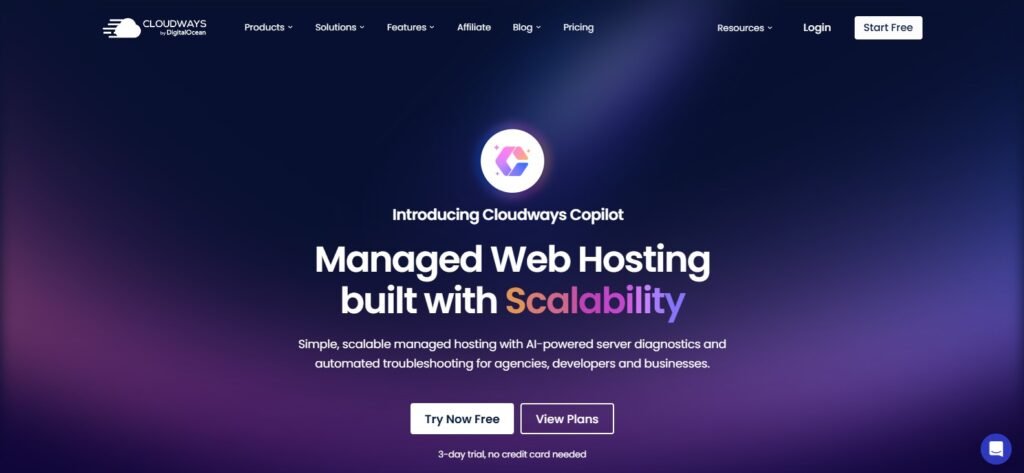
It’s highly regarded in the Laravel community because it allows one-click Laravel installation, automated updates, and performance tuning—without requiring you to be a server expert.
Features
Here’s why Cloudways is considered one of the best options for hosting that supports Laravel & PHP:
One-Click Laravel Installation: Deploy Laravel apps instantly without manual configuration.
Choice of Cloud Providers: Pick from DigitalOcean, AWS, Google Cloud, Vultr, or Linode.
Dedicated Environment: Unlike shared hosting, every app gets its own dedicated resources.
Performance Boosters:
Built-in Redis, Memcached, and Varnish caching
SSD storage
Cloudflare CDN integration
PHP-FPM & Latest PHP Support: Optimized for speed and compatibility.
Scalability: Vertical scaling lets you increase CPU/RAM with just a few clicks.
Security Features: Free SSL, dedicated firewalls, two-factor authentication, bot protection.
Automated Backups: Daily or on-demand backups with one-click restoration.
Collaboration Tools: Team members can work with controlled access.
Git & CI/CD Integration: Perfect for professional Laravel development workflows.
24/7 Support: Live chat and ticketing system to resolve technical issues quickly.
???? Cloudways is a balance between flexibility and convenience, making it ideal for developers who don’t want to manage servers manually but still need cloud-level performance.
Pricing
Cloudways pricing depends on the cloud provider you choose. It follows a pay-as-you-go model, so you only pay for what you use.
Examples (DigitalOcean as base provider):
$14/month – 1 GB RAM, 1 Core CPU, 25 GB storage, 1 TB bandwidth.
$28/month – 2 GB RAM, 1 Core CPU, 50 GB storage, 2 TB bandwidth.
$54/month – 4 GB RAM, 2 Core CPU, 80 GB storage, 4 TB bandwidth.
Other Providers:
AWS and Google Cloud are generally more expensive, starting around $36/month.
Vultr and Linode plans are close to DigitalOcean’s range.
⚡ Pro Tip: Cloudways also offers a 3-day free trial (no credit card required), so you can test Laravel hosting before committing.
Heroku
Heroku is a Platform-as-a-Service (PaaS) that allows developers to deploy, manage, and scale applications quickly. Unlike traditional hosting or even managed cloud hosting, Heroku abstracts away most server management, letting you focus entirely on your Laravel code.
It’s especially popular with startups, developers, and rapid prototyping projects because of its ease of deployment, scalability, and integration with Git. Laravel apps can be pushed to Heroku in minutes using simple Git commands.
Features
Here’s what makes Heroku a good choice for Laravel hosting:
Simple Deployment: Deploy Laravel apps directly with Git. No need for complex configurations.
PHP Buildpack: Laravel works out of the box via Heroku’s official PHP buildpack, ensuring compatibility with Composer and PHP extensions.
Scalability: Scale apps vertically (more resources) or horizontally (more dynos) with one command.
Managed Infrastructure: Heroku handles OS updates, patches, and server administration.
Database Options: Integrates easily with PostgreSQL (default), MySQL (via add-ons), and Redis for caching.
Add-On Marketplace: 150+ integrations for monitoring, logging, caching, messaging, and payments.
Collaboration Tools: Easy team management and role assignments.
Security: Automated SSL certificates, strong isolation between apps, and DDoS protection.
Monitoring & Logging: Real-time metrics and logging tools for developers.
???? With Heroku, Laravel developers can skip DevOps and focus purely on building applications.
Pricing
Heroku follows a dyno-based pricing model, where “dynos” are lightweight containers that run your app.
Free Plan: $0 – Includes 550–1000 dyno hours/month (apps sleep after inactivity). Good for testing.
Hobby Plan: $7/month per dyno – Suitable for small Laravel apps with low traffic.
Standard Plan: Starts at $25/month per dyno – Better performance and no sleeping apps.
Performance Plans: Range from $250–$500/month per dyno – Designed for enterprise-grade apps.
Additional Costs:
PostgreSQL add-ons start free but scale up with database size and performance.
Add-ons like Redis, SendGrid, Papertrail, etc., may increase monthly costs.
⚡ Example: A small Laravel app using 1 Standard dyno + PostgreSQL basic add-on may cost around $50/month.
Kinsta
Kinsta is a premium managed hosting provider powered by Google Cloud Platform (GCP). While Kinsta is widely known for WordPress hosting, it also fully supports custom PHP applications, including Laravel.
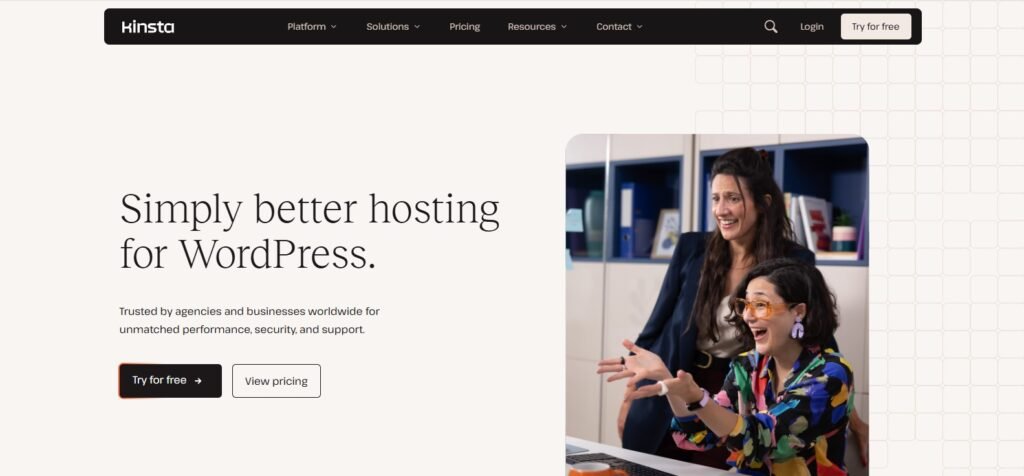
What sets Kinsta apart is its focus on performance, security, and developer-friendly tools. If you’re looking for a high-end hosting solution that minimizes technical headaches while delivering blazing-fast speeds, Kinsta is an excellent choice for Laravel projects.
Features
Here’s what makes Kinsta a strong choice for hosting that supports Laravel & PHP:
Google Cloud Infrastructure: Runs on Google Cloud’s premium tier network for low latency and high reliability.
Laravel-Ready Environment: Supports PHP 8.x, Composer, and Nginx, making Laravel deployment smooth.
Application Hosting: Deploy Laravel apps with GitHub, GitLab, or Bitbucket integrations.
Global Data Centers: 35+ locations worldwide so you can host apps near your audience.
Automatic Scaling: Auto-scaled containers handle traffic spikes seamlessly.
Performance Tools:
Redis caching support
Built-in CDN via Cloudflare
SSD storage
Security:
Free SSL certificates
DDoS protection
Automatic daily backups
Malware detection and removal
Developer-Friendly: SSH access, staging environments, and database management tools.
24/7 Support: Expert support team available around the clock with deep PHP knowledge.
???? In short, Kinsta provides a premium, hands-off hosting experience where developers don’t need to worry about server optimization.
Pricing
Kinsta uses a transparent monthly pricing model based on resources and traffic.
Starter Plan: $20/month – 1 app, 0.3 CPU, 0.3 GB RAM.
Basic Plan: $40/month – 1 app, 0.5 CPU, 0.5 GB RAM.
Pro Plan: $80/month – Higher resources, suitable for medium-scale Laravel apps.
Business & Enterprise Plans: From $200/month up to $1500+/month depending on resources and scaling needs.
Additional Costs:
Bandwidth is included, but heavy enterprise traffic may require upgrades.
Add-ons like Redis or extra backups are optional.
⚡ Example: A mid-sized Laravel app with steady traffic might cost around $40–$80/month on Kinsta.
AWS (Amazon Web Services)
Amazon Web Services (AWS) is the world’s leading cloud infrastructure platform, trusted by startups, enterprises, and governments alike. With AWS, you can deploy Laravel applications on highly scalable and reliable cloud servers while having full control over configuration, security, and performance.
Unlike managed hosting solutions (like Cloudways or Kinsta), AWS is more complex—but it offers unmatched scalability and customization. That’s why it’s widely used for large Laravel projects, SaaS platforms, and enterprise-level apps.
Features
Here’s why AWS stands out for Laravel hosting:
Scalability on Demand: Instantly scale up or down depending on your Laravel app’s traffic.
Global Infrastructure: 100+ data centers worldwide for low-latency hosting.
Multiple Hosting Options:
EC2 (Elastic Compute Cloud) – Custom virtual servers for Laravel.
Elastic Beanstalk – Simplified app deployment for PHP/Laravel.
Lightsail – Beginner-friendly VPS option for small Laravel apps.
Databases: MySQL, PostgreSQL, MariaDB, and Amazon RDS (Relational Database Service) for fully managed databases.
Caching & Performance: Supports Redis, Memcached, and CloudFront CDN.
Security & Compliance: Advanced firewalls, DDoS protection (AWS Shield), encryption, IAM roles, and compliance with HIPAA, GDPR, etc.
High Availability: Automatic failover and redundancy ensure uptime even during outages.
Monitoring Tools: CloudWatch provides real-time metrics on app performance.
API-Driven Development: Perfect for Laravel apps that rely heavily on APIs.
???? AWS is feature-rich and future-proof, but it requires technical expertise to manage efficiently.
Pricing
AWS pricing can be complex, but here are common options for Laravel hosting:
AWS Lightsail (beginner-friendly VPS):
$5/month – 512 MB RAM, 1 vCPU, 20 GB SSD.
$10/month – 1 GB RAM, 1 vCPU, 40 GB SSD.
$20/month – 2 GB RAM, 1 vCPU, 60 GB SSD.
EC2 Instances (more advanced):
t3.micro: Free for first year (750 hours/month under AWS Free Tier).
t3.small: ~$8–$12/month depending on region.
Larger instances scale to $100s/month depending on usage.
Elastic Beanstalk: Pricing depends on the underlying EC2 + RDS resources.
Extra Costs:
Databases (RDS) start at ~$15/month.
CloudFront CDN pricing is based on data transfer.
Storage (S3) and backups billed separately.
⚡ Example: A small Laravel app using Lightsail ($10/month) + RDS ($15/month) = ~$25/month. An enterprise-level SaaS app with multiple EC2 instances, RDS clusters, and CloudFront may cost $500–$2000+/month.
DigitalOcean
DigitalOcean is a popular cloud hosting provider known for its simplicity, affordability, and developer-focused tools. It’s one of the top choices for Laravel developers who want full control of their servers without the steep complexity of AWS.
DigitalOcean offers Droplets (virtual machines), Kubernetes, managed databases, and object storage—all of which can power Laravel applications efficiently. Many startups and small businesses prefer DigitalOcean because it strikes the perfect balance between performance and price.
Features
Here’s why DigitalOcean is widely used for Laravel hosting:
One-Click Laravel Deployment: Pre-configured images available through its marketplace.
Droplets (VPS Servers): Affordable and scalable virtual machines with SSD storage.
Databases: Managed MySQL, PostgreSQL, and Redis databases for Laravel apps.
App Platform: A fully managed PaaS (Platform-as-a-Service) that simplifies deployment and scaling for Laravel projects.
Performance: SSD storage, IPv6, private networking, and optimized load balancers.
Developer Tools: SSH access, GitHub integration, and APIs for automation.
Security: Free SSL, DDoS protection, firewalls, and team access controls.
Backups & Snapshots: Easily restore or migrate Laravel apps with system images.
Global Data Centers: Multiple locations worldwide ensure low latency.
Documentation & Community: Extensive tutorials and community support for Laravel setups.
???? DigitalOcean is ideal for developers who want simplicity with power—it’s easier than AWS but still gives you the flexibility of cloud hosting.
Pricing
DigitalOcean is known for transparent, affordable pricing.
Droplets (VPS plans):
$5/month – 1 GB RAM, 1 CPU, 25 GB SSD, 1 TB bandwidth.
$12/month – 2 GB RAM, 1 CPU, 50 GB SSD, 2 TB bandwidth.
$24/month – 4 GB RAM, 2 CPU, 80 GB SSD, 4 TB bandwidth.
Higher-tier plans available up to $960/month for enterprise workloads.
App Platform (Managed Hosting):
Starter Plan: Free (static sites only).
Basic Plan: $5/month per app.
Professional Plan: $12–$25/month per app with autoscaling.
Managed Databases: Start around $15/month.
⚡ Example: A small Laravel app can run comfortably on a $5/month Droplet, while a growing SaaS project might require a $24–$48/month setup with managed databases.
Microsoft Azure
Microsoft Azure is a leading cloud platform that provides Infrastructure-as-a-Service (IaaS) and Platform-as-a-Service (PaaS) solutions for businesses and developers. For Laravel projects, Azure offers the flexibility to either deploy apps on virtual machines (VMs) for full control or use App Service for a managed, hassle-free hosting experience.
Azure is trusted by enterprises, government organizations, and startups because of its global reach, compliance, and seamless integration with Microsoft’s ecosystem. It’s especially appealing if your business already uses Office 365, Microsoft Teams, or Active Directory.
Features
Here’s why Azure is a strong choice for Laravel hosting:
App Service for PHP/Laravel: A fully managed platform that supports Laravel without manual configuration.
Virtual Machines (VMs): Full control to install and configure Laravel exactly as you need.
Global Reach: 60+ data centers worldwide for ultra-low latency.
Database Options: MySQL, PostgreSQL, MariaDB, and SQL Server with managed services.
Performance Optimization: Load balancers, SSD storage, and CDN integration for faster Laravel apps.
Scalability: Auto-scaling ensures your app handles traffic spikes without downtime.
Security & Compliance: Enterprise-grade firewalls, DDoS protection, SSL certificates, and compliance with GDPR, HIPAA, ISO, and more.
Developer Tools: GitHub, GitLab, Bitbucket integration; CI/CD pipelines built-in with Azure DevOps.
AI & Machine Learning Integrations: Great for Laravel projects needing data analytics or AI-powered features.
Hybrid Cloud Support: Works seamlessly with on-premises and multi-cloud setups.
???? Azure is designed for serious, large-scale Laravel deployments that require reliability and enterprise-level support.
Pricing
Azure pricing depends on whether you use App Service or VMs.
App Service (Managed Hosting for Laravel):
Free Tier: $0 (limited features, testing only).
Basic Plan: ~$13/month – Suitable for small apps.
Standard Plan: ~$55/month – Better performance and scaling options.
Premium Plans: $200+/month – Enterprise-ready with advanced scaling.
Virtual Machines (IaaS):
Small Linux VM: ~$15–$25/month.
Medium VM: ~$40–$80/month.
Enterprise-grade VMs: $200+/month, scaling into thousands for high workloads.
Additional Costs:
Managed databases (MySQL/PostgreSQL) start around $15/month.
Azure CDN and storage are billed separately based on usage.
⚡ Example: A medium Laravel app might cost around $55–$100/month on Azure App Service, while an enterprise SaaS platform could easily scale to $500+/month depending on resources.
FastComet
FastComet is a web hosting provider known for its budget-friendly plans, strong customer support, and Laravel-ready environment. Unlike many cloud providers that require technical expertise, FastComet is more beginner-friendly and offers shared, VPS, and cloud hosting with PHP and Laravel support right out of the box.
For freelancers, small businesses, and startups, FastComet is a great choice because it combines low cost with good performance and security features.
Features
Here’s why FastComet is attractive for Laravel hosting:
Laravel & PHP Support: Pre-configured to run Laravel applications smoothly.
One-Click Installer: Deploy Laravel quickly without manual setup.
SSD Cloud Hosting: Faster load times compared to traditional HDD servers.
Free Daily & Weekly Backups: Automatic backups ensure data safety.
Global Data Centers: 11+ locations worldwide, reducing latency for users.
cPanel Access: Easy server and app management for non-technical users.
Free Website Transfer: Migrates your Laravel app for free if moving from another host.
Free SSL Certificates: Secure all Laravel applications with HTTPS at no cost.
Security Suite: DDoS protection, firewalls, malware scanning, and account isolation.
24/7 Support: Highly rated customer service with fast response times.
???? While not as advanced as AWS or Azure, FastComet makes Laravel hosting simple, affordable, and beginner-friendly.
Pricing
FastComet offers transparent pricing with shared, VPS, and dedicated plans.
Shared Hosting (best for small Laravel apps):
FastCloud: $2.95/month – 1 website, 15 GB SSD storage.
FastCloud Plus: $4.45/month – Multiple websites, 25 GB SSD, better performance.
FastCloud Extra: $5.95/month – More resources, 35 GB SSD, advanced features.
VPS Hosting: Starts at $47.95/month – Dedicated resources for medium-scale Laravel apps.
Dedicated Servers: Start around $111.19/month – Best for enterprise-level Laravel applications.
⚡ Example: A personal or startup Laravel project can run smoothly on the $4.45/month FastCloud Plus plan, while businesses needing dedicated resources may need VPS or dedicated servers.
Vultr
Vultr is a high-performance cloud hosting provider that focuses on simplicity, speed, and affordability. It’s particularly popular among developers who want powerful virtual machines (VMs) and global infrastructure without the complexity of AWS or Azure.
For Laravel projects, Vultr offers dedicated cloud servers, SSD storage, and worldwide data centers, making it a great option for apps that need low latency and flexibility at a reasonable cost.
Features
Here’s why Vultr is a good choice for Laravel hosting:
Pre-Configured Laravel Support: Deploy Laravel apps on Vultr cloud instances easily.
High-Performance Servers: 100% SSD storage with NVMe support on newer instances.
Global Network: 30+ data centers worldwide, ensuring low-latency performance.
Scalability: Easily scale your CPU, RAM, and bandwidth as Laravel app traffic grows.
Multiple Hosting Options:
Cloud Compute (VC2)
High Frequency Compute (optimized for performance)
Bare Metal servers
Security Features: Free SSL, DDoS protection, and automated firewalls.
Backups & Snapshots: One-click snapshots for disaster recovery or migration.
API & Automation: Great for developers who want to automate deployments.
Affordable Add-Ons: Object storage, block storage, and load balancers.
Developer-Friendly: Full root access, SSH support, and Git integration.
???? Vultr provides cloud power with simplicity, making it a strong Laravel hosting option for developers and agencies.
Pricing
Vultr uses a pay-as-you-go pricing model with flexible plans:
Cloud Compute Plans (VC2):
$5/month – 1 CPU, 1 GB RAM, 25 GB SSD, 1 TB bandwidth.
$10/month – 1 CPU, 2 GB RAM, 55 GB SSD, 2 TB bandwidth.
$20/month – 2 CPU, 4 GB RAM, 80 GB SSD, 3 TB bandwidth.
High Frequency Compute (for faster Laravel apps):
$6/month – 1 CPU, 1 GB RAM, NVMe SSD, 1 TB bandwidth.
$12/month – 2 CPU, 2 GB RAM, NVMe SSD, 2 TB bandwidth.
Bare Metal Servers: Start at ~$120/month for dedicated performance.
⚡ Example: A Laravel app with moderate traffic can run on Vultr’s $10/month plan, while high-performance SaaS apps can benefit from High Frequency Compute plans ($12–$24/month).
Conclusion
Choosing hosting that supports Laravel & PHP is one of the most important decisions you’ll make for your project’s long-term success. Laravel is a powerful framework, but it demands a hosting environment that can handle its resource needs, security features, and scalability requirements.
Here’s a quick recap of what we covered:
Laravel’s Strengths: Security, high performance, and flexibility make it a top PHP framework.
Laravel’s Limitations: It can be resource-heavy, costly for large projects, and has a steeper learning curve compared to simpler platforms.
Top Hosting Providers:
Back4App – Great for scalable backend hosting.
Laravel Forge – Best for developers who want full server control and automation.
Cloudways – Simplified managed cloud hosting.
Heroku – Perfect for startups and quick deployments.
Kinsta – Premium, performance-focused hosting.
AWS – Enterprise-level scalability and reliability.
DigitalOcean – Affordable, developer-friendly option.
Microsoft Azure – Excellent for enterprise and global projects.
FastComet – Budget-friendly hosting with Laravel support.
Vultr – High-performance cloud hosting with global reach.
???? The best choice depends on your needs:
If you’re a beginner or freelancer, go with FastComet or DigitalOcean for affordability.
If you’re a developer or agency, Laravel Forge or Cloudways will save time with automation and managed services.
If you’re building a startup app or SaaS, Heroku or Back4App provides scalability without heavy DevOps.
For large businesses or enterprise projects, Kinsta, AWS, or Azure deliver the performance and security you need.
At the end of the day, your Laravel hosting decision should balance budget, performance, scalability, and ease of use. With the right hosting provider, you’ll unlock Laravel’s full potential and deliver a secure, fast, and reliable application to your users.
FAQ
1. Does Laravel require hosting that supports Laravel & PHP specifically?
Yes. While Laravel can run on most PHP hosting, it performs best on servers optimized for PHP 8.x, MySQL/PostgreSQL, and Composer. Shared hosting may work for small projects, but for better performance and scalability, VPS or cloud hosting is recommended.
2. Can I use shared hosting for Laravel projects?
You can, but it’s not ideal. Shared hosting often lacks the resources and customization needed for Laravel apps. For small projects, providers like FastComet may work, but for professional apps, VPS or managed cloud hosting (like Cloudways or DigitalOcean) is much better.
3. Which hosting is best for Laravel beginners?
If you’re just starting, DigitalOcean ($5/month) and FastComet are beginner-friendly. They’re affordable, have good documentation, and are Laravel-ready.
4. What is the cheapest Laravel hosting option?
DigitalOcean ($5/month droplet) and Vultr ($5/month) are the cheapest reliable cloud hosting options. For shared hosting, FastComet’s $2.95/month plan is a budget choice.
5. Which Laravel hosting is best for enterprise-level apps?
For enterprise projects, AWS, Microsoft Azure, and Kinsta are top choices. They offer scalability, enterprise-grade security, and global infrastructure, which are essential for large, high-traffic apps.
6. Can I host Laravel on cPanel hosting?
Yes. Many shared hosts provide cPanel, where you can install Laravel using Softaculous or manual setup. However, performance may not be optimal compared to VPS or cloud hosting.
7. Is Laravel Forge a hosting provider?
Not exactly. Laravel Forge is a server management tool that connects with providers like DigitalOcean, AWS, and Linode. It simplifies server setup, deployments, and security for Laravel apps but does not include servers itself.
8. Do I need VPS or cloud hosting for Laravel?
For serious projects, yes. VPS and cloud hosting give you dedicated resources, scalability, and control, which Laravel needs for performance and security. Shared hosting should only be used for testing or very small apps.



