The Real Challenge Behind Finding the Best Hosting Plan for a Travel Blog
A travel blog isn’t just another WordPress site — especially when you’re searching for the Best Hosting Plan for a Travel Blog that can handle visuals and maps.
It’s a media-heavy platform that handles hundreds of high-resolution images, embedded Google Maps or Mapbox frames, maybe even video snippets and interactive location guides.
Each page doesn’t only deliver text—it streams large assets that eat storage, CPU power, and bandwidth.
While basic shared hosting can technically “run” your blog, it struggles under this load:
- Image-rich posts slow down dramatically.
- Map scripts take forever to render.
- Global readers experience delays because servers are limited to one region.
In short, standard hosting makes your beautiful travel stories load like dial-up nostalgia — which is why you must choose the Best Hosting Plan for a Travel Blog that ensures both speed and stability.
How Hosting Affects Speed, SEO, and Engagement
Google’s Core Web Vitals treat site speed, stability, and responsiveness as ranking factors.
If your photo-filled destination pages take 10 seconds to load, your bounce rate will skyrocket, and your site’s authority will sink.
The same applies to interactive maps. They rely on JavaScript, API calls, and tile requests.
If your server lags, the map widget freezes or fails to load, frustrating readers trying to find a location.
A well-optimized hosting plan helps you:
- Deliver high-quality visuals without compression loss.
- Serve images fast via CDN caching.
- Load maps smoothly using modern server protocols (HTTP/2 or HTTP/3).
- Keep uptime close to 100 %, which signals reliability to search engines.
In short, the right hosting = faster site = higher rank.
The Hidden Cost of “Cheap” Shared Hosting
Most beginners start with entry-level shared plans.
They look inexpensive — but the “cost” reveals itself later:
- Limited storage (10–30 GB) fills up after a few trips.
- Bandwidth throttling slows global visitors.
- No dedicated caching or CDN.
- High CPU usage penalties if you upload too many images at once.
Eventually, you’ll hit your provider’s “resource usage” limit and get suspension warnings.
That’s why professional travel bloggers treat hosting as an investment, not an expense.
Core Hosting Requirements for a Heavy Media Travel Blog
Before you even compare brands, define your minimum specs:
| Requirement | Why It Matters |
|---|---|
| SSD or NVMe Storage (≥ 50 GB) | Handles thousands of photos quickly |
| High or Unmetered Bandwidth | Prevents slowdowns during traffic spikes |
| 4 GB+ RAM & Multi-Core CPU | Supports map scripts and caching plugins |
| CDN Integration | Delivers images from global edge servers |
| Server Locations Near Audience | Faster access for international readers |
| Daily Backups + SSL | Keeps data safe and builds trust |
Without these, no plugin or optimization trick can save your site.
The Travel Blogger’s Advantage
Unlike generic bloggers, travel creators have an SEO edge: rich visual content earns backlinks and social shares — if pages load fast.
Hosting is the silent engine powering that advantage.
It decides whether your Iceland photo diary opens instantly or spins a loading icon.
Choosing the Best Hosting Plan for a Travel Blog (by Type)
1. Shared Hosting – The Beginner’s Trap
Shared hosting is the entry point for most bloggers.
You share one physical server with hundreds of other websites.
It’s affordable (often under $5/month), but comes with serious performance limits — especially for a travel blog filled with high-resolution images and interactive maps.
Pros:
Low initial cost
Simple setup
Ideal for small blogs or testing stages
Cons:
Limited CPU, RAM, and I/O speed
Resource throttling during traffic spikes
Sluggish performance with photo galleries or JavaScript-heavy map pages
Often missing built-in CDN or caching
If your travel site is new and has only 10–20 posts, shared hosting may work temporarily.
But once you start uploading 200+ images and your readers visit from multiple continents, shared plans will choke your bandwidth.
✅ Verdict: Best only for early-stage bloggers testing content and layout.
2. VPS Hosting – Balanced Power for Growing Travel Blogs
A Virtual Private Server (VPS) allocates you a dedicated slice of CPU, RAM, and storage, isolated from other users.
That isolation means faster performance, stable uptime, and the ability to handle resource-intensive operations like image optimization or map rendering.
Pros:
Dedicated resources ensure consistent performance
Scalable — upgrade RAM or storage as your site grows
Root access for full server control (install custom caching, image compression tools)
Better security isolation
Cons:
Slightly higher cost ($15–$40/month)
Requires some technical management
For a travel blog with heavy visuals and embedded maps, VPS hosting offers the perfect balance — often featured in the Best Hosting Plan for a Travel Blog guides due to its scalability and control.
✅ Verdict: Ideal for mid-tier or rapidly growing travel blogs that expect traffic spikes during peak travel seasons.
3. Cloud Hosting – The Best Option for Image-Heavy, Map-Integrated Sites
Cloud hosting distributes your website data across multiple servers worldwide.
If one server experiences heavy load, another takes over automatically.
This global architecture makes cloud hosting the Best Hosting Plan for a Travel Blog targeting international readers.
Key Advantages:
Scalability: Add more storage, CPU, or bandwidth instantly.
Speed: Data is served from the nearest server location to each visitor.
Reliability: 99.99% uptime with automatic failover.
Performance with CDNs: Cloud hosts integrate easily with Cloudflare, Bunny.net, or Amazon CloudFront.
Providers like Hostinger Cloud, SiteGround Cloud, and DigitalOcean App Platform are excellent fits for this setup.
Ideal For: Bloggers using WordPress + plugins like Elementor, WP Google Maps, or GeoDirectory — which need stable server performance.
✅ Verdict: The top choice for professional travel bloggers with global traffic and heavy media.
4. Managed WordPress Hosting – For Speed and Zero Maintenance
If you use WordPress (the best CMS for travel blogs), a Managed WordPress host like Kinsta, WPX, or Rocket.net takes care of everything — speed optimization, updates, caching, and security.
Pros:
Lightning-fast load times (LiteSpeed or Nginx servers)
Pre-installed CDN and image compression
Daily backups + malware scanning
Excellent for non-technical users
Cons:
More expensive ($25–$60/month)
Limited flexibility for advanced map integrations unless allowed via plugins
For most travel bloggers earning from ads or affiliate marketing, managed WordPress hosting provides zero-stress performance — you focus on content while the host handles technical stuff.
✅ Verdict: Best for creators who prioritize content creation over server management.
5. Dedicated Hosting – For High-Traffic, Media-Rich Portfolios
Dedicated hosting gives you an entire physical server for your website — no resource sharing at all.
This setup is overkill for most individual travel blogs, but essential for agencies or media networks hosting multiple travel sites or a photo/video archive.
Pros:
Maximum performance and control
Unlimited storage and processing power
Custom configurations for maps, caching, and backup automation
Cons:
Expensive ($100–$300/month)
Requires advanced server administration skills
✅ Verdict: Only necessary when your blog evolves into a large-scale platform or travel publication.
Essential Hosting Features for Image-Heavy Travel Blogs
1. SSD or NVMe Storage — The Non-Negotiable Speed Booster
Forget traditional hard drives (HDD).
A travel blog that loads hundreds of high-resolution JPEGs or WebPs absolutely needs SSD or NVMe storage.
Why it matters:
SSDs are up to 10× faster in reading and writing data.
NVMe drives (the newer generation) further cut load time for dynamic content like interactive maps.
Faster I/O = faster page rendering = higher Google PageSpeed score.
✅ Target spec: at least 50–100 GB SSD/NVMe storage for early-stage blogs; scale beyond 200 GB as your photo library grows.
2. Unmetered Bandwidth & Global CDN Integration
Every photo and map tile you serve consumes bandwidth.
A single photo-heavy article can hit 50–100 MB of transfer.
Multiply that by thousands of visitors, and you’ll see why “unlimited” bandwidth is essential.
Pair that with a Content Delivery Network (CDN) such as Cloudflare, BunnyCDN, or CloudFront.
A CDN stores your static files (images, CSS, map scripts) on edge servers worldwide, so readers in the U.S., Europe, or Asia all get local-speed delivery.
✅ Best setup:
Host near your primary audience.
Enable CDN caching for
/wp-content/uploads/.Use lazy-loading + next-gen image formats (WebP, AVIF).
3. RAM and CPU Power — Handling Map Scripts and Caching
Interactive maps from Google Maps, Leaflet, or Mapbox run on JavaScript and API calls.
Each map widget consumes processing cycles.
Under-powered servers choke when rendering multiple maps or large galleries.
✅ Minimum spec:
4 GB RAM + 2 vCPUs for mid-size blogs.
Upgrade to 8 GB RAM + 4 vCPUs once traffic exceeds 50 k monthly visitors.
Ensure hosting supports HTTP/2 or HTTP/3 for parallel requests (multiple map tiles loading simultaneously).
4. Advanced Caching & Server Optimization
Caching is your secret weapon for speed.
Choose a host offering:
LiteSpeed Cache or NGINX FastCGI cache
Object cache (Redis or Memcached)
Browser caching headers for static assets
Combine server-level caching with a WordPress plugin (e.g., LiteSpeed Cache, WP Rocket) to keep time-to-first-byte under 500 ms — a crucial SEO metric.
✅ Bonus: Enable GZIP or Brotli compression on your server; it reduces page weight by 20–30 %.
5. PHP 8.x + HTTP/3 Support
Modern map plugins and image-optimization tools (like Imagify or Smush Pro) require PHP 8.x or newer.
Ensure your host keeps its stack updated and supports HTTP/3 (QUIC protocol) for ultra-fast HTTPS connections.
Outdated PHP or HTTP 1.1 servers can literally double your load time.
6. Daily Backups and Disaster Recovery
A travel blog’s image collection is irreplaceable.
Accidental deletion, plugin conflict, or malware could wipe months of work.
Look for:
Daily automated backups retained 7–30 days.
One-click restore from cPanel or dashboard.
Optional off-site backups to Google Drive, Dropbox, or S3.
✅ Pro tip: schedule a weekly off-site backup just for your /uploads/ and /mail/ directories — they hold your photos and contact-form data.
7. Free SSL Certificate + Strong Security Layer
Google marks non-HTTPS sites as insecure — deadly for credibility.
Choose a host that includes free SSL via Let’s Encrypt and 24/7 malware scanning.
Also check for:
Automatic updates for WordPress core and plugins.
Firewall (WAF) to block brute-force attacks.
Bot protection to prevent hotlinking of your images.
8. Support for External Storage and Map APIs
Some travel blogs embed thousands of images or custom map tiles.
Rather than storing all that locally, connect external storage:
Amazon S3 or DigitalOcean Spaces for bulk media.
Google Maps or Mapbox API integration via plugin (requires outbound HTTPS and enough PHP memory).
A good host must not restrict external API calls or cron jobs — otherwise, map refreshes and API updates will fail.
9. Uptime Guarantee and 24/7 Support
Downtime directly costs you SEO and credibility.
Go for at least 99.9 % uptime with transparent status reporting.
And ensure you have live chat or ticket support — because travel blogs often rely on seasonal traffic, and an outage during peak season hurts more than any ad fee.
10. Server Location Strategy
If your target audience is global, pick a host offering multi-region data centers or pair with a CDN.
If you mainly target the U.S. or Europe, choose a server close to that region for faster first-byte delivery.
Example of a Balanced Spec for Travel Blogs
| Feature | Minimum Spec | Ideal Spec |
|---|---|---|
| Storage | 50 GB SSD | 200 GB NVMe or hybrid + object storage |
| Bandwidth | Unmetered | Unmetered + CDN |
| RAM | 4 GB | 8–16 GB |
| vCPU | 2 | 4–8 |
| PHP | 8.2+ | 8.3 + HTTP/3 support |
| Backups | Daily | Daily + off-site |
| Uptime | 99.9 % | 99.99 % |
Best Hosting Providers for Travel Blogs (2025 Edition)
1. Hostinger Cloud – Best Value for Performance & Scalability

If you’re looking for speed, scalability, and affordability in one package, Hostinger Cloud Hosting is hard to beat.
Why it fits travel blogs:
NVMe SSD storage with unmetered bandwidth
Global CDN and multiple data centers
99.99% uptime and LiteSpeed cache (perfect for image-heavy sites)
Free SSL, daily backups, and staging environment
Technical Highlights:
PHP 8.3 + HTTP/3 ready
300+ websites per account
Cloudflare integration in one click
3–6 GB RAM depending on plan
Pricing: Starts at around $9.99/month, renews at ~$24.99/month.
✅ Ideal For: Growing travel bloggers who want a fast, scalable host without high cost.
2. SiteGround – Best for Map-Heavy WordPress Sites
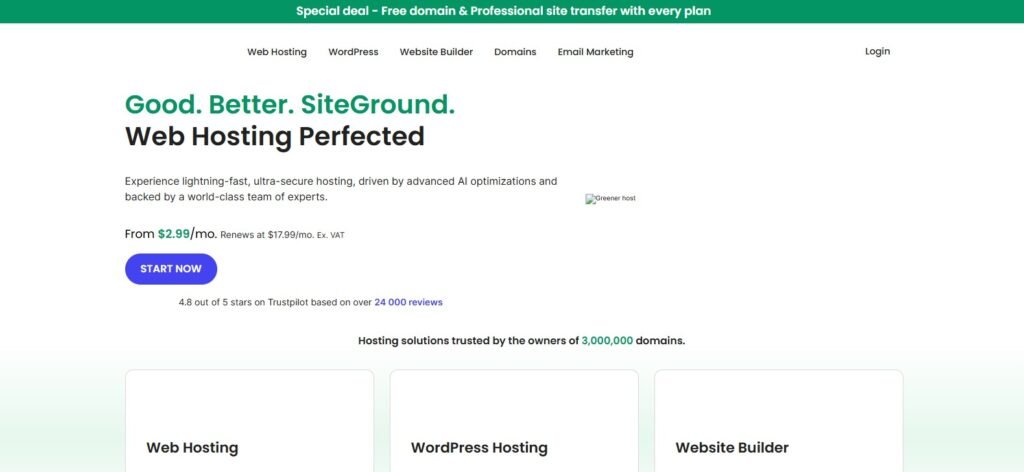
SiteGround’s Cloud and Managed WordPress plans offer unmatched reliability for WordPress users handling plugins like Google Maps, Mapbox, and GeoDirectory.
Why it fits travel blogs:
Proprietary SG Optimizer plugin = powerful caching + image compression
Built-in CDN via Cloudflare
Free email hosting + SSL
Automatic daily backups + AI security
Technical Highlights:
Powered by Google Cloud infrastructure
99.99% uptime
HTTP/3 + PHP 8.3 support
10–40 GB SSD + 4–8 GB RAM on GrowBig or GoGeek
Pricing: $14.99/month starting (renewal ~$24.99).
✅ Ideal For: WordPress-based travel blogs using interactive map features and galleries.
3. A2 Hosting – Best for Custom Control and Speed
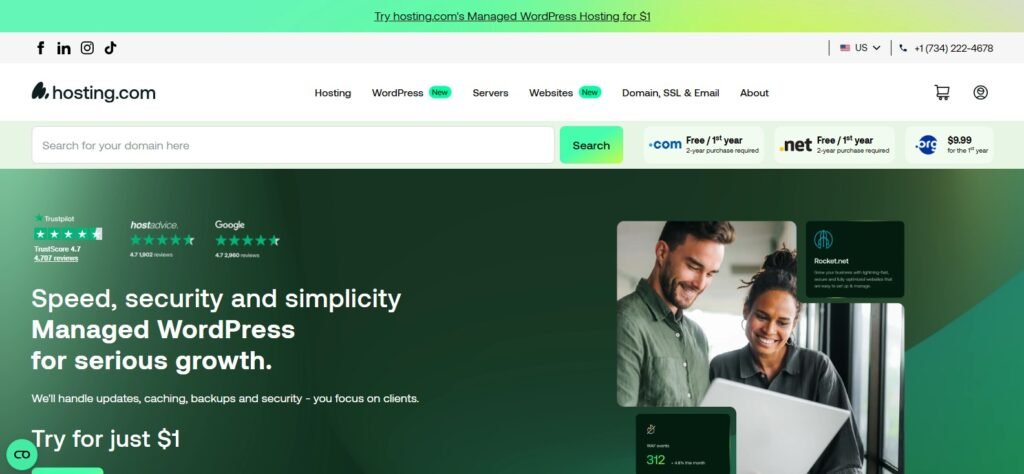
A2 Hosting is built for developers and performance lovers. Its Turbo Boost and Turbo Max plans use NVMe SSDs and LiteSpeed servers.
Why it fits travel blogs:
20× faster speed with Turbo servers
Unlimited SSD storage and data transfer
Free Cloudflare CDN integration
99.9% uptime with 24/7 “Guru Crew” support
Technical Highlights:
Full control for custom caching and CDN
cPanel + SSH access for power users
Pre-optimized for WordPress and WooCommerce
Pricing: $6.99–$14.99/month introductory.
✅ Ideal For: Technical users who want to fine-tune caching, CDN, and performance.
4. Kinsta – Best Premium Managed Hosting

If you want a zero-maintenance, premium experience, Kinsta is the gold standard.
It runs on Google Cloud’s C2 servers with Cloudflare CDN integration.
Why it fits travel blogs:
Blazing-fast load times (under 1s globally)
Built-in CDN + image optimization
Automatic daily backups + malware protection
Excellent for media-heavy WordPress sites
Technical Highlights:
Nginx + Redis + PHP 8.3
HTTP/3 support
35+ global data centers
Pricing: Starts at $30/month (renewable monthly).
✅ Ideal For: Professional travel bloggers, agencies, or monetized websites prioritizing SEO and uptime.
5. Cloudways – Best Scalable Cloud Hosting

Cloudways offers managed cloud hosting on DigitalOcean, AWS, or Google Cloud — giving full flexibility with performance tuning.
Why it fits travel blogs:
Pay-as-you-go pricing model
24/7 support and instant scaling
Advanced caching: Varnish, Redis, and Breeze plugin
Integration with Cloudflare Enterprise CDN
Technical Highlights:
NVMe SSD storage
PHP 8.x + HTTP/3 support
Free migration & SSL
Pricing:
Starts at $11/month (DigitalOcean)
Scales based on RAM and bandwidth usage
✅ Ideal For: Bloggers expecting high global traffic and needing elastic scaling.
6. WPX Hosting – Fastest Managed WordPress Host

WPX consistently ranks among the fastest managed WordPress hosts (tested by independent speed benchmarks).
Why it fits travel blogs:
Built-in high-speed CDN across 30+ global edge locations
Free unlimited site migrations
Free daily backups
Expert 24/7 support (average response < 30 sec)
Technical Highlights:
LiteSpeed web servers
Free malware cleanup
99.95% uptime guarantee
Pricing: Starts at $24.99/month.
✅ Ideal For: Travel bloggers earning income through ads, affiliates, or brand sponsorships — who can’t afford downtime.
Performance Comparison Table
If you want sustained performance and scalability, this setup clearly ranks among the Best Hosting Plans for a Travel Blog in 2025.
| Provider | Storage | CDN | RAM | Uptime | Monthly Cost | Best For |
|---|---|---|---|---|---|---|
| Hostinger Cloud | NVMe 100GB | ✅ | 6GB | 99.99% | $9.99 | Budget + scalability |
| SiteGround | SSD 40GB | ✅ | 4–8GB | 99.99% | $14.99 | Map-heavy WordPress |
| A2 Hosting | Unlimited SSD | ✅ | 4–8GB | 99.9% | $6.99 | Technical users |
| Kinsta | SSD 25GB | ✅ | Managed | 99.99% | $30 | Premium performance |
| Cloudways | NVMe 80GB | ✅ | 4–16GB | 99.99% | $11 | Scalable cloud setup |
| WPX Hosting | SSD 15GB+ | ✅ | Managed | 99.95% | $24.99 | Professional creators |
The Complete Hosting Plan Checklist for Travel Bloggers
Define Your Hosting Goals Before You Buy
Every great travel blog starts with a clear mission:
Are you publishing personal travel diaries or building a professional media brand?
Do you expect 5 k visitors a month — or 500 k?
Will your content be mostly photos, or interactive maps and videos?
Your answers determine your hosting tier.
Rule of thumb:
Choose a host that supports twice your current traffic and storage needs — so growth never forces an emergency migration.
The Perfect Hosting Blueprint (From Launch to Growth)
| Stage | Traffic Level | Recommended Hosting | Key Actions |
|---|---|---|---|
| Launch | < 10 k monthly | Shared or basic Cloud | Use CDN from Day 1, enable image compression |
| Growth | 10 k – 100 k | VPS / Cloud (Hostinger Cloud / A2 Turbo) | Add object storage for images, enable caching plugins |
| Established | 100 k – 500 k | Cloudways / SiteGround Cloud | Implement full CDN + Redis cache, daily off-site backups |
| Professional | 500 k + | Kinsta / WPX / Dedicated Cloud | Use staging servers, advanced analytics, 24/7 monitoring |
✅ Pro Tip: Never rely on one server location. Pair your host with a global CDN to serve content closer to readers.
Ongoing Maintenance Routine
A travel blog evolves constantly — new trips, new galleries, new plugins.
Here’s your maintenance rhythm:
| Frequency | Task |
|---|---|
| Weekly | Run plugin updates, clear cache, check image optimization reports |
| Monthly | Test page speed on GTmetrix / PageSpeed Insights |
| Quarterly | Review storage + bandwidth usage; upgrade if you’re at 80 % capacity |
| Bi-Annual | Audit CDN setup, renew SSL certificates, validate map APIs |
| Yearly | Evaluate hosting cost vs. performance, consider new data center if audience shifts geographically |
Security & Backup Essentials
Security equals continuity.
Without automated backups, one bad plugin update can destroy your archive of memories.
Checklist:
✅ Daily automated backups (kept 7 – 30 days)
✅ Off-site backup (Google Drive / S3 / Bunny Storage)
✅ Two-factor authentication for cPanel + WordPress
✅ Malware scanning + automatic patching
✅ Hotlink protection to stop others stealing your photos
✅ Secure access (SSH / SFTP only — never plain FTP)
???? Pro Tip: Keep a copy of your /uploads/ folder separately. That’s your visual history.
Optimize Image & Map Delivery
Even premium hosting can’t fix poorly optimized content.
Follow this simple optimization formula:
Use next-gen formats → WebP or AVIF.
Compress before upload → TinyPNG / ShortPixel.
Enable lazy-loading for below-the-fold images.
Cache map tiles locally or via CDN.
Serve scaled images (never 4000 px width for a 600 px frame).
These tweaks alone can reduce page size by 60–70 %, which means faster load, better SEO, and happier readers.
Performance & SEO Monitoring Tools
To ensure your hosting stays optimal:
| Tool | Purpose |
|---|---|
| Google PageSpeed Insights | Core Web Vitals monitoring |
| GTmetrix / Pingdom | Real-world load speed from different regions |
| UptimeRobot | Alerts if your site goes down |
| Cloudflare Analytics | Bandwidth and CDN hit ratio |
| Google Search Console | Index coverage and mobile usability |
✅ Action: Set up automated reports so you catch performance drops early.
Red Flags That It’s Time to Upgrade
Your average page load time exceeds 3 seconds
You frequently hit resource limits (CPU / I/O / RAM)
Backup restores take hours
Email delivery becomes unreliable
Your host throttles traffic during peaks
If any two happen together, upgrade immediately — or migrate to a more scalable plan like Cloudways or Kinsta before high season.
Cost Planning & ROI
Quality hosting is not a cost — it’s a growth engine.
A faster, more reliable travel blog:
Boosts ad revenue via higher impressions
Increases affiliate conversions
Builds brand authority through SEO
Annual hosting budget guideline:
Aim to invest 5 – 10 % of total site revenue in hosting & CDN — it pays itself back through speed and uptime.
Quick Decision Framework (Summary Table)
| Priority | If You Need … | Go With … |
|---|---|---|
| Best budget option | Speed + affordability | Hostinger Cloud / A2 Hosting |
| Premium WordPress experience | Hands-off management | Kinsta / WPX Hosting |
| Scalability + control | Cloud flexibility | Cloudways / SiteGround Cloud |
| Heavy media & map focus | Storage + CDN | Cloud + Object Storage + BunnyCDN |
Final Thoughts – Build on Speed and Reliability
Your travel blog isn’t just a website; it’s a digital portfolio of experiences.
If your host can’t deliver those memories instantly, readers will scroll away — and Google will notice.
To summarize, choosing the Best Hosting Plan for a Travel Blog means finding one that can:
Handle large images efficiently,
Load maps smoothly worldwide,
Scale without downtime, and
Keep your stories secure and backed up for years.
Invest once, optimize continuously, and your travel blog will stay as fast, vibrant, and reliable as the adventures you share.



